Free trial
Pro comes with a 7-day free trial, offered through the Pro Player plan on the pricing section. The free Novice tier has no stated time limit.
Learn moreA gamified AI task manager that turns to-dos into XP and levels

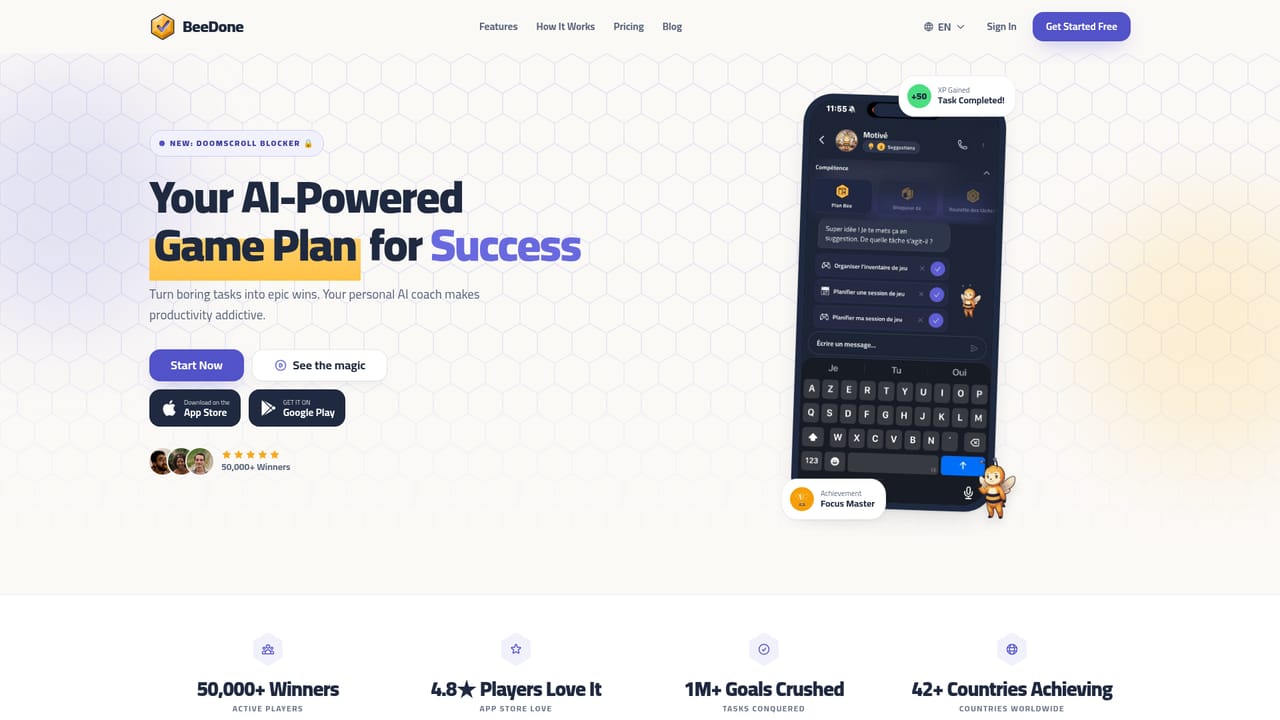
BeeDone is an accountability buddy tool. Gamified task and habit manager for ADHD-style productivity, with XP levels, an AI coach called Dopa in five modes, app blocking until a daily goal is met, a deep work timer and an AI task splitter.
BeeDone is a task and habit manager built around a game loop rather than a plain checklist. Every completed item earns XP, pushes the user toward the next level, and unlocks cosmetic and functional rewards such as avatars and badges. The framing is explicitly aimed at ADHD brains: the homepage notes a French App Store listing subtitled as an ADHD planner, and the marketing leans on short wins, streaks and visible progress instead of long, quiet lists. The feature that separates BeeDone from most to-do apps is its Doomscroll Blocker. Users choose the apps that tend to swallow their attention (TikTok, Instagram and YouTube are the examples given), and those apps stay locked until the day's XP goal is reached. Once the goal is hit, the block lifts without guilt, and it re-arms automatically the next morning. Around that sit a Deep Work timer, a Task Roulette for decision paralysis, an AI Task Splitter that breaks large projects into smaller pieces, a habit tracker, and AI-generated visuals plus motivational notes attached to individual tasks. Dopa, the resident AI coach, runs in five selectable modes: Motivated (warm and upbeat), Blunt (terse tough love), Fearless (challenge framing), Teacher (methodical explanation) and Glitch (robotic system prompts). Switching modes changes how guidance is phrased, which matters for people who find one fixed coaching tone grating after a week. BeeDone is best suited to individuals who struggle with initiation and follow-through, particularly those who have bounced off conventional productivity suites. It is not a team or project management tool: there is no mention of shared boards, assignments or reporting. Compared with Forest (a focus timer) and Finch (a self-care pet), BeeDone leans hardest into structured task completion, which the company itself frames in its comparison posts. Pricing runs from a free Novice tier to Pro at $8 monthly, with a one-off lifetime Legend option.
Pro comes with a 7-day free trial, offered through the Pro Player plan on the pricing section. The free Novice tier has no stated time limit.
Learn moreThree tiers. Novice is free with 3 active habits and basic gamification. Pro costs $8/mo and includes unlimited use, the Dopa AI coach and all 20+ features. Legend is a one-off $120 for lifetime access with everything in Pro. The site states you can upgrade anytime and cancel whenever.
Learn moreCore tools are an AI Task Splitter, AI-generated task visuals and motivation, a Deep Work timer, Task Roulette for random task selection, habit tracking, XP, levels, achievements and avatars, five Dopa coach modes, and a Doomscroll Blocker that holds selected apps locked until the daily XP goal is reached. Over 20 features unlock as the user levels up.
Learn more AI Angels400+ customizable AI girlfriends for NSFW chat, voice calls, and roleplay
 Candy AIExperience the future of companionship with AI friends who chat, role-play, and connect with you on a human level.
 ourdream.aiA vast AI roleplay platform with millions of characters for chat, images, video and voiceAI Angels400+ customizable AI girlfriends for NSFW chat, voice calls, and roleplayCandy AIExperience the future of companionship with AI friends who chat, role-play, and connect with you on a human level.ourdream.aiA vast AI roleplay platform with millions of characters for chat, images, video and voice


