BeFunky

Browser-based photo editing, collages and graphic design in one place

Beginner
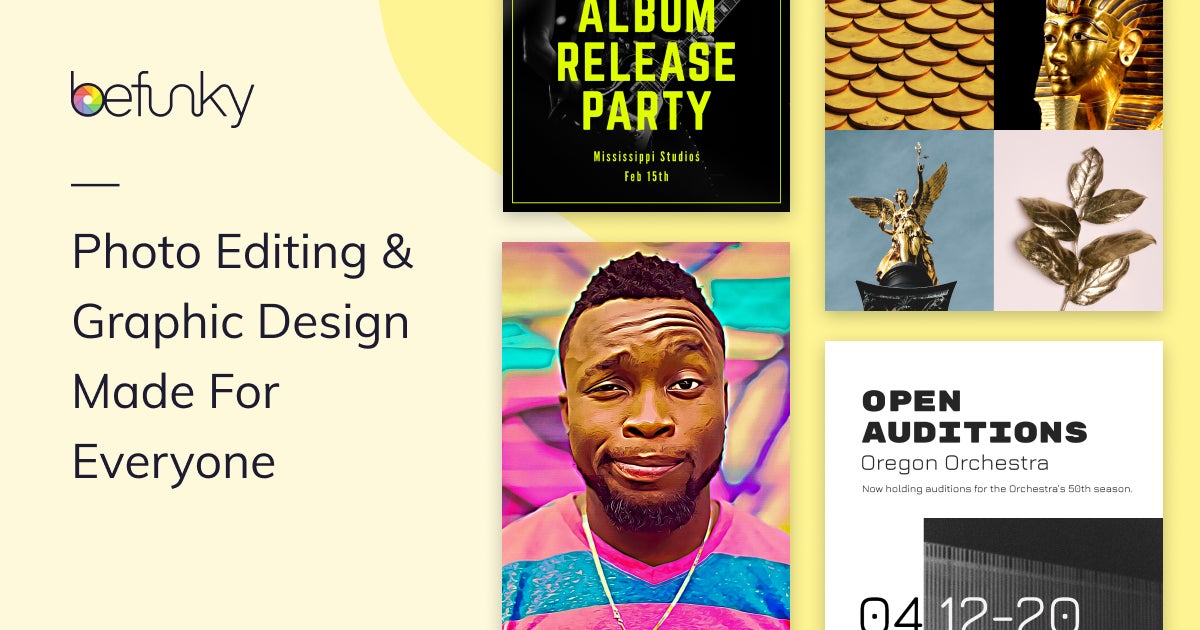
Screenshot of BeFunky, Browser-based photo editing, collages and graphic design in one place

What is BeFunky?

BeFunky is a background remover tool. An online photo editor with collage making, graphic design, AI background removal and batch editing, all running in the browser and aimed at beginners through small business users.

BeFunky is a browser-based creative platform that has been built around photo editing since 2007. The core product is an online photo editor with crop, exposure, color and retouching controls, plus tools for removing objects, replacing or erasing backgrounds, and applying artistic effects that turn ordinary shots into painterly or illustrated versions. Alongside the editor sit two companion workspaces: a Collage Maker with customizable layouts and templates, and a Graphic Designer for social posts, flyers, invitations, cards, banners, menus and business cards. All three live in the same account, so a photo edit can flow straight into a design without exporting to another application. AI features are positioned as accelerators rather than replacements. Background removal, image enhancement, creative transformations and Smart Edit conversational editing handle the repetitive parts of a job, while the user keeps control of the final image. Batch workflows extend the same idea to collections: consistent adjustments, bulk background removal, or Artsy effects applied across hundreds of files at once, which matters for product catalogs and real estate or editorial sets. The tool is aimed at first-time creators as much as experienced photographers, marketers, educators, small businesses and content creators. Beginners lean on Smart Templates and guided panels; more demanding users get layer-style graphic design, typography controls and the depth needed for publication-ready work. A mobile app carries the same editing tools to iOS and Android for touch-ups away from a desk. BeFunky competes less with full desktop suites than with the tangle of separate web apps people currently use for editing, collages, design and AI cleanup. The trade-off is depth: it is a strong generalist for everyday and small-business visuals rather than a precision tool for advanced retouching or print-grade color work. Anyone wanting one browser tab to cover editing, layout and light design will find the consolidation useful.

How do you use BeFunky?

  1. 1Open the photo editor and upload an image
    Go to the photo editor, load a photo from your device, and the editing workspace opens with adjustment and effect panels on the side.
  2. 2Make quick exposure and crop adjustments
    Use the basic editing controls to fix composition, brightness, contrast, highlights and shadows before moving on to stylistic work.
  3. 3Clean up the image with AI tools
    Remove distractions, erase or replace the background, or describe the edit you want in plain language with Smart Edit and refine the result.
  4. 4Turn the photo into a design or collage
    Send the edited image into the Collage Maker for a multi-photo layout, or into the Graphic Designer to build a social post, flyer or card from a template.
  5. 5Process a whole set with batch editing
    For larger jobs, upload a collection and apply the same enhancement, background removal or artistic effect across every file in one pass.
  6. 6Install the mobile app for on-the-go edits
    Scan the QR code or follow the mobile page to install the app and continue editing and sharing from a phone.

Pros and cons

Pros

  • Photo editing, collages, design and AI tools share one browser-based workspace, so projects do not need to be exported between appsAI
  • Smart Templates and guided controls make it approachable for first-time creators, while still offering typography and layout depthAI
  • Batch editing applies enhancements, background removal or Artsy effects across whole photo collections at onceAI
  • Free tier can be used without an account, which lowers the barrier for quick one-off editsAI
  • Mobile apps for iOS and Android carry the core editing tools beyond the desktop browserAI

Cons

  • Advanced capabilities such as the full AI toolset and exclusive effects sit behind paid Plus and Pro tiers, so the free plan is limitedAI
  • A browser-first product is dependent on a stable connection and modern browser, which the redirect page itself underlinesAI
  • It is a generalist editor rather than a precision retouching or print color suite, so specialist photographers may outgrow itAI
  • Template and effect libraries push output toward a recognizable stock look unless users customize heavilyAI
  • Batch automation reduces per-image control, so mixed sets may still need manual review after processingAI

How much does BeFunky cost?

Pricing

The homepage states that BeFunky is free to use with no account required, and that the free plan covers a selection of photo editing, collage and design tools. Advanced editing features, AI tools and exclusive effects require an upgrade to a BeFunky Plus or Pro plan. Specific prices are listed on the pricing page.

Learn more

Support

A support centre hosts help articles, including a guide on how to cancel a BeFunky subscription. Other support channels are not described on the homepage.

Learn more

Features

Photo editor with crop, exposure, color and retouching controls; background remover and object eraser; photo-to-art effects; AI-assisted editing including Smart Edit conversational commands; Collage Maker with layouts, templates and automatic image placement; Graphic Designer for social posts, flyers, cards, invitations and business cards; batch editing for large collections; mobile apps for iOS and Android.

Learn more

Frequently asked questions about BeFunky

  • How much does BeFunky cost?
    The homepage states that BeFunky is free to use with no account required, and that the free plan covers a selection of photo editing, collage and design tools. Advanced editing features, AI tools and exclusive effects require an upgrade to a BeFunky Plus or Pro plan. Specific prices are listed on the pricing page.
  • How do you use BeFunky?
    The walkthrough on this page covers 6 steps: 1. Open the photo editor and upload an image 2. Make quick exposure and crop adjustments 3. Clean up the image with AI tools 4. Turn the photo into a design or collage 5. Process a whole set with batch editing 6. Install the mobile app for on-the-go edits.
  • What platforms does BeFunky support?
    BeFunky is available on Web App, iOS and Android.
  • What are the limitations of BeFunky?
    Advanced capabilities such as the full AI toolset and exclusive effects sit behind paid Plus and Pro tiers, so the free plan is limited. A browser-first product is dependent on a stable connection and modern browser, which the redirect page itself underlines. It is a generalist editor rather than a precision retouching or print color suite, so specialist photographers may outgrow it.

Status

StatusActive
Views0
Outbound clicks0
Added10/21/2026

Platforms

Web AppiOSAndroid

Pricing

FreeFreemiumSubscription