Free trial
Three free removals are granted without payment, plus 10 free upscales for the linked Upscaler tool.
Learn moreOne-click AI background removal with transparent PNG output

BG Remover is a background tool. A free, single-purpose AI background remover that turns photos of people, products, animals and graphics into transparent PNGs in seconds, with an API for developers and a paid credit model after three free removals.
BG Remover is a browser-based background removal tool from Stockphotos.com that isolates the main subject of a photo and returns a transparent PNG, reportedly in about eight seconds. Uploads are accepted as JPG, PNG, TIFF, WEBP or BMP, with a 10 MB ceiling per file. The engine is described as detecting objects and smoothing edges, so cutouts of people, products, animals and graphics come out without manual masking or pixelation at the boundary. The interface is a single drag-and-drop box with no layering, brush or pen tools to learn. The workflow is deliberately narrow: drop a file on the page, let the model separate foreground from background, then download the transparent PNG and composite it in whatever design tool you already use. The site positions this as a complement to design software rather than a replacement, suggesting you place a new backdrop (white, custom or transparent) behind the isolated subject for banners, product shots and composite graphics. It also pairs with a sister upscaler from the same publisher; new visitors receive 10 free upscales alongside their first batch of removals. This suits sellers cleaning up product photos, marketers assembling quick banners, and anyone who occasionally needs a clean subject cutout without opening Photoshop or paying for a full editor. Developers are covered too: the same Stockphotos API handles background removal, image upscaling and EPS to bitmap conversion, and the vendor states it supports plugins, design software, mobile apps and eCommerce tools. The page is localised in Czech, German, Spanish, Dutch and Portuguese as well as English. Among alternatives, this one competes on simplicity and a free allowance rather than on editing depth. It is a focused utility: no batch queue is described, files above 10 MB are turned away, and the free tier is capped at three removals before you buy more credits. If your job is a clean cutout and nothing else, that trade-off is usually acceptable.
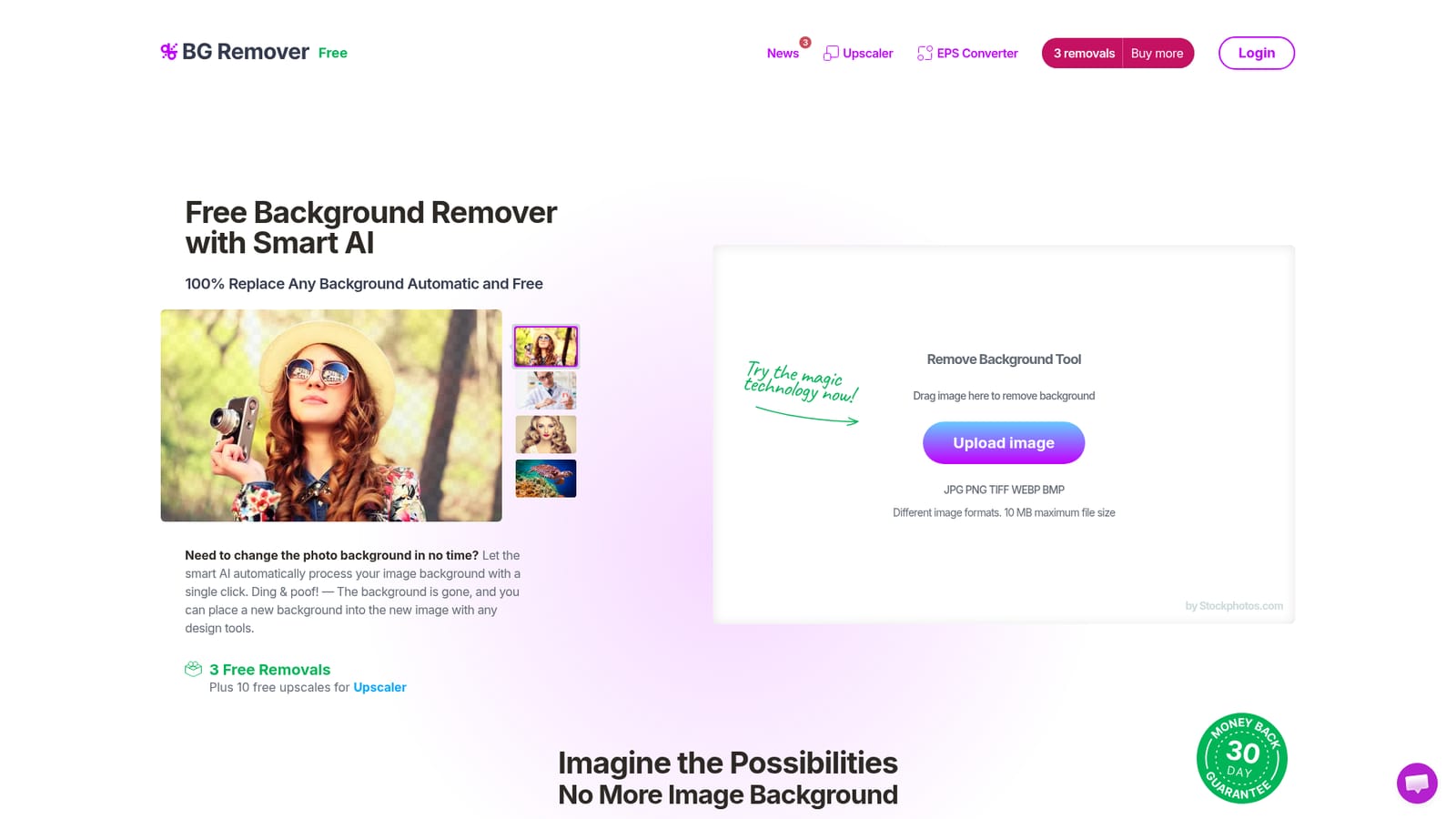
Three free removals are granted without payment, plus 10 free upscales for the linked Upscaler tool.
Learn moreThe tool is free to start with three background removals per visitor, and additional capacity is bought in credit packs through the pricing page. Exact prices are not stated on the homepage, so check the pricing page before committing to volume.
Learn moreA contact page is provided for questions and issues. No live chat, phone line, knowledge base or response time is stated on the homepage.
Learn moreAn API supports plugins, design software, mobile apps and eCommerce tools, and it also covers image upscaling and EPS to bitmap conversion. An API key is requested from the site.
Automatic AI detection of the main subject, edge smoothing to avoid jagged cutouts, transparent PNG output, uploads in JPG, PNG, TIFF, WEBP or BMP up to 10 MB, results in about eight seconds, localisation in six languages, and an API for background removal, upscaling and EPS conversion.
 AI Angels400+ customizable AI girlfriends for NSFW chat, voice calls, and roleplay
 Candy AIExperience the future of companionship with AI friends who chat, role-play, and connect with you on a human level.
 ourdream.aiA vast AI roleplay platform with millions of characters for chat, images, video and voiceAI Angels400+ customizable AI girlfriends for NSFW chat, voice calls, and roleplayCandy AIExperience the future of companionship with AI friends who chat, role-play, and connect with you on a human level.ourdream.aiA vast AI roleplay platform with millions of characters for chat, images, video and voice