Bith

AI studio for product visuals and short ad videos

Beginner
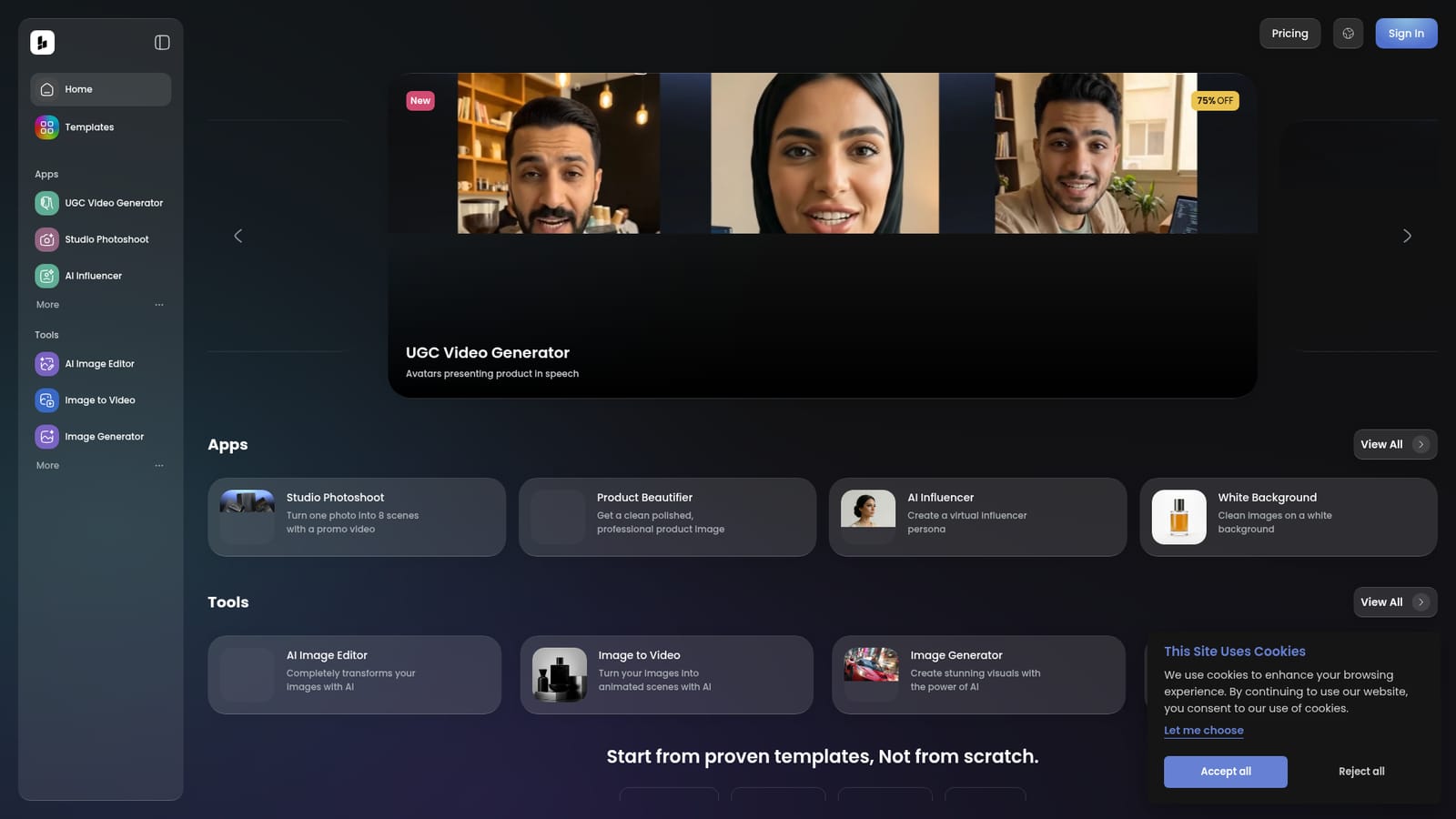
Screenshot of Bith, AI studio for product visuals and short ad videos

What is Bith?

Bith is a photoshoot tool. Bith bundles AI product photography apps with short-form video tools: Studio Photoshoot, Product Beautifier, Virtual Try-on, AI Avatars, Text to Video and a subtitles generator, all built on ad templates for jewelry, fashion and food sellers.

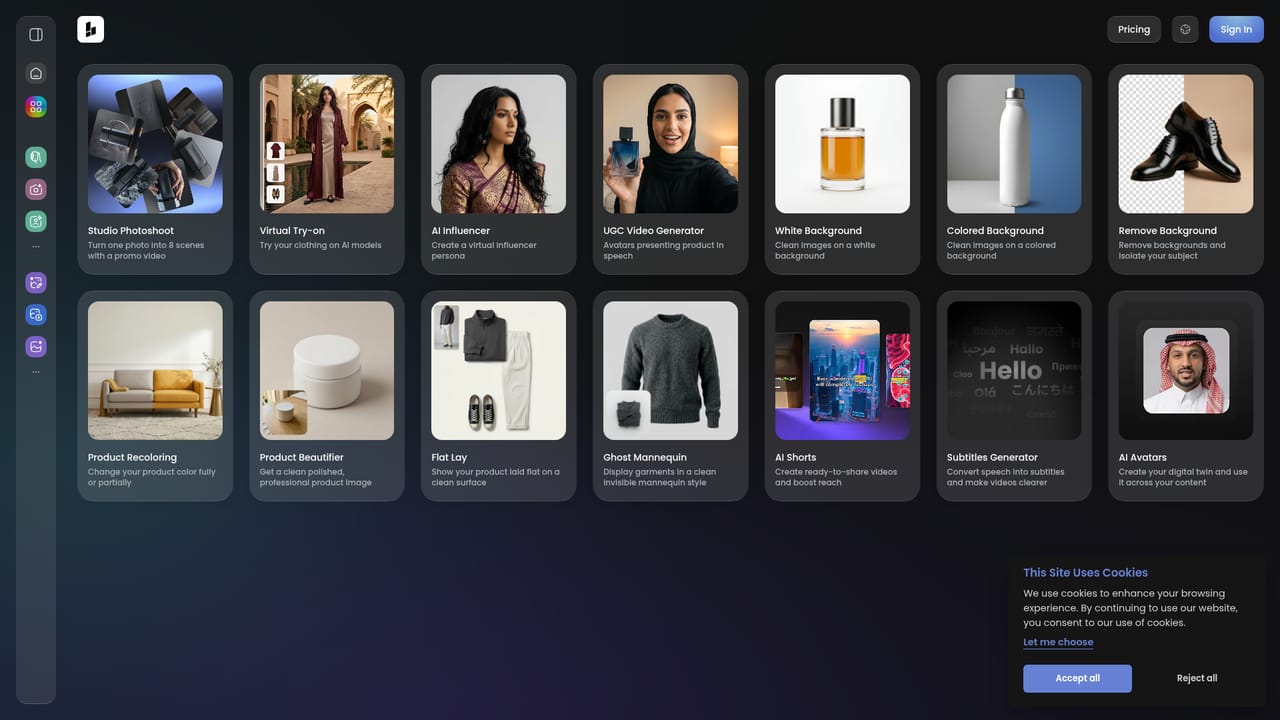
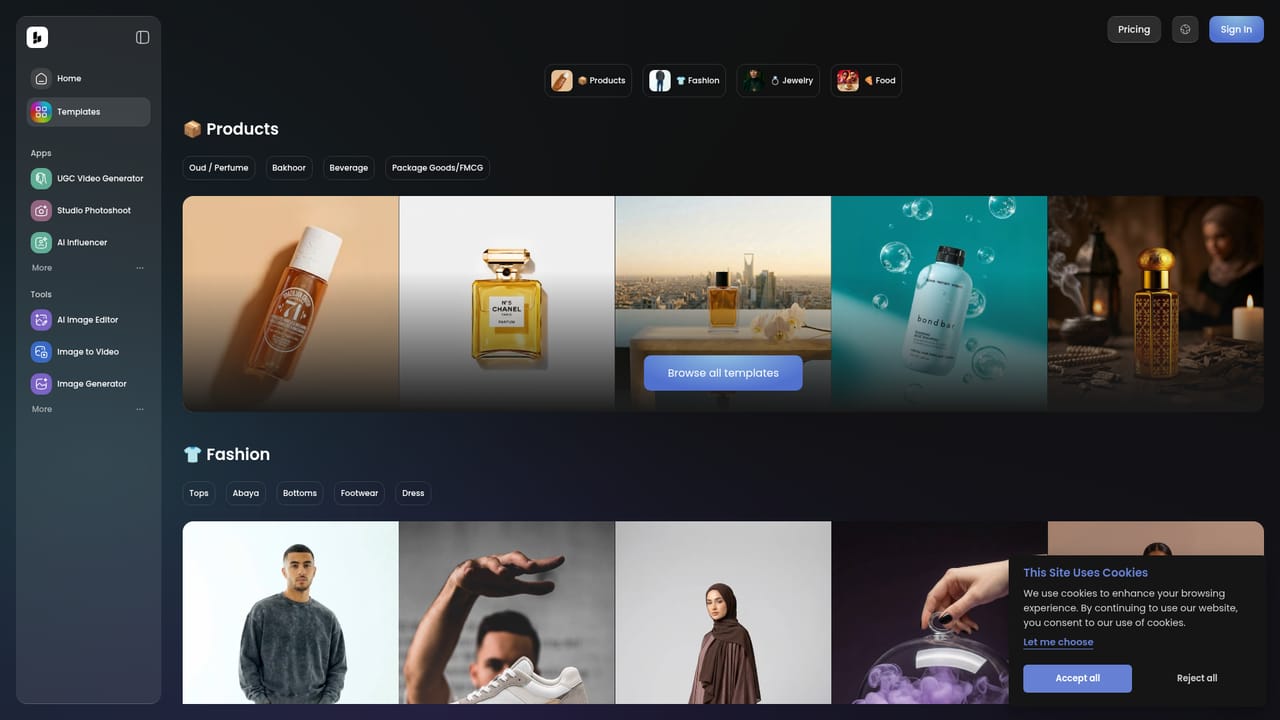
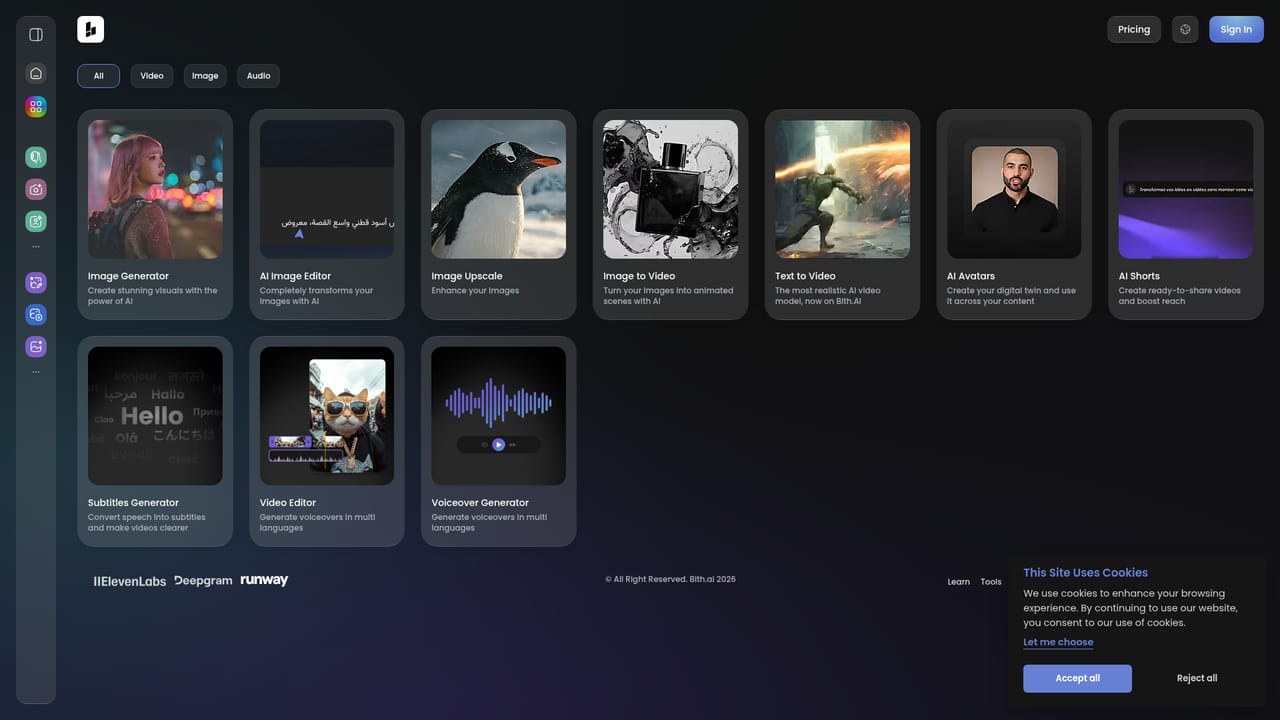
Bith is a browser-based AI studio aimed at ecommerce sellers and small marketing teams who need product visuals and short promotional videos without a photo crew. The product is organized around two areas. Apps handle merchandising images: Studio Photoshoot turns one photo into eight scenes with a promo video, Product Beautifier cleans up a product shot, AI Influencer builds a virtual persona, and a set of background tools produces white, colored or removed backdrops. Virtual Try-on, Flat Lay, Ghost Mannequin and Product Recoloring round out the apparel and jewelry workflows. Tools cover moving content: AI Image Editor, Image to Video, Image Generator, Text to Video, Voiceover Generator, AI Shorts, AI Avatars, Image Upscale, Subtitles Generator and a Video Editor. In practice the workflow starts from a template rather than a blank canvas. Bith ships ad template collections for products, fashion, jewelry and food, with individual jewelry layouts for necklaces, rings, earrings and bracelets plus footwear and apparel variants. A seller picks a layout, swaps in their own product imagery, and generates supporting assets or a video from it. That structure suits jewelry, fashion and food merchants most directly, since the template library is heavily weighted toward those categories. The tool sits in the same bracket as AI product photography services and short-form video generators, but combines both in one dashboard, which reduces the number of subscriptions a small store needs. The tradeoff is breadth: each individual function is fairly narrow, and the output still needs a human eye before it goes live. Buyers who want deep manual control over frames, keyframes or audio mixing will find the video editor thin compared with dedicated editing software. Those who mainly need a steady stream of ready-made ad visuals will get more value. The site advertises a 75% discount on the UGC Video Generator, though exact plan prices are not published on the homepage.

How do you use Bith?

  1. 1Create an account and open the dashboard
    Sign up on the Bith site and land in the dashboard, which splits into Apps for image work and Tools for video and generation.
    Bith — Create an account and open the dashboard
  2. 2Pick an app for your product images
    Browse the Apps section and choose the workflow that matches your need, such as Studio Photoshoot for multi-scene promos or Product Beautifier for cleanup.
    Bith — Pick an app for your product images
  3. 3Start from an ad template
    Open the template gallery and filter by category (products, fashion, jewelry or food) to find a layout close to your campaign before editing anything.
    Bith — Start from an ad template
  4. 4Swap in your own product assets
    Replace the placeholder imagery with your own photos, adjust the background or try-on settings, then generate the visual or promo video.
  5. 5Generate video and audio layers
    Use Text to Video, Image to Video, Voiceover Generator and Subtitles Generator from the Tools page to build speech, captions and motion around the visuals.
    Bith — Generate video and audio layers
  6. 6Assemble and export in the editor
    Bring the generated clips and images into the Video Editor, sequence the scenes and export the finished ad for your channel.

Pros and cons

Pros

  • Product photo and video tools sit in one dashboard, cutting the number of separate subscriptionsAI
  • Ad template library is concrete and niche-aware, with dedicated necklace, ring, earring and footwear layoutsAI
  • Image-to-video and text-to-video cover both starting points, so existing photos can be reusedAI
  • Supporting utilities like Image Upscale, Subtitles Generator and Voiceover Generator fill common gaps around a product clipAI
  • Virtual Try-on and Ghost Mannequin address apparel workflows that generic image generators ignoreAI

Cons

  • Exact subscription prices are not published on the homepage, so cost has to be confirmed inside the productAI
  • The template library leans heavily on jewelry and fashion, leaving other retail categories with thinner starting pointsAI
  • Video editing controls look basic next to dedicated editors, which limits fine tuning of cuts and audioAI
  • Each app is narrow in scope, so a full campaign still means hopping between several tools and stitching results togetherAI
  • No public integrations or export pipeline details are documented on the homepageAI

How much does Bith cost?

Features

Apps cover Studio Photoshoot (one photo into eight scenes with promo video), Product Beautifier, AI Influencer, White, Colored and Remove Background, Virtual Try-on, Product Recoloring, Flat Lay and Ghost Mannequin. Tools include AI Image Editor, Image to Video, Image Generator, Text to Video, Voiceover Generator, AI Shorts, AI Avatars, Image Upscale, Subtitles Generator and a Video Editor, plus ad templates for products, fashion, jewelry and food.

Learn more

Frequently asked questions about Bith

  • How do you use Bith?
    The walkthrough on this page covers 6 steps: 1. Create an account and open the dashboard 2. Pick an app for your product images 3. Start from an ad template 4. Swap in your own product assets 5. Generate video and audio layers 6. Assemble and export in the editor.
  • What platforms does Bith support?
    Bith is available on Web App.
  • What are the limitations of Bith?
    Exact subscription prices are not published on the homepage, so cost has to be confirmed inside the product. The template library leans heavily on jewelry and fashion, leaving other retail categories with thinner starting points. Video editing controls look basic next to dedicated editors, which limits fine tuning of cuts and audio.

Status

StatusActive
Views0
Outbound clicks0
Added10/21/2026

Platforms

Web App

Pricing

FreemiumSubscription