Pricing
Free plan: 10M credits a month, 1 scheduled task and 1 page monitor. Pro is $35 a month with 250M credits; Max is $95 a month with 1B credits. Both paid tiers allow up to 10 scheduled tasks and 30 monitors. Prices include VAT.
Learn moreDescribe the data you need and it writes the rows into Google Sheets.

BrowseWiz is an AI search tool. A Chrome side-panel assistant that turns any website, including pages behind a login, into Google Sheets rows from a plain-language request. It refreshes sheets on a schedule, fires alerts on price drops or new posts, and adds page Q&A, dictation and saved prompts.
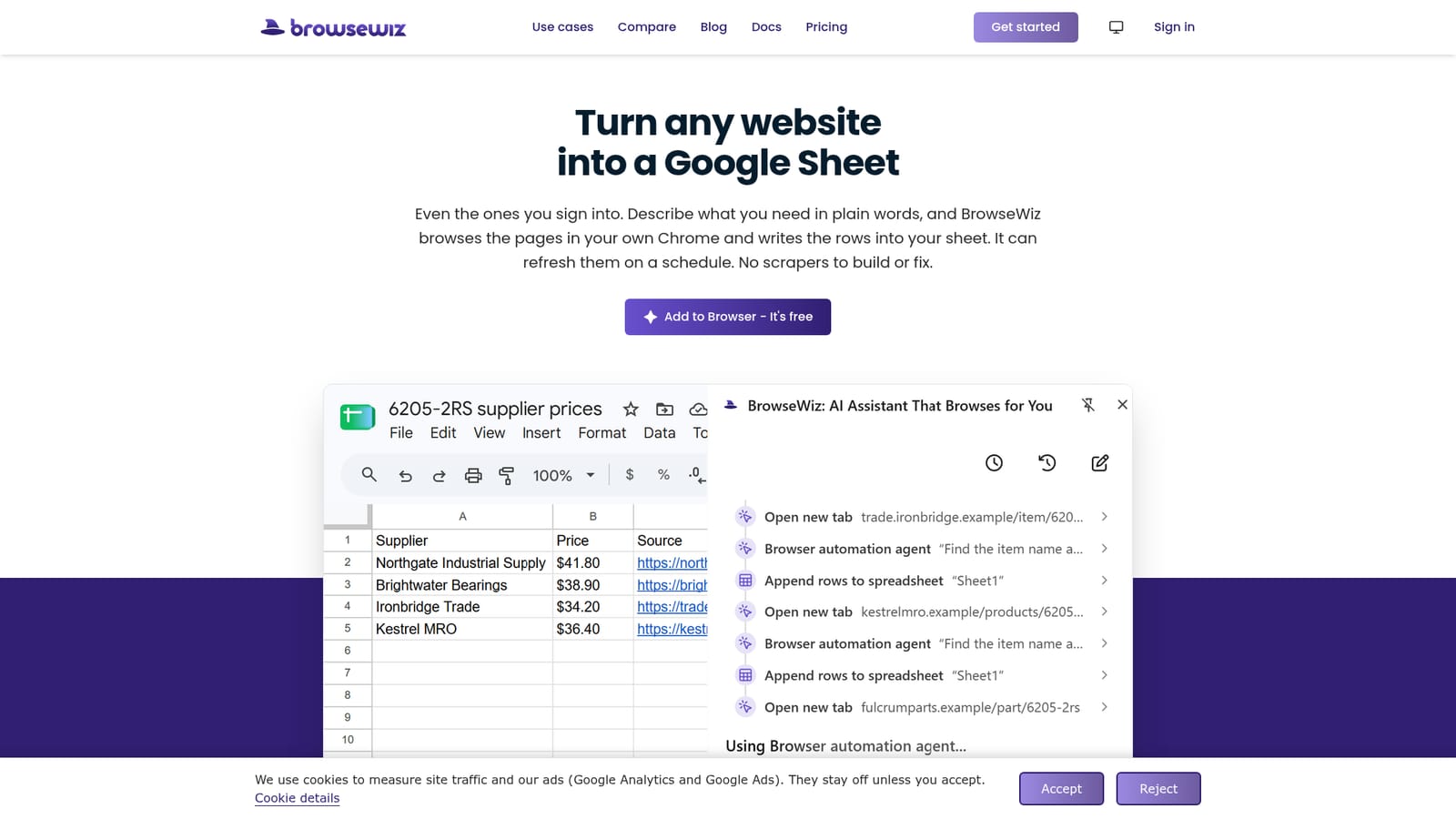
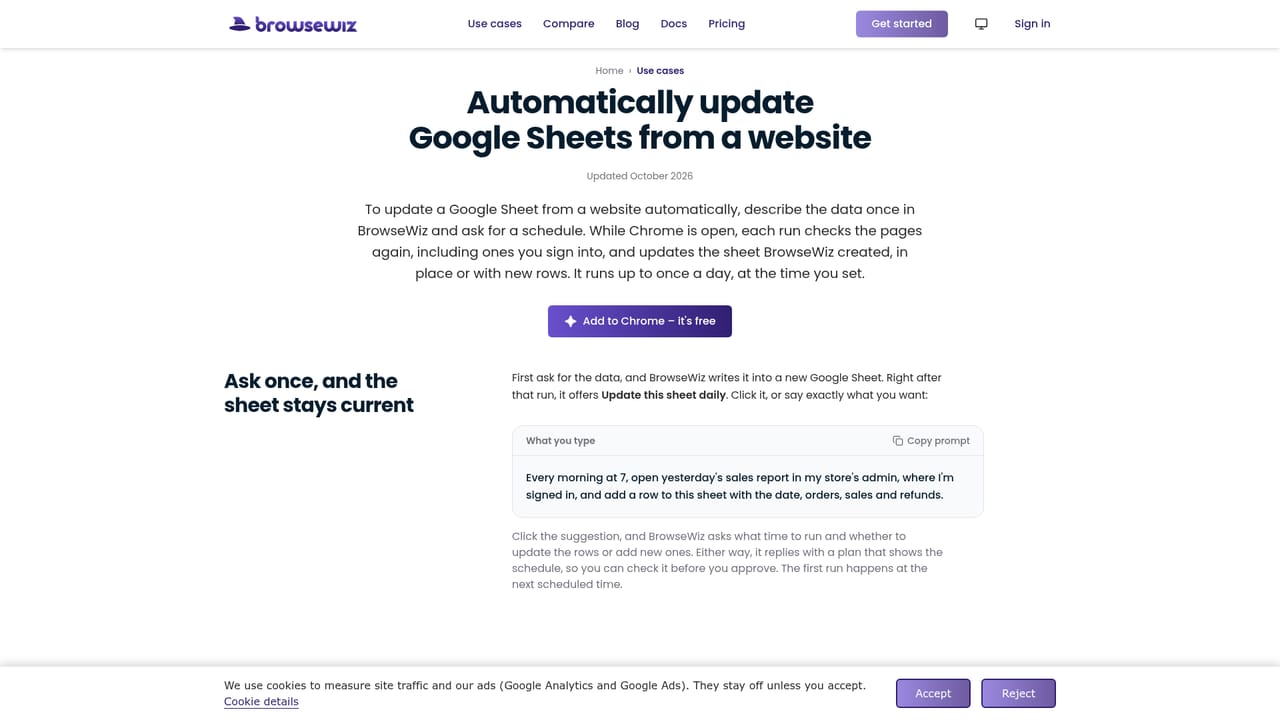
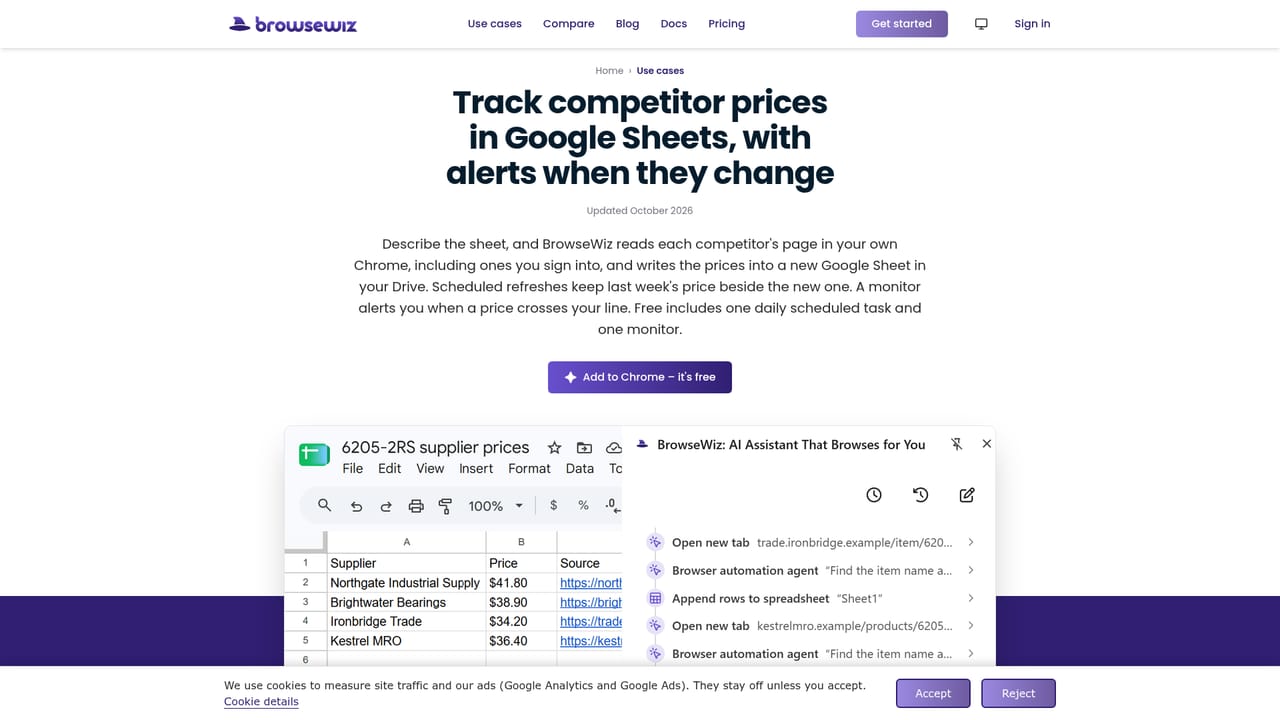
BrowseWiz is a Chrome extension that collects data from websites and writes it directly into Google Sheets. Instead of setting up selectors or writing IMPORTXML formulas, the user describes the wanted output in plain language, for example every supplier price for a part or every speaker listed on a conference page, and the tool opens the relevant pages, reads them and fills in the rows. A source column can be requested so each row links back to the page it came from. The feature that separates it from cloud scrapers is where the browsing happens: inside the user's own Chrome session. Pages behind a login can be read because the user is already signed in, and no passwords are handed over. It asks before reading a tab, clicking or typing, and a safety check runs before each click, text entry and Enter press to block steps that would send, pay, delete or submit something unrequested. Scheduled runs happen only in a dedicated BrowseWiz Tabs group and refuse those risky actions on their own. Beyond collection, the extension handles upkeep. Tasks can repeat on a schedule while Chrome is open, with each run updating rows in place and optionally preserving the previous value. A page monitor checks roughly every five minutes and fires an alert only when a defined change appears, such as a price under a threshold or a new post on a topic. The side panel also carries general assistant tools: page summaries, dictation, read-aloud answers and a Promptbook of saved prompts with fill-in variables. It suits analysts, buyers, researchers and operations staff who track prices, listings or directory data and would otherwise copy rows by hand. The trade-off is dependence on an open browser: schedules and monitors only tick while Chrome is running, and heavy users are moved onto credit-based paid tiers. Custom OpenAI-compatible models can be attached for chat, but the agent, schedules and monitors stay on the built-in model.
Free plan: 10M credits a month, 1 scheduled task and 1 page monitor. Pro is $35 a month with 250M credits; Max is $95 a month with 1B credits. Both paid tiers allow up to 10 scheduled tasks and 30 monitors. Prices include VAT.
Learn moreWrites into Google Sheets after a one-time Google sign-in. Chat can use an OpenAI API key or any OpenAI-compatible endpoint, including OpenRouter, added on the Models page.
Plain-language website to Google Sheets extraction, including pages behind a login, with optional source links. Scheduled refreshes update rows in place and can keep the previous value. Page monitors check about every 5 minutes and alert on defined changes. The side panel adds page summaries and Q&A, dictation, read-aloud answers and a Promptbook of saved prompts with variables.
 AI Angels400+ customizable AI girlfriends for NSFW chat, voice calls, and roleplay
 Candy AIExperience the future of companionship with AI friends who chat, role-play, and connect with you on a human level.
 ourdream.aiA vast AI roleplay platform with millions of characters for chat, images, video and voiceAI Angels400+ customizable AI girlfriends for NSFW chat, voice calls, and roleplayCandy AIExperience the future of companionship with AI friends who chat, role-play, and connect with you on a human level.ourdream.aiA vast AI roleplay platform with millions of characters for chat, images, video and voice