Free trial
A free sign up is offered through the registration page, letting users join and explore the platform before choosing a paid plan.
Learn moreRecruiting software that combines a 450M profile database with multi-channel outreach
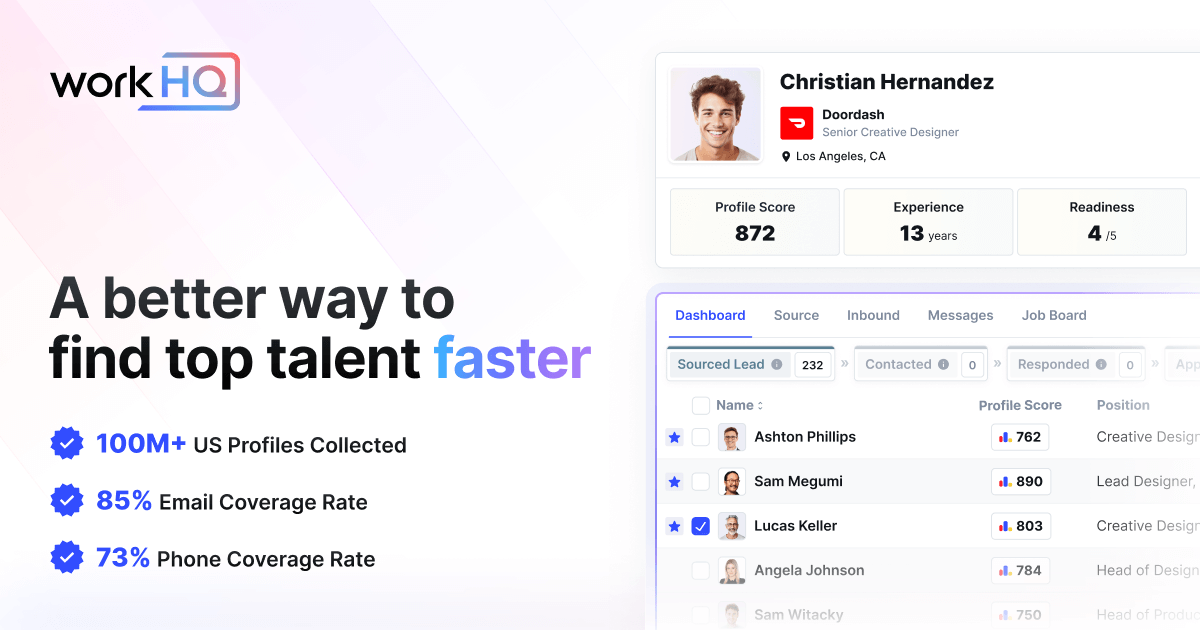
WorkHQ is an AI search tool. WorkHQ bundles a 450M+ professional profile database, contact lookup, multi-channel sequencing (email, LinkedIn, SMS), a unified candidate inbox, an AI Recruiter Agent and job multi-posting in one recruiting platform aimed at teams that want a cheaper alternative to LinkedIn Recruiter.
WorkHQ is an all-in-one recruiting platform built around a searchable database of more than 450 million professional profiles. Instead of buying a sourcing tool and a separate outreach tool, recruiters work from one place: they search the database, enrich candidate contact details, and start conversations across email, LinkedIn and SMS. The company positions the product as a lower-cost alternative to LinkedIn Recruiter. The core of the workflow is candidate sourcing. Profiles are described as cleansed, categorized and enriched, and search is powered by AI so a recruiter can narrow the pool quickly. From there, a contact lookup feature aggregates multiple data providers to surface personal emails, business emails and phone numbers, either one profile at a time or in bulk into a CRM. A sequencing engine runs outbound campaigns that mix email, SMS, phone calls, LinkedIn connection requests and LinkedIn messages, and a unified inbox shows every candidate conversation in one thread regardless of channel. Contact records update automatically when a candidate changes job title, company or phone number, which keeps outreach lists from going stale. An AI Recruiter Agent goes a step further: it finds qualified candidates, discusses the role with them, and books interviews onto the recruiter's calendar. The platform also reaches beyond pure recruiting with job multi-posting to boards such as LinkedIn, Indeed and ZipRecruiter, salary estimates based on title, company, tenure, experience and location, and a business development view of companies that are actively hiring. A Chrome extension lets users enrich LinkedIn profiles and save candidates to projects without leaving the browser. WorkHQ fits small recruiting firms, staffing agencies and in-house talent teams that want sourcing, sequencing, a contact book and light applicant tracking in a single subscription. Teams already deeply invested in an established ATS should check how much of their pipeline history can move across. The ability to work without annual commitments makes it easy to test against a dedicated sourcing tool before committing.
A free sign up is offered through the registration page, letting users join and explore the platform before choosing a paid plan.
Learn moreThe homepage advertises joining for free and states that no annual commitments are required, with the product pitched as a fraction of the cost of LinkedIn Recruiter. Specific plan prices and feature limits per tier are not published on the homepage.
Learn moreJob multi-posting distributes listings to partners including LinkedIn, Indeed and ZipRecruiter, and a Chrome extension connects browser activity to WorkHQ. No other integrations are named on the homepage.
Candidate search across 450M+ enriched profiles, contact lookup for emails and phone numbers, multi-channel sequencing over email, LinkedIn and SMS, a consolidated inbox, an AI Recruiter Agent that books interviews, a Chrome extension for LinkedIn, job multi-posting, salary estimates, business development search of active job posts, and a self-updating contact book.
 AI Angels400+ customizable AI girlfriends for NSFW chat, voice calls, and roleplay
 Candy AIExperience the future of companionship with AI friends who chat, role-play, and connect with you on a human level.
 ourdream.aiA vast AI roleplay platform with millions of characters for chat, images, video and voiceAI Angels400+ customizable AI girlfriends for NSFW chat, voice calls, and roleplayCandy AIExperience the future of companionship with AI friends who chat, role-play, and connect with you on a human level.ourdream.aiA vast AI roleplay platform with millions of characters for chat, images, video and voice