Free trial
A free trial is offered through the signup page. Repositories are created under your GitHub account from the start and remain yours if you cancel.
Learn moreTurns an app idea into a task backlog and repo, streamed to your AI assistant.

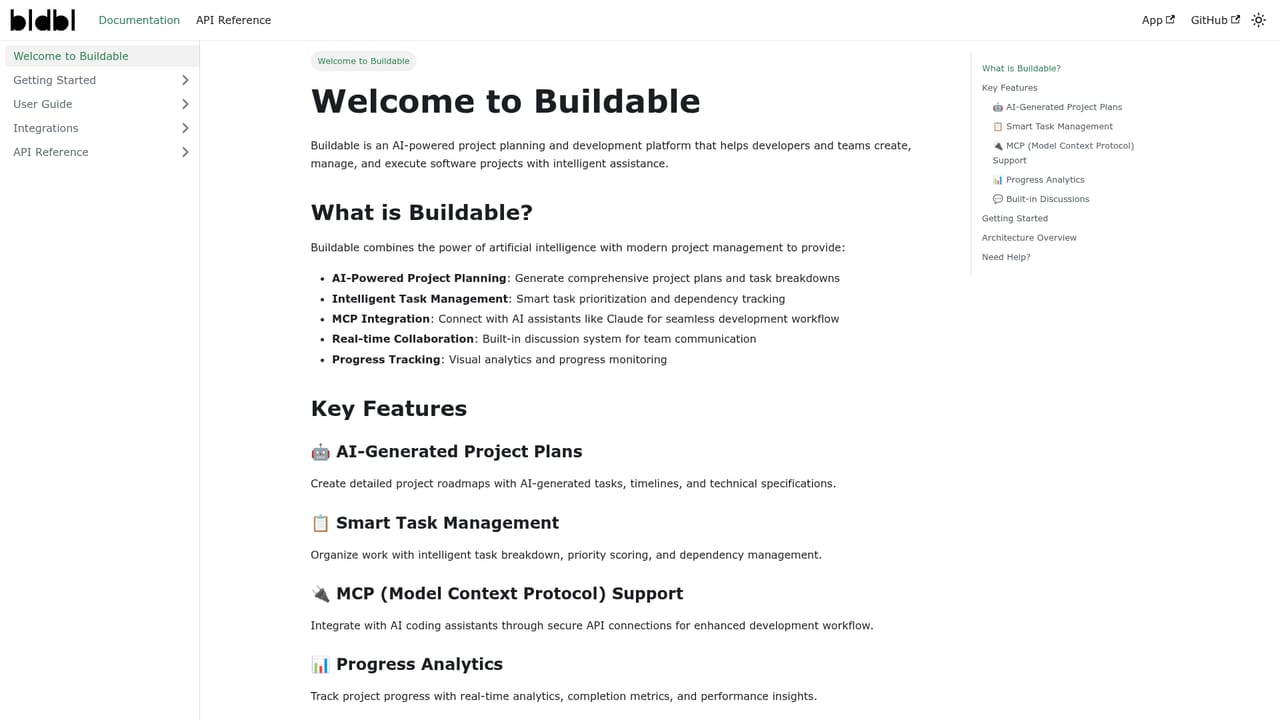
Buildable is an AI project builder tool that turns an app idea into a task backlog and repo, streamed to your AI assistant. Buildable converts an app idea into an AI generated development plan, scaffolds a private GitHub repo with CI/CD, and streams tasks to any MCP compatible assistant through its CLI and server.
Buildable is a planning and task engine for teams that build software with AI assistants. You describe an app idea, and Buildable generates a development plan that ranges from high level architecture down to individual implementation tasks. It then scaffolds a private GitHub repository under your own account and sets up CI/CD so the project has a working foundation before any feature code is written. The output is not a chat transcript or a vague outline: it is a structured backlog that a coding assistant can act on. The mechanism is an MCP server plus a CLI. You copy a project scoped API key, install the Buildable MCP server in your editor or assistant, and the assistant reads the plan, sees the codebase context and pulls tasks to execute. The company lists compatibility with GPT-4 and GPT-4o, Claude 3 and above, and local models that can make HTTP calls, alongside editor integrations for Cursor, GitHub, Anthropic, Zed and Windsurf. Buildable handles the protocol wiring itself, so users do not need to learn MCP to get started. In practice it suits solo developers who want a structured head start on a side project or SaaS build, and small teams that need a shared board. The team side adds a live Kanban view whose cards update with CI status, plus shared repositories and per seat billing. Because the planner is stack agnostic, the backlog, repository scaffold and CI template adapt to whatever language or framework you choose rather than forcing a house stack. The positioning is deliberately distinct from coding copilots. Copilot and general assistants write code when prompted; Buildable decides what should be built, where it lives and how it should be tested, then feeds those tasks to whichever assistant you already use. Repositories are private by default, keys are project scoped and hashed, and row level security separates organizations. Data is exportable as JSON, tasks can be pushed to GitHub Issues, and the repo can be cloned, so there is no enforced lock in. Self hosted and SOC-2 on premises editions exist on an enterprise tier.

A free trial is offered through the signup page. Repositories are created under your GitHub account from the start and remain yours if you cancel.
Learn morePro costs $15 per month for solo developers and includes 5 project generations per month. Team costs $29 per user per month for teams of 2 or more and includes 20 project generations per month shared across the team. Additional generations are $5 each. Self hosted and SOC-2 on premises editions sit on an Enterprise tier.
Learn morePersonal support is advertised for onboarding questions and account issues, alongside public documentation at the docs page.
Learn moreCursor, GitHub, Anthropic, Zed and Windsurf are listed. Any GPT-4 or GPT-4o, Claude 3 plus, or local model that can call HTTP works through the MCP server and CLI.
AI planning that converts an idea into architecture notes and concrete implementation tasks, private GitHub repository scaffolding with CI/CD setup, and an MCP server that streams tasks to compatible assistants. Team features include a live Kanban board with cards that update on CI status, shared repos, stack agnostic planning, JSON export and GitHub Issues push.
 AI Angels400+ customizable AI girlfriends for NSFW chat, voice calls, and roleplay
 Candy AIExperience the future of companionship with AI friends who chat, role-play, and connect with you on a human level.
 ourdream.aiA vast AI roleplay platform with millions of characters for chat, images, video and voiceAI Angels400+ customizable AI girlfriends for NSFW chat, voice calls, and roleplayCandy AIExperience the future of companionship with AI friends who chat, role-play, and connect with you on a human level.ourdream.aiA vast AI roleplay platform with millions of characters for chat, images, video and voice