CheatGPT

Answers Canvas quiz questions on the page while the activity log stays clean

Beginner
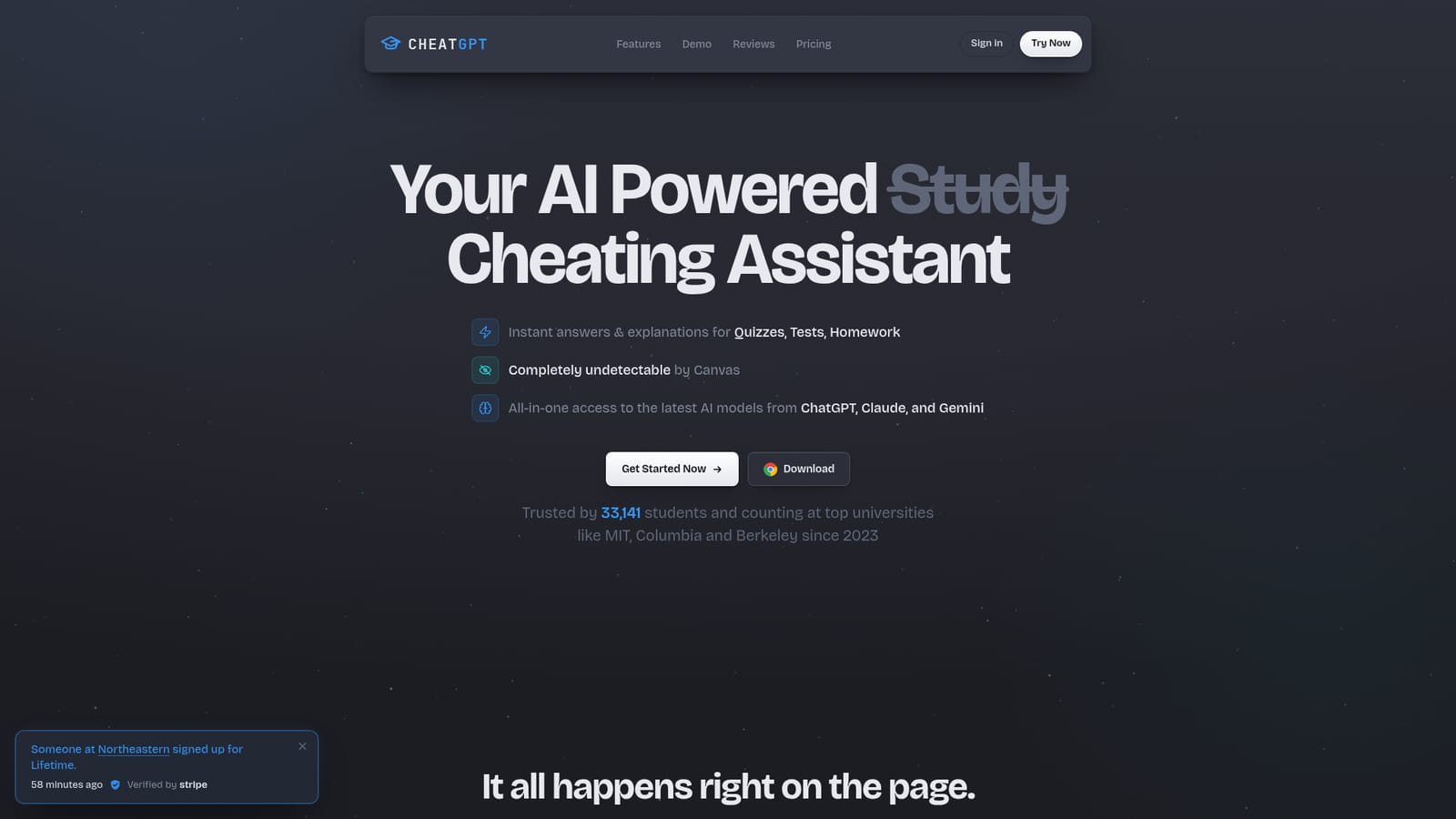
Screenshot of CheatGPT, Answers Canvas quiz questions on the page while the activity log stays clean

What is CheatGPT?

CheatGPT is a ChatGPT tool. A Chrome extension that reads Canvas quiz questions and places AI-generated answers on the page, with ChatGPT, Claude and Gemini in one sidebar and features aimed at keeping the Canvas activity log free of tab-switch flags.

CheatGPT is a Chrome extension built for students taking quizzes, tests and homework on Canvas. It reads the question currently displayed, sends the text to a large language model, and places the answer directly on the page along with a brief explanation of why that answer is correct. The extension is positioned less as a study aid and more as an exam companion: its selling point is that it suppresses the tab-switch and focus-loss events Canvas records, so an attempt log shows no flags for leaving the quiz page. The homepage contrasts two simulated logs, one with flagged departures and one clean, to make that case visually. In practice the tool handles question types differently. Multiple choice, true/false and multi-select items fill in with a single click, while matching, dropdown, fill-in-the-blank and essay questions return written answers that the student types in manually. Image-based questions are handled through a screenshot capture. The same sidebar provides access to models from ChatGPT, Claude and Gemini in one panel, so a student does not need separate subscriptions or browser tabs. A highlight toolbar adds rewriting and summarizing for text selections, and a saved-answers feature refills responses on repeat attempts. The audience is clear: undergraduates at institutions using Canvas, particularly those facing high-stakes online assessments in large lecture courses. Setup is described as a roughly two-minute install from the Chrome Web Store, and the vendor states compatibility with every Canvas instance, including school-specific custom domains rather than only Instructure-hosted pages. Competitively, CheatGPT distinguishes itself from simpler extensions that only mask tab switching by also generating the answer. Compared with general chat assistants, the value is proximity and speed: no copy and paste, no second window. The obvious trade is that the whole product depends on one learning management system, and the ethics and academic integrity exposure sit entirely with the user.

How do you use CheatGPT?

  1. 1Install the Chrome extension
    Add CheatGPT from the Chrome Web Store link on the homepage. The vendor says setup takes about two minutes and that no separate account juggling is needed beyond the activation shown in the extension panel.
    CheatGPT — Install the Chrome extension
  2. 2Choose a plan and activate
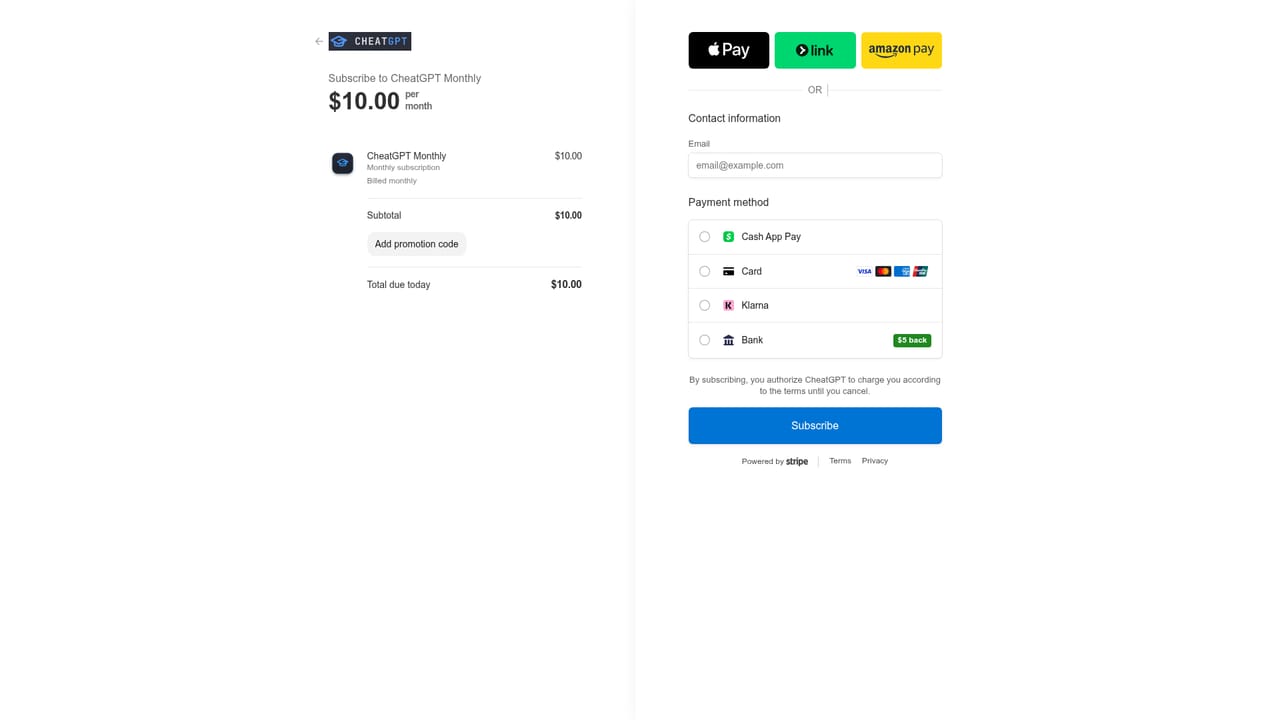
    Pick the monthly subscription or the one-time lifetime license and complete payment through Stripe. The extension panel then shows the active status alongside Ghost Mode and AI Answers toggles.
    CheatGPT — Choose a plan and activate
  3. 3Turn on Ghost Mode and AI Answers
    In the extension panel, confirm that Ghost Mode and AI Answers are both switched on. Ghost Mode is the component that keeps the Canvas activity log free of tab-switch and focus-loss events.
  4. 4Open a Canvas quiz
    Navigate to a quiz or test in your school's Canvas instance. CheatGPT reads the visible question and places the answer, with a short explanation, next to it on the page.
  5. 5Review and submit
    Check the explanation on questions that carry the most weight, then fill in written responses yourself for essay, matching and fill-in-the-blank items. Submit the quiz as usual.

Pros and cons

Pros

  • Generates answers for every listed question type, including essay and fill-in-the-blankAI
  • Three model families (ChatGPT, Claude, Gemini) available in one sidebarAI
  • Works on custom school Canvas domains, not just standard Instructure pagesAI
  • Saved answers auto-refill on retake attempts, which saves time on multi-try quizzesAI
  • Refund offered if messaged within 7 days, and payments run through StripeAI

Cons

  • Chrome extension only, so nothing is available for Safari, Firefox or a phone browserAI
  • No free tier; the cheapest route is a $10 monthly or $50 lifetime chargeAI
  • Accuracy claims are unquantified, and the vendor itself tells users to skim explanations before submittingAI
  • Tied exclusively to Canvas, so D2L, Blackboard and Moodle users are not servedAI
  • Using it likely violates academic integrity policies, and detection claims rest on the seller's own descriptionAI

How much does CheatGPT cost?

Pricing

Two paid plans. Monthly is listed at $15 crossed out to $10 per month; Lifetime is $80 crossed out to $50 as a one-time payment and includes future updates, early access to new features and priority support. Payments run through Stripe and the vendor says it never sees card details.

Learn more

Support

Email at support@cheatgpt.app and a Discord community the vendor describes as always open. Lifetime buyers get priority support, and refund requests are accepted within 7 days if the tool is not working for you.

Integrations

Runs as a Chrome extension on Canvas, including school-specific custom domains rather than only standard Instructure-hosted pages. No other integrations are listed on the homepage.

Features

Instant answers and short explanations for multiple choice, true/false, multi-select, matching, dropdown, fill-in-the-blank, essay and image-based questions. Ghost Mode suppresses Canvas tab-switch and focus-loss flags. A sidebar gives access to ChatGPT, Claude and Gemini models in one place, a highlight toolbar rewrites or summarizes selected text, and saved answers auto-fill on repeat attempts.

Frequently asked questions about CheatGPT

  • How much does CheatGPT cost?
    Two paid plans. Monthly is listed at $15 crossed out to $10 per month; Lifetime is $80 crossed out to $50 as a one-time payment and includes future updates, early access to new features and priority support. Payments run through Stripe and the vendor says it never sees card details.
  • How do you use CheatGPT?
    The walkthrough on this page covers 5 steps: 1. Install the Chrome extension 2. Choose a plan and activate 3. Turn on Ghost Mode and AI Answers 4. Open a Canvas quiz 5. Review and submit.
  • What platforms does CheatGPT support?
    CheatGPT is available on Browser extension.
  • What does CheatGPT integrate with?
    Runs as a Chrome extension on Canvas, including school-specific custom domains rather than only standard Instructure-hosted pages. No other integrations are listed on the homepage.
  • What are the limitations of CheatGPT?
    Chrome extension only, so nothing is available for Safari, Firefox or a phone browser. No free tier; the cheapest route is a $10 monthly or $50 lifetime charge. Accuracy claims are unquantified, and the vendor itself tells users to skim explanations before submitting.

Status

StatusActive
Views0
Outbound clicks0
Added10/21/2026

Platforms

Browser extension

Pricing

PaidSubscription