Support
A contact form on the site takes bug reports, feature requests and general questions, with an OS field for iOS, Android or other. A separate FAQ page is linked in the footer.
Learn moreAI chord and beat detection for any song, straight from your phone

Chordai is an audio analysis tool. Chord ai is an iOS and Android app that detects chords, beats, key and lyrics for any song, with real-time mic recognition, stem separation and audio to MIDI export.
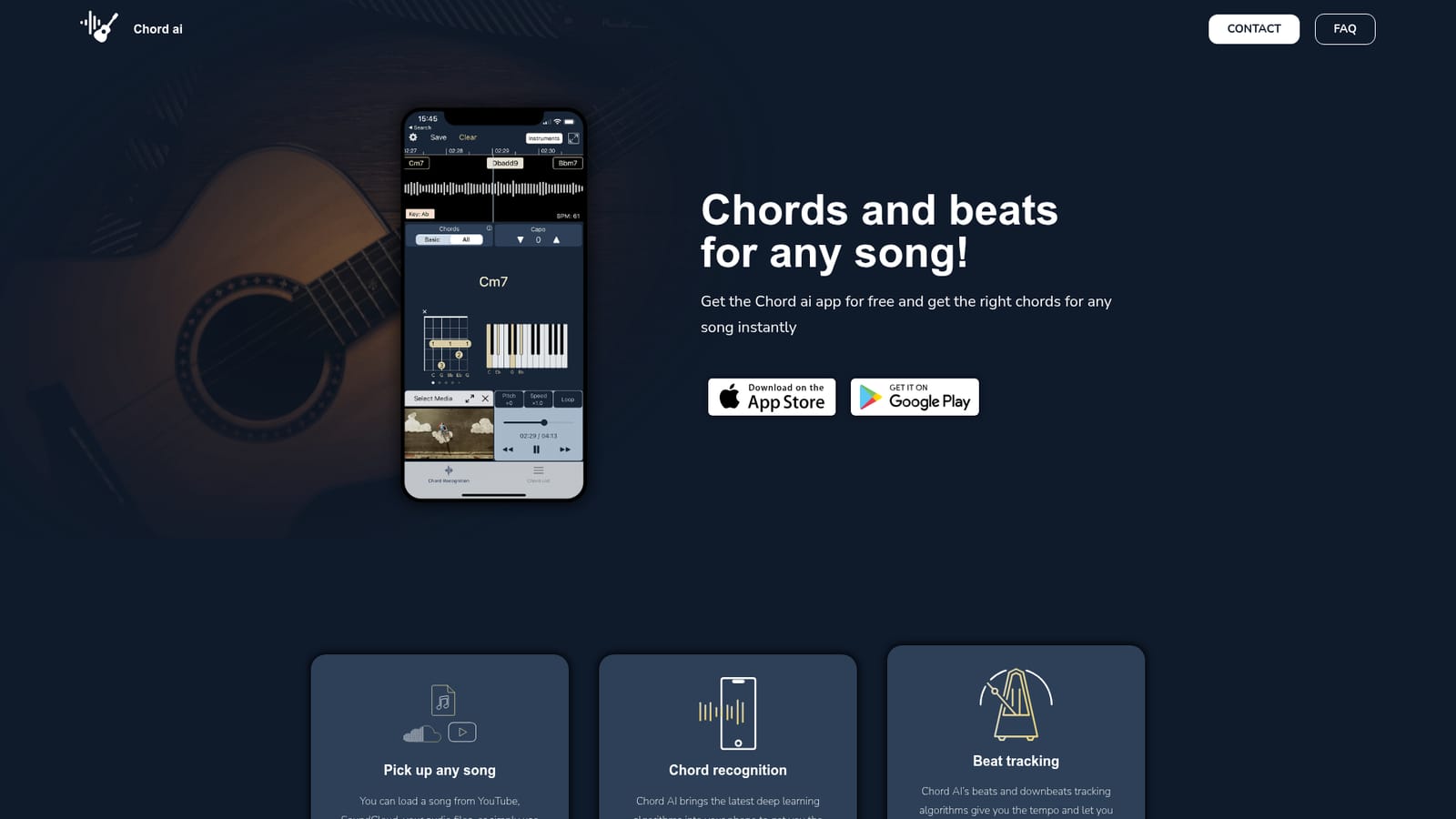
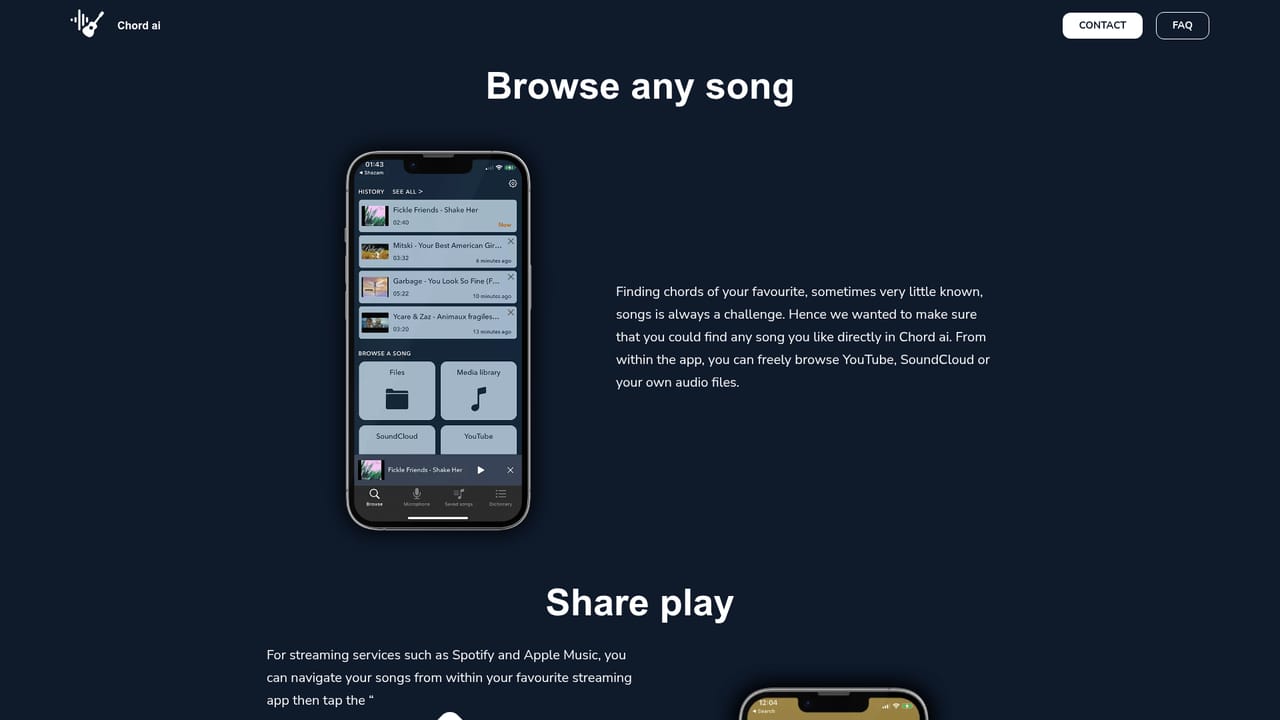
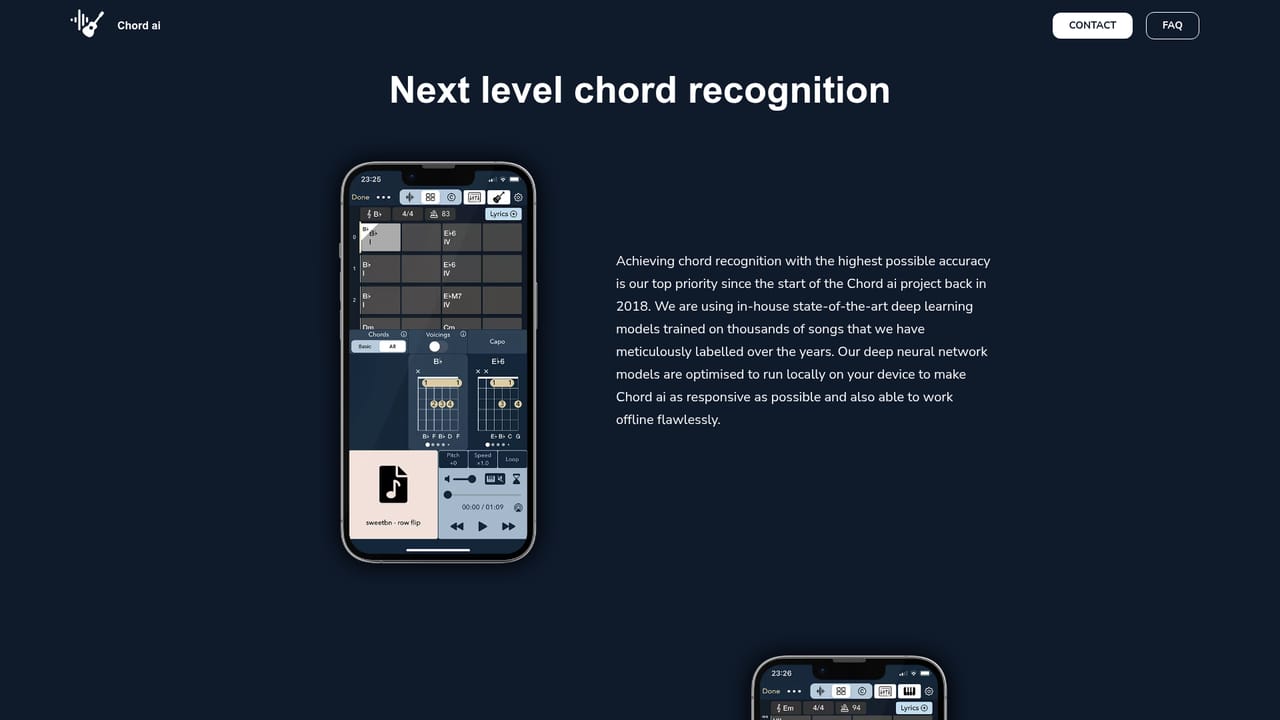
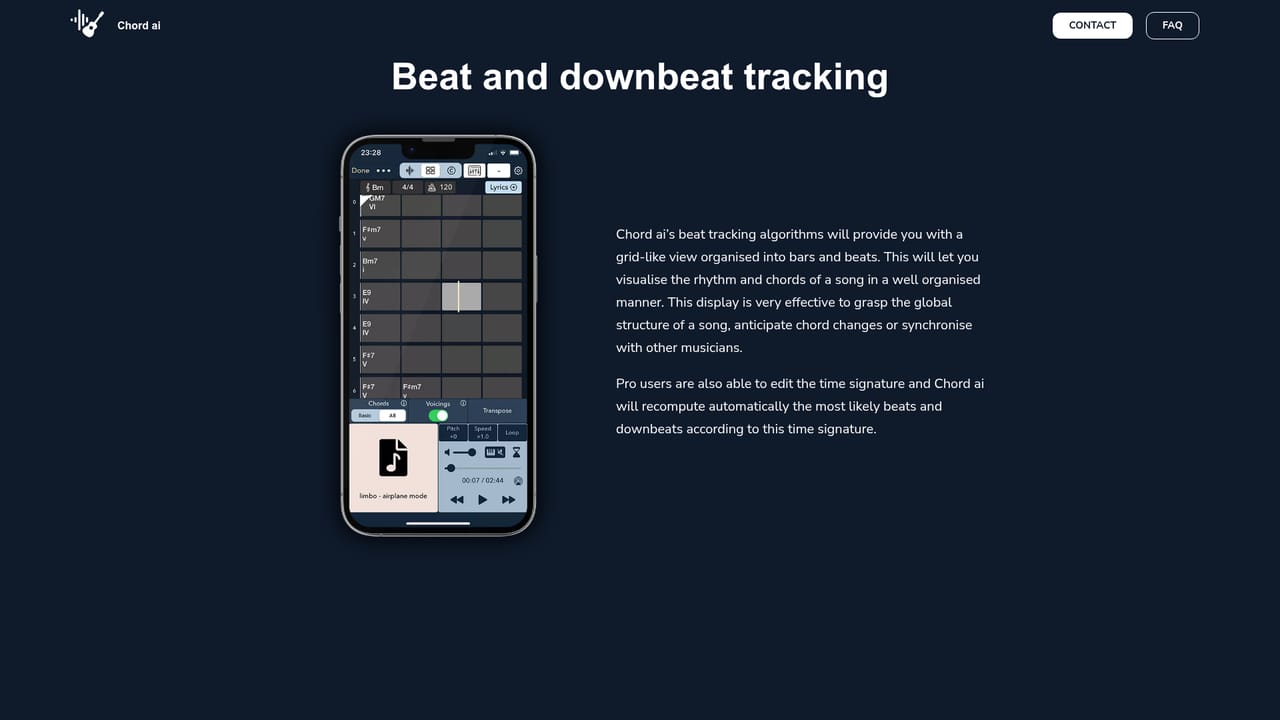
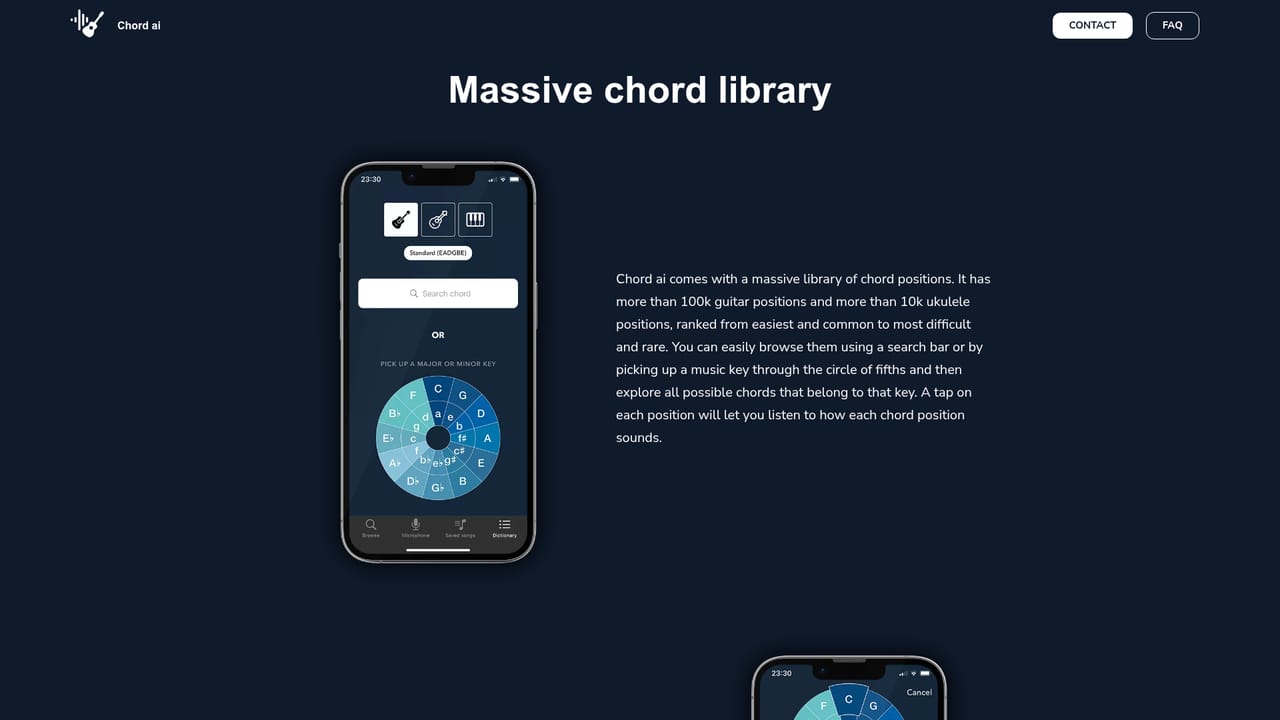
Chord ai is a mobile app that listens to a recording and works out the harmonic and rhythmic structure of the song for you. Load a track from YouTube, SoundCloud or your own audio files, or point your device microphone at whatever is playing, and the app returns a chord chart, a tempo map and a key estimate. The pitch is that you stop hunting through chord tabs online and let the analysis run instead. The engine is built around several distinct models. Deep learning chord recognition handles the harmony, including extended voicings such as major sevenths, dominant sevenths, diminished, augmented and altered dominants. Beat and downbeat tracking produces tempo and segments the song into bars and beats, which makes the structure visible at a glance. Key recognition is inferred from the detected chords rather than estimated separately. On top of that, Whisper handles lyrics transcription, Basic Pitch (Spotify's research model) converts audio into MIDI, and a stem separator splits a track into bass, vocals, drums and other, with each stem exportable as a .wav file. A chord dictionary supplies diagrams for guitar, piano and ukulele so a detected chord can become a fingering. Guitarists and pianists learning songs by ear are the obvious audience, along with cover bands, teachers, students and producers who want a quick harmonic reference before arranging. Real-time recognition from the microphone is the feature that separates it from a static chord database: it works on what is being played live, not just on a finished file. Alternatives tend to sit at opposite ends. Chord sites are free but crowd-sourced and often wrong or incomplete; desktop transcription suites are more configurable but heavier and pricier. Chord ai occupies the middle, prioritizing speed and one-tap simplicity on iOS and Android. Accuracy on dense jazz voicings and heavily produced mixes varies, so treat the output as a strong first draft and check it against your ear.
A contact form on the site takes bug reports, feature requests and general questions, with an OS field for iOS, Android or other. A separate FAQ page is linked in the footer.
Learn moreSongs can be pulled from YouTube and SoundCloud, and audio files from the device. The analysis stack builds on Spotify's Basic Pitch research and OpenAI's Whisper model.
Chord recognition via deep learning, beat and downbeat tracking, key detection, a chord dictionary with guitar, piano and ukulele diagrams, real-time recognition from the device microphone, four stem separation with .wav export, audio to MIDI using Spotify's Basic Pitch, and lyrics transcription through OpenAI's Whisper model.
Learn more AI Angels400+ customizable AI girlfriends for NSFW chat, voice calls, and roleplay
 Candy AIExperience the future of companionship with AI friends who chat, role-play, and connect with you on a human level.
 ourdream.aiA vast AI roleplay platform with millions of characters for chat, images, video and voiceAI Angels400+ customizable AI girlfriends for NSFW chat, voice calls, and roleplayCandy AIExperience the future of companionship with AI friends who chat, role-play, and connect with you on a human level.ourdream.aiA vast AI roleplay platform with millions of characters for chat, images, video and voice