Free trial
No time-limited trial, but a free tier: 3 credits on signup with no card, plus 3 credits per month that do not accumulate. Basic recipes cost 1 credit each.
Learn moreTurn a dish name, a fridge photo or a list of ingredients into a plated recipe.
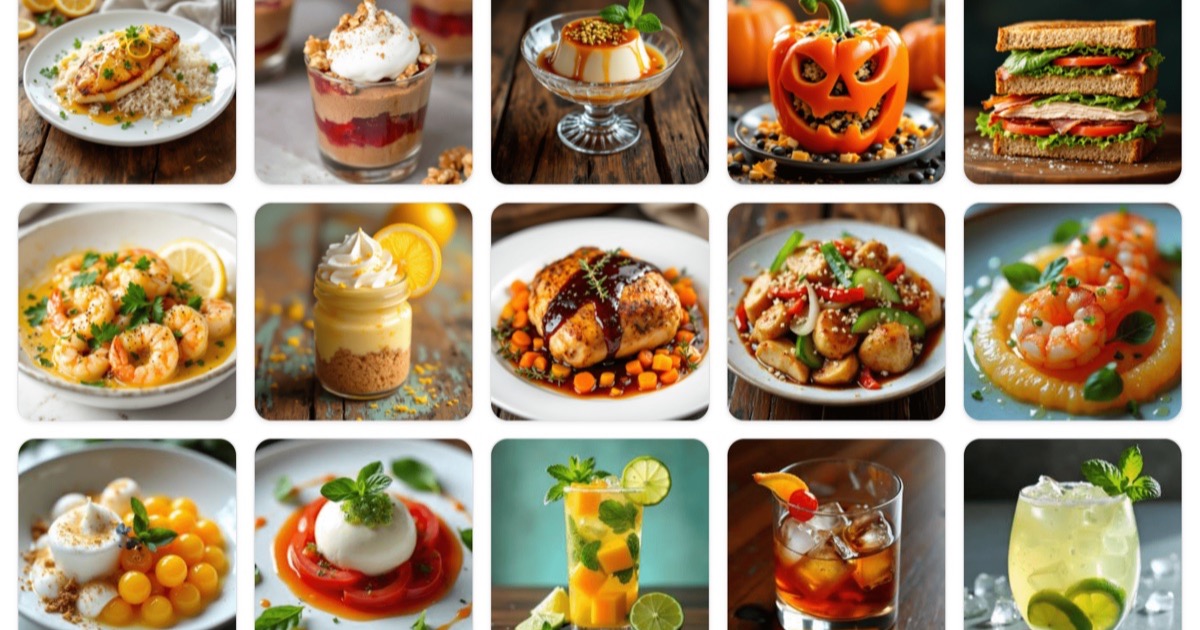
cookAIfood is a photo calculator tool that turns a dish name, a fridge photo or a list of ingredients into a plated recipe. cookAIfood generates full recipes (ingredients, steps, nutrition, drink pairing and a photo) from a dish name, your ingredients or a photo of your fridge.
cookAIfood is a web tool that generates complete recipes from a prompt. You can start with a dish name, a cuisine, a diet, a list of ingredients you already have, or a photo of a dish, a set of ingredients or the contents of your fridge. The generator returns a full recipe in roughly twenty seconds: ingredient quantities, step by step method, cooking times, tips, nutrition information and a drink pairing, plus a food photograph of the finished plate. A recipe library of nearly ten thousand user generated dishes is browsable without signing in, which makes it a reasonable place to look for dinner ideas before you spend anything. Beyond single dishes, the platform builds full menus for an occasion, from a small dinner to a larger party. Servings can be scaled up or down, recipes download as PDFs, favourites can be saved and each recipe has a shareable page. Photos are generated with a choice of image models (Flux-2, Flux-2 Pro, Z-Image Turbo, Recraft V4.1, Seedream 5 Lite and Nano Banana 2 are shown on the homepage), and you can regenerate a dish photo with a different model if the first result does not match how you picture the plate. The natural audience is home cooks who want inspiration rather than precise technique, plus anyone juggling leftovers or a restricted diet. It is not a tested cookbook: quantities and timings are model output, so a first attempt with an unfamiliar dish is worth reading through before you shop. Compared with static recipe sites it is faster for original ideas and weaker on tested reliability; compared with a general chatbot it packages the results with images, nutrition and PDF export. Pricing runs on credits. Signing up grants 3 free credits with no card, and free accounts get 3 more each month (they do not accumulate). Basic recipes cost 1 credit, while plus recipes with extra detail and HD images cost 3. Paid credit packs are $5 for 100 credits, $10 for 225 and $20 for 500, paid by card through Stripe or by cryptocurrency. Support is reserved for paying users, and credits are non-refundable once used.
No time-limited trial, but a free tier: 3 credits on signup with no card, plus 3 credits per month that do not accumulate. Basic recipes cost 1 credit each.
Learn moreCredits model. 3 free credits on signup, 3 refreshed monthly for free accounts (non-accumulating). Basic recipes cost 1 credit, plus recipes with extra detail and HD images cost 3. Paid packs: $5 for 100 credits, $10 for 225, $20 for 500. Card payments via Stripe or cryptocurrency.
Learn moreDedicated support is listed for paying users only; the free tier explicitly includes no support. Billing questions go to contact@cookaifood.com.
Recipe generation from a name, description, ingredients, cuisine, diet or photo; complete menus for events; HD food images with a choice of six models; serving scaler; PDF download; saved favourites; shareable recipe pages; nearby restaurant lookup; public library of AI-generated recipes.
 AI Angels400+ customizable AI girlfriends for NSFW chat, voice calls, and roleplay
 Candy AIExperience the future of companionship with AI friends who chat, role-play, and connect with you on a human level.
 ourdream.aiA vast AI roleplay platform with millions of characters for chat, images, video and voiceAI Angels400+ customizable AI girlfriends for NSFW chat, voice calls, and roleplayCandy AIExperience the future of companionship with AI friends who chat, role-play, and connect with you on a human level.ourdream.aiA vast AI roleplay platform with millions of characters for chat, images, video and voice