Support
Support runs through documentation and a Discord community; private channel access follows Studio acceptance. No direct email or chat support is listed.
Learn moreDirect AI video frame by frame in a browser studio

CopyCopter is a clone video generator tool. CopyCopter combines AI text-to-video generation with a browser based editing studio: multi-track timeline, curves driven motion, style engine, motion graphics and cloud rendering with direct export to YouTube and TikTok.
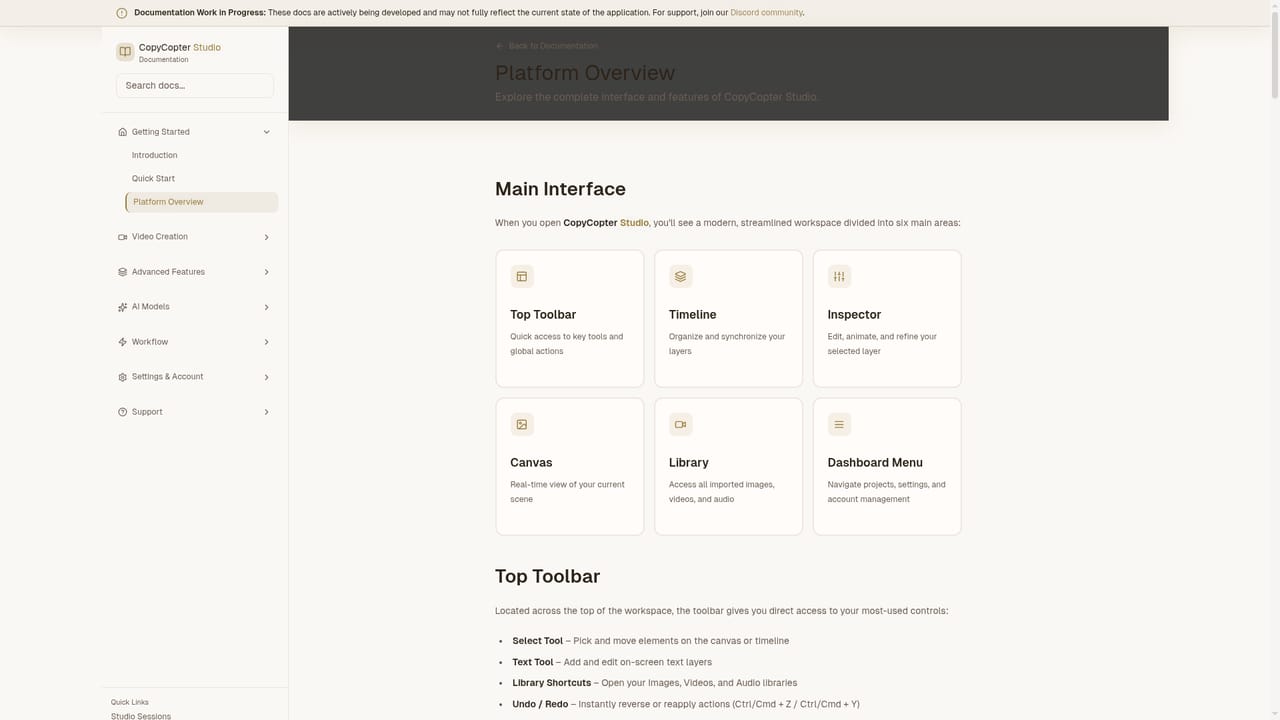
CopyCopter is a browser based studio for people who want to direct AI video rather than just generate it. The product pairs a text-to-video generator with a full editing environment, so a clip does not stop at the first render. Prompts produce footage and images, and the multi-track timeline then lets you assemble scenes from layered video, imagery, text and graphics with frame level timing, trims, blends, hidden lanes, muted lanes and soloing. A curves driven motion system handles translation, scale and rotation for precise animation instead of preset easing. A model engine sits underneath the creative layer, offering established models alongside newer ones, with style presets or a raw mode for direct control. The Style Engine applies a growing style catalogue, cinematic or photo-real or artistic, and can modify prompts to push image quality. Motion graphics tools cover titles and overlays, opacity blending, shape layers and per object timing, plus SVG and transparent PNG imports and Google font access for titles. An asset library keeps past imports and AI generations per project with visual preview, type filtering and drag and drop placement. The tool suits solo creators, social teams and small studios producing short form video at volume, particularly those who find single prompt generators too limited and full professional editors too slow for AI footage. Output is rendered in the cloud, autosaved as a project, versioned on export, and can be shared straight to YouTube and TikTok in filmic or platform aspect ratios as WebM or H.264. CopyCopter positions itself against plain text-to-video generators and against conventional editors without native model access. CopyCopter Studio access appears to be gated, with a private Discord channel unlocked on acceptance, and the site also points to gallery examples, documentation and community training. Pricing tiers, model lists and integration details are not published on the homepage, so buyers should confirm those before committing.
Support runs through documentation and a Discord community; private channel access follows Studio acceptance. No direct email or chat support is listed.
Learn moreDirect sharing to YouTube and TikTok is stated; a Discord community is linked. No other third party integrations are listed on the homepage.
Multi-track timeline with frame level timing, lane hiding, muting and soloing; asset library of past imports and AI generations; Style Engine with a growing model and style catalogue plus raw mode; motion graphics with SVG and transparent PNG imports, Google fonts and curves based animation; cloud rendering, project autosave, versioned exports and direct sharing to YouTube and TikTok in WebM or H.264.
Learn more AI Angels400+ customizable AI girlfriends for NSFW chat, voice calls, and roleplay
 Candy AIExperience the future of companionship with AI friends who chat, role-play, and connect with you on a human level.
 ourdream.aiA vast AI roleplay platform with millions of characters for chat, images, video and voiceAI Angels400+ customizable AI girlfriends for NSFW chat, voice calls, and roleplayCandy AIExperience the future of companionship with AI friends who chat, role-play, and connect with you on a human level.ourdream.aiA vast AI roleplay platform with millions of characters for chat, images, video and voice


.png)


