Free trial
Two image generations are free every day, and no sign-in is needed to start. Paid features such as the higher quality model and video input are excluded from the free allowance.
Learn moreTurn any image into a ready-to-use text description
Own DescribeImage.io? Verify ownership to get a dofollow link
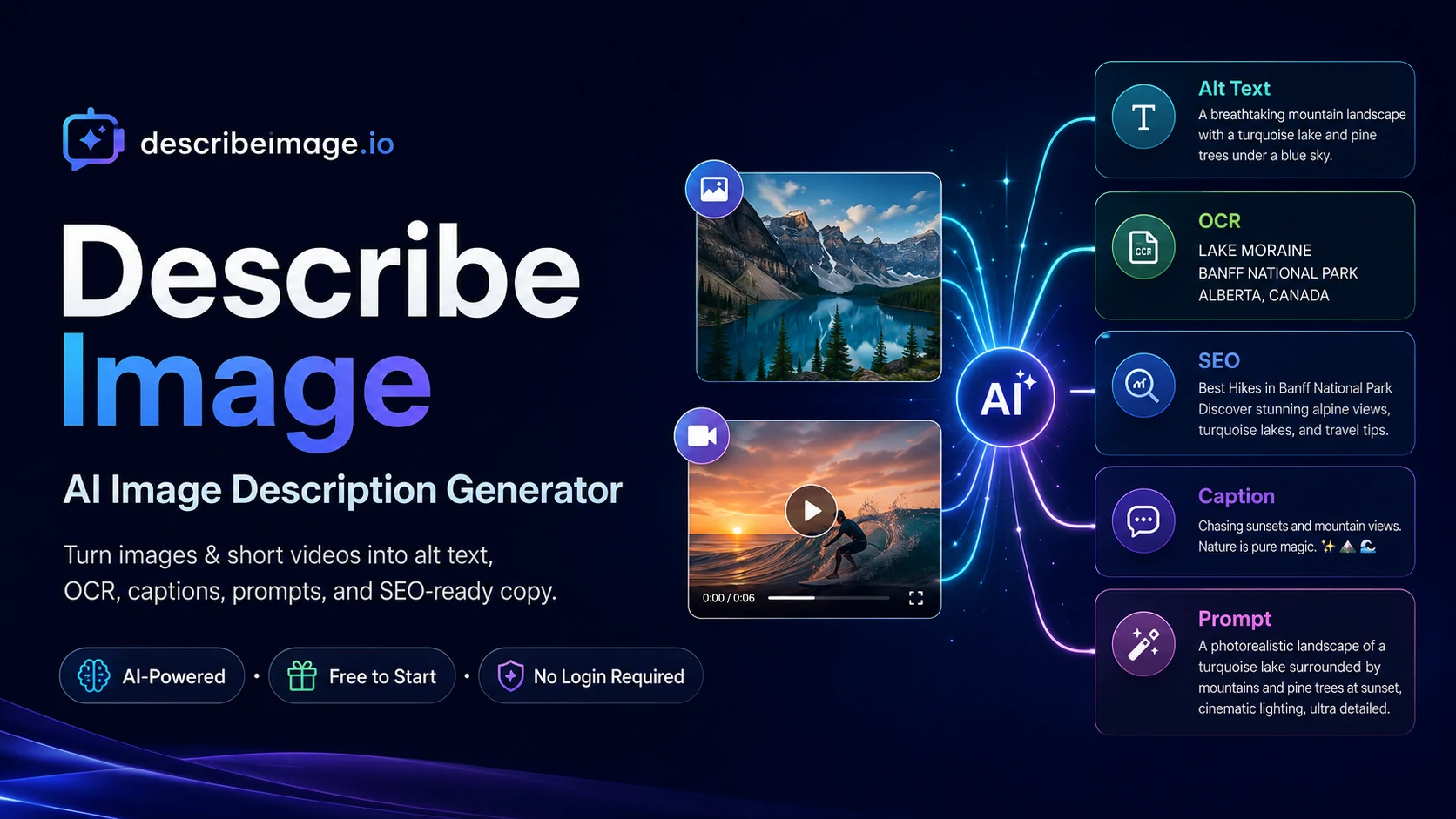
DescribeImage.io is an image analysis tool that turns any image into a ready-to-use text description. A web tool that turns uploaded photos and screenshots into descriptions, alt text, OCR text, SEO metadata, captions and image prompts. Two generations are free each day with no sign-in, and paid tiers unlock a faster or more capable model.
DescribeImage.io is a browser-based AI image describer that converts an uploaded photo, screenshot, receipt or chart into written output. The homepage frames it as an image and video understanding service: the user uploads a file, picks an output mode, and receives text within seconds. JPG, PNG, WebP and GIF files are accepted up to 15MB, and screenshots can be pasted directly with Ctrl+V. Two image generations are available free each day without creating an account, which makes it easy to test before committing. The tool is organized around output modes rather than a single generic caption. Available modes include detailed description, brief description, alt text, SEO description, OCR text extraction, social caption, product listing, image to prompt, chart analysis and document summary. Two models are offered, one labeled as faster and one as paid, and the output language can be switched. Results can be saved to a personal descriptions library. Separate pages extend the workflow: chat with image, chat with video, screenshot to text, product image description, an alt text generator and an image to Excel converter. The obvious audience is people who produce text alongside visuals: content and SEO teams writing metadata, accessibility specialists drafting WCAG alt text, ecommerce sellers assembling marketplace listings, and prompt engineers reverse-engineering reference images into generation prompts. The example gallery shows the intended scope, from perfume still life to prompt, running shoe to SEO metadata, dashboard to plain English and invoice to structured JSON. OCR output with preserved layout, such as receipts, is also covered. The positioning is pragmatic. It competes with general vision chat assistants on one side and dedicated alt text or OCR utilities on the other, and its differentiator is the menu of task-specific presets that produce structured, copy-ready results instead of a chat reply. There is no sign-in barrier to start, no desktop software to install, and the free daily allowance suits occasional use. Teams processing images in volume will need the paid tier, and anyone needing deep brand voice control or bulk automation should verify limits before adopting it.
Two image generations are free every day, and no sign-in is needed to start. Paid features such as the higher quality model and video input are excluded from the free allowance.
Learn morePricing is credit based. The homepage lists a standard model at 2 credits and a second model at 4 credits marked as a paid feature, and notes that two image generations are free each day without sign-in. Per credit prices and plan tiers are not stated on the homepage.
Learn moreModes include detailed and brief description, alt text, SEO description, OCR text extraction, social caption, product listing, image to prompt, chart analysis and document summary. Output language is selectable, results can be saved, and separate pages cover chat with image or video, screenshot to text, product image description and image to Excel.
Learn more AI Angels400+ customizable AI girlfriends for NSFW chat, voice calls, and roleplay
 Candy AIExperience the future of companionship with AI friends who chat, role-play, and connect with you on a human level.
 ourdream.aiA vast AI roleplay platform with millions of characters for chat, images, video and voiceAI Angels400+ customizable AI girlfriends for NSFW chat, voice calls, and roleplayCandy AIExperience the future of companionship with AI friends who chat, role-play, and connect with you on a human level.ourdream.aiA vast AI roleplay platform with millions of characters for chat, images, video and voice