Developer Toolkit

A field manual for developers handing whole tasks to Claude Code, Codex and Cursor.

Intermediate
Screenshot of Developer Toolkit, A field manual for developers handing whole tasks to Claude Code, Codex and Cursor

What is Developer Toolkit?

Developer Toolkit is a courses tool. A paid guide library and setup generator for developers using Claude Code, Codex and Cursor. It teaches spec-first, verification-heavy workflows by autonomy level, with a stack-specific config pack, 400+ guides, 100+ recipes, eight books and a command reference checked against specific releases.

AI Developer Toolkit is a paid library of guides, recipes and books about what the site calls agentic engineering: handing complete tasks to Claude Code, Codex or Cursor and reviewing evidence rather than reading every line of generated code. The library runs to more than 400 guides and 100 recipes, filed by Dan Shapiro's five autonomy levels, and covers the three agents side by side in English and Polish. Every page carries a last-updated date, which matters when the underlying tools ship changes weekly. The centrepiece for practical work is the Setup Pack. You answer nine questions about your stack, spend roughly twenty minutes, and get a generated zip for your repository containing AGENTS.md, CLAUDE.md, Cursor rules, an MCP configuration drawn from 31 checked servers, a TESTING.md and an install prompt your agent runs to add a Stop hook and validate settings. Around it sit spec-first workflows (intent, spec, plan, build, verify, release), verification patterns such as test gates and review agents, and a command reference that flags stale CLI flags with the version each was checked against. It suits developers already using an agent and drowning in diffs, especially those who want a repeatable harness instead of a pasted config someone found in a thread. Team leads and CTOs have their own reading paths and a Team Toolkit covering up to 10 people. The positioning is deliberately against free tutorials and tool documentation. The argument is that official docs explain features but not the operating discipline of trusting an agent's output, and that the toolkit's dated, cross-tool, level-filed material is what fills that gap. Access is bought once for 12 months with no auto-renewal, so it is closer to a course or a book purchase than to a software subscription.

How do you use Developer Toolkit?

  1. 1Read a free guide to gauge the depth
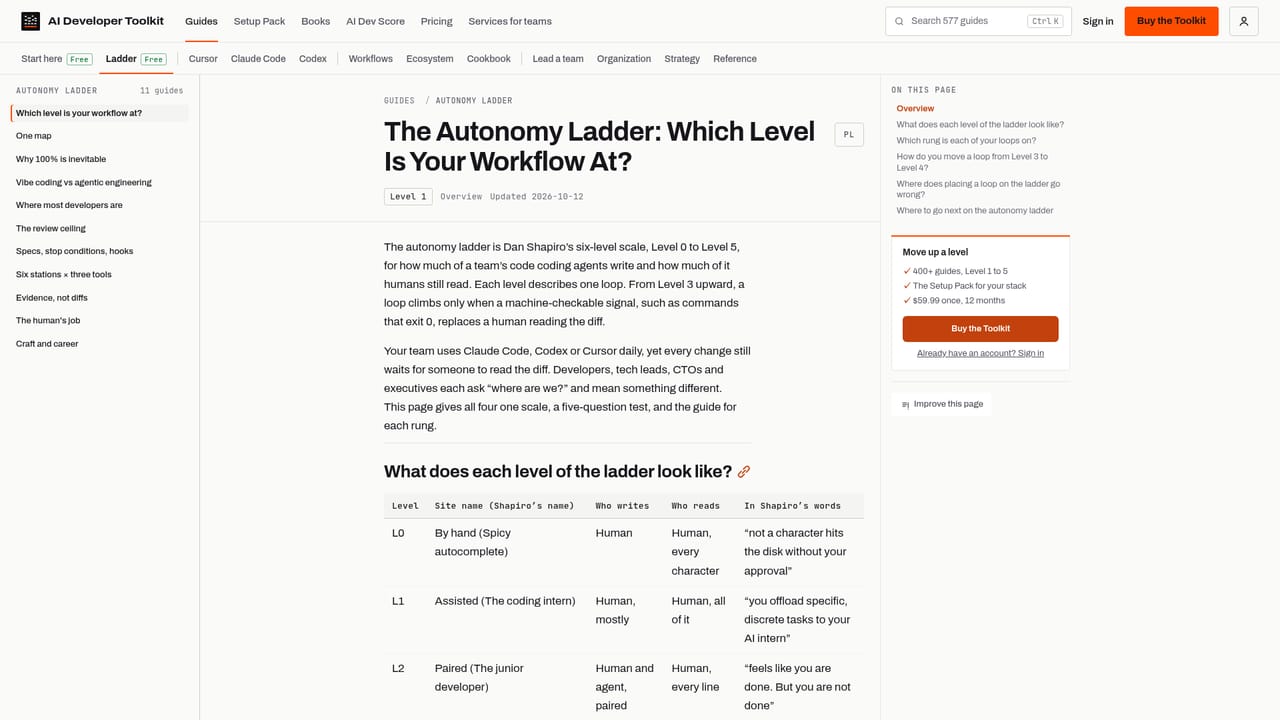
    Start with the free ladder guide, which explains the autonomy levels the rest of the library is filed by. It is open without buying and shows the writing style and page dating before any payment.
    Developer Toolkit — Read a free guide to gauge the depth
  2. 2Find your level with the AI Dev Score
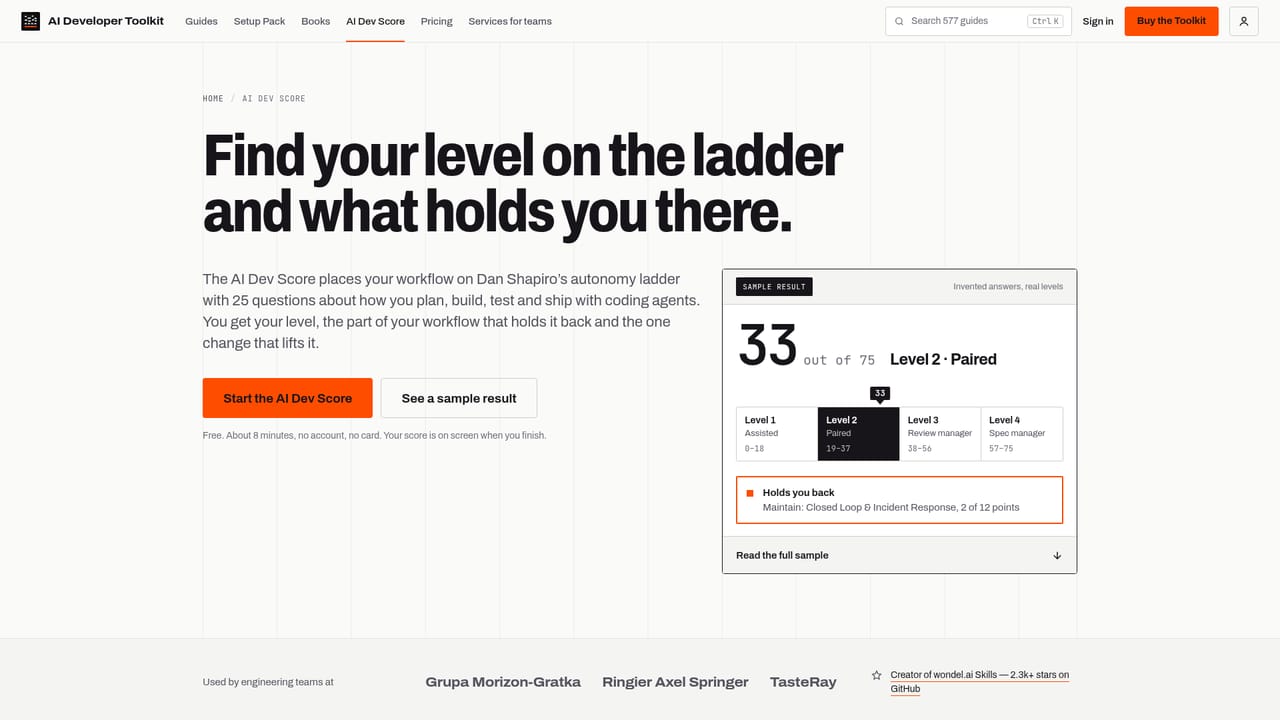
    The scorecard asks 25 questions in about 8 minutes, names your level and suggests the single move that takes you up one. It is free and sets the entry point for the guides.
    Developer Toolkit — Find your level with the AI Dev Score
  3. 3Generate your harness with the Setup Pack
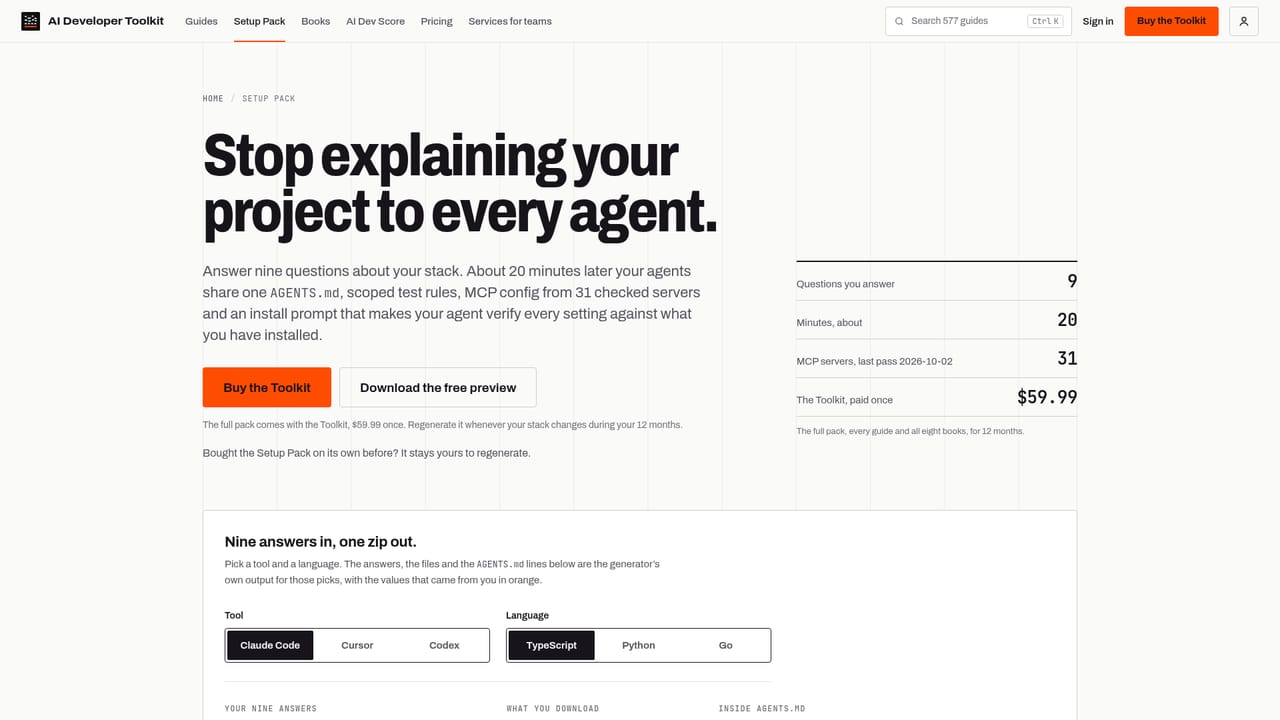
    Answer nine questions about your stack and download a zip with AGENTS.md, CLAUDE.md, Cursor rules, MCP config and TESTING.md. Then run the install prompt so your agent adds the Stop hook and checks settings against what is installed.
    Developer Toolkit — Generate your harness with the Setup Pack
  4. 4Adopt the spec-first brief chain
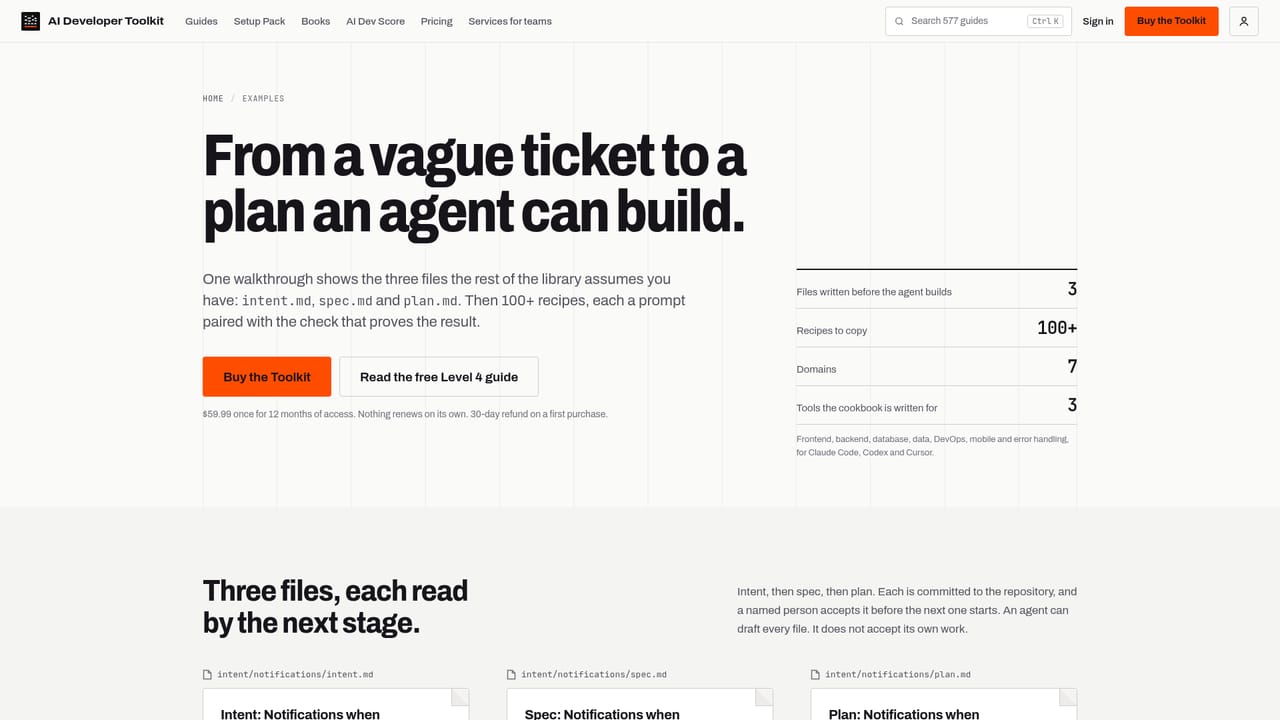
    Work through the example that takes one task from intent.md to spec.md to plan.md to build, verification and release. You write and approve the spec; the agent builds against it in an isolated worktree.
    Developer Toolkit — Adopt the spec-first brief chain
  5. 5Set up verification for your agent
    Follow the verification guides to add test gates, Stop hooks and review agents so a task ends with a test report instead of a large diff. The patterns are given separately for Claude Code, Codex and Cursor.
  6. 6Keep pace through What's New
    What's New is a free feed of changes across the three agents and which guides were updated in response. Use it to spot stale commands, then confirm flags in the command reference.

Pros and cons

Pros

  • Guides cover Claude Code, Codex and Cursor side by side, so one workflow carries across all three toolsAI
  • The Setup Pack generates AGENTS.md, CLAUDE.md, Cursor rules and MCP config from your own stack answersAI
  • Every page shows a last-updated date, and the command reference records the release each flag was verified againstAI
  • Level-based filing, plus free scorecards, gives a clear named next step instead of a flat article pileAI
  • Eight books in EPUB and PDF are included and yours to keep after the access period endsAI

Cons

  • Documentation and community tutorials are free, so the value rests entirely on curation and currency, which requires ongoing upkeep you cannot audit before buyingAI
  • Pricing is one upfront payment for 12 months with no monthly option, a poor fit for anyone who wants to test the library brieflyAI
  • The material is concentrated on three specific agents, so teams using other editors or agents get little direct coverageAI
  • Only 5 full articles a month are free (10 with an account), which is too thin to judge depth properly before payingAI
  • Every page is dated, so nothing tells you how quickly an individual guide will go stale after the tools changeAI

How much does Developer Toolkit cost?

Free trial

No trial, but a free tier exists: 5 full articles a month (10 with a free account), the Start here and ladder guides, the three scorecards, an MCP server for searching the library, What's New, the Discord and the public GitHub repo.

Learn more

Pricing

$59.99 once for 12 months of access, with nothing renewing automatically and a 30-day refund on a first purchase. The Team Toolkit covers up to 10 people for 12 months at $299.99 once. Separately, the eight books would cost $383 if bought at $47.99 each.

Learn more

Support

Questions are handled in the Discord, and mistakes can be reported through the public GitHub repository. The homepage names no email support.

Integrations

The Setup Pack generates configuration for Claude Code, Codex and Cursor, including .cursor/rules, CLAUDE.md, AGENTS.md and .mcp.json built from 31 checked MCP servers. An MCP server lets your own agent search the library.

Learn more

Features

400+ guides and 100+ recipes for Claude Code, Codex and Cursor, filed by autonomy level in English and Polish. Includes the Setup Pack generator for AGENTS.md, CLAUDE.md, Cursor rules and MCP config, spec-first workflow examples, verification patterns such as test gates and Stop hooks, a command reference checked against specific releases, eight books in EPUB and PDF, and three free scorecards.

Learn more

Frequently asked questions about Developer Toolkit

  • How much does Developer Toolkit cost?
    $59.99 once for 12 months of access, with nothing renewing automatically and a 30-day refund on a first purchase. The Team Toolkit covers up to 10 people for 12 months at $299.99 once. Separately, the eight books would cost $383 if bought at $47.99 each.
  • Does Developer Toolkit offer a free trial?
    No trial, but a free tier exists: 5 full articles a month (10 with a free account), the Start here and ladder guides, the three scorecards, an MCP server for searching the library, What's New, the Discord and the public GitHub repo.
  • How do you use Developer Toolkit?
    The walkthrough on this page covers 6 steps: 1. Read a free guide to gauge the depth 2. Find your level with the AI Dev Score 3. Generate your harness with the Setup Pack 4. Adopt the spec-first brief chain 5. Set up verification for your agent 6. Keep pace through What's New.
  • What platforms does Developer Toolkit support?
    Developer Toolkit is available on Web App.
  • What does Developer Toolkit integrate with?
    The Setup Pack generates configuration for Claude Code, Codex and Cursor, including .cursor/rules, CLAUDE.md, AGENTS.md and .mcp.json built from 31 checked MCP servers. An MCP server lets your own agent search the library.
  • What are the limitations of Developer Toolkit?
    Documentation and community tutorials are free, so the value rests entirely on curation and currency, which requires ongoing upkeep you cannot audit before buying. Pricing is one upfront payment for 12 months with no monthly option, a poor fit for anyone who wants to test the library briefly. The material is concentrated on three specific agents, so teams using other editors or agents get little direct coverage.

Status

StatusActive
Views0
Outbound clicks0
Added10/22/2026

Platforms

Web App

Pricing

PaidFreemium