drawanyone

Train a personal model, then draw anyone any way you want

Intermediate
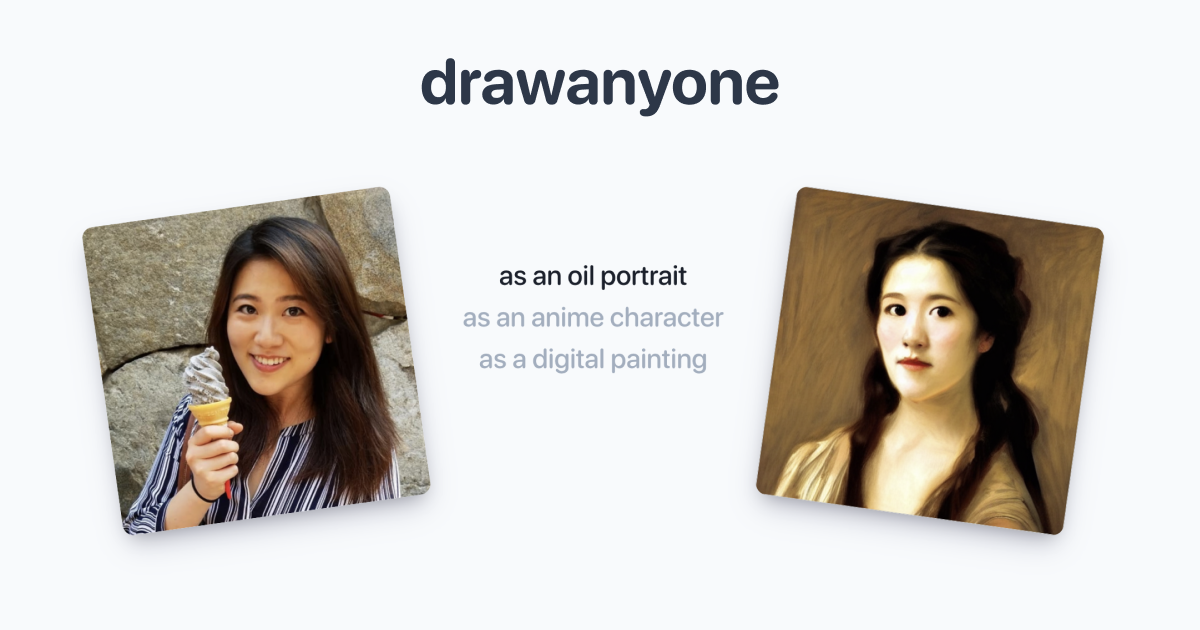
Screenshot of drawanyone, Train a personal model, then draw anyone any way you want

What is drawanyone?

drawanyone is an AI influencers tool. A portrait generator that trains on 5 to 10 uploaded photos of a person or pet, then lets you write your own prompts to render that likeness in custom scenes and styles. Community galleries expose the prompts behind shared drawings, so it doubles as a prompt reference for anyone doing stylized avatar work.

drawanyone.ai is a portrait generation service built around one idea: the likeness should be yours, not a generic face. You upload between five and ten photos of a person, the system trains on them, and afterward you write your own text prompts to place that face in whatever scene, outfit or art style you describe. The training pass takes roughly an hour, after which the model is ready for repeated prompts rather than one-off generations. The workflow is deliberately narrow. There is no prompt library to browse inside the generator and no style preset carousel, so results depend on how well you write. The community gallery does part of that work for you: hovering a shared drawing reveals the exact prompt its author used, which makes it a practical reference library for learning how phrasing maps to output. The gallery is split into New, Hot and Staff Picks feeds, and a leaderboard page tracks contributors. Pets are supported as subjects, not just people, which widens the use case beyond avatar production. That puts drawanyone in the same territory as consumer face-modeling apps, but positioned closer to the prompt-driven end of it. Anyone who wants a one-click filter will find the empty prompt box less friendly than a template-based avatar tool. Anyone comfortable writing descriptive prompts, especially people producing stylized portraits, character art or themed avatars for social profiles, gets more control over scene, lighting and styling than fixed presets allow. The main tradeoffs are time and opacity. The roughly one hour training wait sits between upload and first output, and the homepage does not disclose the underlying model, output resolution limits, storage terms or how many generations a plan includes. Treat the public gallery as the honest preview of output quality, since it is the only sample set the site publishes.

How do you use drawanyone?

  1. 1Open the site and sign in
    Start at the homepage to review sample drawings and the three-step workflow, then use the login page to create an account before uploading anything.
  2. 2Study prompts in the community gallery
    Hover over drawings in the New, Hot and Staff Picks feeds to reveal the exact prompt each artist used. Collect phrasing patterns for styles and lighting you want to reproduce.
  3. 3Upload 5 to 10 reference photos
    After signing in, submit between five and ten photos of the person or pet. Clear, varied angles help the training pass capture the likeness; this step happens inside the product.
  4. 4Wait roughly one hour for training
    The site states processing takes about an hour. Plan around that gap rather than expecting immediate generations from a fresh upload.
  5. 5Write custom prompts and generate
    Once the model is ready, compose your own prompts describing scene, clothing, medium and lighting. Iterate on wording using successful gallery prompts as a starting point.
  6. 6Share results and check the leaderboards
    Publish strong drawings to the community gallery so others can see your prompts, and check the leaderboards to see how shared work is ranked.

Pros and cons

Pros

  • Custom prompt control over scene, outfit, lighting and art style rather than fixed avatar presetsAI
  • Training set is small at 5 to 10 photos, so getting started needs minimal preparationAI
  • Hover-to-reveal prompts on community drawings make it easy to learn what phrasing produces what resultAI
  • Pets are supported as subjects alongside peopleAI
  • Public gallery with New, Hot and Staff Picks feeds gives a realistic sample of achievable output before signing upAI

Cons

  • Around one hour of processing time between upload and first usable output, with no instant preview pathAI
  • The homepage does not name the underlying model or state output resolution, so image quality beyond gallery samples is undocumentedAI
  • No pricing figures are published on the homepage, making cost comparison against rival avatar tools guessworkAI
  • Quality depends heavily on prompt writing skill, and there is no in-product preset library for users who want one-click resultsAI
  • Gallery examples date back several years, which raises fair questions about how actively the generation models have been updatedAI

How much does drawanyone cost?

Features

Personal likeness training from 5 to 10 uploaded photos, with support for both people and pets. Users write their own prompts to control scene, styling and art direction rather than choosing from fixed presets. Community gallery organized into New, Hot and Staff Picks feeds, with prompts revealed on hover, plus a leaderboard page for shared drawings.

Frequently asked questions about drawanyone

  • How do you use drawanyone?
    The walkthrough on this page covers 6 steps: 1. Open the site and sign in 2. Study prompts in the community gallery 3. Upload 5 to 10 reference photos 4. Wait roughly one hour for training 5. Write custom prompts and generate 6. Share results and check the leaderboards.
  • What platforms does drawanyone support?
    drawanyone is available on Web App.
  • What are the limitations of drawanyone?
    Around one hour of processing time between upload and first usable output, with no instant preview path. The homepage does not name the underlying model or state output resolution, so image quality beyond gallery samples is undocumented. No pricing figures are published on the homepage, making cost comparison against rival avatar tools guesswork.

Status

StatusActive
Views0
Outbound clicks0
Added10/21/2026

Platforms

Web App

Pricing

Freemium