AIAvatar

Turn one selfie into 100+ stylized avatars across dozens of looks.

Beginner
AIAvatar

What is AIAvatar?

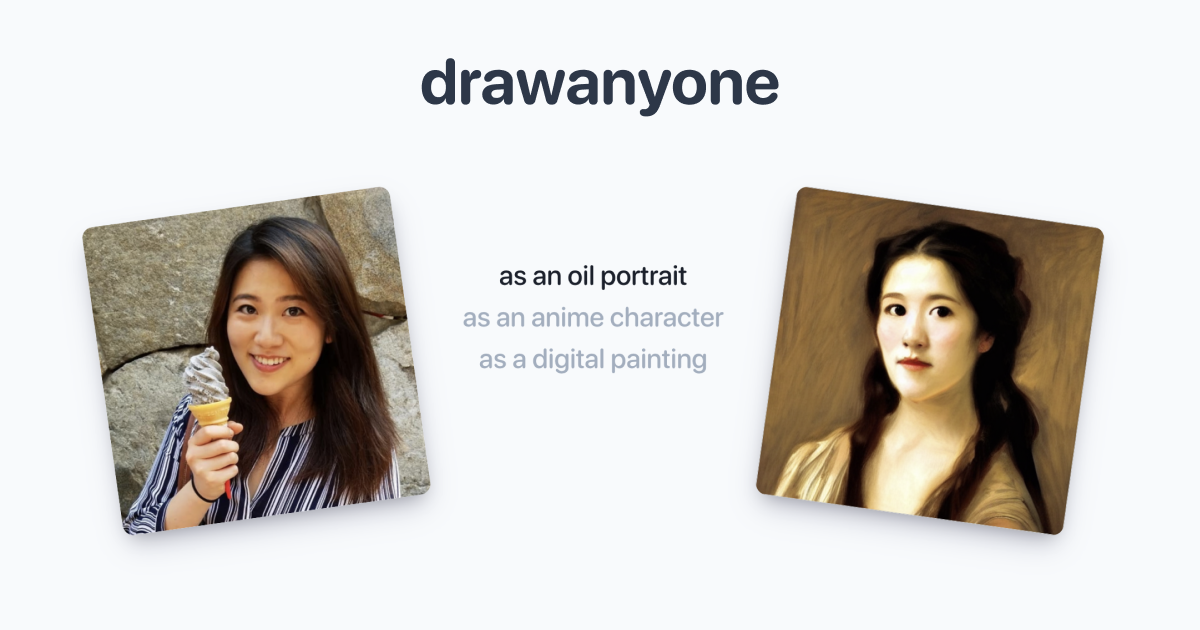
AIAvatar is an AI influencers tool that turns one selfie into 100+ stylized avatars across dozens of looks. AIAvatar creates 100+ stylized avatars from a single selfie. You set gender, age, and race attributes, pick a style such as ID photo, cyberpunk, or oil painting, and receive results by email.

AIAvatar is a browser based avatar generator that builds a set of portraits from a single uploaded photo. The flow is split into two stages: first you enter attributes such as gender, age range, and race, with an optional occupation, plus an email address where the results are delivered. Then you pick one of several portrait templates. The featured set covers Front Face Avatar, Film Avatar, K-Wave Art, Realistic Oil Painting, ID Photo, Harry Potter, Realistic Comic, and Cyberpunk, and the site states that dozens of styles are available in total, from photorealistic to anime and superhero to cyberpunk. After generation the service claims to return more than 100 avatars that you can refine and choose from. The photo you upload matters more than any setting. The site's pose guide is explicit: high resolution solo shots taken straight on, with hair or glasses kept clear of the face, produce the best results. Blurry photos, off angle shots, and anything blocking the face are flagged as errors before generation. Once you have a result worth keeping, the editing layer lets you adjust hair, clothing, accessories, and background, and a photo shoot feature places the avatar into new scenes, clothes, poses, and facial expressions. The obvious audience is people who need a presentable virtual identity without a studio: social media profiles, gaming tags, virtual meeting backdrops, and marketing material. The commercial rights statement removes a common worry for small brands, since AIAvatar grants full rights to use the output on websites, social media, and merchandise. It is also a reasonable entry point for anyone testing avatar services before committing to a paid subscription elsewhere. Where it fits: AIAvatar sits closer to a self serve photo booth than to a professional headshot studio. It competes on style variety and price accessibility rather than on fine grained control or brand asset management. The site does not publish plan tiers, credit costs, or an API on the homepage, so buyers who need volume pricing or pipeline integration should confirm those details before relying on it.

How do you use AIAvatar?

  1. 1Fill in your avatar attributes
    Choose gender, an age range from 3-6 up to 66 and above, and race. Occupation is optional, and you must enter an email address because results are sent there.
  2. 2Select a portrait template
    Pick a style from the featured set, such as Front Face Avatar, Film Avatar, K-Wave Art, ID Photo, Realistic Comic, or Cyberpunk, or browse further styles.
  3. 3Upload a photo that passes the pose guide
    Use a high resolution solo shot facing the camera with no hair or glasses covering the face. The guide rejects blurry, obstructed, or non frontal photos.
  4. 4Complete verification and generate
    Clear the Cloudflare check on the page and start generation. The service then produces your avatar set and emails the results.
  5. 5Review and refine the results
    Open the delivered avatars, compare styles, and adjust details such as hair, clothing, accessories, and background until the portrait fits your use.

Pros and cons

Pros

  • A single upload feeds the whole pipeline, with no manual masking or prompt writing requiredAI
  • Style library spans practical ID photos, film looks, comics, and fantasy art in one toolAI
  • Clear pose guide warns about blur, obstruction, and off angle photos before you spend a generationAI
  • Full commercial rights are stated in the FAQ, which suits merchandise and marketing useAI
  • Works on desktop and mobile browsers, so no install is requiredAI

Cons

  • Results depend heavily on photo quality, and the site offers no automatic retouching for imperfect selfiesAI
  • The homepage publishes no pricing, credit costs, or plan tiers, which makes budgeting difficultAI
  • Style names lean on franchises and generic labels, with limited evidence of deep fine tuning per lookAI
  • No API or bulk upload path is documented, so team and pipeline use is unprovenAI
  • Delivery by email adds a waiting step and gives no visible queue or processing statusAI

How much does AIAvatar cost?

Features

Generates more than 100 avatars from one uploaded selfie. Attribute controls cover gender, age range, race, and optional occupation. Featured templates include Front Face, Film, K-Wave Art, Realistic Oil Painting, ID Photo, Harry Potter, Realistic Comic, and Cyberpunk, with dozens more styles promised. Editing touches hair, clothing, accessories, and background, and a photo shoot mode places the avatar in new scenes and poses.

Frequently asked questions about AIAvatar

  • How do you use AIAvatar?
    The walkthrough on this page covers 5 steps: 1. Fill in your avatar attributes 2. Select a portrait template 3. Upload a photo that passes the pose guide 4. Complete verification and generate 5. Review and refine the results.
  • What platforms does AIAvatar support?
    AIAvatar is available on Web App.
  • What are the limitations of AIAvatar?
    Results depend heavily on photo quality, and the site offers no automatic retouching for imperfect selfies. The homepage publishes no pricing, credit costs, or plan tiers, which makes budgeting difficult. Style names lean on franchises and generic labels, with limited evidence of deep fine tuning per look.

Status

StatusActive
Views0
Outbound clicks0
Added10/21/2026

Platforms

Web App

Pricing

FreeFreemium