Free trial
A free trial is offered through a start link on the site, with no card or duration details stated on the homepage.
Learn moreAI roleplay platform for sales readiness and rep certification

Exec is an AI character chat tool. Exec runs AI roleplay simulations for sales, support and leadership teams, scoring each practice conversation on talk tracks, messaging and soft skills. Custom scenarios, multi-persona sessions and certification gates make it a readiness tool rather than a casual chatbot.
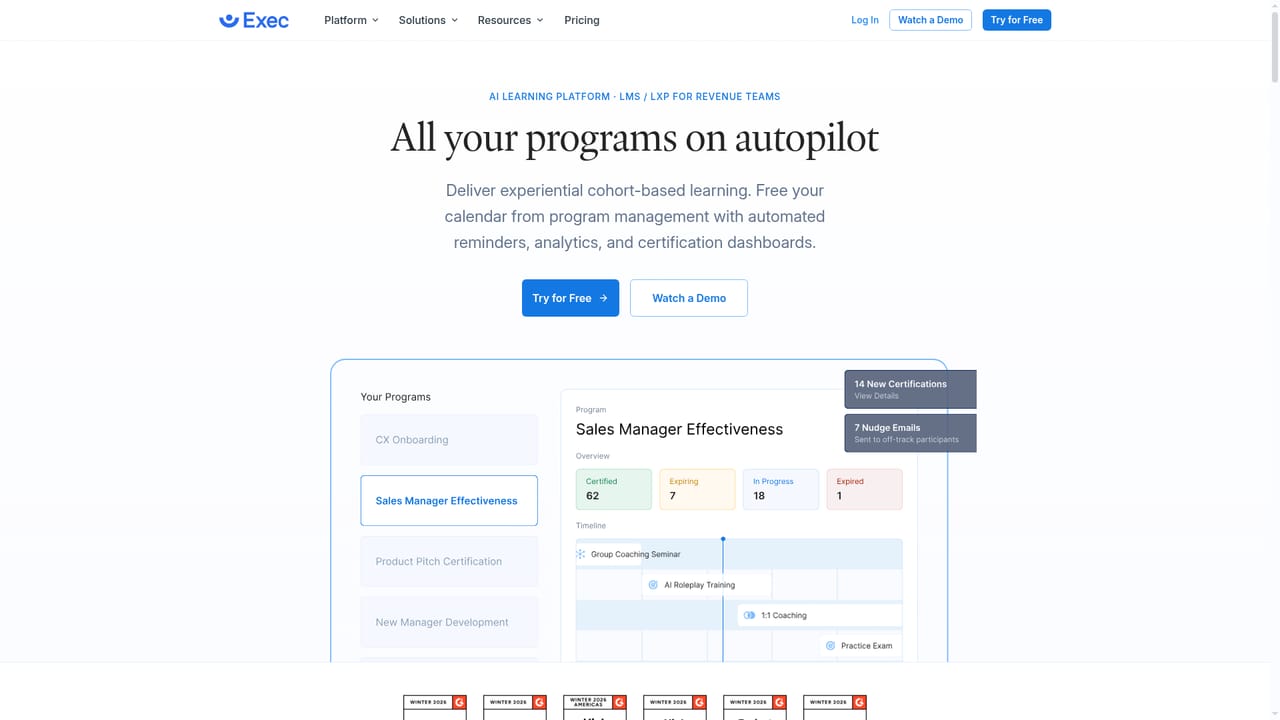
Exec is an AI-native training platform built around roleplay simulations for customer-facing teams. Instead of reading a script or watching a course video, a rep holds a live, unscripted conversation with an AI character who voices objections, interrupts, changes pace and reacts with emotion. The point is repetition: the same renewal call, discovery question or price increase talk can be run again and again with no risk to a live deal or an existing relationship, and every attempt is scored against criteria the organization defines. Scenarios are the core unit of work. A manager describes the conversation and the AI drafts the setup, or points it at a recorded call, a Knowledge Hub page, a Notion document or a public URL so the character and its objections come from the company's own material. Characters can be configured with specific traits, put on camera as video avatars, or grouped into multi-persona sessions with up to four characters so a team rehearses against a buying committee rather than a single friendly face. Screen sharing lets someone present a deck to an AI audience that asks the questions stakeholders actually ask. Scoring is where Exec separates itself from generic chat tools. Assessments can cover talk-track adherence, soft behavioral skills, demo ability and messaging consistency. After each session participants get an AI Coach debrief that explains the score and can run short follow-up sessions on weak spots, plus gamified badges, leaderboards and recorded transcripts they can share with a manager or keep private. Managers see dashboards for performance trends and skill-based reporting, assign scenarios with due dates and passing ranks, and receive weekly digests. It suits sales enablement, onboarding, customer support, customer success, leadership development and interview training. The certification layer is the strongest argument for buying: access to accounts, larger deals or new territories can be gated on demonstrated roleplay scores, and new hires can prove readiness before a first live call. Teams wanting only ad hoc practice may find the structure heavier than needed, but as part of a wider readiness stack alongside call scoring, courses and coaching it covers ground that single-purpose conversation trainers do not.

A free trial is offered through a start link on the site, with no card or duration details stated on the homepage.
Learn moreThe homepage states that Exec connects with LMS, CMS, HRIS and LXP systems to move insights into existing learning tools, without naming specific vendors.
Custom scenario builder that drafts from a description or imports from calls, documents and URLs; configurable AI characters with video avatars; up to four personas in one conversation; group roleplays for up to four teammates; screen sharing to present to an AI audience; scoring on talk tracks, behavioral skills, demo ability and messaging; AI Coach debriefs; assignments, dashboards, custom reports, weekly digests and certification gates; nine practice languages.
Learn more AI Angels400+ customizable AI girlfriends for NSFW chat, voice calls, and roleplay
 Candy AIExperience the future of companionship with AI friends who chat, role-play, and connect with you on a human level.
 ourdream.aiA vast AI roleplay platform with millions of characters for chat, images, video and voiceAI Angels400+ customizable AI girlfriends for NSFW chat, voice calls, and roleplayCandy AIExperience the future of companionship with AI friends who chat, role-play, and connect with you on a human level.ourdream.aiA vast AI roleplay platform with millions of characters for chat, images, video and voice