Support
Public documentation is available at docs.finch3d.com, and the team offers walkthroughs through the demo booking flow. No dedicated help centre or support tiers are described on the homepage.
Learn moreAI-native building design that turns briefs into buildable floor plans

Finch 3D is an AI-native building design platform for AEC teams. It generates buildable floor plans, area calculations and BIM geometry from briefs, lets firms encode their own design standards, and supports master planning, residential, high-rise and office test fits with real-time metrics.
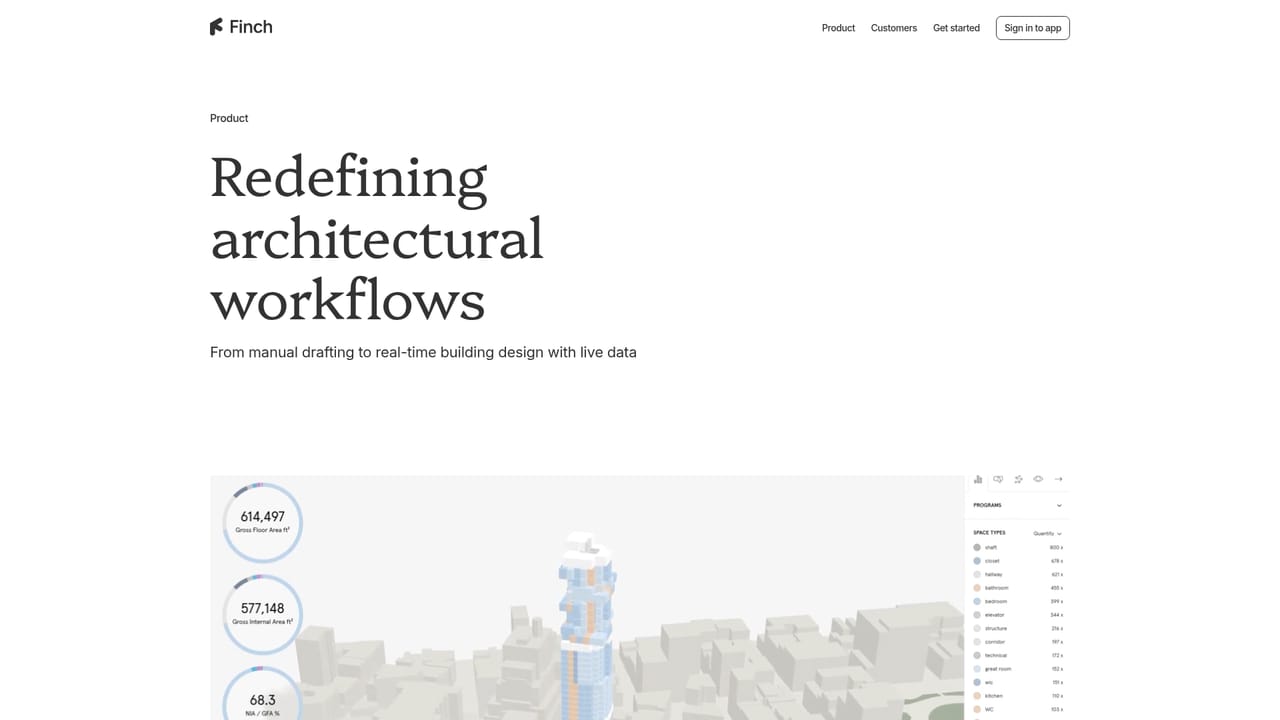
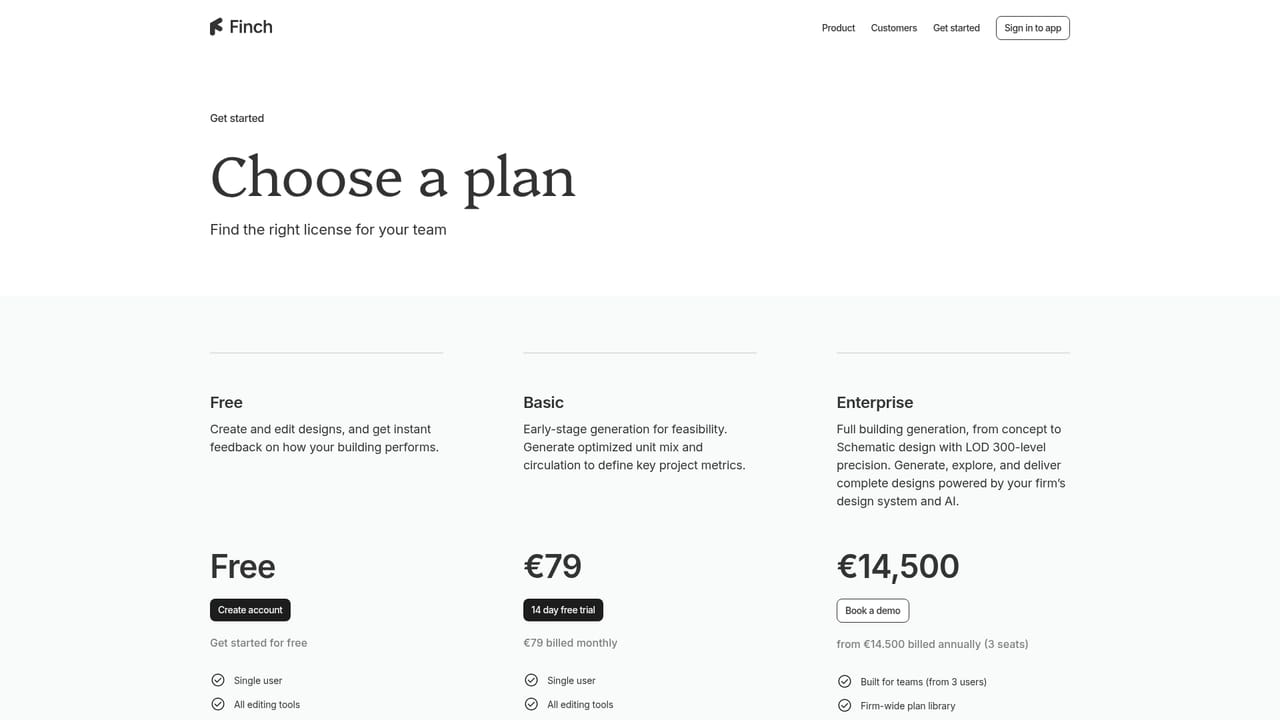
Finch 3D is an AI-native platform for building design aimed at architecture, engineering and construction teams. The pitch is not image generation but a working authoring environment where a brief on one side becomes buildable floor plans, area calculations and BIM geometry on the other, produced in hours rather than weeks. The founders are architects, and the product is positioned around the decisions design teams actually make rather than around novelty visuals. The platform is organised around four moves. Firms encode their own design systems and institutional knowledge so that standards carry into every new project. Teams then explore at scale, testing thousands of design options to see trade-offs against real-time data instead of arguing over two or three hand-drawn schemes. AI agents pick up the repetitive drafting and checking work, leaving the judgement calls to people. Output arrives as detailed floor plans, area calculations and BIM geometry ready to hand onward. Typology support is broad rather than generic. Master plans can test unit distribution and density across a whole site with feasibility metrics updating live. Residential generation grounds layouts in firm standards and local codes from the first iteration. High-rise work keeps vertical alignment consistent across large projects to simplify construction at scale. Office test fits start from a brief and can be validated against compliance codes. The tool sits closer to computational design than to a chat assistant. Scripting, data-driven simulation and generative design tools are bundled in, and teams compare options against metrics rather than vibes. AEC firms that already work with parametric methods will feel at home; smaller practices that want a fast first pass on a single dwelling have a steeper adjustment period. Everything is browser based through a sign in, with public documentation at docs.finch3d.com and demo booking handled on the signup page.

Public documentation is available at docs.finch3d.com, and the team offers walkthroughs through the demo booking flow. No dedicated help centre or support tiers are described on the homepage.
Learn moreEncode a firm's design systems and standards into every new project. Test thousands of design options against real-time data, and let AI agents handle repetitive drafting. Delivers detailed floor plans, area calculations and BIM geometry. Supports master planning, residential, high-rise and office test fits, plus scripting, simulation and generative design tools.
Learn more AI Angels400+ customizable AI girlfriends for NSFW chat, voice calls, and roleplay
 Candy AIExperience the future of companionship with AI friends who chat, role-play, and connect with you on a human level.
 ourdream.aiA vast AI roleplay platform with millions of characters for chat, images, video and voiceAI Angels400+ customizable AI girlfriends for NSFW chat, voice calls, and roleplayCandy AIExperience the future of companionship with AI friends who chat, role-play, and connect with you on a human level.ourdream.aiA vast AI roleplay platform with millions of characters for chat, images, video and voice