Integrations
Deck imports from Anki, Quizlet, and CSV files. No other integrations are described on the homepage.
AI builds your vocabulary cards, spaced repetition makes them stick
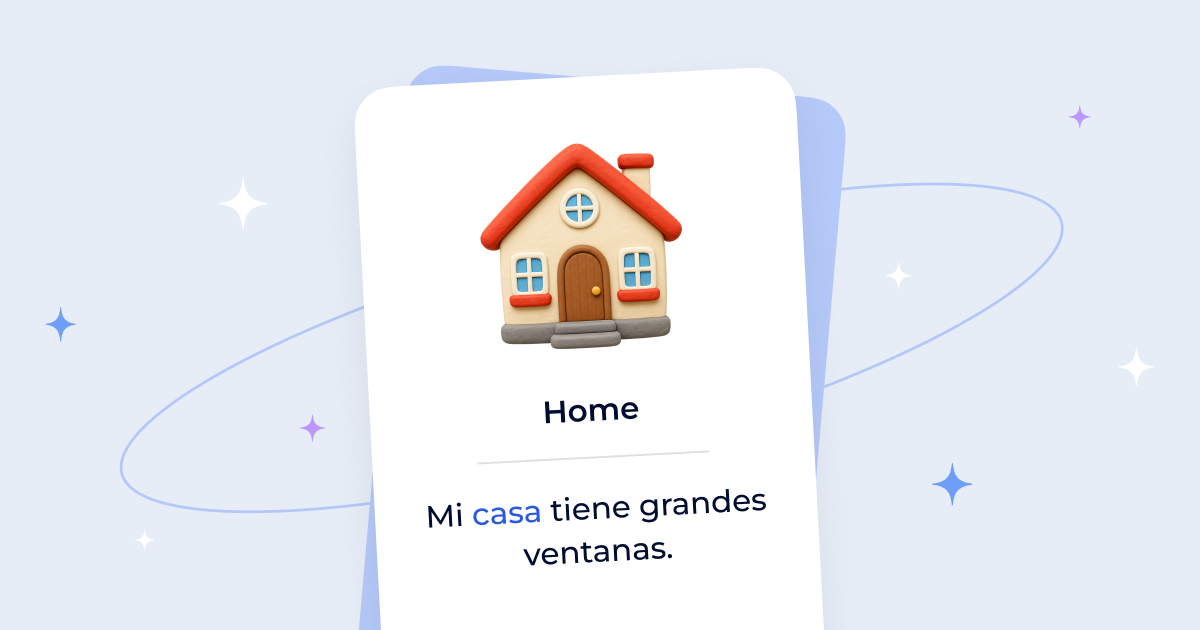
Flexi Cards is a card generator tool. Flexi turns a word list into AI-generated vocabulary flashcards with translations, examples, and audio, then schedules reviews with spaced repetition. Available on iOS and Android, with imports from Anki, Quizlet, and CSV.
Flexi is a vocabulary flashcard app built around a simple premise: the tedious part of language learning is not the reviewing, it is the card making. Instead of asking you to hand-write translations and hunt for example sentences, Flexi takes a word or phrase and generates up to five candidate cards, each with translations, example sentences, pronunciation, and parts of speech. You pick the versions that fit and save them. A custom set can also be generated for a whole topic, so a learner preparing for a specific exam or work context can start from a word list rather than a blank deck. Reviewing is handled by a spaced repetition algorithm that schedules each card for the point just before it would be forgotten. The app pairs that schedule with reminders and interactive home screen widgets, which is clearly aimed at turning vocabulary study into a daily habit rather than a weekend cram session. Pronunciation support covers more than 20 languages, with audio playback plus written pronunciation in IPA, kana, or pinyin depending on the script, and an AI tutor chat sits inside any card for guidance and feedback when a word needs more explanation than a one-line translation provides. Flexi is aimed at individual learners rather than classrooms or institutions. It suits people who already study a language regularly and want to cut the setup overhead, and it also suits those migrating off simpler flashcard apps: decks can be imported from Anki, Quizlet, and CSV files, so an existing collection is not stranded. A save-on-the-go feature lets you jot down a phrase you encounter and convert it later. The site reports 49,000+ learners and 5M+ cards created, with a 4.7 rating across the app stores. The pitch against alternatives is mostly about automation and scheduling quality rather than deck size or community content. There is no shared deck marketplace described, and the product lives on mobile: iOS and Android are the only distribution channels mentioned, so desktop-first studiers will not find a web counterpart here. Pricing details are not stated on the homepage, and the FAQ poses an "Is Flexi free to use?" question without an answer visible in the page content, so it is worth confirming in the app before committing.
Deck imports from Anki, Quizlet, and CSV files. No other integrations are described on the homepage.
AI card generation (up to five options per word, with translations, examples, pronunciation, and parts of speech), spaced repetition scheduling, audio pronunciation in 20+ languages with IPA, kana, or pinyin, smart reminders and home screen widgets, an AI tutor chat inside each card, custom topic-based word sets, save-on-the-go phrases, and imports from Anki, Quizlet, and CSV.
 AI Angels400+ customizable AI girlfriends for NSFW chat, voice calls, and roleplay
 Candy AIExperience the future of companionship with AI friends who chat, role-play, and connect with you on a human level.
 ourdream.aiA vast AI roleplay platform with millions of characters for chat, images, video and voiceAI Angels400+ customizable AI girlfriends for NSFW chat, voice calls, and roleplayCandy AIExperience the future of companionship with AI friends who chat, role-play, and connect with you on a human level.ourdream.aiA vast AI roleplay platform with millions of characters for chat, images, video and voice