Support
A support page at vit.al/support handles questions and feedback. Privacy Policy and Terms of Use are linked from the tool page, and the MCP specification is referenced for protocol details.
Learn moreFind US doctors and compare insurance matches inside ChatGPT or Claude
Own Vital Care Finder MCP Server? Verify ownership to get a dofollow link

Vital Care Finder MCP Server is an advice giver tool that finds US doctors and compare insurance matches inside ChatGPT or Claude. An MCP server that lets ChatGPT, Claude and other MCP clients search US care providers by specialty and location, match them against an insurance plan or carrier, and return a ranked, interactive card with map and tap-to-call.
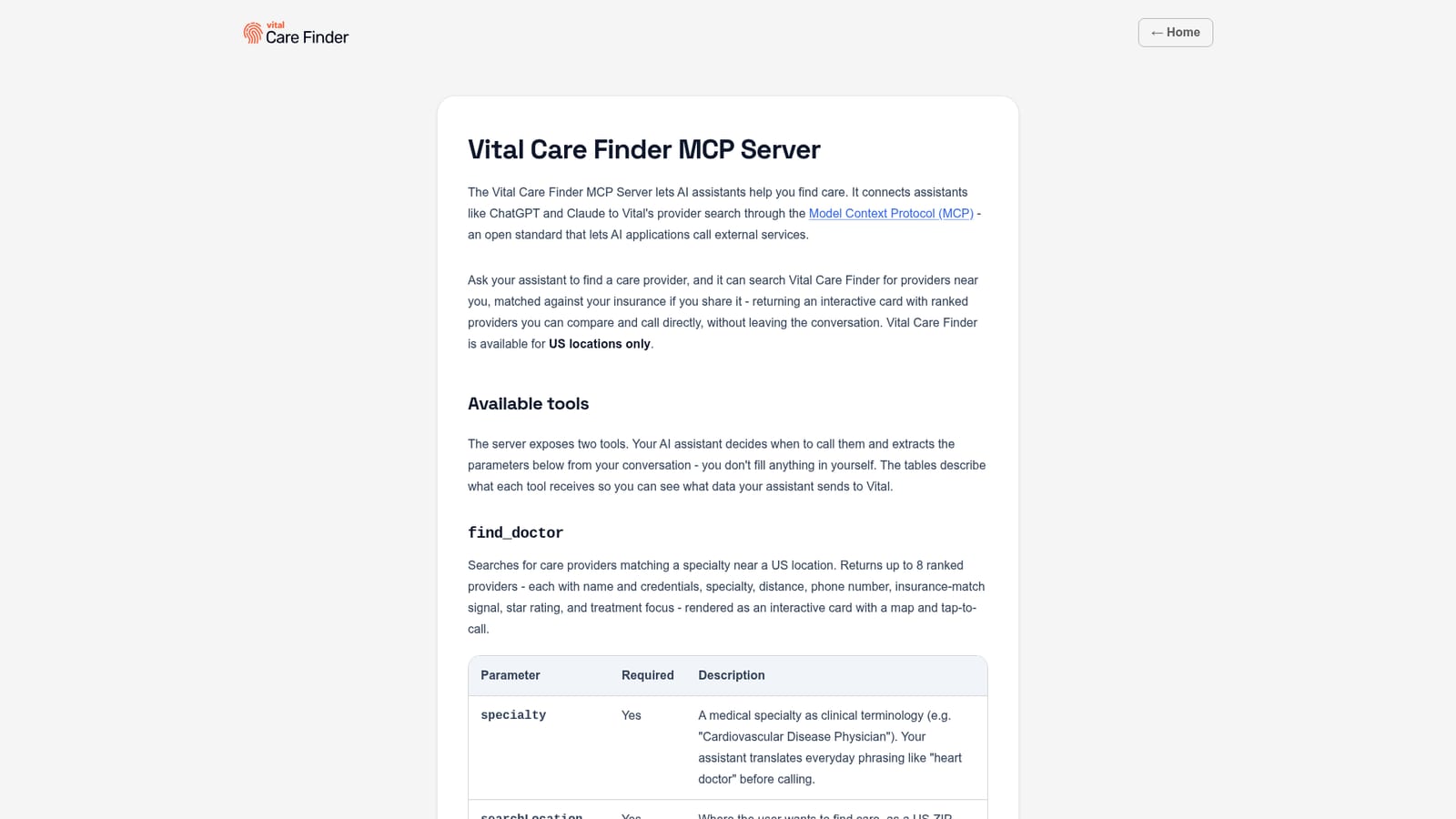
Vital Care Finder is an MCP server that plugs a US provider directory into AI assistants. Once connected to ChatGPT, Claude, or any client that speaks MCP over Streamable HTTP, the assistant can look up care providers on the user's behalf and present the results as an interactive card without the conversation being interrupted. The server exposes two tools. find_doctor takes a clinical specialty, a US search location given as a ZIP code or a city with state, and optional extras: an insurance plan ID, an insurance carrier name, a short clinical context, and the patient's age. It returns up to eight ranked providers, each listing name and credentials, specialty, distance, phone number, an insurance-match signal, a star rating, and treatment focus, rendered with a map and tap-to-call. find_insurance_plan works the other way, matching a plain-language insurance description to candidate plans in Vital's catalog (carrier, plan name, plan type, state) so that find_doctor can then match at plan level rather than carrier level. The assistant chooses when to call either tool and fills in the parameters itself; the user does not type structured input. The intended audience is anyone in the US who is comparing care options and already works inside a chat assistant: patients choosing a specialist, caregivers researching on someone else's behalf, or people checking whether a clinic takes their plan before making a call. It is a directory, not a booking engine. Nothing is written back, no appointment is scheduled, and the phone call is placed by the user's own device. Against alternatives, the appeal is placement rather than depth. It lives where the question is already being asked, requires no account, and keeps the insurance step adjacent to the search. The trade-off is scope: US locations only, search-only functionality, and no clinical guidance, so anyone who needs scheduling, telehealth, or advice still has to leave the chat.
A support page at vit.al/support handles questions and feedback. Privacy Policy and Terms of Use are linked from the tool page, and the MCP specification is referenced for protocol details.
Learn moreConnects to ChatGPT via its plugin directory and to Claude via the Connectors directory. Other MCP clients can connect over Streamable HTTP using the endpoint https://mcp.vital.io. The transport is stateless and needs no login.
Two tools. find_doctor searches providers by clinical specialty and US location (ZIP or city and state), with optional insurance plan ID, carrier, clinical context and patient age, returning up to eight ranked providers with credentials, distance, phone, insurance-match signal, rating and treatment focus in an interactive card with map and tap-to-call. find_insurance_plan matches a plain-language insurance description to up to ten candidate plans by carrier, plan name, state and offset.
 AI Angels400+ customizable AI girlfriends for NSFW chat, voice calls, and roleplay
 Candy AIExperience the future of companionship with AI friends who chat, role-play, and connect with you on a human level.
 ourdream.aiA vast AI roleplay platform with millions of characters for chat, images, video and voiceAI Angels400+ customizable AI girlfriends for NSFW chat, voice calls, and roleplayCandy AIExperience the future of companionship with AI friends who chat, role-play, and connect with you on a human level.ourdream.aiA vast AI roleplay platform with millions of characters for chat, images, video and voice


