Support
A support email address is published in the site footer, and an enterprise page exists for commercial enquiries. No help centre, documentation portal or live chat is linked from the homepage.
Learn moreAI stylist and virtual try-on that builds outfits from a single photo
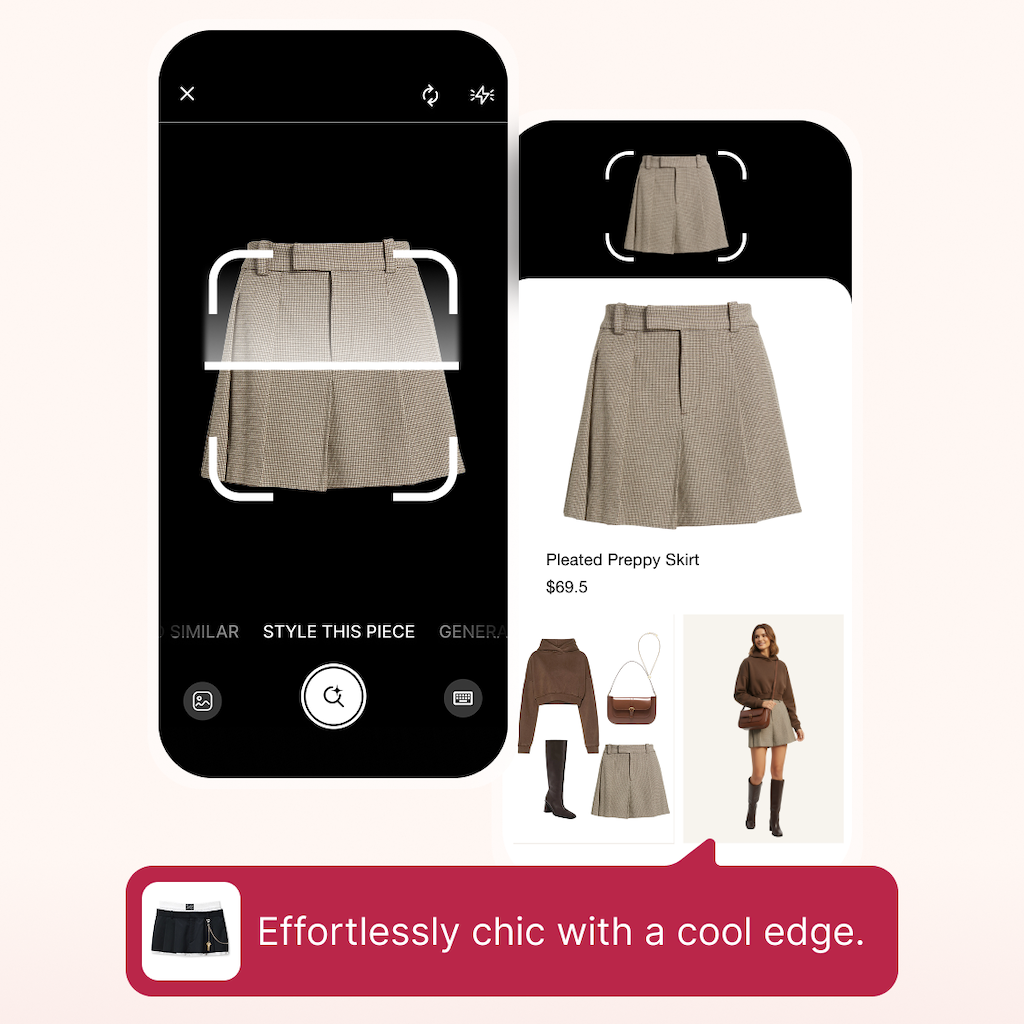
Gensmo is a fashion AI agent offering instant virtual try-on, scene-based outfit suggestions and a style matching feature, plus a Studio workspace for turning product shots into polished visuals. It ships as iOS and Android apps and is aimed at both everyday shoppers and commercial styling teams.
Gensmo is a fashion-focused AI agent that combines outfit recommendations with virtual try-on. The product centers on three ideas the company repeats on its homepage: trying on anything instantly, restyling a single piece many ways, and finding a "style twin" that matches a user's look. The underlying claim is that generative multimodal models are paired with personalization data, so a suggestion is not a random catalog pull but something shaped around the person, the garment and the occasion. Gensmo rounds this out with Studio, a browser-based workspace for turning a product photo into polished, studio-quality visuals. The core app ships for iOS and Android, and the homepage promotes it as a download-first experience. A typical loop is short: upload or shoot a photo, pick a garment or a scene, and let the agent generate styled results. The scene-based framing matters, since outfit suggestions are organized around where someone is going rather than just what is trending. That makes the tool useful for people planning a week of looks, testing a purchase before it arrives, or reworking a piece they already own into new combinations. Gensmo also targets commercial users. The Studio product is pitched at turning any product into clean visuals, and an enterprise page exists alongside it. That puts Gensmo somewhere between consumer styling apps, which tend to be thin on personalization, and professional ecommerce tooling, which tends to be technical and expensive. The company claims more than one million downloads, and press coverage quoted on the site describes shoppable outfit suggestions and an ambition to build a new interface between products and consumers. Pricing, subscription tiers and integration details are not stated on the homepage, so those need to be checked inside the apps or with the sales team.
A support email address is published in the site footer, and an enterprise page exists for commercial enquiries. No help centre, documentation portal or live chat is linked from the homepage.
Learn moreVirtual try-on from a personal photo, scene-based outfit suggestions, restyling one garment many ways, a style twin finder that matches users to looks, and Gensmo Studio for converting product shots into studio-quality visuals. The app runs on iOS and Android, and the site reports more than one million downloads.
Learn more AI Angels400+ customizable AI girlfriends for NSFW chat, voice calls, and roleplay
 Candy AIExperience the future of companionship with AI friends who chat, role-play, and connect with you on a human level.
 ourdream.aiA vast AI roleplay platform with millions of characters for chat, images, video and voiceAI Angels400+ customizable AI girlfriends for NSFW chat, voice calls, and roleplayCandy AIExperience the future of companionship with AI friends who chat, role-play, and connect with you on a human level.ourdream.aiA vast AI roleplay platform with millions of characters for chat, images, video and voice


