GEOFill

Turn one core idea into platform-native GEO drafts across 10 publishing sites.

Beginner

What is GEOFill?

GEOFill is an AI mistress tool that turns one core idea into platform-native GEO drafts across 10 publishing sites. A Chrome extension that writes GEO-optimized articles in the native style of Reddit, LinkedIn, Quora, Medium, Substack, DEV.to and four other platforms, then auto-fills the editor for manual review and publishing.

GEOFill is a Chrome extension built for a specific bottleneck: turning a single core message into publishable articles for many different platforms without reworking the copy by hand each time. The extension watches the browser tab, recognizes which supported editor is open, and generates an article shaped for that surface. Titles, body copy, tags, links and Markdown formatting are then inserted directly into the native editor, so the writer spends time reviewing rather than pasting. The platform list is deliberately broad in style rather than long in number: Reddit, LinkedIn, Quora, Medium, Blogger, Substack, Patreon, Tumblr, DEV.to and Hashnode. Each gets its own treatment. Reddit drafts lean toward conversation, Quora drafts toward direct answers that match search intent, LinkedIn and Substack lean professional and editorial, while DEV.to and Hashnode keep technical Markdown structure. The product calls this GEO optimization, meaning the copy is tuned so it surfaces when people ask AI engines the questions a brand wants to own, not only when they type a keyword into a traditional search box. Six stated essentials guide that work: distribution logic, headline and hook strategy, structure adaptation, community tone, keyword placement, and reshaping one message into multiple expressions. Inputs are structured rather than freeform. Users supply an article brief, raw source material, product highlights with name and selling points, and the target AI queries the piece should answer. That setup suits content marketers, SEO teams, founders, agencies and indie makers who already have material and need distribution, not ideation. One boundary matters: GEOFill does not publish for you. It generates drafts and fills editors, and the final review, edits and publish click stay manual. That keeps account safety and quality control with the user, but it also means the tool shortens formatting work rather than replacing a publishing workflow. Generation limits depend on the subscription plan, and refunds are not offered, so buyers should size a plan against their actual output before committing.

How do you use GEOFill?

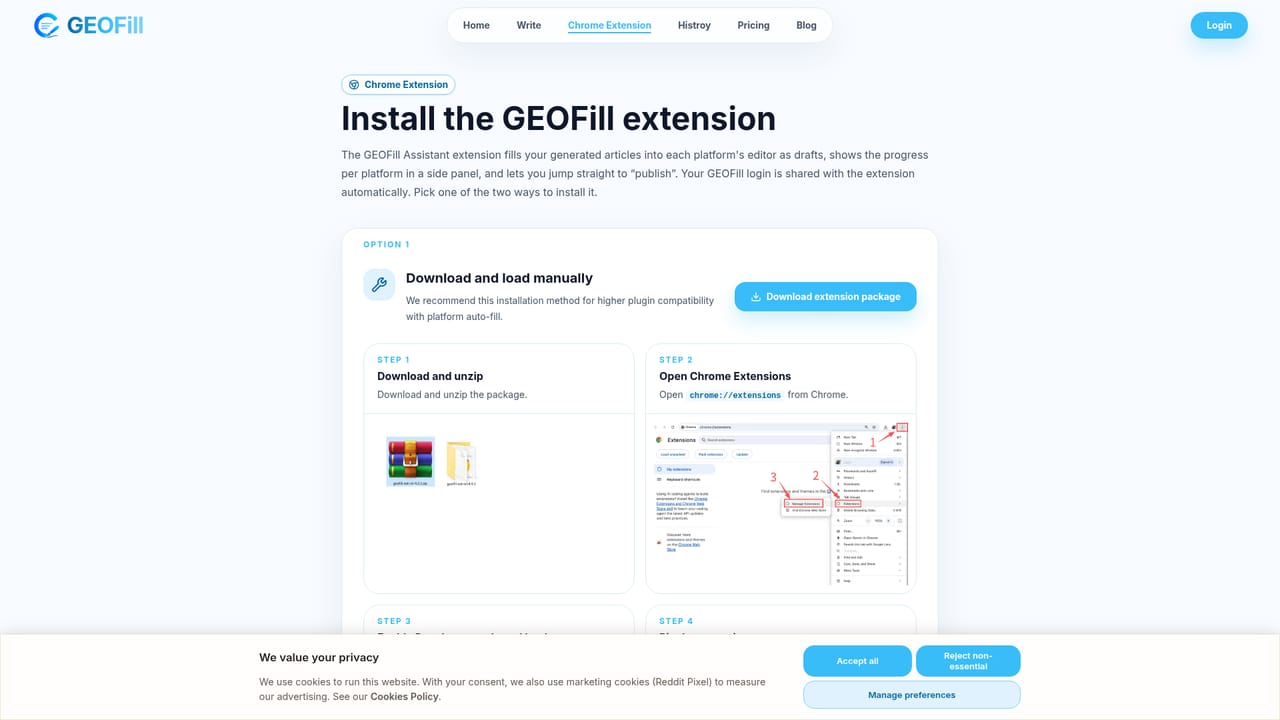
  1. 1Install the Chrome extension
    Add GEOFill from the Chrome Web Store, or use the website build if you need higher compatibility, then sign in with a Google account.
  2. 2Open a supported platform and confirm detection
    Load the editor for a platform such as Reddit or Medium in a tab and check that the extension recognizes the active editor before generating.
  3. 3Prepare brief, source material and target AI queries
    Enter the article brief, the raw source data, product highlights and the questions you want AI engines to surface you for.
  4. 4Generate a platform-native article
    Create the draft and let GEOFill adjust tone, structure, headings, tags and keyword placement to the selected platform.
  5. 5Auto-fill and review in the native editor
    Insert titles, body copy, tags and Markdown into the platform editor, then edit for accuracy and voice before publishing.
  6. 6Publish manually and repeat per platform
    Submit the post yourself, then reshape the same core message for the next platform rather than rewriting from scratch.

Pros and cons

Pros

  • Auto-fills titles, body, tags and Markdown straight into the native editor, removing repetitive pasting across up to 10 platformsAI
  • Per-platform tone and structure are genuinely differentiated, from Reddit discussion posts to Markdown-ready DEV.to articlesAI
  • Structured inputs (brief, source material, product highlights, target AI queries) push users toward reusable, intent-focused contentAI
  • Manual review and publishing stay with the user, which limits account risk and keeps quality control intactAI
  • Runs inside Chrome, so no separate dashboard or CMS migration is required for distribution workAI

Cons

  • No automated publishing: every platform still needs a manual review and submit step, so the time saving is partialAI
  • Pricing and per-plan article limits are not shown on the homepage, and refunds are explicitly not offered, which raises the cost of testing a planAI
  • Only available as a Chrome extension, with no support for Firefox, Safari or non-browser publishing toolsAI
  • GEO keyword tuning is handled automatically with no stated controls for advanced SEO users to override placement or densityAI
  • Locked to ten named platforms, so teams publishing on other channels or their own CMS get little benefitAI

How much does GEOFill cost?

Pricing

The homepage says article generation is capped per month according to subscription plan and points readers to a pricing section for plan limits, but no prices or tiers are listed in the supplied content. Refunds are not available, and subscriptions can be cancelled at any time.

Learn more

Integrations

Supports 10 publishing platforms through a Chrome extension: Reddit, LinkedIn, Quora, Medium, Blogger, Substack, Patreon, Tumblr, DEV.to and Hashnode. No other integrations are stated.

Learn more

Features

Six stated GEO elements shape each article: distribution intelligence per platform, headline and hook strategy, structure adaptation, community tone alignment, GEO keyword placement for AI search discovery, and multi-platform reshaping of one core message. The extension detects the active editor and fills title, body, tags, links and Markdown for manual review.

Learn more

Frequently asked questions about GEOFill

  • How much does GEOFill cost?
    The homepage says article generation is capped per month according to subscription plan and points readers to a pricing section for plan limits, but no prices or tiers are listed in the supplied content. Refunds are not available, and subscriptions can be cancelled at any time.
  • How do you use GEOFill?
    The walkthrough on this page covers 6 steps: 1. Install the Chrome extension 2. Open a supported platform and confirm detection 3. Prepare brief, source material and target AI queries 4. Generate a platform-native article 5. Auto-fill and review in the native editor 6. Publish manually and repeat per platform.
  • What platforms does GEOFill support?
    GEOFill is available on Browser extension and Web App.
  • What does GEOFill integrate with?
    Supports 10 publishing platforms through a Chrome extension: Reddit, LinkedIn, Quora, Medium, Blogger, Substack, Patreon, Tumblr, DEV.to and Hashnode. No other integrations are stated.
  • What are the limitations of GEOFill?
    No automated publishing: every platform still needs a manual review and submit step, so the time saving is partial. Pricing and per-plan article limits are not shown on the homepage, and refunds are explicitly not offered, which raises the cost of testing a plan. Only available as a Chrome extension, with no support for Firefox, Safari or non-browser publishing tools.

Status

StatusActive
Views0
Outbound clicks0
Added10/21/2026

Platforms

Browser extensionWeb App

Pricing

SubscriptionPaid