Free trial
The page describes a free trial that lets users try every feature at no cost, and elsewhere states the tool itself is free.
Learn moreTurn text prompts or photos into custom transparent PNG emojis
Own Ghibliart AI Emoji Maker? Verify ownership to get a dofollow link

Ghibliart AI Emoji Maker is a generative image tool that turns text prompts or photos into custom transparent PNG emojis. A free, no signup browser tool that generates custom emoji artwork from a text prompt or an uploaded photo, delivering high resolution PNGs with transparent backgrounds and options for watermark free, private output.
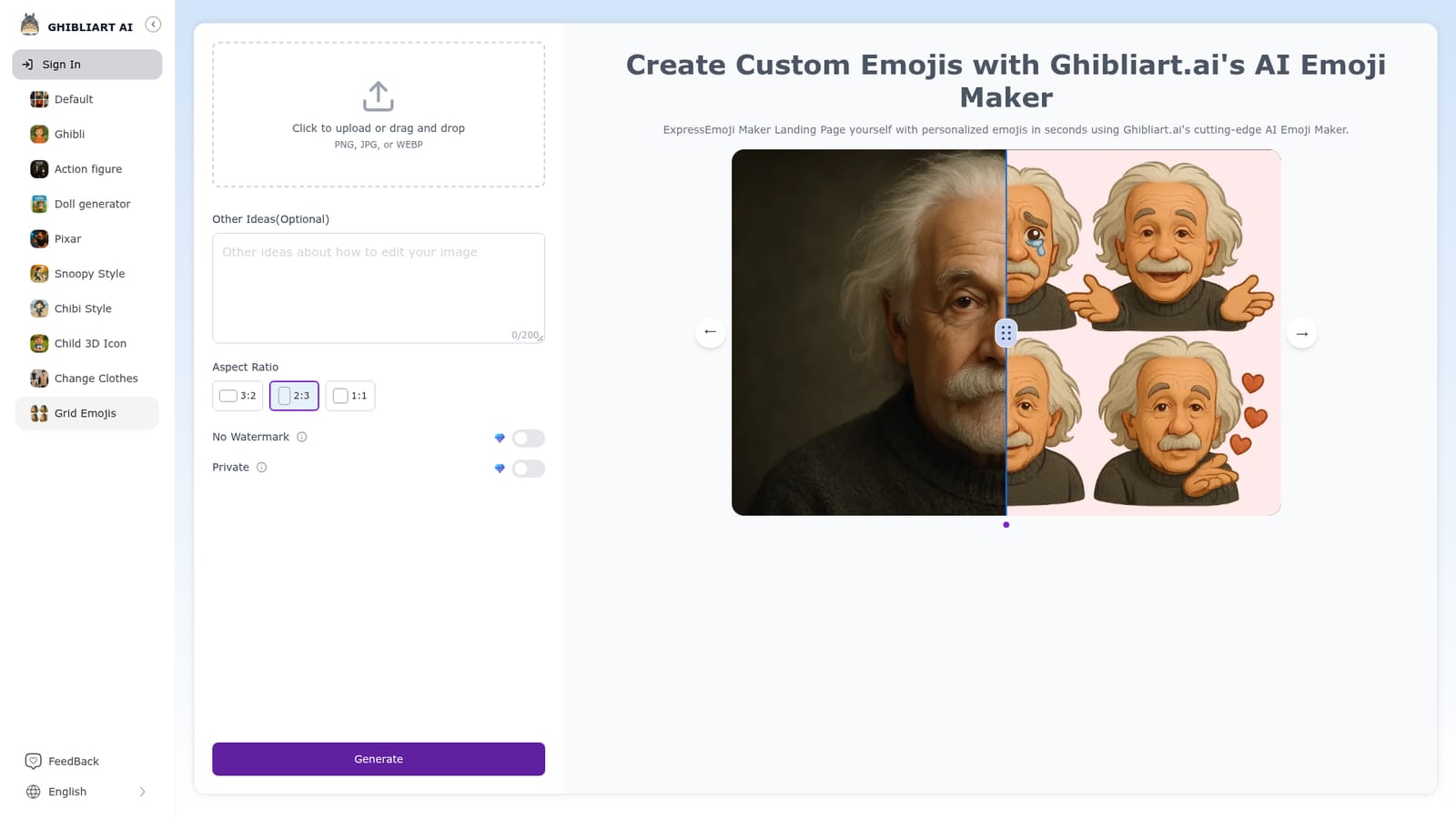
Ghibliart.ai's AI Emoji Maker is a browser based generator that produces custom emoji artwork from either a written prompt or an uploaded picture. The premise is deliberately narrow: rather than acting as a general image generator, the tool is tuned for the small, stylized, high contrast look that reads well at chat and sticker size. Users can describe an idea in words, or hand over a PNG, JPG or WEBP file and let the model reinterpret it in emoji form. The workflow is short. You pick an input method, supply either a description or an image, optionally add extra ideas in a text field capped at 200 characters, choose an aspect ratio from 3:2, 2:3 or 1:1, and hit generate. Results arrive as high resolution PNG files with transparent backgrounds, which is the practical detail that matters most here: cutout assets drop cleanly onto dark and light chat themes alike, and they can be dropped into messaging apps, social posts or websites without a background removal step. Two toggles sit alongside the controls, one for removing the watermark and one for keeping a generation private. The audience is broad by design. Social media influencers and content creators use it to build a recognisable visual signature, brands use it for campaign assets and customer engagement, and casual users generate throwaway emojis for group chats and memes. Because the input can be a photograph, there is also a clear use case for pet owners, photographers and anyone who wants a selfie or a favourite image reduced to a cartoon sticker. The competitive landscape for AI emoji tools is crowded, and the honest differentiation here is convenience rather than depth. The page positions it as free to use with no sign up, which lowers the barrier compared with subscription locked rivals, and the image to emoji route is more forgiving than prompt only tools. It is not a vector editing suite: there are no layers, no manual touch up tools and no export formats beyond PNG. Treat it as a fast concept and sticker generator rather than a design application.
The page describes a free trial that lets users try every feature at no cost, and elsewhere states the tool itself is free.
Learn moreThe page states the emoji maker is free to use with no hidden fees or subscriptions, and that no signup is required. No paid tiers or credit limits are listed on the page.
Learn moreText to emoji generation from a written description, image to emoji conversion from PNG, JPG or WEBP uploads, high resolution PNG output with transparent backgrounds, an optional 200 character ideas field, 3:2, 2:3 and 1:1 aspect ratios, plus toggles for watermark free and private generation.
 AI Angels400+ customizable AI girlfriends for NSFW chat, voice calls, and roleplay
 Candy AIExperience the future of companionship with AI friends who chat, role-play, and connect with you on a human level.
 ourdream.aiA vast AI roleplay platform with millions of characters for chat, images, video and voiceAI Angels400+ customizable AI girlfriends for NSFW chat, voice calls, and roleplayCandy AIExperience the future of companionship with AI friends who chat, role-play, and connect with you on a human level.ourdream.aiA vast AI roleplay platform with millions of characters for chat, images, video and voice






