AIPetGenVerified: AIPetGen's team confirmed this listing with the aiwizard badge on its website

Turns a single pet photo or text prompt into styled portraits and short videos.

Beginner
Screenshot of AIPetGen, Turns a single pet photo or text prompt into styled portraits and short videos

What is AIPetGen?

AIPetGen is a generative video tool that turns a single pet photo or text prompt into styled portraits and short videos. AIPetGen is an AI studio that turns a pet photo or description into styled portraits and short animated videos, with daily free generations and a credit based system for extra output.

AIPetGen is a web based creative studio that converts a photo of a dog, cat, or other pet, or a written description, into a new still image or a short video. The system tries to keep the animal's features recognizable while changing the backdrop, artistic style, clothing, or motion according to the prompt. A separate portrait mode narrows the workflow to preset looks such as realistic, watercolor, oil painting, cartoon, anime, or royal portrait, useful for anyone who wants a quick result without writing a detailed description. The tool suits pet owners, hobbyist photographers, and small creators who want a dressed up or imaginative version of their animal for social posts, gifts, or wall art, since AIPetGen itself does not print or ship anything. Casual users can rely on the daily free generation and templates, while more demanding users can refine prompts and spend credits to produce multiple images or longer videos. In practice, a session starts with signing in, then uploading a clear photo with the pet centered and both eyes visible, or skipping the photo and typing a description instead. The model, aspect ratio, and output resolution can be set before generating, and the first 1K image each UTC day is free, with a one time gift of 100 credits for new accounts. Further images and every video draw from the credit balance, with the cost shown before the job runs. Video generation, called Animate, works from a text prompt and can take up to 9 reference images and 3 audio clips, with controls for duration, resolution, and aspect ratio. Finished work is stored in a Gallery for later download. Compared with general purpose image generators, AIPetGen trades broad creative scope for a narrower, pet specific workflow with presets and guidance built around keeping a specific animal's likeness intact.
How do you use AIPetGen?

  1. 1Sign in to the studio
    Create or log into an account on the AIPetGen homepage to access the daily free image, the 100 credit welcome gift, and the Gallery.
    AIPetGen — Sign in to the studio
  2. 2Upload a photo or write a description
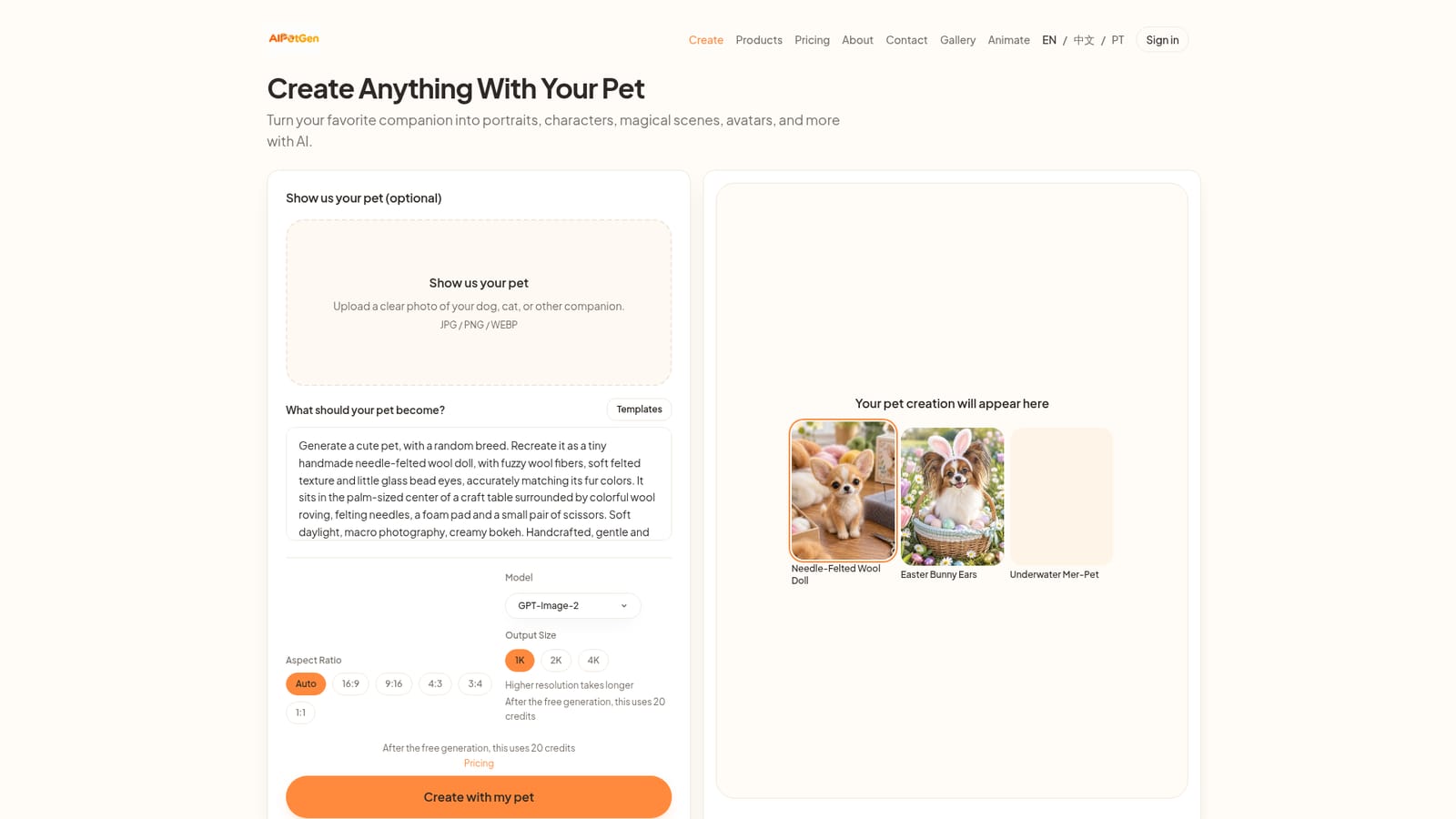
    Upload a clear JPG, PNG, or WebP photo of your pet with both eyes visible, or skip the photo and type what you want the pet to become.
  3. 3Pick settings and generate an image
    Choose the model, aspect ratio, and output size, then generate. The first 1K image each UTC day is free, later ones spend credits.
  4. 4Try the portrait generator for quick styles
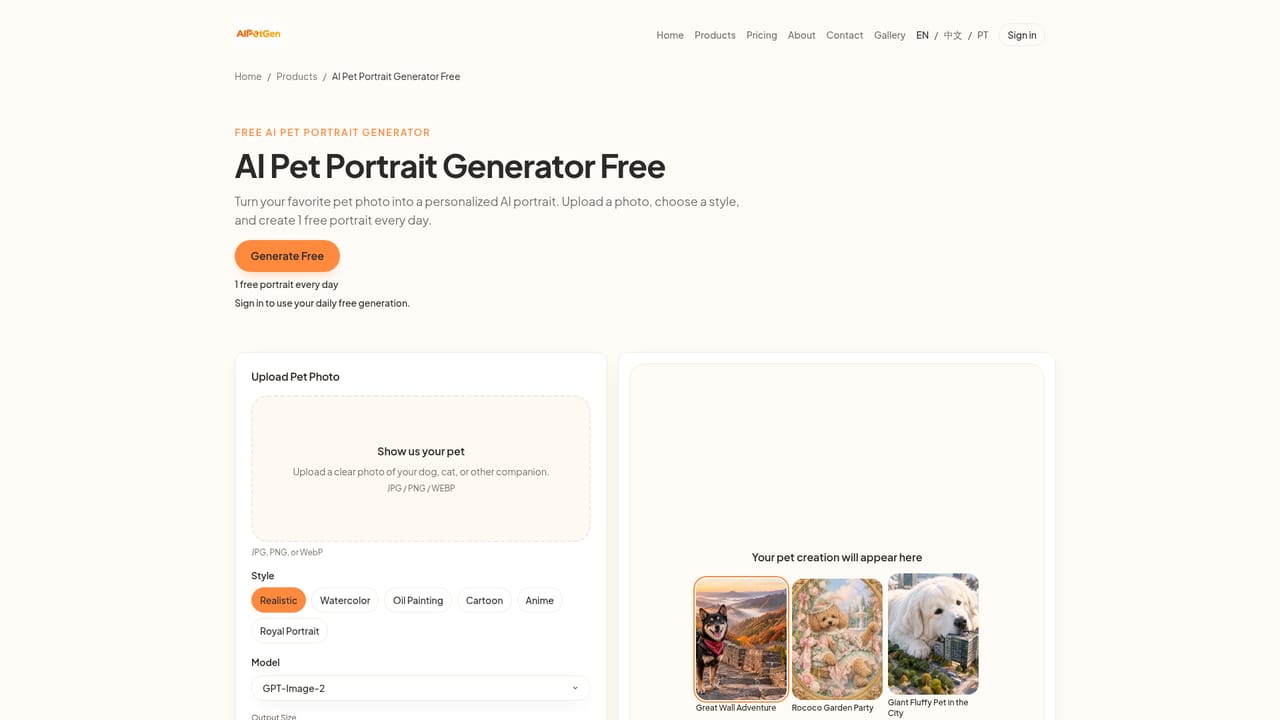
    For a shorter flow, use the AI pet portrait generator and pick a preset such as realistic, watercolor, cartoon, anime, or royal portrait.
    AIPetGen — Try the portrait generator for quick styles
  5. 5Animate a photo into a short video
    Switch to Animate, describe the motion, and optionally attach up to 9 reference images and 3 audio clips, then set duration, resolution, and frame shape before generating.
  6. 6Check credit costs and save results
    Review credit pack details on the pricing page before buying more, and save finished images or videos to the Gallery for later download.
    AIPetGen — Check credit costs and save results

Pros and cons

Pros

  • Generates both styled images and short animated videos from the same pet photoAI
  • Daily free 1K image plus a one time 100 credit gift lowers the barrier to try itAI
  • Dedicated portrait mode offers ready made styles like watercolor, anime, and royal portraitAI
  • Animate supports multiple reference images and audio clips for more controlled video outputAI
  • Credit cost is shown before generation so users know the price upfrontAI

Cons

  • Results vary between attempts, so a wanted pose or exact face match is not guaranteedAI
  • Sign-in is mandatory even to use the single daily free imageAI
  • No printing or shipping service, so users must arrange physical prints elsewhereAI
  • Specific credit pack prices are not disclosed on the homepageAI
  • 1080p video output is capped at 10 seconds, limiting longer animationsAI

How much does AIPetGen cost?

Free trial

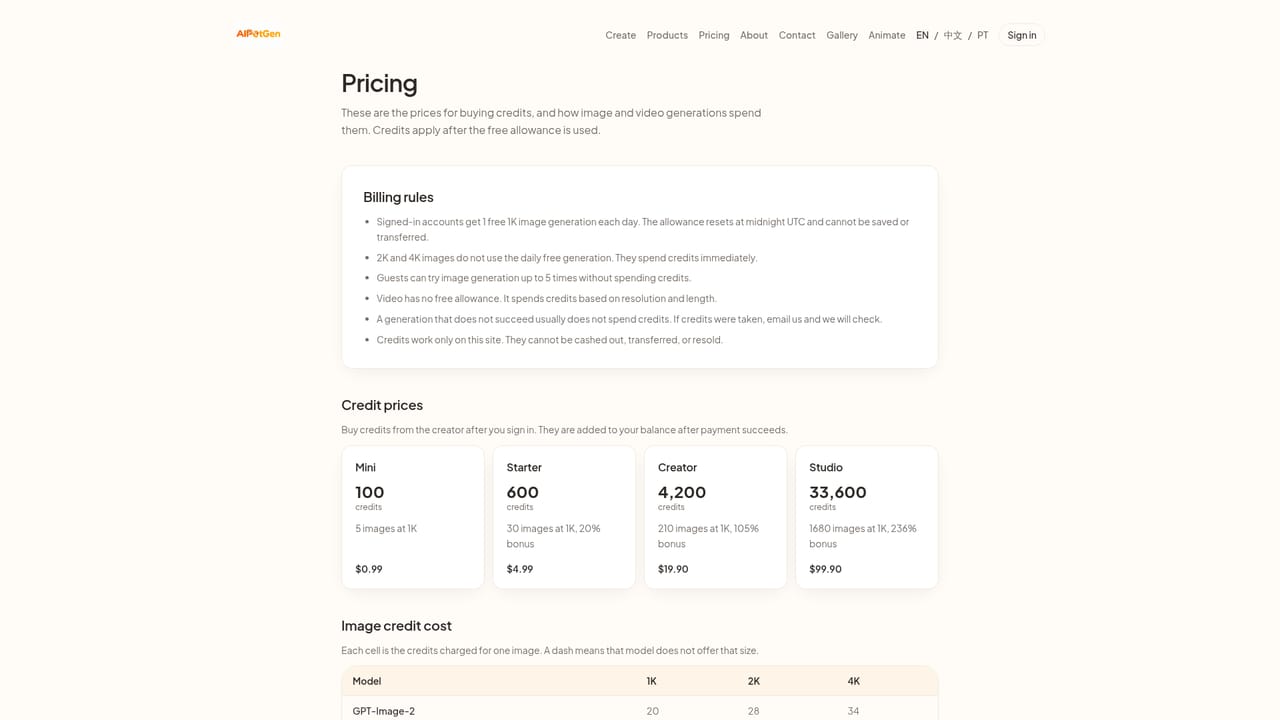
No separate trial period is offered, but every signed-in account gets one free 1K image per UTC day plus a one time gift of 100 credits to test image and video generation.

Learn more

Pricing

Generation runs on a credit system. One 1K image per UTC day is free per account, plus a one time 100 credit welcome gift; further images and all videos spend credits, with packs detailed on the pricing page and exact costs shown before each job.

Learn more

Support

Support is available by email at hello@aipetgen.com, with a dedicated contact page for inquiries.

Learn more

Features

Generates pet portraits and scenes from a photo or text prompt, with preset styles (realistic, watercolor, oil painting, cartoon, anime, royal), adjustable aspect ratio, model, and resolution, plus an Animate mode for short videos from photo, text, up to 9 reference images, and 3 audio clips, with a Gallery for saved results.

Learn more

Frequently asked questions about AIPetGen

  • How much does AIPetGen cost?
    Generation runs on a credit system. One 1K image per UTC day is free per account, plus a one time 100 credit welcome gift; further images and all videos spend credits, with packs detailed on the pricing page and exact costs shown before each job.
  • Does AIPetGen offer a free trial?
    No separate trial period is offered, but every signed-in account gets one free 1K image per UTC day plus a one time gift of 100 credits to test image and video generation.
  • How do you use AIPetGen?
    The walkthrough on this page covers 6 steps: 1. Sign in to the studio 2. Upload a photo or write a description 3. Pick settings and generate an image 4. Try the portrait generator for quick styles 5. Animate a photo into a short video 6. Check credit costs and save results.
  • What platforms does AIPetGen support?
    AIPetGen is available on Web App.
  • What are the limitations of AIPetGen?
    Results vary between attempts, so a wanted pose or exact face match is not guaranteed. Sign-in is mandatory even to use the single daily free image. No printing or shipping service, so users must arrange physical prints elsewhere.

Status

StatusActive
Views0
Outbound clicks0
Added10/16/2026

Platforms

Web App

Pricing

FreemiumPaid

Creator

@xiaofengzi941

Twitter / X