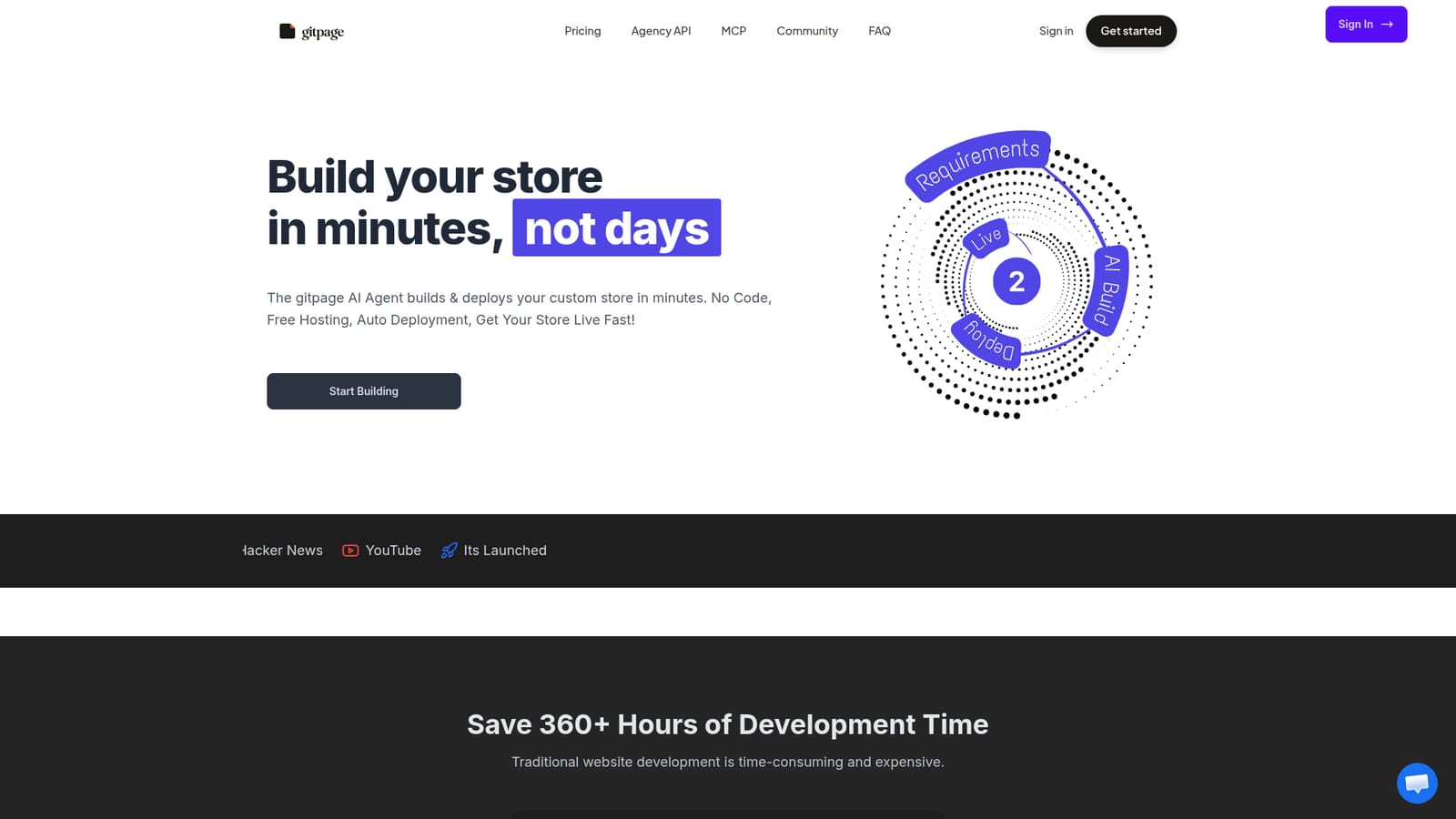
GitPage AI Website Builder

Describe a site, get a live one in minutes

Beginner API
Screenshot of GitPage AI Website Builder, Describe a site, get a live one in minutes

What is GitPage AI Website Builder?

GitPage AI Website Builder is an app creation tool. An AI agent that generates a full website from a short form, writes the copy and SEO blog, and auto-deploys it to GitLab Pages. You keep the code, bring your own OpenRouter key, and edit afterwards by describing changes in plain English.

GitPage is an AI website builder that turns a short requirements form into a deployed website. You answer a few questions about the type of site you want (a standard business site, a store, or a video sales letter page), and an AI agent generates the pages, sections, copy, policy pages and an SEO blog. The finished build is committed to a Git repository and published automatically to GitLab Pages with SSL and a CDN, so you end up with a working URL rather than a mockup sitting in an editor. In practice the workflow runs in two phases. First comes generation: pick a site type, submit the form, and wait roughly a couple of minutes while the agent assembles design and content. Starter templates exist for home services, real estate, gyms and agencies, each with niche copy and conversion sections already in place. Second comes editing: an in-app AI page editor lets you rewrite sections, add pages, and produce blog posts of roughly 500 to 2000 words with images and FAQs, all described in plain English. Changes commit to the repository and redeploy without manual work. A check tool scans for broken links, missing images and an unconfigured contact form. Ownership is the unusual part. The code lives in your own GitLab repository, so you can download it, hand the repo to a client, or point Netlify, Vercel or AWS at it if you would rather host elsewhere. You bring your own OpenRouter API key for generation and editing and pay model costs directly; GitPage states it adds no markup. A paid tier adds an MCP server so Claude Code can restructure a generated site, plus Git integration, sitemap, robots.txt and schema markup. The tool suits freelancers, agencies and small business owners who need a decent marketing site quickly and do not want a monthly website subscription. It competes less with drag-and-drop editors and more with hiring a developer for a static site. Buyers should note the setup: GitLab and OpenRouter keys are required before anything builds, and the polish depends heavily on which model you choose.

How do you use GitPage AI Website Builder?

  1. 1Check the plan tiers
    Compare Basic, Pro and Agency on the landing page. Basic caps generation at 25 sites per month; Pro removes the cap and adds MCP editing, Git integration and technical SEO files.
    GitPage AI Website Builder — Check the plan tiers
  2. 2Create your account
    Sign in to reach the dashboard, where sites, keys and shared projects are managed.
    GitPage AI Website Builder — Create your account
  3. 3Connect GitLab and your AI key
    Add a GitLab account and an OpenRouter API key in Manage Keys. The dashboard validates keys before each build so failures surface early.
  4. 4Submit the build form
    Choose website, store or VSL, pick a template niche, and complete the form with your content and requirements.
  5. 5Wait for generation and deploy
    The agent produces pages, copy, policy pages and a blog, then publishes to GitLab Pages. The site appears under My Sites with a live link.
  6. 6Refine with the AI editor
    Describe changes in plain English, add pages or blog posts, preview the result, and let the edit commit and redeploy automatically.

Pros and cons

Pros

  • Sites are generated and deployed in minutes, with hosting, SSL and CDN handled by GitLab PagesAI
  • You own the GitLab repository outright and can download it or host on Netlify, Vercel or AWSAI
  • No subscription: one-time payment tiers, and no markup on the AI model costs you pay OpenRouterAI
  • Templates for home services, real estate, gyms and agencies ship with niche copy and conversion sectionsAI
  • The AI editor covers pages, new blog posts and policy documents without touching codeAI

Cons

  • Requires setup before first use: a GitLab account and an OpenRouter API key, plus optional Web3Forms and Higgsfield keysAI
  • All sales are described as generally final, so there is little room to test at scale before committingAI
  • AI model costs are billed separately by OpenRouter and vary with model choice and site size, so the true cost per site is not fixedAI
  • Premium templates and AI-generated photography depend on a third-party Higgsfield key paid from your own creditsAI
  • Support is chat only during Melbourne business hours, Monday to Friday 9am to 5pmAI

How much does GitPage AI Website Builder cost?

Pricing

One-time payments rather than a subscription. Basic is $99 and allows 25 generated sites per month. Pro is $299 with unlimited sites, MCP editing through Claude Code, Git integration, sitemap, robots.txt, llms.txt and schema markup. Agency is $99 for a multi-tenant API with per-site collaborators. AI usage is billed separately by OpenRouter at their rates, with no markup from GitPage.

Learn more

Support

Support runs through chat on the website, covering setup and editing questions. The team is based in Melbourne, Australia, and answers Monday to Friday from 9am to 5pm. Pro includes priority support, and setup documentation sits in the dashboard menu once signed in.

Integrations

GitLab for repository hosting and GitLab Pages deployment, OpenRouter for AI generation and editing, Web3Forms for contact form delivery, Higgsfield for AI images and video heroes, Claude Code through the MCP server, and an Agency API with LeadStack. Repos can also connect to Netlify, Vercel or AWS.

Features

Generation from a form covers pages, sections, professional copy, policy and terms pages, meta tags and an SEO blog. The in-app AI editor rewrites pages and creates 500 to 2000 word posts with images and FAQs. Pro adds MCP editing with Claude Code, GitHub and GitLab integration, sitemap.xml, llms.txt, robots.txt, schema markup, multiple languages and a site check for broken links and an unconfigured contact form.

Frequently asked questions about GitPage AI Website Builder

  • How much does GitPage AI Website Builder cost?
    One-time payments rather than a subscription. Basic is $99 and allows 25 generated sites per month. Pro is $299 with unlimited sites, MCP editing through Claude Code, Git integration, sitemap, robots.txt, llms.txt and schema markup. Agency is $99 for a multi-tenant API with per-site collaborators. AI usage is billed separately by OpenRouter at their rates, with no markup from GitPage.
  • Does GitPage AI Website Builder have an API?
    Yes, GitPage AI Website Builder offers an API.
  • How do you use GitPage AI Website Builder?
    The walkthrough on this page covers 6 steps: 1. Check the plan tiers 2. Create your account 3. Connect GitLab and your AI key 4. Submit the build form 5. Wait for generation and deploy 6. Refine with the AI editor.
  • What platforms does GitPage AI Website Builder support?
    GitPage AI Website Builder is available on Web App.
  • What does GitPage AI Website Builder integrate with?
    GitLab for repository hosting and GitLab Pages deployment, OpenRouter for AI generation and editing, Web3Forms for contact form delivery, Higgsfield for AI images and video heroes, Claude Code through the MCP server, and an Agency API with LeadStack. Repos can also connect to Netlify, Vercel or AWS.
  • What are the limitations of GitPage AI Website Builder?
    Requires setup before first use: a GitLab account and an OpenRouter API key, plus optional Web3Forms and Higgsfield keys. All sales are described as generally final, so there is little room to test at scale before committing. AI model costs are billed separately by OpenRouter and vary with model choice and site size, so the true cost per site is not fixed.

Status

StatusActive
Views0
Outbound clicks0
Added10/21/2026

Platforms

Web App

Pricing

PaidFreemium