Free trial
7-day free trial, with no payment needed at sign-up.
Learn moreAI assistant that turns long-term goals into daily tasks and follow-through
Own Good Assistant? Verify ownership to get a dofollow link
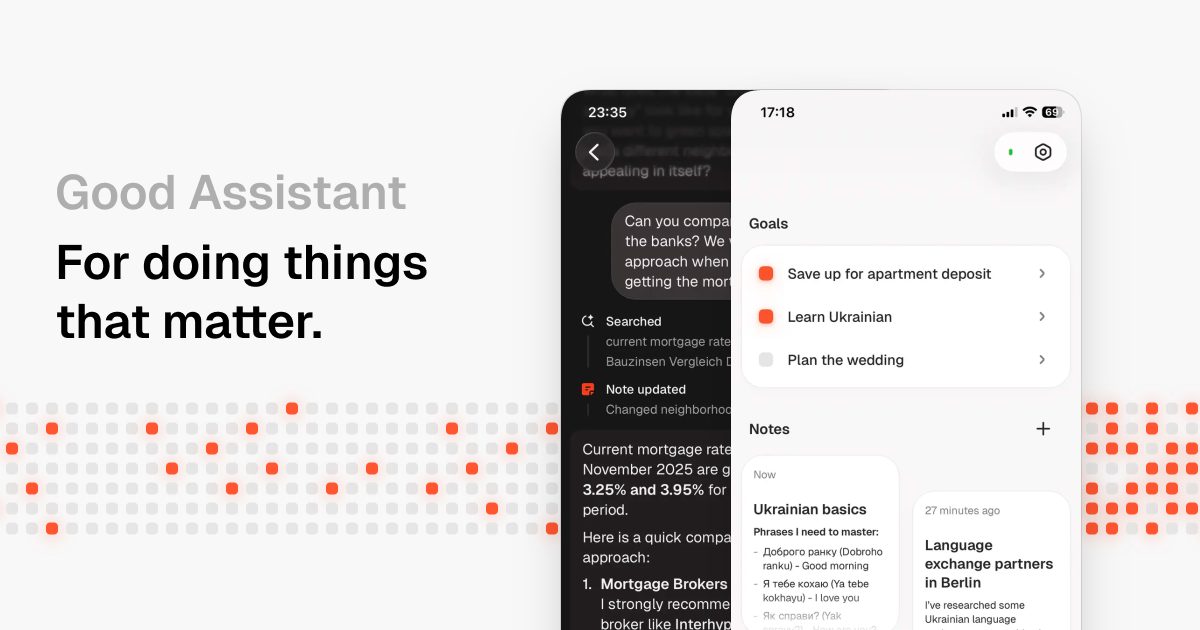
Good Assistant is an AI personal assistant that plans each day around the user's long-term goals, tracks progress on visual timelines, keeps notes, runs scheduled tasks and messages proactively. Available on web and iOS with a 7-day free trial.
Good Assistant is a personal AI assistant built around one idea: long-term goals fail from neglect, not from a lack of time or talent. Instead of acting as a blank chat window, it keeps a running picture of what the user wants to achieve and converts that into a short list of things to do each day. Each morning it works through the plan with the user, proposing what belongs on today's list and what can safely wait, so tasks do not accumulate into a backlog. The product is organized into five areas. Tasks holds the daily plan. Goals gives each ambition its own visual timeline of progress, with related notes and reminders attached. Notes is a shared workspace where the assistant can drop research it has done on request, and it can also read what the user writes there. Scheduled Tasks covers recurring or delayed jobs, such as checking something in a month or searching for job openings every week, with the result sent back as a message. Chat is the everyday channel, where the assistant can message first, read the user's calendar, browse the web and use its own computer to carry out requests. The target audience is people pursuing slow, multi-month projects such as learning a skill, building financial security, relocating abroad or improving a friendship, and who find that to-do apps let those efforts fade. The site positions it against three alternatives: to-do apps that store tasks passively, general chatbots that lose context when closed, and human coaches who are available only briefly each week. Good Assistant's pitch is persistent memory plus proactive follow-up. Access is through a web app and an iOS app. Pricing is a single monthly subscription with a seven-day free trial that requires no payment up front. Buyers weighing it against general assistants or task managers should note that its value depends on sustained daily use and on trusting it with personal goals, notes and calendar data.
7-day free trial, with no payment needed at sign-up.
Learn more$29 per month as a single subscription, with a 7-day free trial and no payment required to start. No other tiers are listed on the homepage.
Learn moreThe homepage mentions calendar access and web browsing. No other named integrations are listed.
Morning daily planning, goal timelines with related notes and reminders, a notes space where researched findings are saved, scheduled tasks that report back, and a chat that can message proactively, read the calendar and browse the web.
 AI Angels400+ customizable AI girlfriends for NSFW chat, voice calls, and roleplay
 Candy AIExperience the future of companionship with AI friends who chat, role-play, and connect with you on a human level.
 ourdream.aiA vast AI roleplay platform with millions of characters for chat, images, video and voiceAI Angels400+ customizable AI girlfriends for NSFW chat, voice calls, and roleplayCandy AIExperience the future of companionship with AI friends who chat, role-play, and connect with you on a human level.ourdream.aiA vast AI roleplay platform with millions of characters for chat, images, video and voice


