GPTZero

AI text detector with sentence-level scoring and writing replay

Beginner API
Screenshot of GPTZero, AI text detector with sentence-level scoring and writing replay

What is GPTZero?

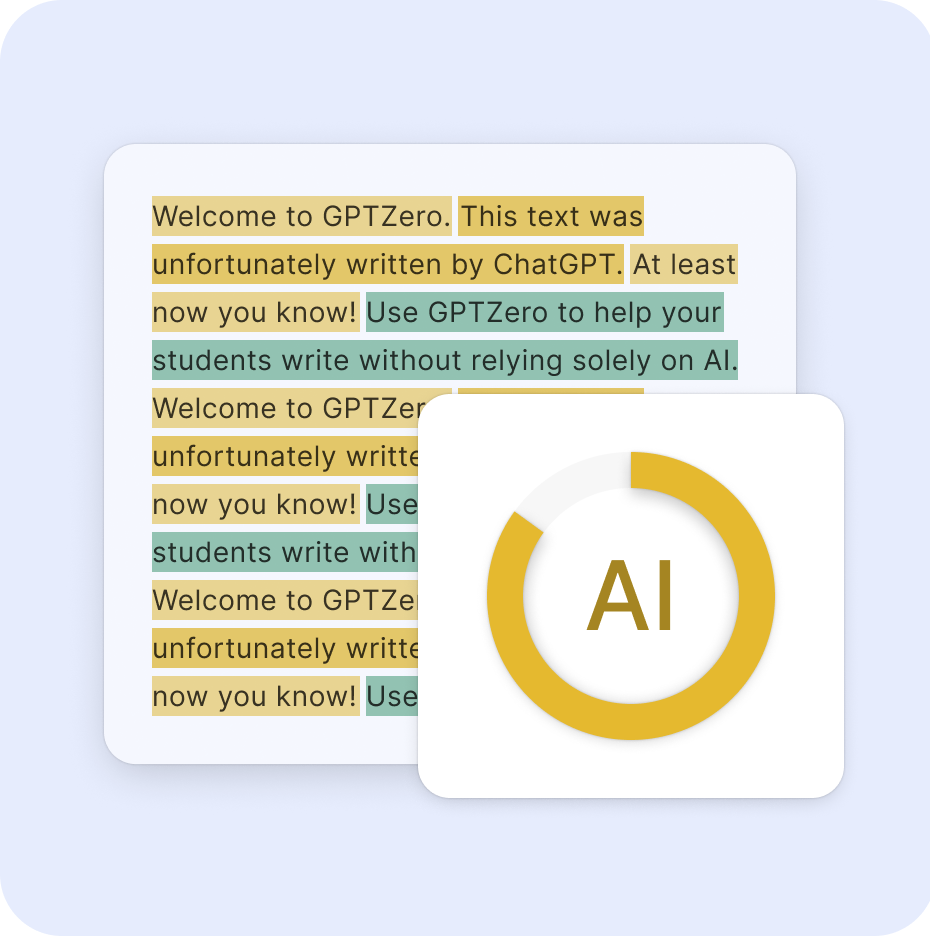
GPTZero detects text written by ChatGPT, Claude, Gemini and other models, with an overall score and sentence level highlighting. It adds Google Docs writing replay, plagiarism checks, grammar feedback, a Chrome extension and classroom integrations.

GPTZero is an AI text detector that scores pasted or uploaded writing for the likelihood that it came from a model such as ChatGPT, Claude, Gemini or Llama. Each scan returns an overall AI score plus a sentence by sentence breakdown, so a reader can see which passages triggered the flag instead of receiving a single verdict. The homepage cites 99.9% accuracy, more than 20 million users and over 2 million educators. Those are the vendor's own figures, backed by a reference to independent benchmarking of its Advanced Scan. Detection is only one part of the product. A Google Docs integration records the writing process and plays it back as a video, showing copy and paste events and unnatural typing patterns, which gives students and professional writers a way to demonstrate authorship rather than just argue about it. Neighboring modules cover a plagiarism checker, a grammar check with feedback positioned as an AI writing tutor, and a Chrome extension that runs detection inside Gmail, Google Docs, Classroom, LinkedIn, X and other sites. The main input box shows a 10,000 character counter with an upgrade prompt, and text can come from a paste, a file upload or Google Drive. Education is the clearest audience. Connections to Canvas and Google Classroom let teachers check work where it is already submitted, and a sales and demo route exists for institutions. Developers and automation users can reach the detector through an API and a Zapier app, and a privacy guarantee is mentioned beside the scan button. Among alternatives, GPTZero stands out less for the raw score, which every detector offers, than for the surrounding evidence: process replay, plagiarism checks and classroom plumbing in one account. As with any probabilistic classifier, a flag is a prompt for a conversation with the author, not proof, and the site's claims of zero false positives deserve to be tested on the buyer's own material before any high-stakes decision rests on them.

How do you use GPTZero?

  1. 1Paste or upload your text
    Open the homepage and paste writing into the main box, or upload a file or pull one from Google Drive. The box shows a character counter against a 10,000 limit.
  2. 2Run the scan and read the score
    Press Scan to receive an overall AI score. Review the sentence by sentence highlighting to see which passages look machine written.
  3. 3Learn how the detector decides
    Read the explanation of how detection separates human and AI writing so the results are interpreted with proper caution.
  4. 4Add writing replay in Google Docs
    Enable the Google Docs integration to record a document's drafting history. The report lets a reviewer watch the writing, see pastes and spot unnatural typing.
  5. 5Check originality and writing quality
    Run the plagiarism checker for copied passages, then use the grammar check for feedback that improves the draft.
  6. 6Connect your classroom or workflow
    Link Canvas or Google Classroom for school use, or explore the API and Zapier for automated checks.

Pros and cons

Pros

  • Sentence by sentence highlighting shows which passages drove the AI score instead of a bare percentageAI
  • Google Docs writing replay offers process evidence of authorship, not just a probabilistic scoreAI
  • Chrome extension runs checks inside Gmail, Google Docs, Classroom, LinkedIn and XAI
  • Canvas, Google Classroom, Zapier and API options suit schools and automated workflowsAI
  • Plagiarism checking and grammar feedback sit in the same account as the detectorAI

Cons

  • Headline claims such as 99.9% accuracy and zero humans flagged are vendor figures and should be verified on your own samplesAI
  • The input box carries a 10,000 character counter with an upgrade prompt, so long documents may need a paid planAI
  • Writing replay only captures drafting done inside Google Docs with the integration enabledAI
  • Detector output is probabilistic, so flags on paraphrased or polished text still need human judgmentAI
  • Plan prices and tier limits are not stated on the homepage, which makes budgeting harderAI

How much does GPTZero cost?

Pricing

The homepage does not list plan prices. It offers a free scan with a 10,000 character counter and an upgrade prompt, a free Chrome extension, a free grammar check, and labels advanced scans, writing replay and plagiarism checking as premium features.

Learn more

Support

The homepage points to a contact page, a sales and demo route for educators and institutions, and a developers page for API questions. Support hours and channels are not described.

Learn more

Integrations

Chrome extension, Google Docs, Google Classroom, Canvas, Zapier and an API for developers, with a fuller list on the integrations page.

Learn more

Features

AI detection for ChatGPT, Claude, Gemini and Llama text, overall score with sentence level highlighting, Advanced Scan, Google Docs writing replay video, plagiarism checker, grammar check and AI tutor feedback, file and Google Drive upload, and a Chrome extension.

Learn more

Frequently asked questions about GPTZero

  • How much does GPTZero cost?
    The homepage does not list plan prices. It offers a free scan with a 10,000 character counter and an upgrade prompt, a free Chrome extension, a free grammar check, and labels advanced scans, writing replay and plagiarism checking as premium features.
  • Does GPTZero have an API?
    Yes, GPTZero offers an API.
  • How do you use GPTZero?
    The walkthrough on this page covers 6 steps: 1. Paste or upload your text 2. Run the scan and read the score 3. Learn how the detector decides 4. Add writing replay in Google Docs 5. Check originality and writing quality 6. Connect your classroom or workflow.
  • What platforms does GPTZero support?
    GPTZero is available on Web App and Browser extension.
  • What does GPTZero integrate with?
    Chrome extension, Google Docs, Google Classroom, Canvas, Zapier and an API for developers, with a fuller list on the integrations page.
  • What are the limitations of GPTZero?
    Headline claims such as 99.9% accuracy and zero humans flagged are vendor figures and should be verified on your own samples. The input box carries a 10,000 character counter with an upgrade prompt, so long documents may need a paid plan. Writing replay only captures drafting done inside Google Docs with the integration enabled.

Status

StatusActive
Views0
Outbound clicks0
Added10/20/2026

Platforms

Web AppBrowser extension

Pricing

Freemium