Hotel Lobby AI Video Generator — AI Pop Video

Turns two separate portraits into a 15-second two-person rap video in an orange booth.

Beginner
Screenshot of Hotel Lobby AI Video Generator — AI Pop Video, Turns two separate portraits into a 15-second two-person rap

What is Hotel Lobby AI Video Generator — AI Pop Video?

Hotel Lobby AI Video Generator — AI Pop Video is a social media tool that turns two separate portraits into a 15-second two-person rap video in an orange booth. A photo-to-video template that turns two separate portraits into a 15-second rap-duo clip in a themed orange recording booth, built for quick TikTok and Reels content without filming or prompting.

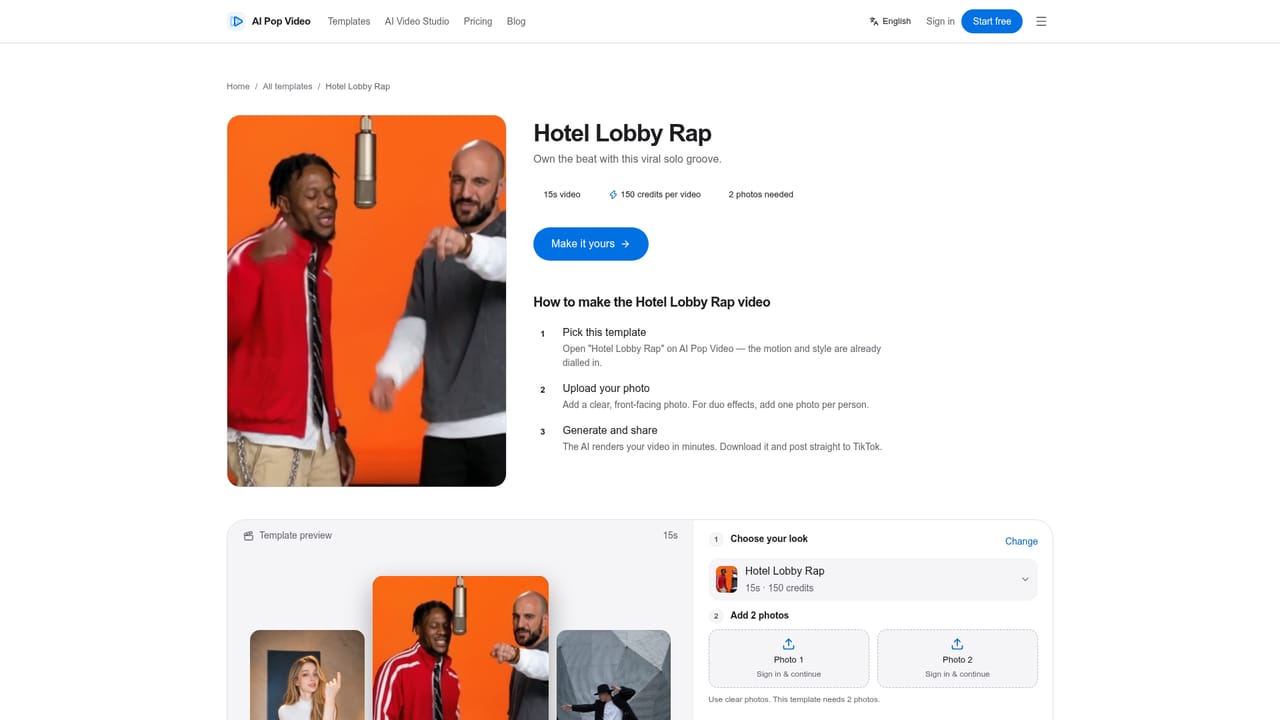
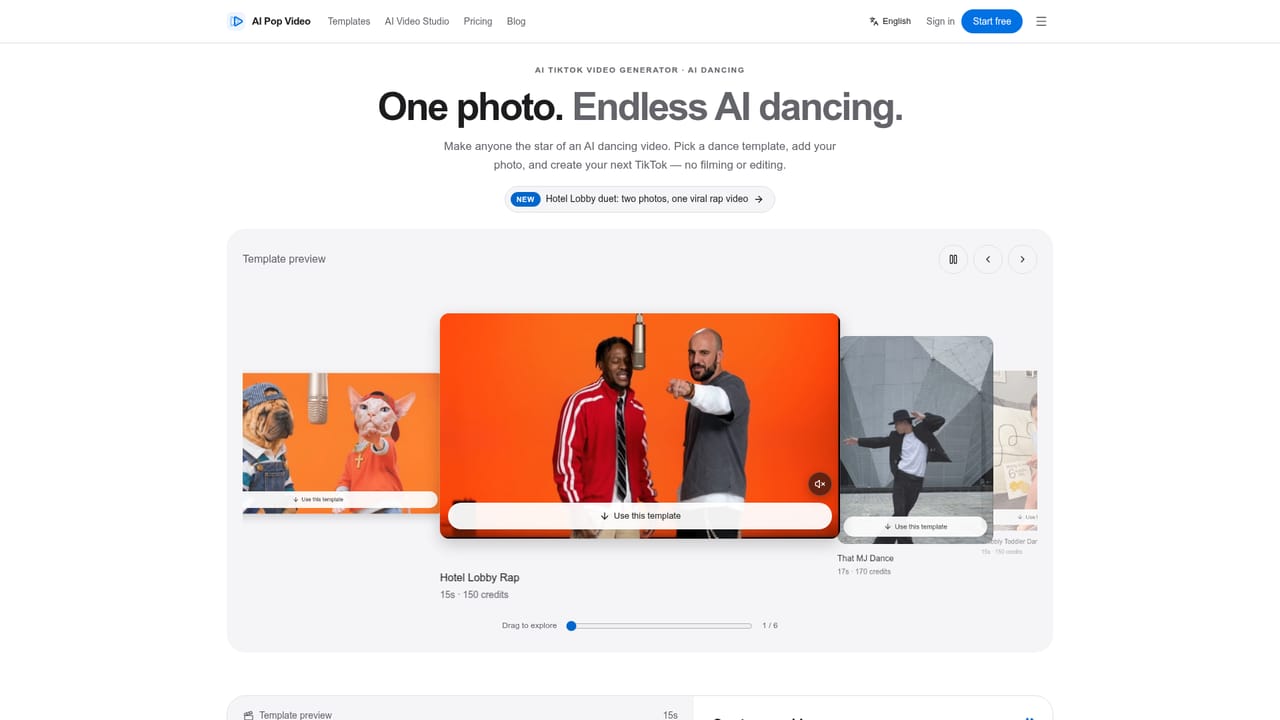
Hotel Lobby AI Video Generator is a template inside AI Pop Video that converts two individual photos into a short, duet-style rap clip. One portrait is placed on the left of the frame and the other on the right, and the system adds an orange recording booth set with a suspended microphone and rap-style motion around both subjects. There is no prompt field and no filming involved: the template supplies the scene, the camera movement and the performance style, and the uploaded photos supply the likenesses. The tool is aimed at casual creators who want a quick, shareable clip for TikTok, Reels or a playful profile intro, rather than at professional video editors. It fits people who already have two clear portrait photos (of themselves and a friend, for example) and want a finished short clip without learning editing software or writing a detailed prompt. A looping example plays on the page before generation so a visitor can judge the mood and motion before committing credits. In practice, a user signs up, verifies an account, uploads a Person 1 and Person 2 photo, picks an aspect ratio (16:9, 9:16 or 1:1) and resolution (720p or 1080p), then generates. The default output is a 15-second 16:9 clip at 720p for 150 credits, with 1080p costing more. Processing time is not fixed since it depends on the task queue, and finished clips are stored in the account for preview or download. Within AI Pop Video's broader catalog, Hotel Lobby sits alongside other short-form photo-to-video templates such as dance and animal clips, all aimed at the same TikTok/Reels audience. Compared with general text-to-video tools that require prompt writing, this template trades flexibility for a narrower, more predictable two-person output.
How do you use Hotel Lobby AI Video Generator — AI Pop Video?

  1. 1Open the Hotel Lobby template
    Go to the Hotel Lobby AI template page where the example clip loops automatically. Confirm this is the template you want before uploading photos, since the page will not switch templates on its own.
    Hotel Lobby AI Video Generator — AI Pop Video — Open the Hotel Lobby template
  2. 2Create and verify an account
    Sign up for a free account and verify the email address before attempting a generation. New accounts receive 20 starter credits.
    Hotel Lobby AI Video Generator — AI Pop Video — Create and verify an account
  3. 3Upload two individual portraits
    Upload a clear, unobstructed portrait for Person 1 (left) and a separate one for Person 2 (right). Use similar framing and only photos you have permission to use.
  4. 4Choose aspect ratio and resolution
    Pick 16:9, 9:16 or 1:1 and 720p or 1080p. Changing these settings does not remove the uploaded photos and only applies when Generate is clicked.
  5. 5Check credits and top up if needed
    Confirm the generation cost shown on the template page (150 credits by default) and buy additional credits if the account balance is insufficient.
    Hotel Lobby AI Video Generator — AI Pop Video — Check credits and top up if needed
  6. 6Generate, preview and download
    Click Generate, follow the progress indicator, then preview the finished rap duet clip and download it once it completes successfully.

Pros and cons

Pros

  • No filming, choreography or prompt writing required, just two portrait photosAI
  • Output settings (aspect ratio, resolution) and the exact credit cost are shown before generatingAI
  • A looping example clip lets users preview the look and motion in advanceAI
  • Simple three-step flow (pick template, upload photos, generate) suits non-technical usersAI
  • Finished clips are saved to the account for later preview or downloadAI

Cons

  • The 20 free signup credits do not cover even one default 150-credit generationAI
  • Default output is locked to a 15-second clip; higher resolution or other ratios cost more creditsAI
  • No stated completion time, so generation speed depends on an unspecified task queueAI
  • Only two fixed subject positions (left and right) are supported, limiting creative controlAI
  • No API, mobile app or integrations are mentioned, restricting use outside the web page itselfAI

How much does Hotel Lobby AI Video Generator — AI Pop Video cost?

Free trial

New accounts receive 20 free credits automatically, but a single Hotel Lobby generation requires 150 credits, so the starter allotment alone cannot produce one finished clip.

Learn more

Pricing

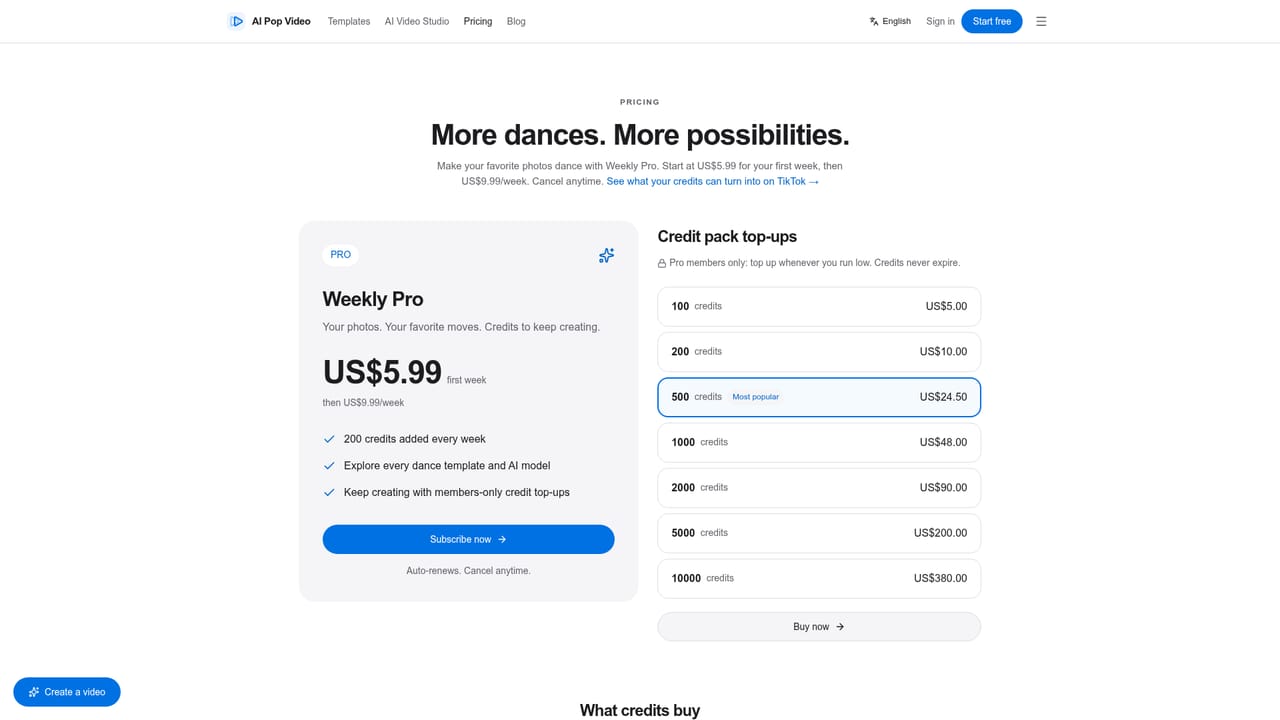
The Hotel Lobby template costs 150 credits by default for a 15-second, 16:9, 720p clip. Choosing 1080p costs 1.5x the credits, and other aspect ratios are quoted on the page. Additional credit packages are listed on the Pricing page.

Learn more

Support

Support channels include a contact page and a blog; the template page also includes an FAQ section covering account verification, credits, photo requirements and generation behavior.

Learn more

Features

Generates a 15-second two-person rap-style video from two separate portrait photos, placing Person 1 on the left and Person 2 on the right inside an orange recording booth with a suspended microphone. Supports 16:9, 9:16 and 1:1 aspect ratios, 720p or 1080p resolution, and shows a looping preview example before generation.

Learn more

Frequently asked questions about Hotel Lobby AI Video Generator — AI Pop Video

  • How much does Hotel Lobby AI Video Generator — AI Pop Video cost?
    The Hotel Lobby template costs 150 credits by default for a 15-second, 16:9, 720p clip. Choosing 1080p costs 1.5x the credits, and other aspect ratios are quoted on the page. Additional credit packages are listed on the Pricing page.
  • Does Hotel Lobby AI Video Generator — AI Pop Video offer a free trial?
    New accounts receive 20 free credits automatically, but a single Hotel Lobby generation requires 150 credits, so the starter allotment alone cannot produce one finished clip.
  • How do you use Hotel Lobby AI Video Generator — AI Pop Video?
    The walkthrough on this page covers 6 steps: 1. Open the Hotel Lobby template 2. Create and verify an account 3. Upload two individual portraits 4. Choose aspect ratio and resolution 5. Check credits and top up if needed 6. Generate, preview and download.
  • What platforms does Hotel Lobby AI Video Generator — AI Pop Video support?
    Hotel Lobby AI Video Generator — AI Pop Video is available on Web App.
  • What are the limitations of Hotel Lobby AI Video Generator — AI Pop Video?
    The 20 free signup credits do not cover even one default 150-credit generation. Default output is locked to a 15-second clip; higher resolution or other ratios cost more credits. No stated completion time, so generation speed depends on an unspecified task queue.

Status

StatusActive
Views0
Outbound clicks0
Added10/13/2026

Platforms

Web App

Pricing

FreemiumPaid