Humanizador de IA

Turns AI generated drafts into natural, editable text in five languages.

Beginner
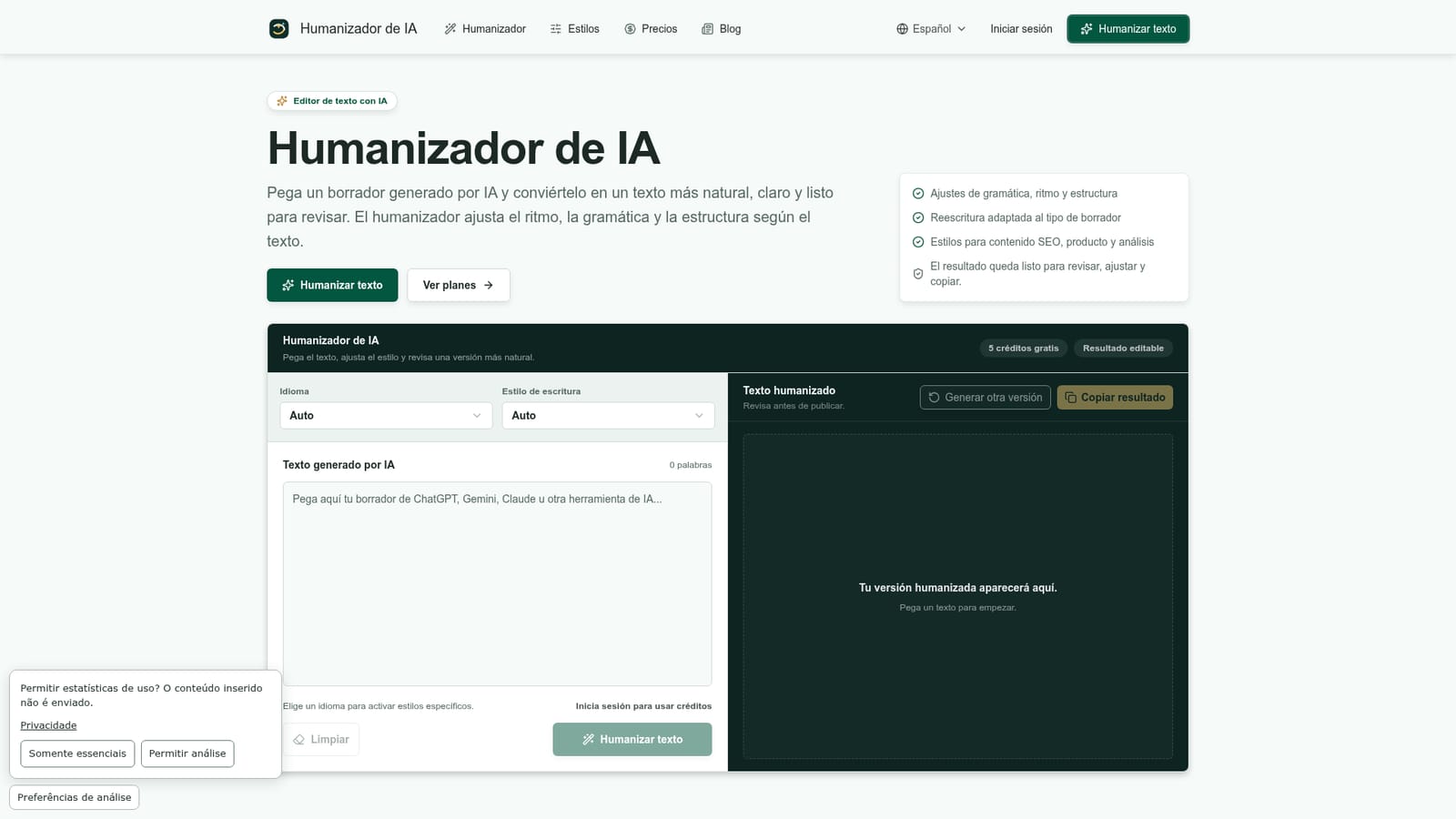
Screenshot of Humanizador de IA, Turns AI generated drafts into natural, editable text in five languages

What is Humanizador de IA?

Humanizador de IA is a content writing tool that turns AI generated drafts into natural, editable text in five languages. Humanizador de IA rewrites AI generated drafts into more natural, editable text by adjusting grammar, rhythm and structure, with style presets for blog posts, product copy and multilingual content in Spanish, Portuguese, English and Japanese.

Humanizador de IA is a web based rewriting tool that takes text produced by generative AI models and turns it into a version that reads more naturally, with adjusted grammar, rhythm and sentence structure depending on the type of draft. Users paste a blog post, product description, email or social caption, select a language and a writing style, and receive an editable rewrite that removes repetitive phrasing and overly mechanical patterns while keeping the original meaning intact. The tool targets content creators, SEO writers, affiliate marketers and small marketing teams who draft at scale with AI assistants but need a more conversational, publish ready voice before human editors take over. It supports Spanish, Brazilian and European Portuguese, English and Japanese, applying language specific grammar and cadence rules rather than simple word substitution, which makes it useful for teams producing multilingual content. In practice, the workflow is linear: paste a complete draft with the argument, examples and data already decided, pick a style suited to the content type such as a step by step guide, a buyer advisor comparison, a technical explainer or an editorial piece, then review the generated version against the original intent. The platform frames itself as an editing aid rather than a publishing shortcut: users are expected to verify names, figures, dates, links and claims before the humanized text goes live, and the output does not promise to bypass AI content detectors. Compared with broader AI writing suites, Humanizador de IA keeps its scope narrow, focusing on the rewriting step rather than drafting, SEO optimization or team collaboration. That focus, combined with a free trial tier and modestly priced annual plans, makes it a fit for individual writers and small teams who already generate drafts elsewhere and need a lightweight pass to make them sound less automated before publishing.
How do you use Humanizador de IA?

  1. 1Paste your AI generated draft
    Open the homepage editor and paste the AI generated text you want to humanize, whether it is a blog post, product description or email.
    Humanizador de IA — Paste your AI generated draft
  2. 2Select a language and writing style
    Pick the language of your draft, then choose a style such as step by step, buyer advisor or technical explainer, or let Auto choose one for you.
  3. 3Generate the humanized version
    Run the humanizer to produce a rewritten draft with adjusted grammar, rhythm and structure based on the content type.
  4. 4Review and refine the output
    Compare the result against your original intent, add brand specific terms or calls to action, and generate another version if needed.
  5. 5Check facts before publishing
    Verify names, figures, dates, links and prices in the final text, since the tool does not guarantee factual accuracy.
  6. 6Consult the AI usage policy matrix
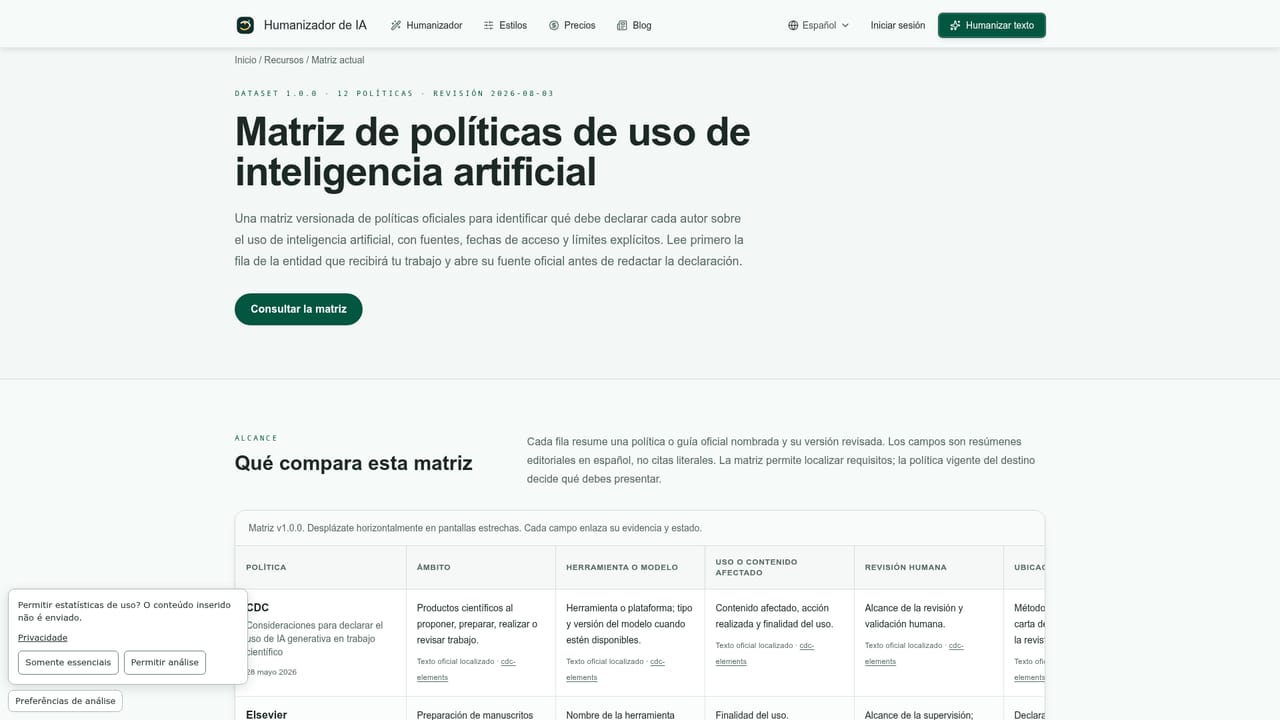
    Before publishing in sensitive or regulated contexts, review the site's AI usage policy matrix for additional guidance.
    Humanizador de IA — Consult the AI usage policy matrix

Pros and cons

Pros

  • Supports five languages, including Spanish, Brazilian and European Portuguese, English and Japanese, with language aware rewriting.AI
  • Offers style presets tailored to specific content types such as buyer guides, technical explainers and SEO comparisons.AI
  • Free tier with 5 trial credits lets users test the tool before committing to a paid plan.AI
  • Annual plans advertise a 30% discount compared to the equivalent monthly pricing.AI
  • Output stays fully editable, keeping facts, links and brand voice under the writer's control.AI

Cons

  • Word limits are capped per plan at 800, 1,500 or 3,000 words, which restricts use on very long documents.AI
  • Does not guarantee bypassing AI content detectors, so rewritten text may still be flagged.AI
  • No mention of an API, team collaboration features or a browser extension for embedding the tool into other workflows.AI
  • Monthly payment appears unavailable for paid plans, pushing users toward an annual commitment.AI
  • No integrations with CMS platforms, word processors or other writing tools are described.AI

How much does Humanizador de IA cost?

Free trial

A free plan grants 5 trial credits to test the humanizer on drafts up to 800 words before choosing a paid plan.

Learn more

Pricing

Free plan gives 5 trial credits for drafts up to 800 words. Starter costs $6.99 per month billed annually ($83.92 per year) for 50 credits and up to 1,500 words per text. Pro costs $13.99 per month billed annually ($167.92 per year) for 180 credits and up to 3,000 words per text.

Learn more

Support

Support is available by email at support@besthumanizadordeia.com for account, billing or output related questions, and the homepage includes an FAQ section covering common queries.

Features

Grammar, rhythm and structure adjustments; language aware rewriting across five languages; style presets for guides, buyer advice, technical explainers, research analysis and editorial writing; fully editable output meant for manual review before publishing.

Frequently asked questions about Humanizador de IA

  • How much does Humanizador de IA cost?
    Free plan gives 5 trial credits for drafts up to 800 words. Starter costs $6.99 per month billed annually ($83.92 per year) for 50 credits and up to 1,500 words per text. Pro costs $13.99 per month billed annually ($167.92 per year) for 180 credits and up to 3,000 words per text.
  • Does Humanizador de IA offer a free trial?
    A free plan grants 5 trial credits to test the humanizer on drafts up to 800 words before choosing a paid plan.
  • How do you use Humanizador de IA?
    The walkthrough on this page covers 6 steps: 1. Paste your AI generated draft 2. Select a language and writing style 3. Generate the humanized version 4. Review and refine the output 5. Check facts before publishing 6. Consult the AI usage policy matrix.
  • What platforms does Humanizador de IA support?
    Humanizador de IA is available on Web App.
  • What are the limitations of Humanizador de IA?
    Word limits are capped per plan at 800, 1,500 or 3,000 words, which restricts use on very long documents. Does not guarantee bypassing AI content detectors, so rewritten text may still be flagged. No mention of an API, team collaboration features or a browser extension for embedding the tool into other workflows.

Status

StatusActive
Views0
Outbound clicks0
Added10/11/2026

Platforms

Web App

Pricing

FreeFreemiumSubscription