Integrations
Uses the OpenAI API for DALL-E 3 image generation and GPT-4 Vision analysis, with the user's own API key. No other integrations are described on the homepage.
Turn one image prompt into an evolving visual chain.
Own Image Recursor? Verify ownership to get a dofollow link

Image Recursor is a generative image tool that turns one image prompt into an evolving visual chain. Image Recursor is a web tool that chains DALL-E 3 and GPT-4 Vision to evolve an image across repeated loops, using preset or custom transformation prompts.
Image Recursor is a browser-based tool that generates a chain of images by combining DALL-E 3 and GPT-4 Vision. You begin with a starting image prompt and a number of loops, and the tool repeatedly passes the latest image through GPT-4 Vision with a chosen transformation prompt before sending the result back to DALL-E 3. The effect is a visual sequence that drifts from the original idea, similar to a game of telephone played with pictures. The interface is deliberately minimal. You enter an OpenAI API key, which the site says stays on-device, then choose a starting prompt, a loop count and a transformation style. Preset options include making the image scarier, more random, more mystical, more intense or funnier, and a custom prompt field is available for other directions. Each generate action produces the chain in the browser, so the current state of an image becomes the input for the next round. The tool suits people who want to explore how a visual concept changes under repeated reinterpretation: prompt experimenters, artists looking for unexpected variations, and anyone curious about the behaviour of vision-language models. It is not a production image editor or a batch generator for finished assets. Its value is in the iterative loop itself, and it sits closer to a creative toy or a research sketchpad than to a full design suite. Because it relies on your own OpenAI key, usage costs and rate limits are handled through your OpenAI account rather than a subscription on the site. The homepage does not describe pricing tiers, a support channel or third-party integrations beyond OpenAI. Image Recursor works as a single-page web app with no sign-up flow shown, which keeps setup short but also means the experience is tied to the capabilities and limits of the underlying OpenAI models.
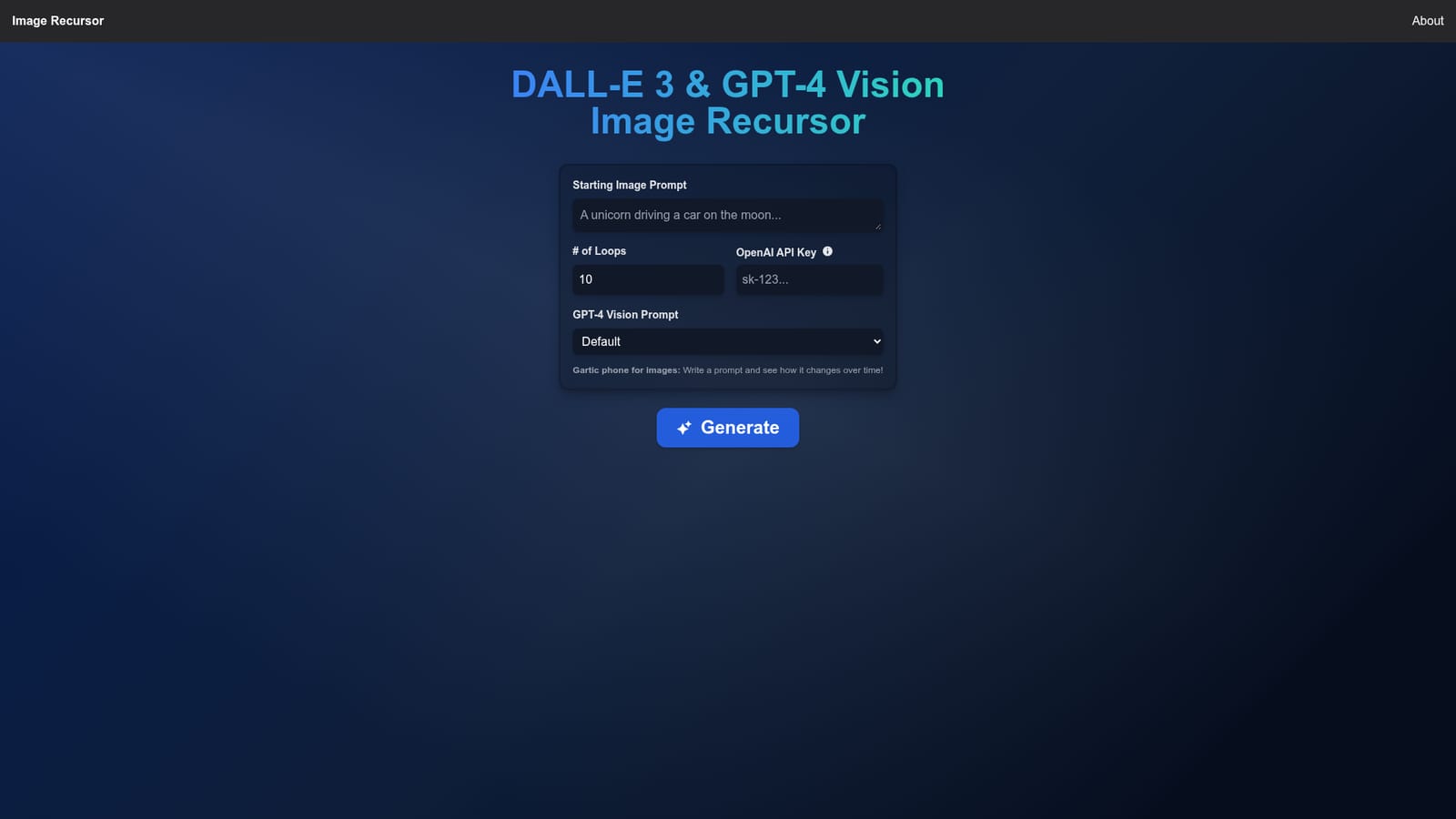
Uses the OpenAI API for DALL-E 3 image generation and GPT-4 Vision analysis, with the user's own API key. No other integrations are described on the homepage.
Image Recursor chains DALL-E 3 image generation with GPT-4 Vision analysis across a user-defined number of loops. Users supply a starting prompt, a loop count and either a preset transformation prompt (scarier, random, mystical, intense, funnier) or a custom one. The OpenAI API key is entered in the browser and described as staying on-device.
 AI Angels400+ customizable AI girlfriends for NSFW chat, voice calls, and roleplay
 Candy AIExperience the future of companionship with AI friends who chat, role-play, and connect with you on a human level.
 ourdream.aiA vast AI roleplay platform with millions of characters for chat, images, video and voiceAI Angels400+ customizable AI girlfriends for NSFW chat, voice calls, and roleplayCandy AIExperience the future of companionship with AI friends who chat, role-play, and connect with you on a human level.ourdream.aiA vast AI roleplay platform with millions of characters for chat, images, video and voice






