Integrations
The homepage only mentions bring your own keys: users connect their own API keys and services. No named third party integrations are listed.
One open source agent for research, decks, sites and media
Own Intelligent Internet Agent? Verify ownership to get a dofollow link

Intelligent Internet Agent is an AI project builder tool. Zenith is an open source, multi purpose AI agent for research with citations, slide decks, working websites, generated media and visual multi step workflows, with bring your own keys support for private runs.
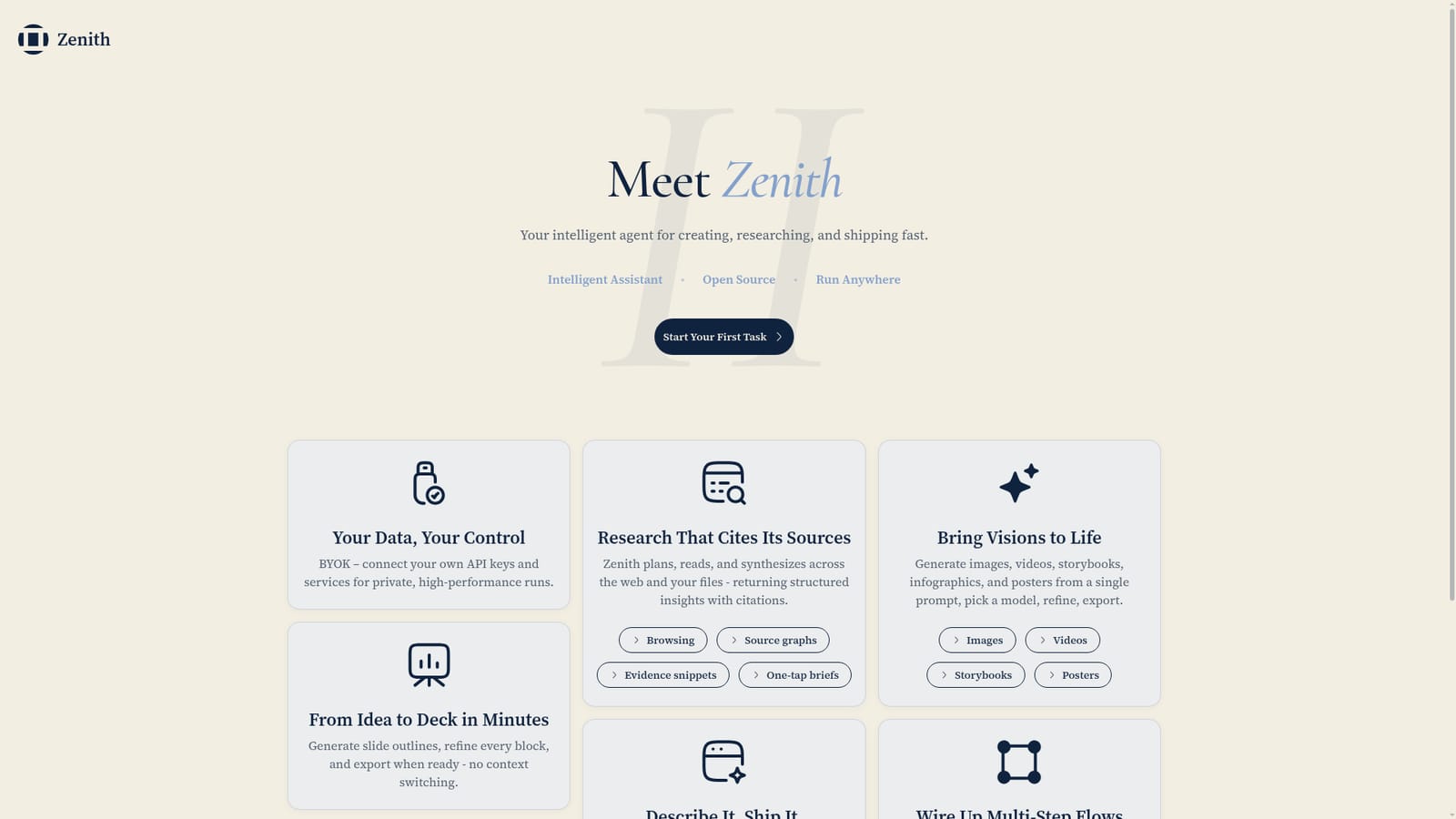
Zenith is a general purpose AI agent from Intelligent Internet that handles several kinds of knowledge work from one interface. Instead of switching between a research tab, a slide editor, a code assistant and an image generator, users open a task and let the agent plan the work. The product is pitched as open source and able to run in different environments, which matters to teams that want control over where their prompts and data live. The feature set splits into recognisable blocks. Research mode has the agent plan a question, read across the open web and the user's own files, and return a structured result with citations, source graphs and evidence snippets. A deck workflow turns an idea into a slide outline and lets the user refine each block before exporting. A site builder converts a written description into scaffolded pages, sections and components with a live preview, editable markup and export to a repository or zip file. A media mode produces images, videos, storybooks, infographics and posters from a single prompt, with model choice and refinement built in. For heavier implementation work, a Codex Agent can be pulled into the same conversation thread, so planning, research and coding stay in one place. A visual canvas then lets users chain agents, tools and media generators into multi step flows that can be reused end to end. The intended audience is broad: analysts and consultants producing briefs and decks, marketers and founders who need landing pages and visuals, researchers who care about citations, and developers who want an agent layer without losing control of the build. Beginners can stay on prompt driven workflows; the canvas and export paths reward more technical users. Compared with single purpose generators, Zenith bets on breadth and on wiring those pieces together. The practical question for most buyers is whether one agent thread really replaces a stack of tools, and the homepage does not publish pricing tiers, plan limits or third party integration lists, so those details need checking before committing. Bring your own keys support is the clearest signal on data handling: users connect their own API keys and services rather than relying solely on a hosted backend.
The homepage only mentions bring your own keys: users connect their own API keys and services. No named third party integrations are listed.
Research with citations, source graphs and evidence snippets; deck generation with block level editing and export; site building with live preview, clean markup and export to repo or zip; image, video, storybook, infographic and poster generation; Codex Agent for heavy implementation; a visual canvas for chaining agents and tools into reusable multi step flows; bring your own API keys for private runs.
 AI Angels400+ customizable AI girlfriends for NSFW chat, voice calls, and roleplay
 Candy AIExperience the future of companionship with AI friends who chat, role-play, and connect with you on a human level.
 ourdream.aiA vast AI roleplay platform with millions of characters for chat, images, video and voiceAI Angels400+ customizable AI girlfriends for NSFW chat, voice calls, and roleplayCandy AIExperience the future of companionship with AI friends who chat, role-play, and connect with you on a human level.ourdream.aiA vast AI roleplay platform with millions of characters for chat, images, video and voice


