JustCopy.ai

Describe a site in one sentence; it builds, tests and publishes it

Beginner
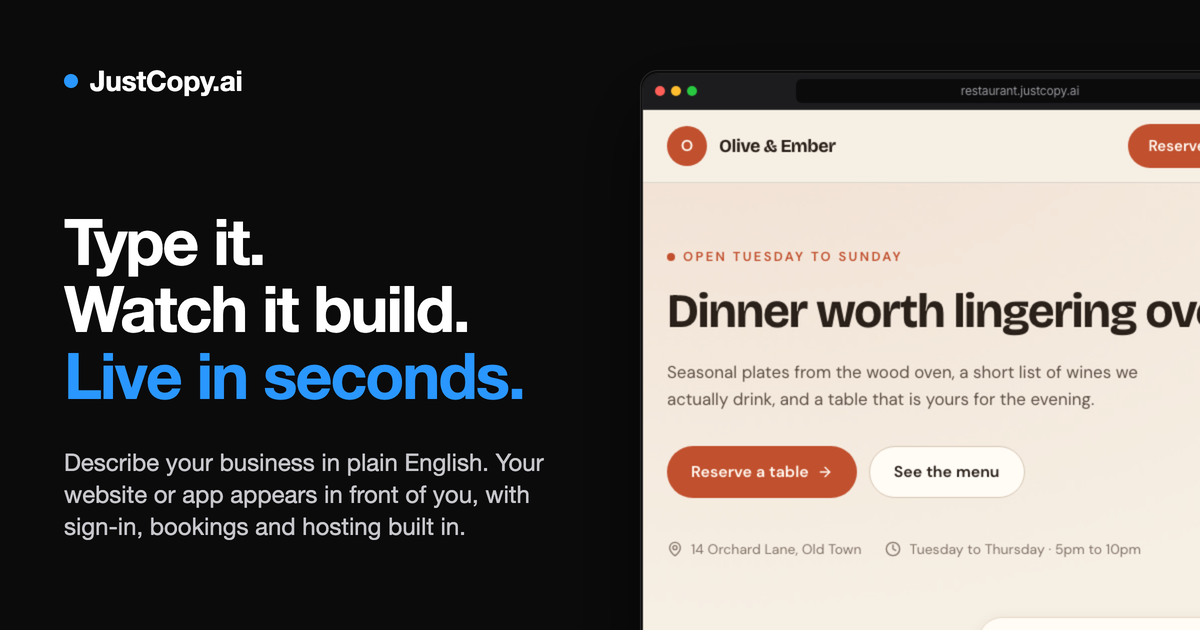
Screenshot of JustCopy.ai, Describe a site in one sentence; it builds, tests and publishes it

What is JustCopy.ai?

JustCopy.ai turns a one-sentence description into a deployable website or small web app, then automatically tests the build (typing into forms, uploading files, reloading pages) and fixes failed checks before publishing to a custom domain.

JustCopy.ai is a prompt-driven builder for websites and small web applications. A single sentence describing the business is enough to produce a working site with a layout, copy, forms and a sign-in flow, and the platform claims builds finish in seconds. Landing pages, portfolios, online stores, admin panels, SaaS interfaces, task managers and simple dashboards are all within scope, and the showcase on the site lists real-estate CRM and carpet-cleaning CRM projects that other users published and that can be cloned as starting points. The distinguishing feature is the verification pass. After a build, JustCopy drives the app the way a visitor would: it types into form fields to confirm the wording appears, uploads a sample photo to see whether the image renders, saves and deletes records, then reloads the page. Checks that fail are sent back to the builder with the reason attached and rerun, and the site advertises a failed check as a free fix. Builds that include sign-up, data persistence, file uploads, visitor analytics and payment collection are handled without additional setup. The product suits founders validating an idea, small business owners who need a working presence with bookings or lead capture, and agencies that want a fast first draft to refine. It is positioned against no-code site builders and general AI app generators, with the difference being the automated test loop rather than pure generation speed. Two metered add-ons sit outside the base build: a chat reply to visitors at 2¢ and a minute of voice at 15¢. Editing stays iterative after launch. Changes are requested in the same conversational way, and publishing puts the result on a custom domain. Anyone expecting hand-tuned code or deep integration with existing back-office systems should look elsewhere; JustCopy covers the common web app surface rather than bespoke architecture.

How do you use JustCopy.ai?

  1. 1Write a one-sentence description
    Open the homepage and describe the business or tool you want in plain language. Specifics about the audience and the key action on the page give the builder more to work with than a generic category name.
  2. 2Let it build the first version
    The app appears on screen within seconds with sign-in, saved form data and a starting layout already wired up. Review the copy and structure before asking for changes.
  3. 3Watch the automatic test run
    The system types into your forms, drops a sample photo into the app, saves and deletes records, then reloads the page. Any failed check returns to the builder with a reason and is retested.
  4. 4Publish to your own domain
    When the checks pass, publish the site and connect a custom domain so the result lives at your address rather than a shared subdomain.
  5. 5Clone an example for a head start
    Instead of writing a description from scratch, pick a published project such as a real-estate CRM and clone it into your account, then rework the fields and wording.
  6. 6Compare plans before going live
    Read the pricing page before publishing at scale, since metered chat and voice features sit outside the base build.

Pros and cons

Pros

  • Automated post-build testing actually exercises forms, uploads and reloads rather than just generating filesAI
  • Sign-in, saved data, file uploads, analytics and payments come included without extra configurationAI
  • Published examples such as CRM and task apps can be cloned as a starting point instead of a blank promptAI
  • Custom domain publishing keeps the output on branded infrastructureAI
  • Iterative editing continues after launch through the same describe-and-rebuild loopAI

Cons

  • No API is documented, so teams cannot wire generated apps into existing back-office systemsAI
  • Metered chat (2¢ per reply) and voice (15¢ per minute) costs are easy to overlook next to the base buildAI
  • Showcase examples rely on placeholder imagery and sample testimonials rather than production dataAI
  • Sites are confined to the shared surface the builder supports, so unusual architecture or third-party SDKs are out of reachAI
  • No native mobile app target: output is a web app, whatever the deviceAI

How much does JustCopy.ai cost?

Pricing

The homepage lists no plan tiers or subscription prices. It does state per-use rates for two add-ons: a chat reply to visitors costs 2¢ and a minute of voice costs 15¢. Sign-in, data saving, uploads, analytics and payments are described as included at plain prices with no setup.

Learn more

Integrations

No third-party integrations or API are described on the homepage. Sign-in relies on a Google account option shown in the sample apps, and payments are handled inside the builder rather than through named external providers.

Features

Sentence-prompt site and app generation, with landing pages, SaaS interfaces, admin panels, e-commerce, portfolios and tools in scope. Every build ships with sign-up and sign-in, persisted form data, photo and file uploads, visitor analytics and payment collection. An automated test pass types into forms, uploads a sample image and reloads pages, returning failed checks to the builder for a fix and retest. Publishing runs to a custom domain, and public projects can be cloned.

Frequently asked questions about JustCopy.ai

  • How much does JustCopy.ai cost?
    The homepage lists no plan tiers or subscription prices. It does state per-use rates for two add-ons: a chat reply to visitors costs 2¢ and a minute of voice costs 15¢. Sign-in, data saving, uploads, analytics and payments are described as included at plain prices with no setup.
  • How do you use JustCopy.ai?
    The walkthrough on this page covers 6 steps: 1. Write a one-sentence description 2. Let it build the first version 3. Watch the automatic test run 4. Publish to your own domain 5. Clone an example for a head start 6. Compare plans before going live.
  • What platforms does JustCopy.ai support?
    JustCopy.ai is available on Web App.
  • What does JustCopy.ai integrate with?
    No third-party integrations or API are described on the homepage. Sign-in relies on a Google account option shown in the sample apps, and payments are handled inside the builder rather than through named external providers.
  • What are the limitations of JustCopy.ai?
    No API is documented, so teams cannot wire generated apps into existing back-office systems. Metered chat (2¢ per reply) and voice (15¢ per minute) costs are easy to overlook next to the base build. Showcase examples rely on placeholder imagery and sample testimonials rather than production data.

Status

StatusActive
Views0
Outbound clicks0
Added10/21/2026

Platforms

Web App

Pricing

Freemium