Kadoa

Web data platform built for investment firms and AI agents

Intermediate
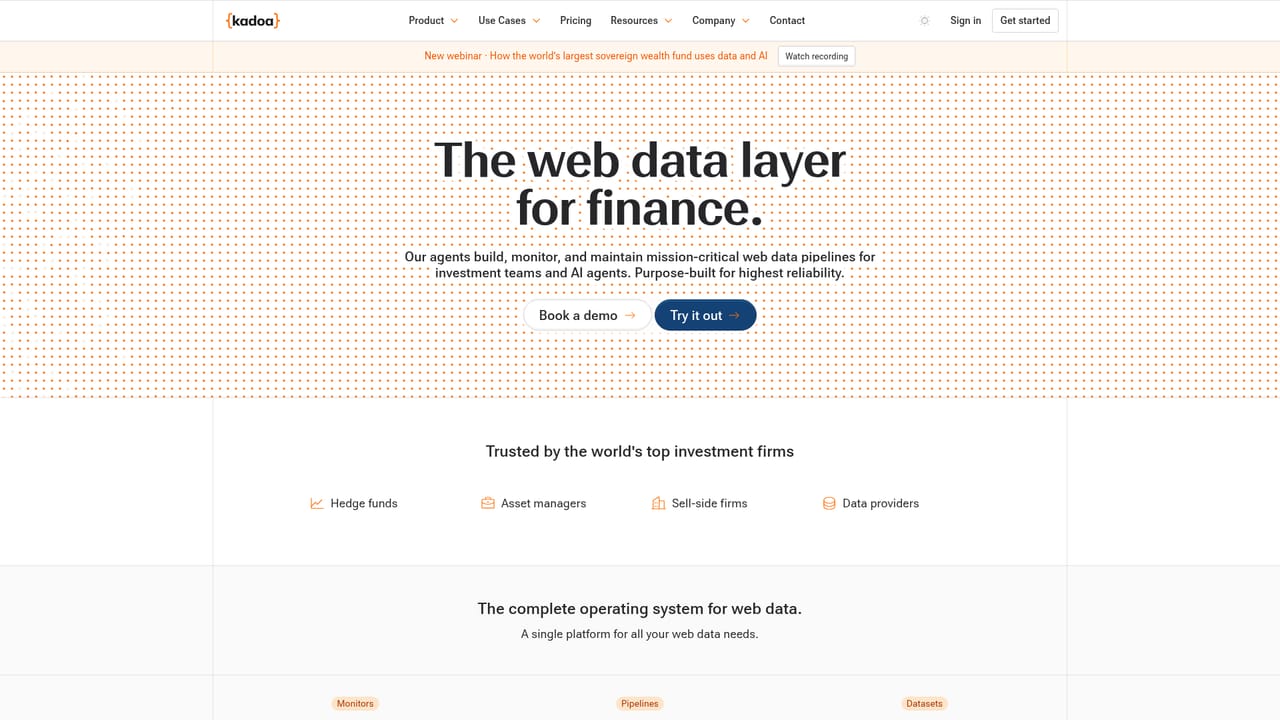
Screenshot of Kadoa, Web data platform built for investment firms and AI agents

What is Kadoa?

Kadoa is a news analyzer tool. A web data platform pitched at investment firms, offering compliant, reliable scraping at scale for AI agents and analyst teams. Access is through Google, SSO or email sign-in, and new users are routed into workflow creation.

Kadoa is a web data platform aimed squarely at investment firms, positioning itself around reliable and compliant scraping at scale for both AI agents and human analysts. Rather than selling a general purpose scraper to anyone with a spreadsheet, the product frames itself as infrastructure for organizations that need defensible data collection, which shapes both its feature set and its likely buyer. The core workflow appears to be built around creating a workflow, as the product routes new accounts and sign-ins toward a workflow creation screen. That suggests a structured setup where a user defines a target, configures what should be extracted, and then lets the platform run the collection on an ongoing basis. The emphasis on reliability and compliance in the product's own description points to two concerns that dominate professional data collection: keeping extraction stable as sites change, and staying within legal and policy boundaries while doing it. The intended audience is narrow by design. Investment firms, research desks and analyst teams that need web sourced signals feeding into models or reports are the stated target, alongside the AI agents those teams build. A marketing analyst pulling competitor pricing or a research group tracking disclosed figures across many sources fits the profile better than a solo developer looking for a cheap scraper library. Teams already running internal agents will find the pitch most relevant, since the platform markets itself as the data layer those agents draw from. In the wider market, Kadoa sits apart from self-serve scraping APIs and browser automation frameworks. Those tools hand you primitives and leave maintenance, scaling and compliance homework to your team. Kadoa instead sells an operated platform with compliance as a headline claim. The tradeoff is the usual one for managed infrastructure: less control over the low level mechanics in exchange for not owning the upkeep. Buyers should confirm current capability and terms directly, since detail beyond the positioning statement is not published on the sign-in page reviewed here. The sign-in page itself is minimal, offering Google, SSO and email and password entry plus account creation. SSO support is a useful signal for firms with centralized identity management, though the specifics of the SSO configuration are not described on the page.

How do you use Kadoa?

  1. 1Create an account or sign in
    Open the Kadoa site and pick a method: continue with Google, continue with SSO if your firm manages identities centrally, or enter an email and password. New users select Create an account first.
    Kadoa — Create an account or sign in
  2. 2Set up a workflow
    After authentication the product routes you toward creating a workflow, which is where a data collection job is defined. This step happens inside the signed-in product.
  3. 3Define the data you need
    Configure the target source and the fields to extract within the new workflow. Exact configuration options live in the app and are not documented on the public sign-in page.
  4. 4Run and review the output
    Execute the workflow and inspect what was collected. Check that the extracted fields match expectations before relying on the results downstream.
  5. 5Connect results to analysts or agents
    Decide how collected data reaches your team or AI agents. Confirm available delivery options inside the product before committing a production process to them.

Pros and cons

Pros

  • Positioned around compliance, a genuine concern for regulated investment firmsAI
  • Supports SSO sign-in, which fits firms with centralized identity managementAI
  • Targets ongoing data collection rather than one-off scraping jobsAI
  • Markets reliability and scale as core claims rather than afterthoughtsAI
  • Clear, narrow audience: analyst teams and the AI agents they runAI

Cons

  • The reviewed page is only a sign-in screen, so pricing and plan detail are not disclosedAI
  • No public feature documentation on the sign-in page to evaluate extraction depthAI
  • Narrow investment-firm focus may price out or underserve smaller teamsAI
  • No evidence of a free tier, trial or sandbox is shown before account creationAI
  • Self-serve buyers lose the low level control that scraping frameworks provideAI

How much does Kadoa cost?

Features

The public sign-in page indicates a workflow-based model for web data collection, Google, SSO and email authentication, and account creation. Compliance and reliability at scale are the stated selling points, aimed at investment firms and the AI agents and analysts they run. Detailed extraction features are not published on the reviewed page.

Frequently asked questions about Kadoa

  • How do you use Kadoa?
    The walkthrough on this page covers 5 steps: 1. Create an account or sign in 2. Set up a workflow 3. Define the data you need 4. Run and review the output 5. Connect results to analysts or agents.
  • What platforms does Kadoa support?
    Kadoa is available on Web App.
  • What are the limitations of Kadoa?
    The reviewed page is only a sign-in screen, so pricing and plan detail are not disclosed. No public feature documentation on the sign-in page to evaluate extraction depth. Narrow investment-firm focus may price out or underserve smaller teams.

Status

StatusActive
Views0
Outbound clicks0
Added10/21/2026

Platforms

Web App

Pricing

Paid