Free trial
The homepage states the product is free to start, which implies free credits before paying, but no trial length or plan details are published there.
Learn moreAI music studio for generating, editing and mastering tracks

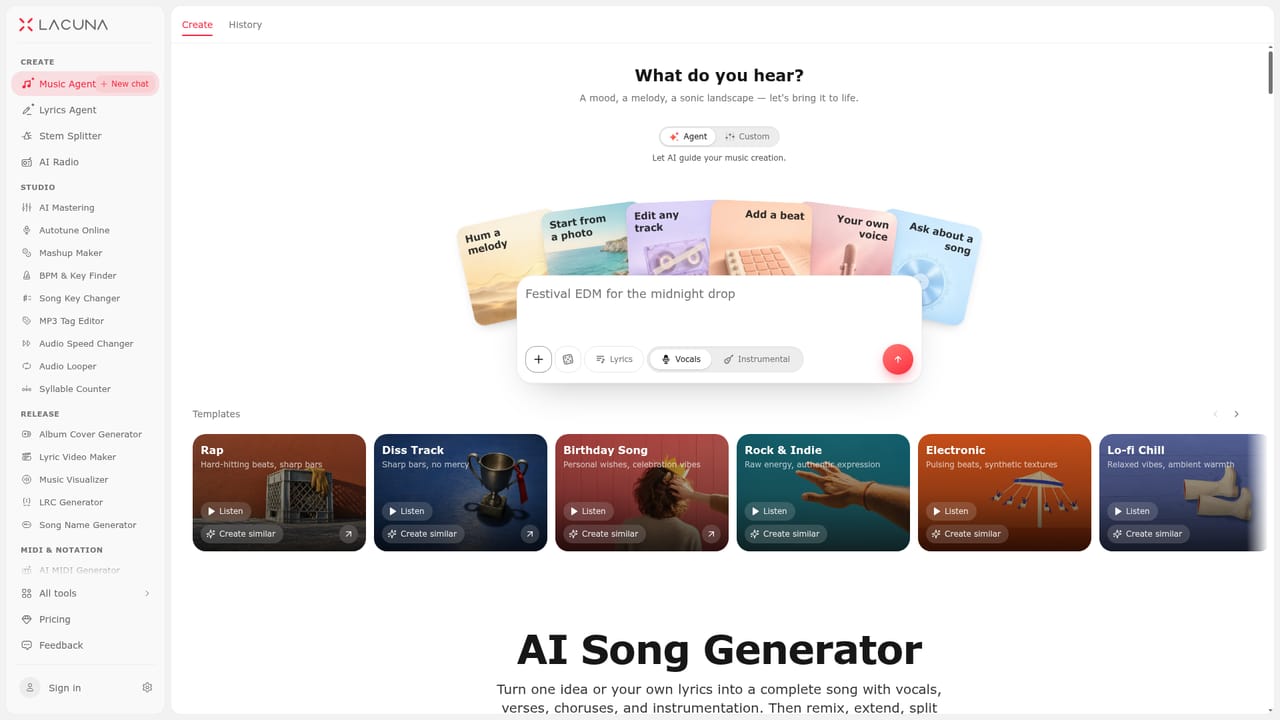
Lacuna is an AI music studio with agents for song, lyrics and MIDI work plus a deep toolkit for stem splitting, vocal removal, voice cloning, autotuning, mixing, mastering and lyric videos, all on one visual canvas.
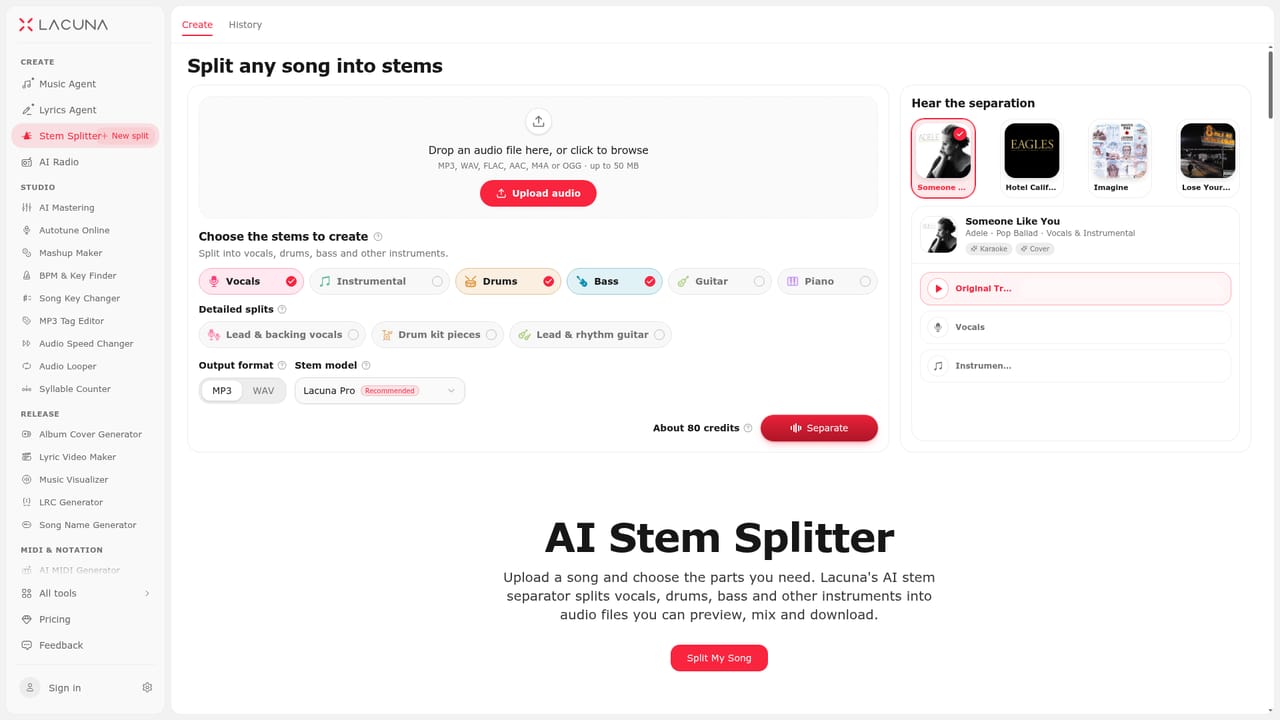
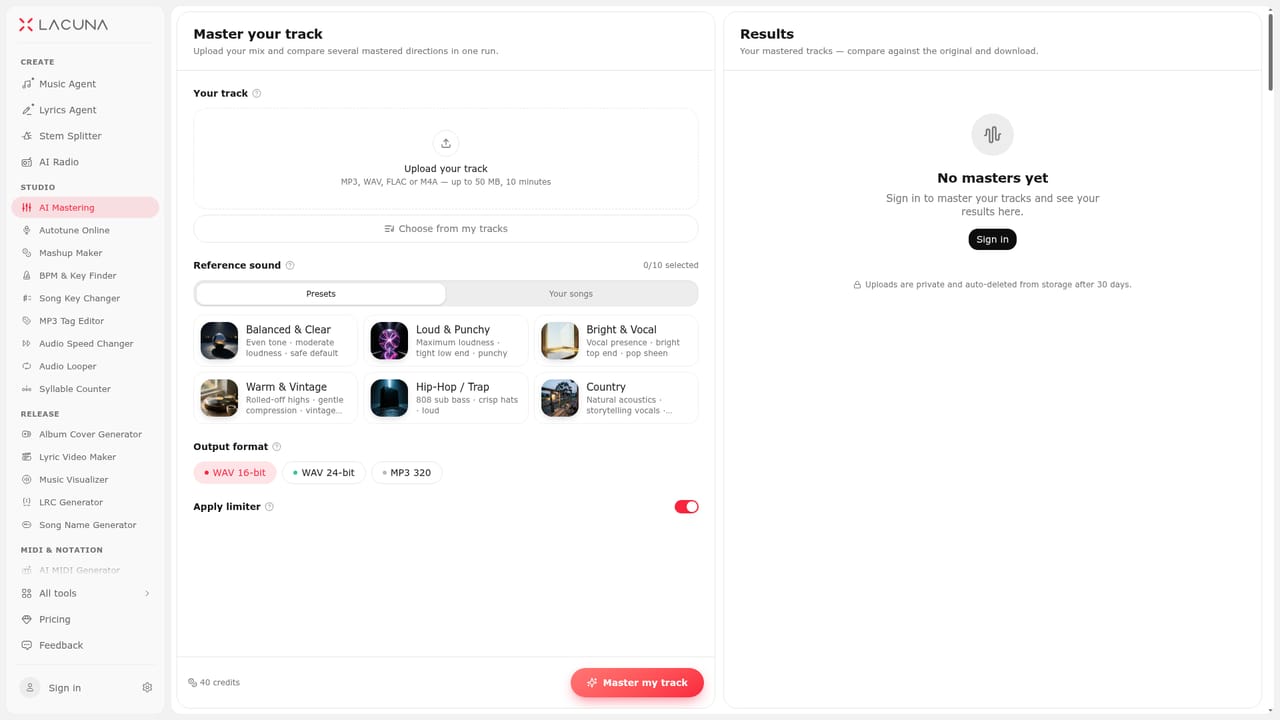
Lacuna is a browser-based AI audio studio built around a small team of agents that turn descriptions, hums, photos, MIDI files or recordings into finished music. The Music Agent handles song generation: it drafts two directions for a brief, starts producing the first, and then lets you remix, extend, add vocals or master the result on a visual canvas. Separate agents cover lyrics (a chat-driven songwriter with a side editor for rewriting line by line or section by section) and MIDI (plain-language requests written directly into a piano roll, each undoable in one click). One account and one credit balance apply across all of them. The canvas is where the product differs from single-shot generators. Every track node exposes editing actions such as Region Edit to rewrite only one section of a song, Remix to reimagine a whole track in a new style, Extend to append a new section, Stems to split into two, four or six parts, Voice cover to swap the singer, Autotune to correct or harden pitch, and album art generation. Versions branch rather than overwrite, so originals stay accessible next to each edit. A second layer of standalone utilities handles audio you already own: stem separation, vocal removal, karaoke and instrumental making, noise and reverb reduction, voice isolation, mixing, key and speed changes, mashups, LRC generation, lyric videos and visualizers. The MIDI editor extends to sheet music conversion and back out to MP3 or WAV. Voice cloning trains a private voice from 2 to 30 minutes of clean singing, and official voices are available for covers. Lacuna is aimed at songwriters, producers and content creators who want an all-in-one environment rather than a chain of separate services. Beginners can work entirely from prompts; experienced users keep manual control of lyrics, notes and code. The tradeoff is breadth: the tool set is sprawling, and the canvas workflow takes a session to learn.
The homepage states the product is free to start, which implies free credits before paying, but no trial length or plan details are published there.
Learn moreA Chrome side panel agent connects to Strudel for live-coding music. No other third-party integrations are described on the homepage.
Music, lyrics and MIDI agents on one canvas; region editing, remixing, extending, stem splitting, voice cover, autotune and mastering on any track; standalone stem separation, vocal removal, noise and reverb reduction, mixing, key and speed changes, mashups; voice cloning; MIDI editor with sheet music conversion; LRC generation, lyric videos and visualizers.
Learn more AI Angels400+ customizable AI girlfriends for NSFW chat, voice calls, and roleplay
 Candy AIExperience the future of companionship with AI friends who chat, role-play, and connect with you on a human level.
 ourdream.aiA vast AI roleplay platform with millions of characters for chat, images, video and voiceAI Angels400+ customizable AI girlfriends for NSFW chat, voice calls, and roleplayCandy AIExperience the future of companionship with AI friends who chat, role-play, and connect with you on a human level.ourdream.aiA vast AI roleplay platform with millions of characters for chat, images, video and voice




