Free trial
A free tier is available with no card required. Tracks made during the free trial are stored for 7 days, while music created on a paid subscription is stored permanently.
Learn moreTurn a text prompt or lyrics into a finished song in minutes.
Own Lami AI Music Generator? Verify ownership to get a dofollow link

Lami AI Music Generator is an AI song covers tool that turns a text prompt or lyrics into a finished song in minutes.
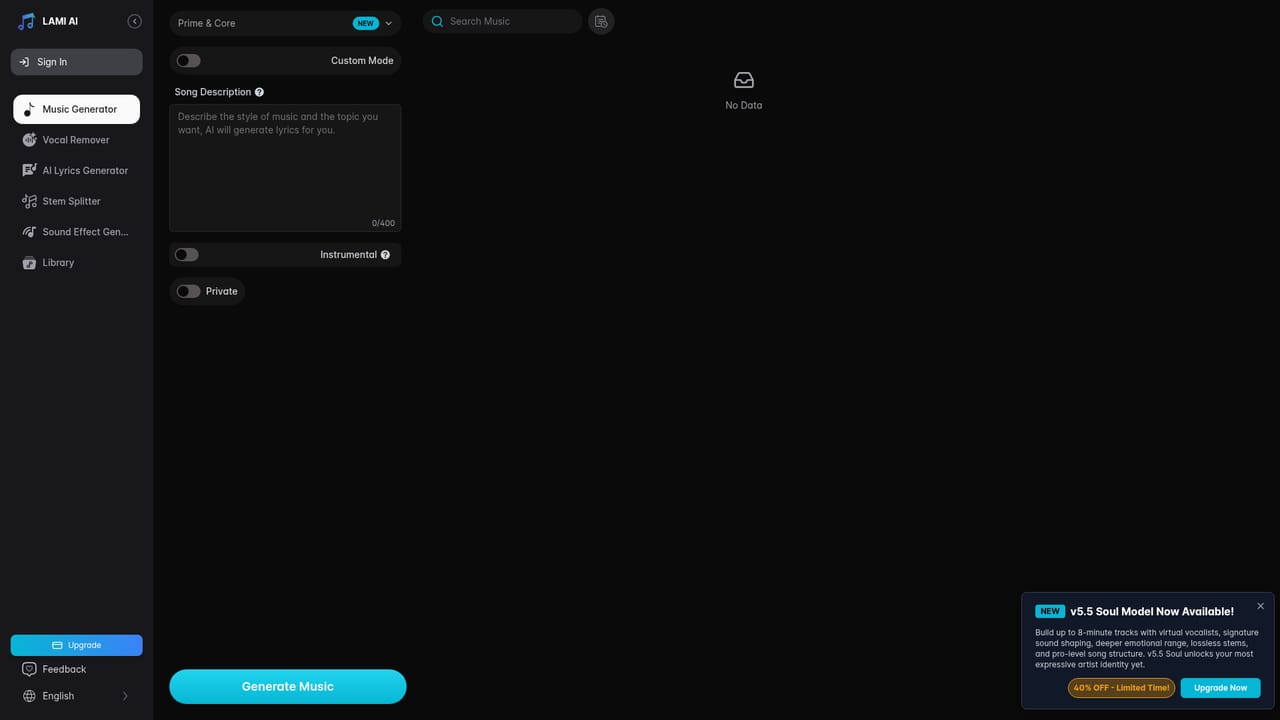
Lami AI Music Generator is a browser based studio for turning written ideas into complete songs. A short description or a set of lyrics is enough to produce a full track, and no music theory or instrument skills are required. Two input modes cover different working styles: Normal Mode takes a plain description, while Custom Mode accepts your own lyrics, a title and a style direction, giving more control to users who already know what the song should sound like. Generation typically finishes within a few minutes, and results can be regenerated until the arrangement fits. The text to song engine is only part of the package. An AI lyrics generator drafts original words from a theme, an AI sound effects generator supplies production ready SFX for music, video or game projects, and a vocal remover plus stem splitter isolate vocals, drums, bass and other parts from existing audio for remixing, sampling or karaoke. The AI cover tool lets a track be re-sung through one of more than 500 voice models or through a personal voice clone. Finished work exports as MP3, WAV or MP4, with the MP4 route aimed at lyric videos for social platforms. The tool suits a broad range of users: hobbyists writing their first song, teachers who want students to hear their ideas realized, YouTubers and TikTok creators building content around covers, podcast producers pulling clean instrumentals, and game or advertising teams needing background music. Compared with heavier digital audio workstations, Lami trades deep mixing and mastering controls for speed and accessibility, so it works best as a sketchpad, a quick asset source or a front end to a larger production, not as a replacement for a full DAW. Licensing matters here. Royalty free commercial rights are tied to an active annual subscription, so anyone using generated songs in monetized videos, ads or client work should read the terms before publishing. Free users can try the generator without a card, but those trial tracks are only stored for 7 days, while paid accounts keep music permanently. Inputs also face character limits on text fields, and prompts naming artists or containing violent or explicit terms are restricted.
A free tier is available with no card required. Tracks made during the free trial are stored for 7 days, while music created on a paid subscription is stored permanently.
Learn moreThe generator can be used free online without credit card details, with a paid subscription unlocking extended access and advanced features. A commercial, royalty free license applies to music created under an active annual subscription; the homepage does not list specific plan prices.
Learn moreText to music from a description or lyrics, Normal and Custom input modes, an AI lyrics generator, an AI sound effects generator, a vocal remover, a stem splitter for drums, bass and other parts, AI covers using 500+ voice models or a personal voice clone, and export as MP3, WAV or MP4.
 AI Angels400+ customizable AI girlfriends for NSFW chat, voice calls, and roleplay
 Candy AIExperience the future of companionship with AI friends who chat, role-play, and connect with you on a human level.
 ourdream.aiA vast AI roleplay platform with millions of characters for chat, images, video and voiceAI Angels400+ customizable AI girlfriends for NSFW chat, voice calls, and roleplayCandy AIExperience the future of companionship with AI friends who chat, role-play, and connect with you on a human level.ourdream.aiA vast AI roleplay platform with millions of characters for chat, images, video and voice