Free trial
The monthly Pro plan includes a 14-day free trial. The free tier itself needs no card and is not time limited.
Learn moreRewrite rough English into native phrasing anywhere you type in the browser.

Limato is a paraphrasing tool that rewrites rough English into native phrasing anywhere you type in the browser. A Chrome and Edge extension that rewrites selected text in place, aimed at non-native English writers who want to drop the tells that make their messages sound foreign.
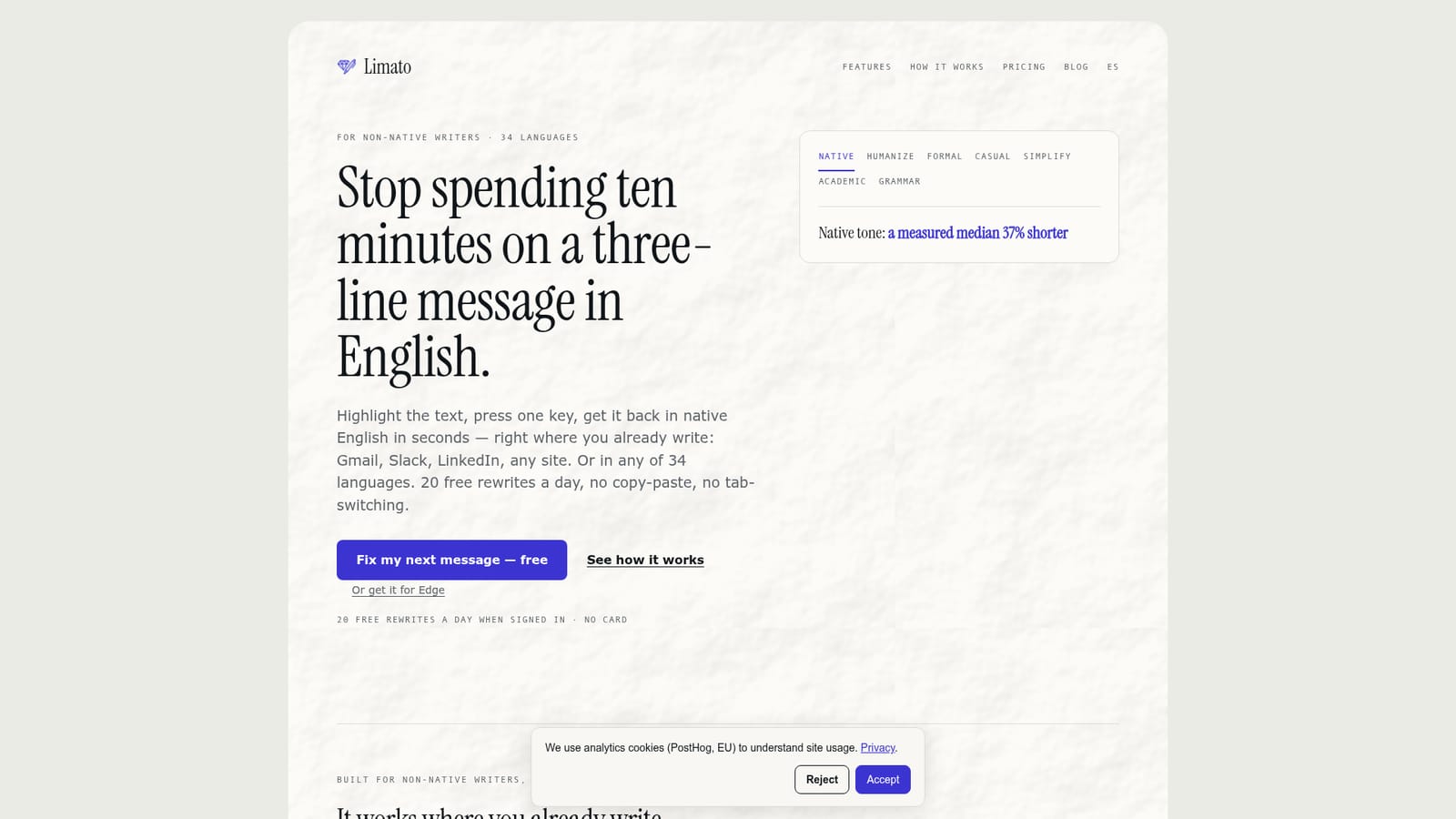
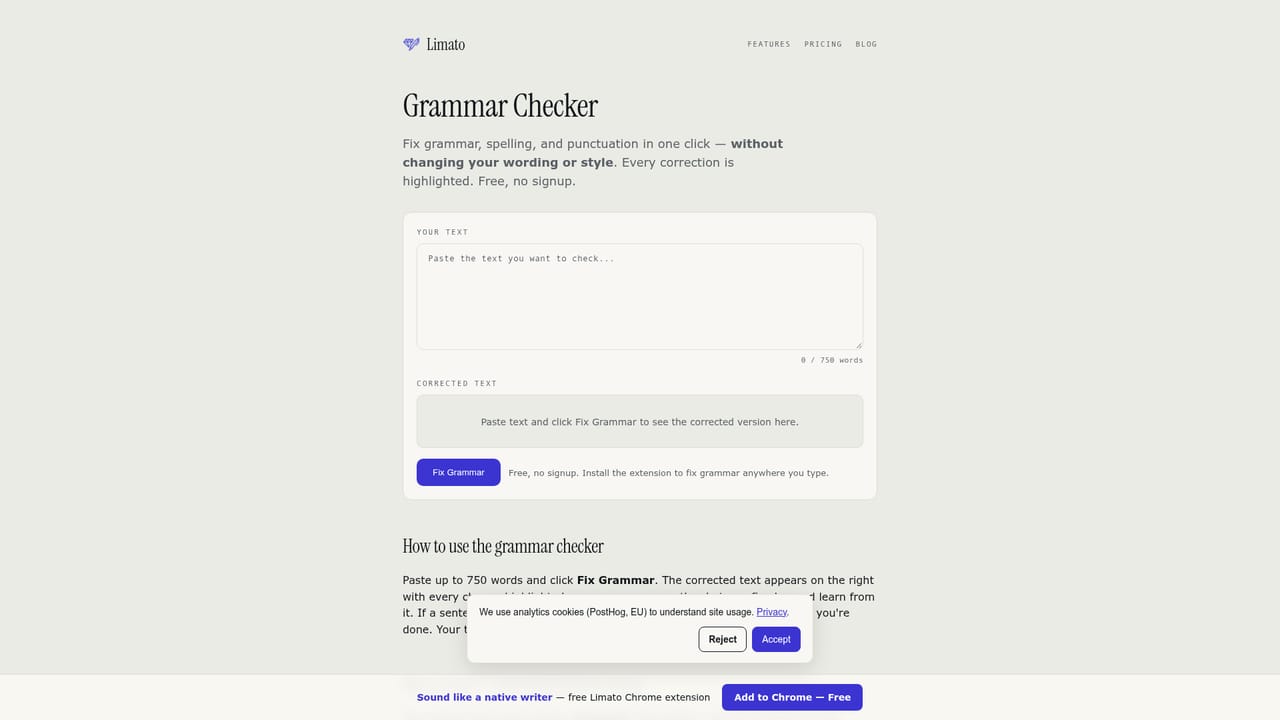
Limato is a browser extension that rewrites selected text in place, with a particular focus on people who write in English as a second language. The premise is narrow and deliberate: grammar checkers correct mistakes, while Limato tries to remove the stylistic tells that make a fluent non-native writer sound foreign. Its Native tone is described as an aggressive rewrite that typically cuts 30 to 50 percent of length, with the company reporting a measured median of 37 percent shorter output across 40 drafts. Long openers, stacked hedges and overly formal phrasing are the patterns it targets. In practice the tool lives inside whatever you already have open. Select text in Gmail, Slack, LinkedIn, Notion, X, GitHub or any editable field on any site, trigger the extension with a hotkey, choose a tone and get the result back without copying anything into a separate tab. Rewrites can replace the original inline or be copied to the clipboard. Seven tones cover native, humanize, formal, casual, simplify, academic and grammar-only modes. A separate feature explains a selected word or phrase in your own language, reading it in context rather than returning a dictionary entry. Translation is folded into the same action. Limato lists 34 target languages, including English, Spanish, German, Japanese, Chinese, Hindi, Arabic, French, Portuguese, Russian and Korean, and the native rewrite and translation both work across all of them. The engine is stated as GPT-4o-mini. That combination of rewrite plus translation in one step is the main thing separating it from DeepL Write, which the company positions as single-language polishing, and from Grammarly, which it frames as comma-level correction. Who it suits: freelancers, support staff, sales teams and students sending daily messages in a language they did not grow up with, plus anyone drafting in one language and delivering in another. The free tier allows 20 rewrites per day when signed in and 5 anonymously, and Pro at $5.99 per month or $47.99 per year removes the cap. Standalone checkers and rewriters on the site work without the extension. It is a rewrite layer, not a full document editor, and it will not help with long-form structural editing.
The monthly Pro plan includes a 14-day free trial. The free tier itself needs no card and is not time limited.
Learn moreFree tier: $0 forever, all tones and translations included, 20 rewrites per day when signed in and 5 per day anonymously, no card required. Pro: $5.99 per month, or $47.99 per year (about $4 per month, a 33 percent saving), with unlimited daily usage, priority support and cancellation anytime. Payment is handled by LemonSqueezy as Merchant of Record.
Learn morePriority support is listed as a Pro benefit. The site also publishes comparison articles and an English writing guide for non-native speakers, and a privacy policy covering analytics cookies.
Learn moreNo traditional integrations. Limato works as a browser content script on every page, so it functions inside Gmail, Slack, LinkedIn, Notion, X, GitHub and any other site with a text input or editable area.
Seven rewrite tones (native, humanize, formal, casual, simplify, academic, grammar-only), 34 target languages with translation built into the rewrite, an in-context word explainer that gives meanings in your own language, and inline replace or copy on any site. The site also offers free standalone checkers for grammar, punctuation, commas, adverbs, passive voice, fragments, readability, tone and AI detection, plus paraphrasing, rewording, sentence and paragraph rewriters and four counters.
Learn more AI Angels400+ customizable AI girlfriends for NSFW chat, voice calls, and roleplay
 Candy AIExperience the future of companionship with AI friends who chat, role-play, and connect with you on a human level.
 ourdream.aiA vast AI roleplay platform with millions of characters for chat, images, video and voiceAI Angels400+ customizable AI girlfriends for NSFW chat, voice calls, and roleplayCandy AIExperience the future of companionship with AI friends who chat, role-play, and connect with you on a human level.ourdream.aiA vast AI roleplay platform with millions of characters for chat, images, video and voice