LingUp AI

AI speaking partner for five languages, built around real conversation practice

Beginner
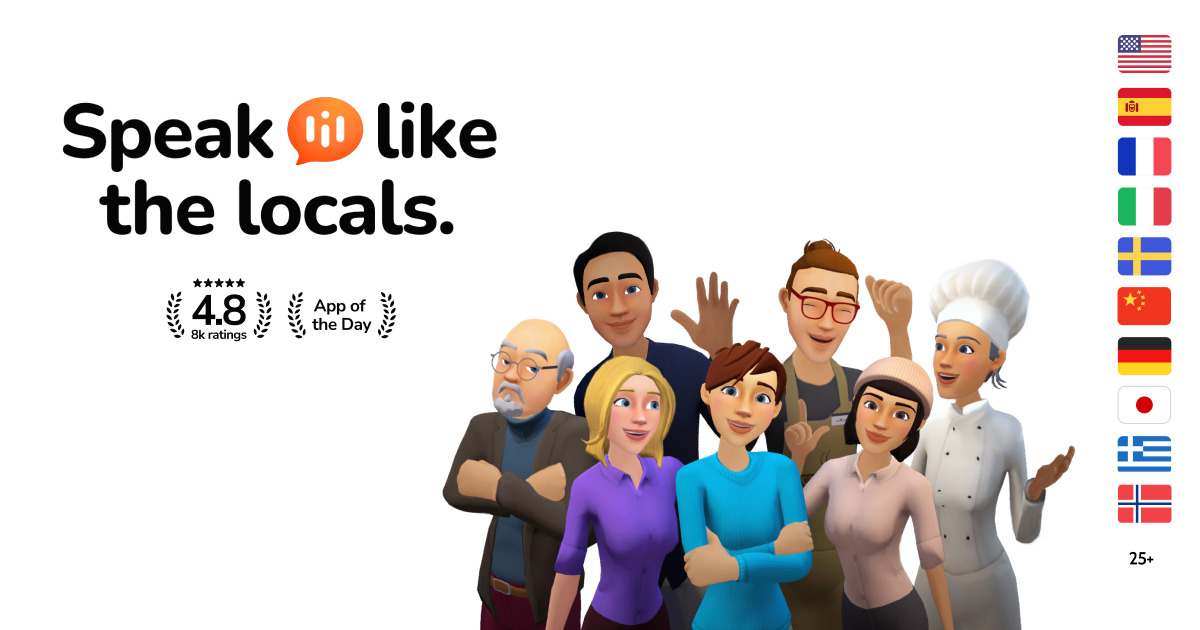
Screenshot of LingUp AI, AI speaking partner for five languages, built around real conversation practice

What is LingUp AI?

LingUp AI is an iOS and Android app for spoken language practice in English, German, Spanish, French and Turkish. It pairs learners with an AI conversation partner, builds a personalised plan around level and goals, gives instant grammar and vocabulary feedback, and supports 50+ native interface languages.

LingUp AI is a mobile language app that turns speaking practice into a daily habit. Rather than drilling vocabulary lists or grammar exercises, it puts a conversational AI partner in front of the learner and asks them to hold real exchanges: introducing themselves, handling everyday situations, working through the kind of dialogue that shows up in work, school or travel. Five target languages are supported: English, German, Spanish, French and Turkish. Each has its own page on the site, so a learner picks a track and starts talking. What separates LingUp from a generic chatbot is the scaffolding around the conversation. The app generates a personalised learning plan based on the learner's current level, goals and interests, then builds sessions that aim at fluency rather than memorisation. During a session the AI listens, responds and corrects; grammar and vocabulary feedback arrives alongside the dialogue instead of after it. Progress feeds back into the plan, which shifts as the learner improves. The pitch is squarely aimed at people who have studied a language for years (the site cites 19 out of 20 learners) but still freeze when they need to speak. A second differentiator is the interface language. Instructions, translations and app guidance are offered in more than 50 native languages, including Arabic, Portuguese, Italian, Russian, Japanese, Korean, Persian, Indonesian, Vietnamese, Polish and Hindi. Someone whose English is still shaky can navigate the product comfortably in their mother tongue while practising the new language. In practice LingUp is a self-study tool for adults who want speaking reps without booking a tutor. It is not a classroom or a certification course, and it depends on the learner showing up consistently. Its natural comparisons are human conversation partners (cheaper and always available, but less culturally rich) and general AI chat assistants (more flexible, but without a structured plan or progress tracking). The app is free to download on iOS and Android, has a 4.7 rating, and reports 40,000 learners; pricing tiers are not published on the homepage, so check the store listing before committing.

How do you use LingUp AI?

  1. 1Download the app on iOS or Android
    Install LingUp from the App Store or Google Play. Both store listings are linked from the homepage, and the app is the only place where practice sessions happen.
  2. 2Choose English as your practice language
    Open the English speaking page to confirm the track before you start. The same structure applies to German, Spanish, French and Turkish if you switch later.
  3. 3Set your native language
    Pick the language you want instructions and translations in. More than 50 are listed, including Arabic, Japanese, Korean, Persian, Polish and Vietnamese.
  4. 4Complete the level and goals setup
    Answer the in-app questions about your current level and what you want to use the language for. LingUp uses these answers to generate your personalised speaking plan.
  5. 5Run your first conversation and review feedback
    Start a session, speak through a realistic scenario, and read the grammar and vocabulary corrections the AI returns. The plan adjusts as you keep practising.

Pros and cons

Pros

  • Speaking-first design: sessions centre on live conversation and correction rather than vocabulary drillsAI
  • Personalised plan built from the learner's level, goals and interests, then adapted as progress is loggedAI
  • Interface and translations available in more than 50 native languages, useful for early-stage learnersAI
  • Available on both iOS and Android with a strong stated store rating and a sizeable user baseAI
  • Positioned as a low-pressure alternative to human tutors, with practice available at any hourAI

Cons

  • Only five target languages, so learners of other languages are out of scopeAI
  • No pricing information on the homepage; cost has to be checked inside the app storesAI
  • App-only product with no desktop or browser version, which limits longer study sessionsAI
  • Feedback quality and accent coverage are hard to verify without a trial, and the site offers no sample lessonAI
  • Progress tracking and personalisation live inside the app, so there is no public syllabus to review beforehandAI

How much does LingUp AI cost?

Features

Personalised learning plans built from level, goals and interests; AI conversation partner for realistic scenarios; instant feedback on pronunciation, grammar and vocabulary; adaptive plans that change with progress; interface and translations in 50+ native languages; five target languages (English, German, Spanish, French, Turkish); iOS and Android apps.

Learn more

Frequently asked questions about LingUp AI

  • How do you use LingUp AI?
    The walkthrough on this page covers 5 steps: 1. Download the app on iOS or Android 2. Choose English as your practice language 3. Set your native language 4. Complete the level and goals setup 5. Run your first conversation and review feedback.
  • What platforms does LingUp AI support?
    LingUp AI is available on iOS and Android.
  • What are the limitations of LingUp AI?
    Only five target languages, so learners of other languages are out of scope. No pricing information on the homepage; cost has to be checked inside the app stores. App-only product with no desktop or browser version, which limits longer study sessions.

Status

StatusActive
Views0
Outbound clicks0
Added10/21/2026

Platforms

iOSAndroid

Pricing

Freemium