Free trial
No credit card is needed to install the extension, and machine translation can be used free. The homepage does not describe a separate trial for the paid AI tier.
Learn moreBilingual webpage, PDF and image translation in a Chrome extension

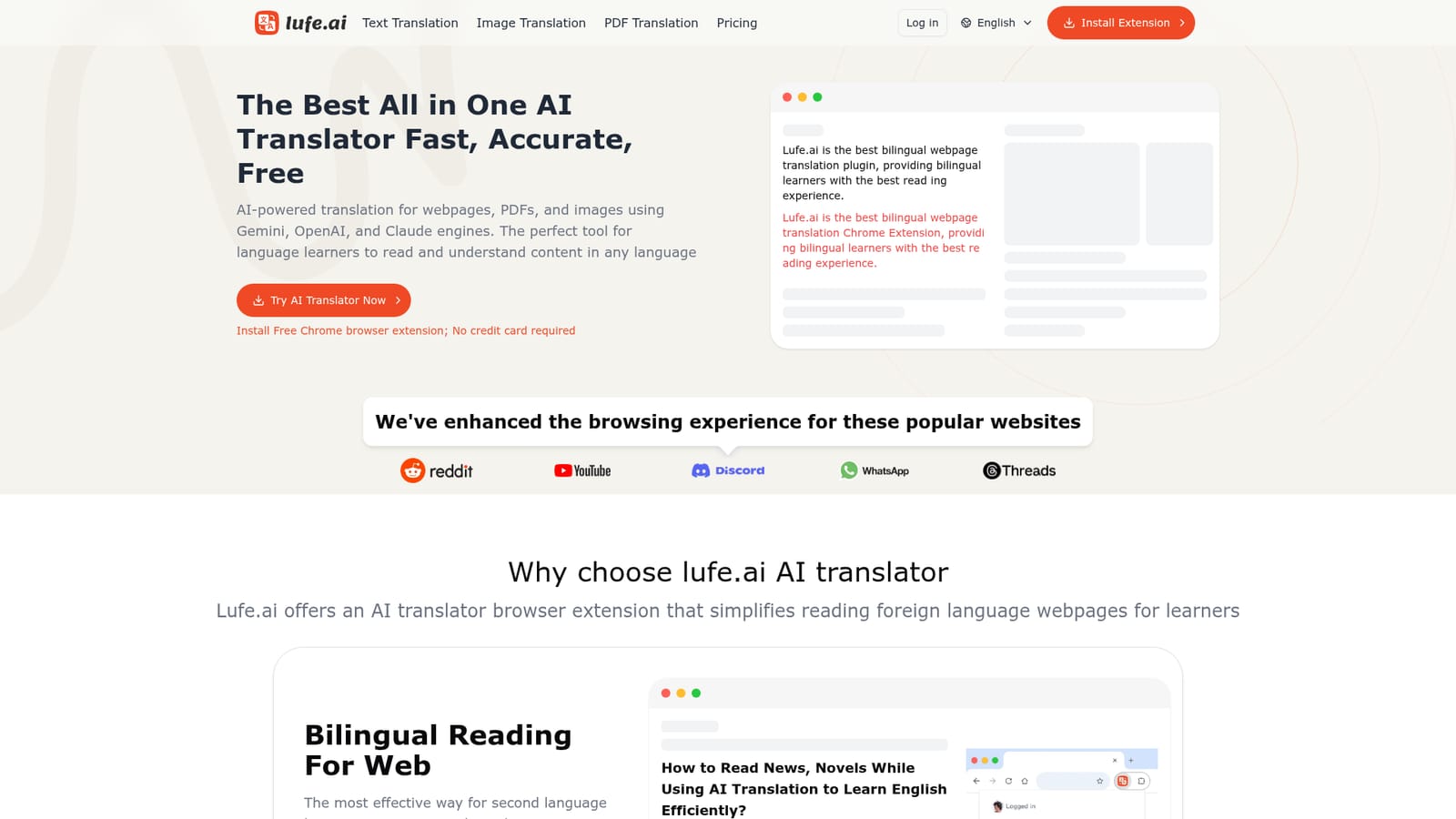
Lufe AI is a language learning tool. A Chrome extension for bilingual reading, offering side-by-side webpage translation with AI engines, instant word lookup with pronunciation, and OCR-based image translation for learners and professional readers.
Lufe AI is a Chrome browser extension built around one idea: foreign language reading gets easier when the original and the translation sit side by side. Install it and foreign pages are detected and translated automatically, with the source line kept above or beside the translated line. The display is configurable, and a fuzzy mode shows translations only for the passages a reader actually struggles with. Behind the interface the tool draws on several engines, including Google, ChatGPT, Gemini and Claude, so users can trade speed against depth depending on the page. Three features carry most of the workflow. Bilingual web translation handles long-form reading on sites such as Reddit, YouTube, Discord, Twitter and Wikipedia. Select to translate lets a reader highlight a word or phrase and get an instant, context-aware result with pronunciation playback, which is closer to a dictionary lookup than full page translation. Image translation runs OCR on an uploaded picture, detects the language, and overlays the translated text so it can be viewed by sliding across the image. The product is aimed squarely at language learners and at people who read foreign material for work: students working through English threads, editors checking wikis and overseas news, researchers skimming papers. Anyone who only needs a quick one-off translation will find browser built-ins adequate; Lufe earns its place with readers who want the original text kept intact while they learn. The extension is free for machine translation, while the AI engines sit behind a paid plan. The company says resource use is optimized so browsing speed is largely unaffected, and support runs through a single email address.
No credit card is needed to install the extension, and machine translation can be used free. The homepage does not describe a separate trial for the paid AI tier.
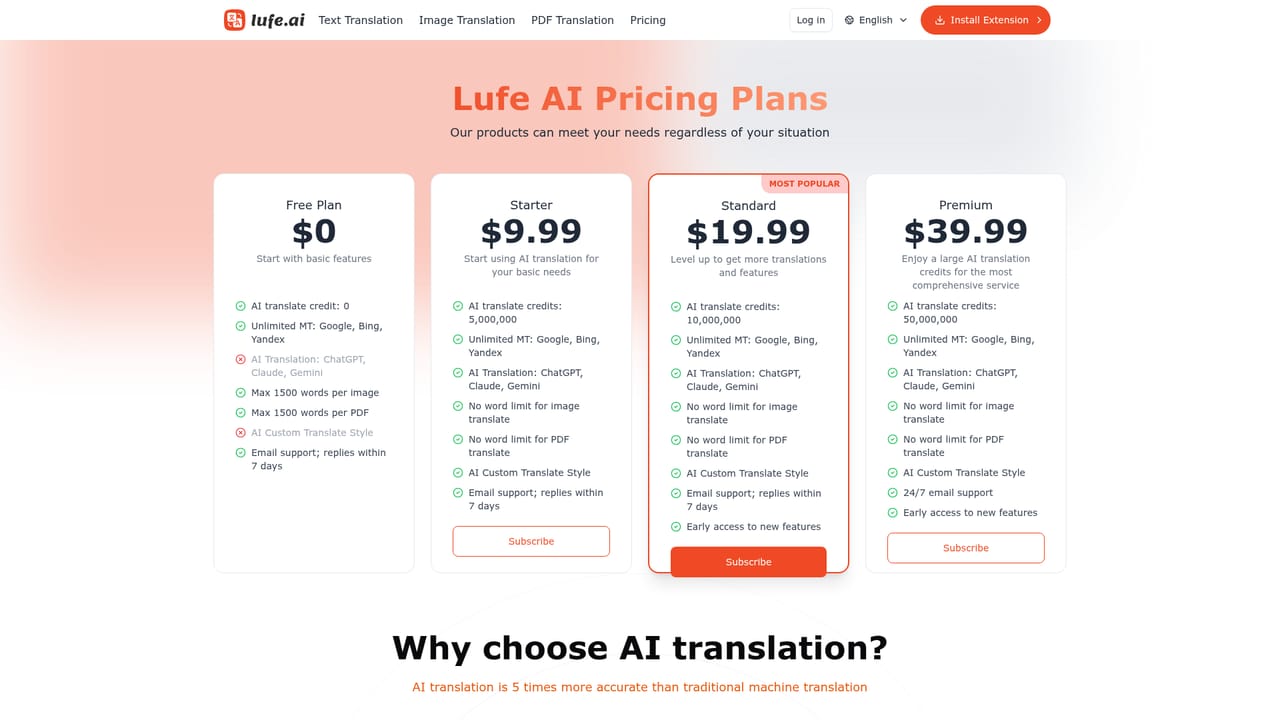
Learn moreBasic machine translation is free, while AI-powered translation requires a paid plan. The homepage points to the pricing page for the detailed tiers and does not list prices itself.
Learn moreTechnical support is handled by email at lufeaiapp@gmail.com. No help centre, live chat or ticket portal is listed on the homepage.
The translation layer is presented as a Chrome extension, and the homepage highlights tuned reading experiences for Reddit, YouTube, Discord, WhatsApp and Threads.
Bilingual webpage translation with auto language detection, select-to-translate word lookup with pronunciation audio, OCR image translation with a sliding comparison view, configurable display styles, a fuzzy mode that translates only difficult passages, and a choice of engines including Google, ChatGPT, Gemini and Claude.
 AI Angels400+ customizable AI girlfriends for NSFW chat, voice calls, and roleplay
 Candy AIExperience the future of companionship with AI friends who chat, role-play, and connect with you on a human level.
 ourdream.aiA vast AI roleplay platform with millions of characters for chat, images, video and voiceAI Angels400+ customizable AI girlfriends for NSFW chat, voice calls, and roleplayCandy AIExperience the future of companionship with AI friends who chat, role-play, and connect with you on a human level.ourdream.aiA vast AI roleplay platform with millions of characters for chat, images, video and voice