Support
A support email address is published on the homepage, alongside a short Q&A covering Plus accounts, API keys, inline limitations and macOS version requirements.
ChatGPT tucked into the Mac menubar, plus a global prompt field and inline typing
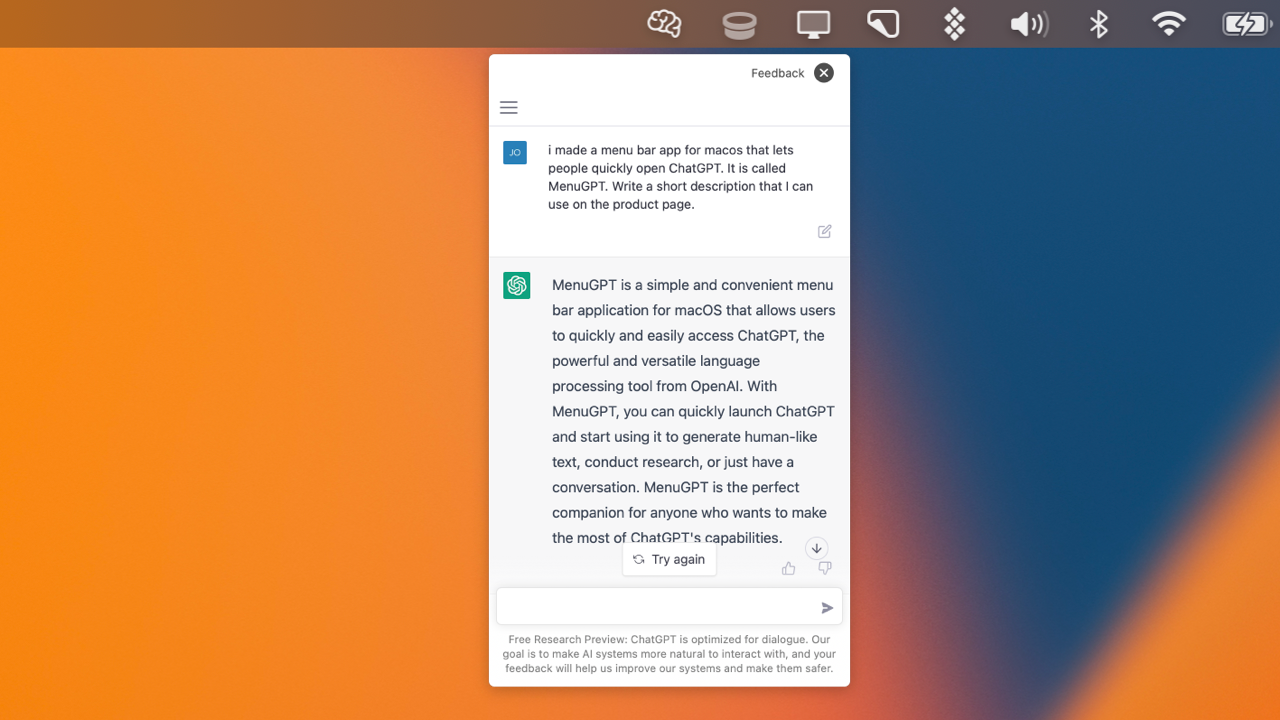
MacGPT is a Mac menubar app that opens ChatGPT from anywhere: a global floating field, inline prompt triggers inside text fields, a native website wrapper, API mode with your own key, and voice conversation mode.
MacGPT is a macOS utility that puts ChatGPT in three distinct places on the desktop: a menubar item, a floating text field that appears in the middle of the screen, and a trigger phrase that types finished text inside whatever field you are already using. Two ways of connecting are offered. The first loads the ChatGPT website inside a native Mac wrapper, so a standard ChatGPT account (including Plus) works without extra charges. The second talks to the OpenAI API directly, which requires your own API key and a credit card on that OpenAI account. The Global feature is the one most people end up using daily. A keyboard trigger summons a text field over the current window, you type a question, and the reply comes back without switching apps. Inline takes a different angle: you type a trigger phrase followed by your prompt in any text editor or input field, and MacGPT replaces that text with the model's answer, which turns ordinary writing and form filling into a prompt-driven task. Conversation mode adds voice, letting you speak back and forth with the model instead of typing, and a copy option exports a clean transcript of a whole thread. It suits Mac users who already live in ChatGPT but dislike tab switching: writers drafting in other apps, developers looking things up mid-task, and anyone who wants a hotkey rather than a browser bookmark. The tool is a front end rather than a model. It does not outperform ChatGPT itself, and a desktop client like this mainly competes on convenience against browser tabs or the official desktop app. Native mode is faster and cleaner than the website wrapper, but the API path is billed by OpenAI separately and the current GPT-4 access situation depends on OpenAI's own process. The author is upfront about rough edges. Inline fails in a handful of apps such as Sublime Text, Notion and WhatsApp, and macOS Monterey or Ventura is required because of the newer APIs used. A companion iPhone app called GeePeeTee exists and currently works only with your own API key.
A support email address is published on the homepage, alongside a short Q&A covering Plus accounts, API keys, inline limitations and macOS version requirements.
Global floating text field for chatting from any app, inline trigger phrases that write into text fields, a menubar entry point, native or website ChatGPT access, full-conversation copying, and hands-free conversation mode.
 AI Angels400+ customizable AI girlfriends for NSFW chat, voice calls, and roleplay
 Candy AIExperience the future of companionship with AI friends who chat, role-play, and connect with you on a human level.
 ourdream.aiA vast AI roleplay platform with millions of characters for chat, images, video and voiceAI Angels400+ customizable AI girlfriends for NSFW chat, voice calls, and roleplayCandy AIExperience the future of companionship with AI friends who chat, role-play, and connect with you on a human level.ourdream.aiA vast AI roleplay platform with millions of characters for chat, images, video and voice