Miniloop

Custom CRM builds that replace Salesforce and HubSpot seats

Intermediate
Screenshot of Miniloop, Custom CRM builds that replace Salesforce and HubSpot seats

What is Miniloop?

Miniloop is an AI project builder tool. A build and hosting service that replaces Salesforce or HubSpot with a custom CRM scoped to one team's workflow, migrated by the vendor and run on managed or client infrastructure for a single yearly fee.

Miniloop is a service business rather than a self serve product. It designs, builds, migrates and then hosts a custom CRM for one team at a time, with the stated goal of replacing subscriptions like Salesforce, HubSpot, Pipedrive, Attio, Affinity or GoHighLevel. The pitch rests on a simple claim: most teams pay large per seat fees for modules they never open while bending their process around a generic database. Miniloop proposes the opposite, a scoped build that only includes the pipelines, reports and automations the team actually uses. The engagement runs in four stages. Scoping maps the existing CRM setup, covering fields, pipelines, automations and required integrations. Engineering then builds the database and interface. A full migration follows, importing records, histories and pipelines from the old system. Finally Miniloop runs the deployment on its own managed servers or on the client's infrastructure, and stays on for ongoing changes and support. The sample pipeline shown on the site is a working demo connected to tools such as Gmail, Google Calendar, Xero, Zapier, DocuSign and Mailchimp, which suggests where the integration work tends to land. The economics are the core of the offer. Miniloop reports typical savings of 5x to 10x against a legacy CRM bill, quoting a fixed price before any development begins and charging one yearly fee that covers the build, hosting, updates and support. There are no per seat licences, so adding users does not raise the cost. Teams with strict compliance or data residency rules can keep the system on their own infrastructure. This suits established sales organisations with a CRM bill large enough to justify custom software, a workflow that generic tools handle badly, and a willingness to work with an external engineering team. It is not for anyone who wants to sign up and start configuring alone, and small teams with modest seat counts will rarely clear the threshold where a bespoke build pays for itself.

How do you use Miniloop?

  1. 1Book an intro call
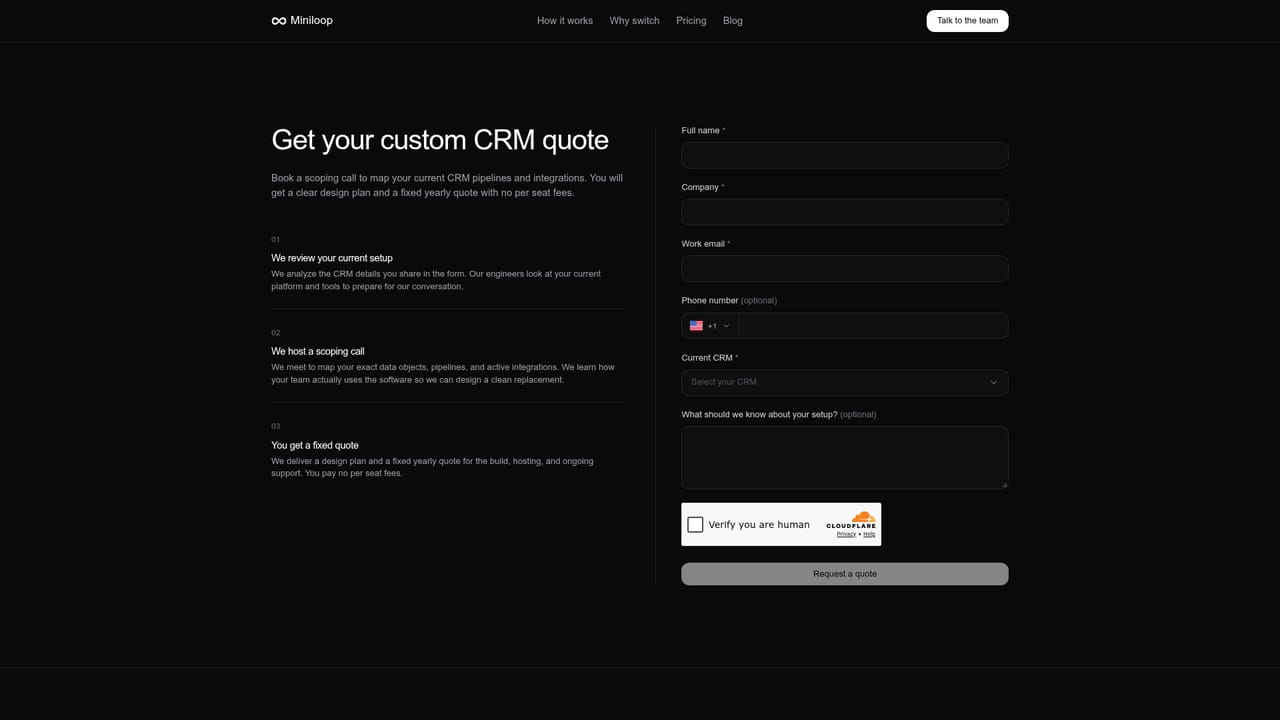
    Start by booking a call through the contact page. The team uses it to understand the current CRM, the size of the bill and the workflow that generic tools handle badly.
    Miniloop — Book an intro call
  2. 2Scope the use case
    Miniloop studies how the team uses its current CRM and maps fields, pipelines, automations and required integrations into a system design.
  3. 3Review the fixed quote
    A fixed annual quote is issued before any development starts, covering the build, hosting, updates and support. Confirm it before work begins.
  4. 4Approve the build
    The engineering team constructs the database and interface around the scoped workflow. Expect review points while the pipeline and record views take shape.
  5. 5Migrate existing records
    Records, histories and pipelines are imported from the old CRM. Verify totals and stage histories before the old subscription is retired.
  6. 6Choose hosting and go live
    Decide between Miniloop's managed servers and your own infrastructure, then cut over. The team stays on for ongoing changes and support.

Pros and cons

Pros

  • Priced as one fixed yearly fee with no per seat licences, so headcount growth does not inflate the billAI
  • Full data migration from the previous CRM is handled by the vendor rather than left to self serve toolsAI
  • Can be hosted on the client's own infrastructure for compliance and data policy requirementsAI
  • Only the modules the team uses get built, which avoids paying for unused featuresAI
  • Direct access to the development team for ongoing changes instead of a reseller or support queueAI

Cons

  • Not a self serve platform: there is no free tier or instant signup, every engagement starts with a sales callAI
  • Actual savings depend entirely on the current bill, so smaller teams may find a custom build uneconomicalAI
  • Custom software means the client is tied to one vendor for changes, hosting and ongoing maintenanceAI
  • Build and migration timelines are not disclosed on the site, so planning lead time is unclearAI
  • Only a limited set of integrations is shown as examples, and the exact stack is negotiated per projectAI

How much does Miniloop cost?

Pricing

A single ongoing yearly fee covers the initial build, secure hosting, updates and support, with no per seat licences. A fixed quote is issued before development begins. Miniloop says teams typically cut CRM spend by 5x to 10x versus their previous subscription, but exact figures are quoted per engagement.

Learn more

Support

Miniloop stays on after launch to handle ongoing changes and support, working with clients directly rather than routing them through a reseller or a generic support queue.

Integrations

Integrations are selected and configured during scoping. Tools named on the site include Gmail, Google Calendar, Xero, Zapier, DocuSign and Mailchimp, with other stack connections arranged per project.

Features

Custom CRM design and engineering scoped to an existing workflow, full migration of records, histories and pipelines from Salesforce, HubSpot or comparable systems, managed hosting or deployment on client infrastructure, and ongoing maintenance with a direct line to the development team. Pipelines, reporting and integrations are built only where the team will use them.

Frequently asked questions about Miniloop

  • How much does Miniloop cost?
    A single ongoing yearly fee covers the initial build, secure hosting, updates and support, with no per seat licences. A fixed quote is issued before development begins. Miniloop says teams typically cut CRM spend by 5x to 10x versus their previous subscription, but exact figures are quoted per engagement.
  • How do you use Miniloop?
    The walkthrough on this page covers 6 steps: 1. Book an intro call 2. Scope the use case 3. Review the fixed quote 4. Approve the build 5. Migrate existing records 6. Choose hosting and go live.
  • What platforms does Miniloop support?
    Miniloop is available on Web App.
  • What does Miniloop integrate with?
    Integrations are selected and configured during scoping. Tools named on the site include Gmail, Google Calendar, Xero, Zapier, DocuSign and Mailchimp, with other stack connections arranged per project.
  • What are the limitations of Miniloop?
    Not a self serve platform: there is no free tier or instant signup, every engagement starts with a sales call. Actual savings depend entirely on the current bill, so smaller teams may find a custom build uneconomical. Custom software means the client is tied to one vendor for changes, hosting and ongoing maintenance.

Status

StatusActive
Views0
Outbound clicks0
Added10/21/2026

Platforms

Web App

Pricing

Paid