Multiverse AI

Selfies in, studio-grade professional headshots out in about 15 minutes

Beginner
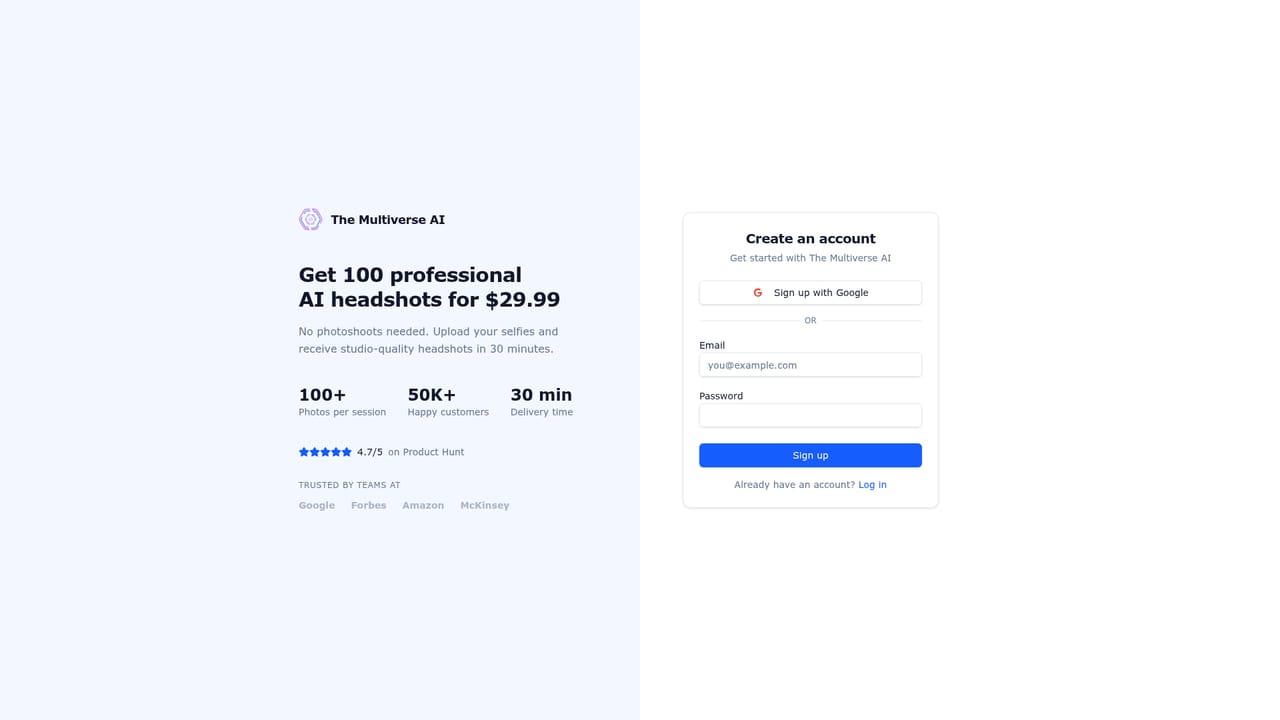
Screenshot of Multiverse AI, Selfies in, studio-grade professional headshots out in about 15 minutes

What is Multiverse AI?

Multiverse AI is a photo editor tool. An AI headshot service that turns 12 to 15 selfies into 100 professional portraits plus 20 custom photos, usually within 15 minutes, for a one-time $29.99. A text-prompt editor handles outfit, background, and framing changes, and a separate team plan adds an admin dashboard for company-wide photos.

The Multiverse AI is an AI headshot generator aimed at professionals who need a polished portrait without booking a photographer. The workflow is deliberately short: a customer uploads 12 to 15 selfies, the platform runs them through its own model (the site names Flux among the underlying models), and an email arrives with a link to the finished set. The standard purchase yields 100 professional headshots across six preset styles (formal, casual, outdoor park, indoor office, studio grey, and black and white) plus 20 custom photos. The company commits to under 30 minutes and states most orders land in 10 to 15 minutes, with occasional reports of five. Custom output is where the product separates itself from simpler selfie apps. Every purchase includes a prompt-driven flow, so a user can describe a specific setting, outfit, or brand palette instead of picking from the presets. A newer Magic Edit layer applies the same idea to finished images: typing phrases such as a navy blue suit, a modern office background, or shorter hair rewrites that part of the frame. Smart framing, background swaps, wardrobe changes, and touch-ups like whiter teeth all run through the same text box, and earlier versions are kept so an edit can be rolled back. The tool fits individuals first: job seekers refreshing a resume photo, LinkedIn users, freelancers building a portfolio site. It also has a team offering for companies, with a dedicated account manager, an admin dashboard for coordinating a remote staff, and the option to produce a consistent gallery of member portraits. Compared with booking a studio session, the appeal is cost and turnaround; compared with other AI headshot services, the pitch rests on a one-time price, fast delivery, and the text-prompt editor instead of regenerating from scratch. Privacy terms are stated plainly. Uploaded photos are not used for model training, users keep full rights to the generated images, and data is stored in the EU with processing in the US. The company also says it labels its output as AI-generated rather than presenting it as camera photography. An account is required so that images stay private to the buyer.

How do you use Multiverse AI?

  1. 1Create your account
    Go to the signup page and register. An account is required so that your uploaded selfies and generated headshots stay private to you.
    Multiverse AI — Create your account
  2. 2Pay for your photo set
    Purchase the standard package at $29.99, which covers 100 professional headshots plus 20 custom photos in a single payment.
  3. 3Upload 12 to 15 selfies
    Submit a set of selfies as the source material. The on-platform cropping tool and walkthrough help you send images that will produce clean results.
  4. 4Wait for processing
    Generation runs on the company's servers, so you can close the tab. The site quotes 10 to 15 minutes for most orders and commits to under 30.
  5. 5Open the email link and review
    When the set is ready, an email arrives with a link to your headshots. Compare the six preset styles and pick the ones that fit your use.
  6. 6Refine with Magic Edit
    Describe changes in plain text, such as a different suit, a white backdrop, or a tighter crop. Every version is saved, so you can return to the original.

Pros and cons

Pros

  • One-time $29.99 price covers 100 headshots and 20 custom photos with no subscriptionAI
  • Turnaround is quoted at under 30 minutes, with most orders finishing in 10 to 15AI
  • Magic Edit changes outfits, backgrounds, and framing from a text prompt, and prior versions are retainedAI
  • Six preset styles plus a custom prompt flow suit both standard corporate looks and specific brand requestsAI
  • Stated policy keeps uploaded photos out of model training and gives users full rights to the outputAI

Cons

  • No free tier or free trial is mentioned; buyers pay before seeing their own resultsAI
  • Output quality depends on the selfies supplied, so poor lighting or too few usable uploads may limit accuracyAI
  • Account creation is mandatory, which rules out anonymous one-off useAI
  • No API or documented integrations, so the tool cannot be wired into an existing HR or directory workflowAI
  • The site makes strong realism claims largely on its own before-and-after gallery, with no independent benchmark offeredAI

How much does Multiverse AI cost?

Pricing

A single package at $29.99 covers 100+ professional headshots plus 20 custom photos, described on the site as one payment with no subscription. Team headshots are sold separately through the company page, with pricing available on request.

Learn more

Support

Email support is the stated channel, with the company claiming fast responses often within hours. Team customers get a dedicated account manager and premium support.

Learn more

Features

Generates 100 professional headshots in six styles (formal, casual, outdoor park, indoor office, studio grey, black and white) plus 20 custom photos from 12 to 15 uploaded selfies. Magic Edit rewrites outfits, backgrounds, hair, framing, and fine details from text prompts, and keeps every version. Custom photos can be produced in square, portrait, or landscape format.

Frequently asked questions about Multiverse AI

  • How much does Multiverse AI cost?
    A single package at $29.99 covers 100+ professional headshots plus 20 custom photos, described on the site as one payment with no subscription. Team headshots are sold separately through the company page, with pricing available on request.
  • How do you use Multiverse AI?
    The walkthrough on this page covers 6 steps: 1. Create your account 2. Pay for your photo set 3. Upload 12 to 15 selfies 4. Wait for processing 5. Open the email link and review 6. Refine with Magic Edit.
  • What platforms does Multiverse AI support?
    Multiverse AI is available on Web App.
  • What are the limitations of Multiverse AI?
    No free tier or free trial is mentioned; buyers pay before seeing their own results. Output quality depends on the selfies supplied, so poor lighting or too few usable uploads may limit accuracy. Account creation is mandatory, which rules out anonymous one-off use.

Status

StatusActive
Views0
Outbound clicks0
Added10/21/2026

Platforms

Web App

Pricing

Paid