Musyx AI

Describe a track in words and Musyx AI turns it into a finished song.

Beginner
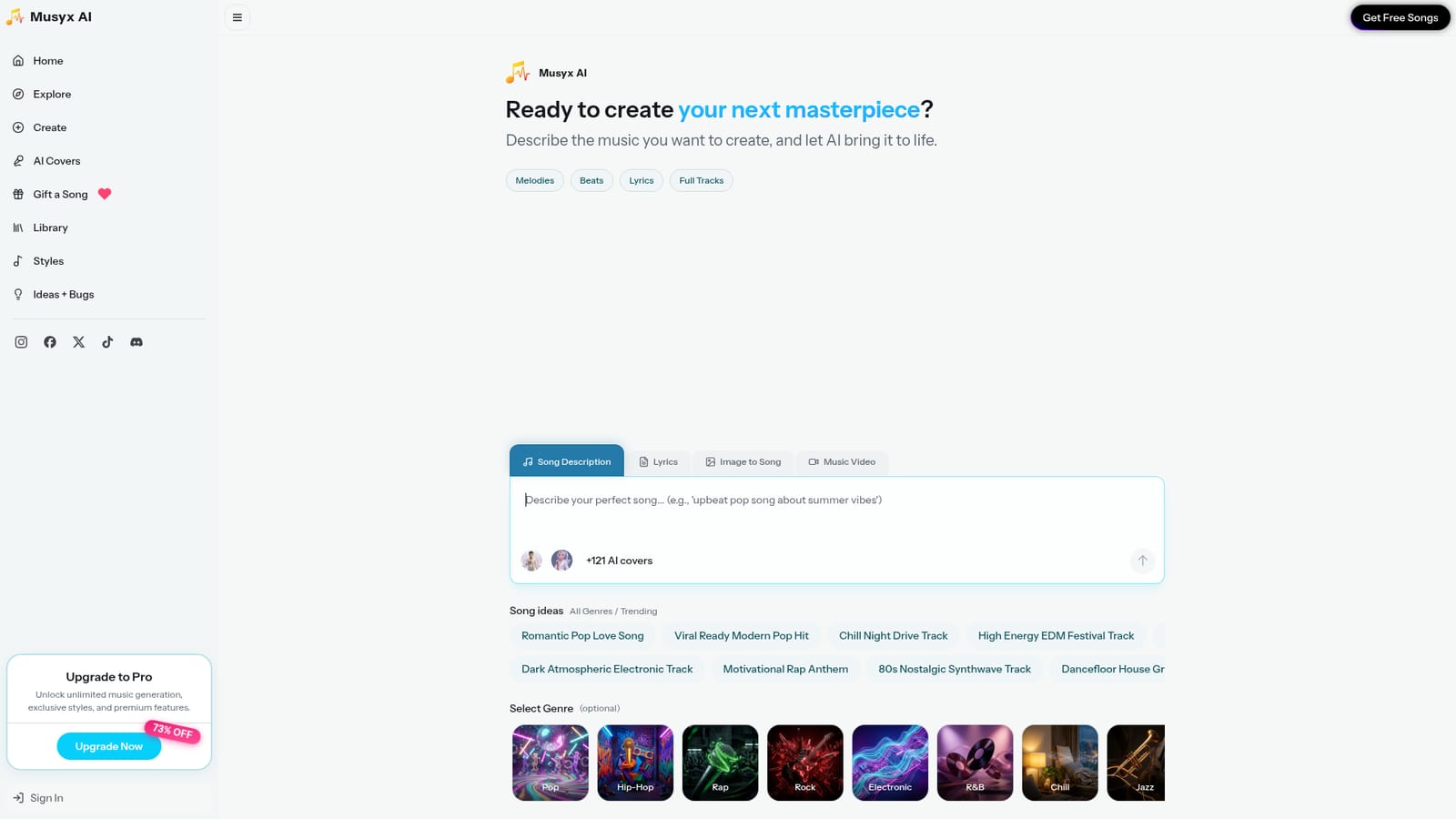
Screenshot of Musyx AI, Describe a track in words and Musyx AI turns it into a finished song

What is Musyx AI?

Musyx AI generates melodies, beats, lyrics and full vocal tracks from a text description or an uploaded image. Genre presets, mood styles, ready made song ideas, AI cover singers and a gifting option round out a browser based tool aimed at creators who need original music without playing an instrument.

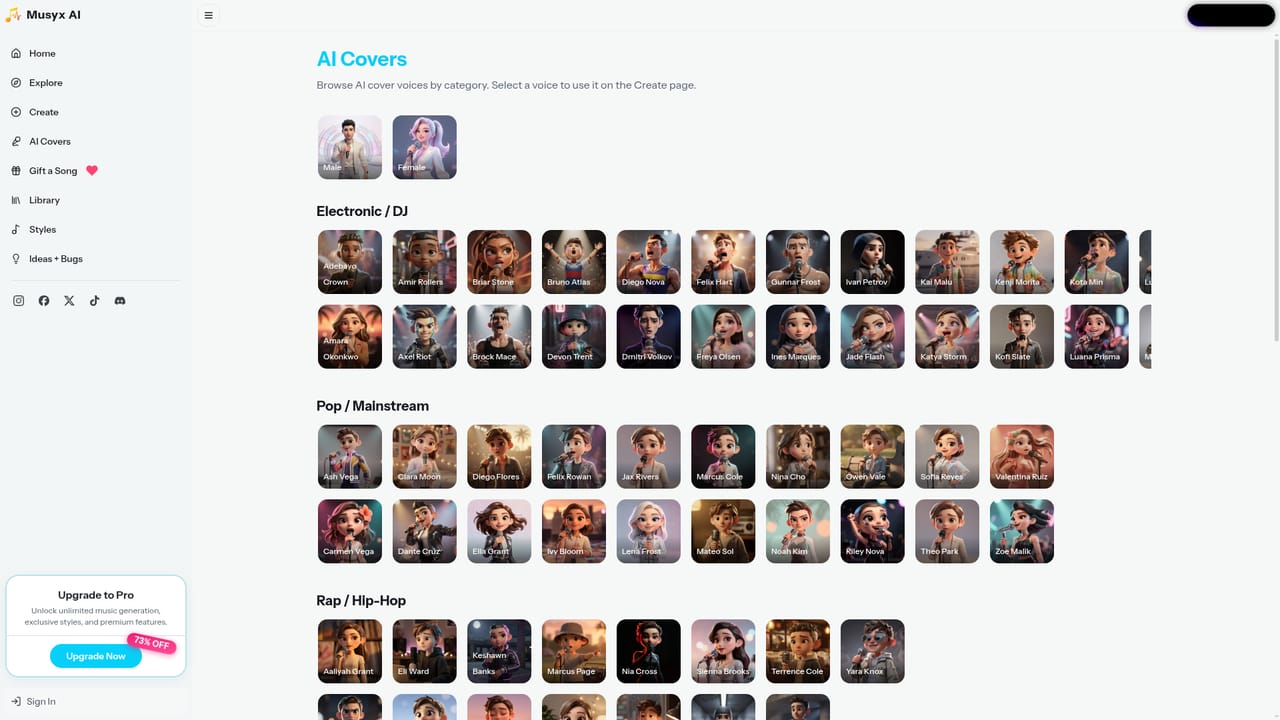
Musyx AI is a browser based music generation service that turns a written description into a finished song. The create page offers four working modes: Melodies, Beats, Lyrics and Full Tracks, so you can ask for a short melodic idea, a drum pattern, a set of words, or a complete arrangement with vocals. You describe the music you want in plain language, optionally pick a genre, and the system produces the audio. The pitch is that no instruments and no production skill are required at any stage. The text prompt is only one entry point. A Lyrics tab lets you supply your own words or generate them alongside the music, and an Image to Song tab converts a picture into a track. A Music Video mode is offered on the same page, so a generated song can be paired with visuals without leaving the tool. To steer the sound, there is a genre grid with options such as Pop, Hip-Hop, Rap, Rock, Electronic, R&B, Jazz, K-Pop, Classical, Country, Afrobeats, Funk, Blues and Folk, plus mood style entries like Chill, Workout, Study, Game, Festival and Era. A catalogue of song ideas grouped under All Genres and Trending supplies ready made starting points, ranging from a romantic pop love song to a dark atmospheric electronic track or an 80s synthwave cut. Two supporting areas extend the workflow. AI Covers takes a track and reworks it through a selectable singer, with over 121 AI cover voices displayed on the create page across male and female presets. Gift a Song packages an original track as a present for someone else, and the Library keeps your generated material in one place for later listening or download. An Explore feed shows what other users are making, and a Styles page documents the available sonic directions. Musyx AI suits hobbyists, content creators, podcasters and social media users who need original background music or a full vocal track without hiring a producer. It is squarely a generative consumer tool rather than a DAW: there is no stem export or manual mixing described on the site. Credit limits and a Pro upgrade with exclusive styles and unlimited generation are advertised, with the detailed terms on the pricing page. It competes with other text to music generators on prompt simplicity and the added cover and gifting features rather than on studio grade control.

How do you use Musyx AI?

  1. 1Open the create page
    Go to the Create tab from the main navigation. You land on a prompt box with tabs for Melodies, Beats, Lyrics, Full Tracks, Image to Song and Music Video.
    Musyx AI — Open the create page
  2. 2Describe the track you want
    Type a description of the music in the Song Description field. If you already have words, switch to the Lyrics tab and paste them in instead.
  3. 3Pick a genre or borrow an idea
    Select an optional genre from the grid, such as Pop, Lo-Fi style Chill or Electronic, or click one of the sample song ideas to prefill a working prompt.
  4. 4Try an image or cover singer
    Use the Image to Song tab to convert a picture into audio, or choose from the AI cover voices to place a singer on the result.
    Musyx AI — Try an image or cover singer
  5. 5Generate and review in your library
    Run the generation and open your Library to listen back to finished tracks, compare takes and keep the ones worth developing further.
    Musyx AI — Generate and review in your library
  6. 6Compare plans before scaling up
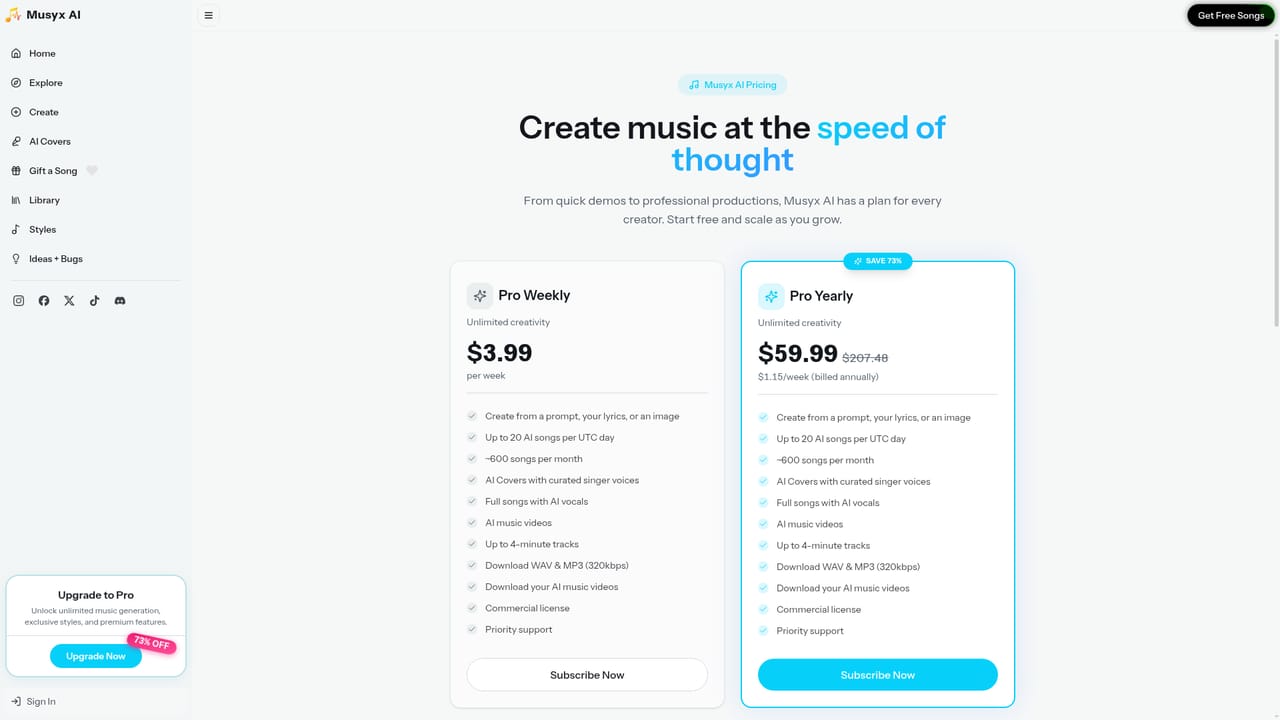
    Check the pricing page to see what the Pro tier adds, including unlimited generation and exclusive styles, before committing to a paid subscription.
    Musyx AI — Compare plans before scaling up

Pros and cons

Pros

  • Four separate creation modes cover melodies, beats, lyrics and complete tracks, so short ideas and full songs share one workflowAI
  • Genre grid spans mainstream and niche styles including Afrobeats, K-Pop, Funk, Blues and FolkAI
  • Over 121 AI cover singers let you rework a track through a different voiceAI
  • Image to Song and Music Video modes extend output beyond plain audioAI
  • Ready made song idea prompts help users who do not know how to phrase a requestAI

Cons

  • The homepage gives no detail on track length limits, commercial licensing or ownership of generated audio, which matters for anyone publishingAI
  • No stem export or mixing controls are described, so the output cannot be edited like a project in a DAWAI
  • Unlimited generation sits behind the Pro plan, meaning free users likely hit a credit ceiling quicklyAI
  • AI covers raise obvious rights questions when applied to existing songs, and the site does not address themAI
  • Quality control depends entirely on prompt wording, with no documented way to fine tune a result beyond regeneratingAI

How much does Musyx AI cost?

Pricing

A free tier is implied by the site, and a Pro plan is promoted with a 73 percent discount offer. Pro is advertised as unlocking unlimited music generation, exclusive styles and premium features. No list prices or credit allowances appear on the homepage, so exact figures require the pricing page.

Learn more

Support

Support runs through an Ideas and Bugs board where users can report problems and suggest features, plus an official Discord server, Instagram, Facebook, X and TikTok accounts. No email helpdesk or documentation portal is listed on the homepage.

Learn more

Features

Creation modes cover melodies, beats, lyrics and full tracks, with additional Image to Song and Music Video tabs. Users describe a song in text, optionally choose a genre from a grid of about twenty options, and can draw on a catalogue of sample song ideas. Over 121 AI cover singers are available, alongside a Gift a Song feature, a personal Library and an Explore feed of community tracks.

Frequently asked questions about Musyx AI

  • How much does Musyx AI cost?
    A free tier is implied by the site, and a Pro plan is promoted with a 73 percent discount offer. Pro is advertised as unlocking unlimited music generation, exclusive styles and premium features. No list prices or credit allowances appear on the homepage, so exact figures require the pricing page.
  • How do you use Musyx AI?
    The walkthrough on this page covers 6 steps: 1. Open the create page 2. Describe the track you want 3. Pick a genre or borrow an idea 4. Try an image or cover singer 5. Generate and review in your library 6. Compare plans before scaling up.
  • What platforms does Musyx AI support?
    Musyx AI is available on Web App.
  • What are the limitations of Musyx AI?
    The homepage gives no detail on track length limits, commercial licensing or ownership of generated audio, which matters for anyone publishing. No stem export or mixing controls are described, so the output cannot be edited like a project in a DAW. Unlimited generation sits behind the Pro plan, meaning free users likely hit a credit ceiling quickly.

Status

StatusActive
Views0
Outbound clicks0
Added10/21/2026

Platforms

Web App

Pricing

FreemiumSubscription