Free trial
A 3 day free trial is included when subscribing through the App Store or Play Store.
Learn moreA body-based nervous system reset coach in your phone
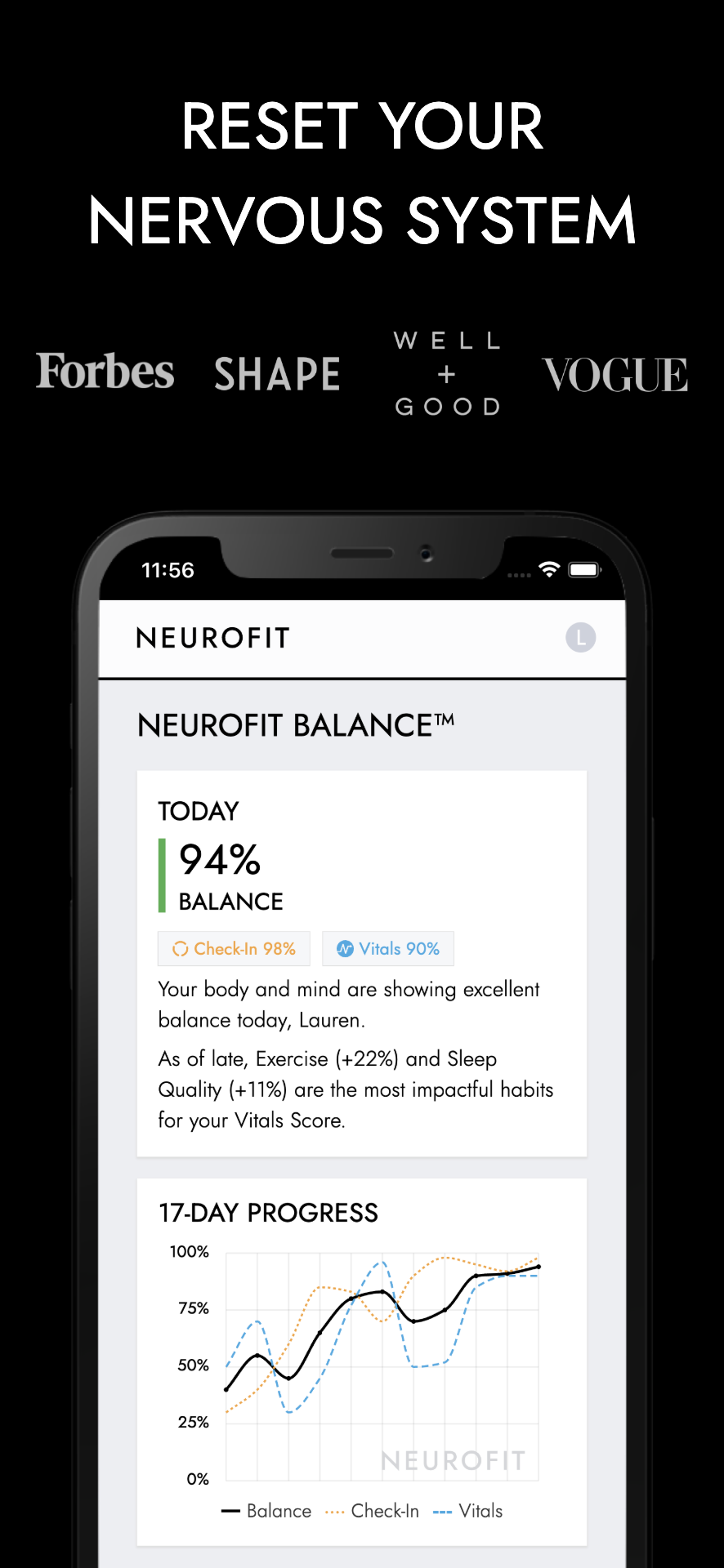
NEUROFIT App is a body analyzer tool. A nervous system regulation app that uses short somatic exercises and daily check-ins to reduce stress. It reports a 39% average stress drop in the first week across 17,000+ users, and pairs quick balance trainings with optional camera-based HRV scans.
NEUROFIT is a nervous system regulation app built around the premise that chronic stress lives in the body rather than the mind. Instead of leaning on meditation or journaling, it guides members through short somatic exercises, breathwork and balance trainings designed to shift them out of a stressed or shut-down state in minutes. The interface is deliberately plain, and the company frames that as a feature: its own guidance argues that nervous systems change through action, not through collecting more information, so the app pushes users toward short check-ins and physical drills rather than long reading sessions. The core loop is a daily check-in that produces a Balance Score, a percentage intended to reflect nervous system flexibility and readiness for challenge. Based on how the user reports feeling, the app recommends specific exercises, and most members spend roughly five minutes a day inside the product. A longer embodiment routine of about thirty minutes sits outside the app, split across social play, exercise and stillness. An optional sixty second fingertip scan uses the phone camera to read HRV (RMSSD), heart rate and breathing rate, so users can watch physiology alongside subjective state without a wearable. The audience spans two groups. On one side are individuals dealing with burnout, anxiety, overwhelm or long-running stress, including people who have already tried mindset work and want a somatic tool. On the other are practitioners: the company reports use by more than 2,000 therapists, doctors and health professionals, and there are dedicated offerings for coaches and teams alongside comparison pages aimed at Calm, Headspace, Sensate, Othership and Apollo Neuro. Its main differentiator is the evidence story. An independent analysis by a Harvard Medical School researcher across more than 17,000 users in 147 countries reports an average 39% stress drop in the first week, with a large effect size on a proprietary eight-domain scale that correlates with PHQ-9 and GAD-7. Those numbers come from self-reported in-app data, so treat them as vendor-published rather than clinic-grade proof. Structured programs and professional tooling are the draw; anyone wanting deep customization or wearable sync will find it deliberately stripped back.
A 3 day free trial is included when subscribing through the App Store or Play Store.
Learn moreMembership runs monthly, 3 month or yearly, auto-renewing and managed through the App Store or Play Store. A subscription started on the first day of signup is priced at $39.99 USD per 3 months. The 3 month cycle is designed so members can complete the roughly 6 week program twice.
Learn moreCustomer care is handled by email at care@neurofit.app, with a separate address for business inquiries and a public FAQ covering science, design and membership questions.
A Vitals SDK lets other wellness apps add NEUROFIT's camera-based HRV scanning. No consumer wearable sync is described on the homepage.
Learn moreDaily nervous system check-ins produce a Balance Score, and the app recommends somatic exercises and balance trainings that take a few minutes each. Optional 60 second fingertip scans measure HRV (RMSSD), heart rate, breathing rate, SDNN and Baevsky stress index. Education and a somatics glossary sit alongside the exercises, and separate Coach OS and Teams offerings exist for practitioners.
Learn more AI Angels400+ customizable AI girlfriends for NSFW chat, voice calls, and roleplay
 Candy AIExperience the future of companionship with AI friends who chat, role-play, and connect with you on a human level.
 ourdream.aiA vast AI roleplay platform with millions of characters for chat, images, video and voiceAI Angels400+ customizable AI girlfriends for NSFW chat, voice calls, and roleplayCandy AIExperience the future of companionship with AI friends who chat, role-play, and connect with you on a human level.ourdream.aiA vast AI roleplay platform with millions of characters for chat, images, video and voice