Integrations
OnModel offers a Shopify app for direct integration with Shopify stores, and a standalone web app. No other integrations are mentioned on the homepage.
AI fashion models for apparel ecommerce without photoshoots.

On model is a background tool. OnModel.ai helps apparel ecommerce stores replace models in product photos with AI generated ones, no photoshoot needed. It supports attribute changes like ethnicity and age, background swaps, and bulk processing, with a Shopify app and web app.
OnModel.ai is an AI photography tool built for apparel and fashion ecommerce stores. It removes the need for traditional clothing photoshoots by placing garments on AI generated models. The core promise is simple: upload a product image, and the system swaps the model while keeping the clothing intact. Store owners can change the model's gender, ethnicity, age, expression, makeup, and more, which helps align product photos with the demographics of their customer base. The tool also handles background removal and replacement, which is useful for standardizing the look of a store's catalog. Beyond model swapping, OnModel offers face generation for cropped or headless images, a common problem when working with supplier photos. Batch processing is available for stores with large inventories, allowing thousands of images to be processed in a single job. The workflow is designed to be straightforward: start with the web app or install the Shopify app, upload images, adjust model attributes and backgrounds, then generate the final visuals in seconds. No design skills are required, and the interface is minimal, which makes it accessible to store owners rather than professional retouchers. OnModel is most valuable for small to mid-sized clothing boutiques and dropshippers who rely on stock images from suppliers. Those images are often shared across many stores, which can hurt SEO and brand differentiation. By generating unique model photos, stores can avoid duplicate content issues and better represent diverse customer groups. The focus on diversity is a practical selling point: customers are more likely to engage with models who reflect their own ethnicity and skin tone. The tool does not aim to replace high-end editorial photography but rather to provide a fast, cost-effective alternative for everyday product listings. While the homepage highlights ease of use and speed, it does not detail pricing tiers, free trial availability, or integration options beyond Shopify. The FAQ touches on selling to new audiences, improving traffic, and upgrading photos, but deeper technical specifics like image resolution limits or turnaround times are not stated. For stores already using Shopify, OnModel integrates directly via the Shopify App Store, and a standalone web app is also available. Overall, OnModel sits in a growing category of AI product photography tools, with a specific niche in fashion model replacement rather than general image editing.

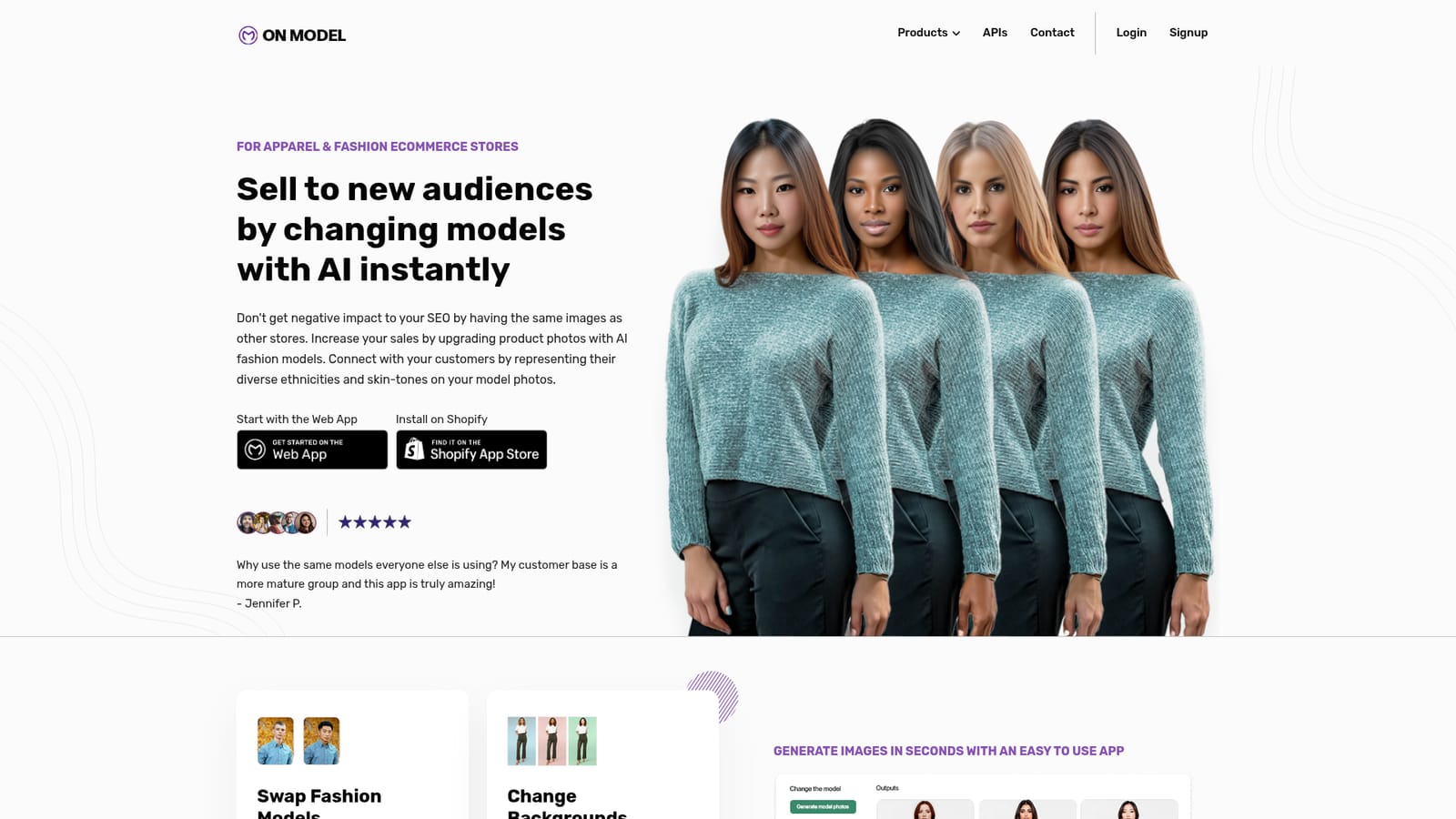
OnModel offers a Shopify app for direct integration with Shopify stores, and a standalone web app. No other integrations are mentioned on the homepage.
OnModel's core features include swapping fashion models (changing gender, ethnicity, age, expression, makeup), changing backgrounds, generating faces for cropped or headless images, and bulk processing of images. The tool is designed to work with apparel ecommerce stores, particularly on Shopify, and aims to help stores differentiate their product photos and appeal to diverse audiences.
 AI Angels400+ customizable AI girlfriends for NSFW chat, voice calls, and roleplay
 Candy AIExperience the future of companionship with AI friends who chat, role-play, and connect with you on a human level.
 ourdream.aiA vast AI roleplay platform with millions of characters for chat, images, video and voiceAI Angels400+ customizable AI girlfriends for NSFW chat, voice calls, and roleplayCandy AIExperience the future of companionship with AI friends who chat, role-play, and connect with you on a human level.ourdream.aiA vast AI roleplay platform with millions of characters for chat, images, video and voice