Free trial
The homepage advertises a free trial with credits included and no credit card required. Specific trial length and credit allowance are not stated, so the exact limits need confirming on the pricing page or with the team.
Learn moreAutonomous AI employees for leads, outreach, content and support

Parallel AI is a business operations platform for building autonomous AI employees that handle lead generation, outreach sequences, content production, customer support and CRM work, all connected to a large integration library and available as a white label product for agencies.
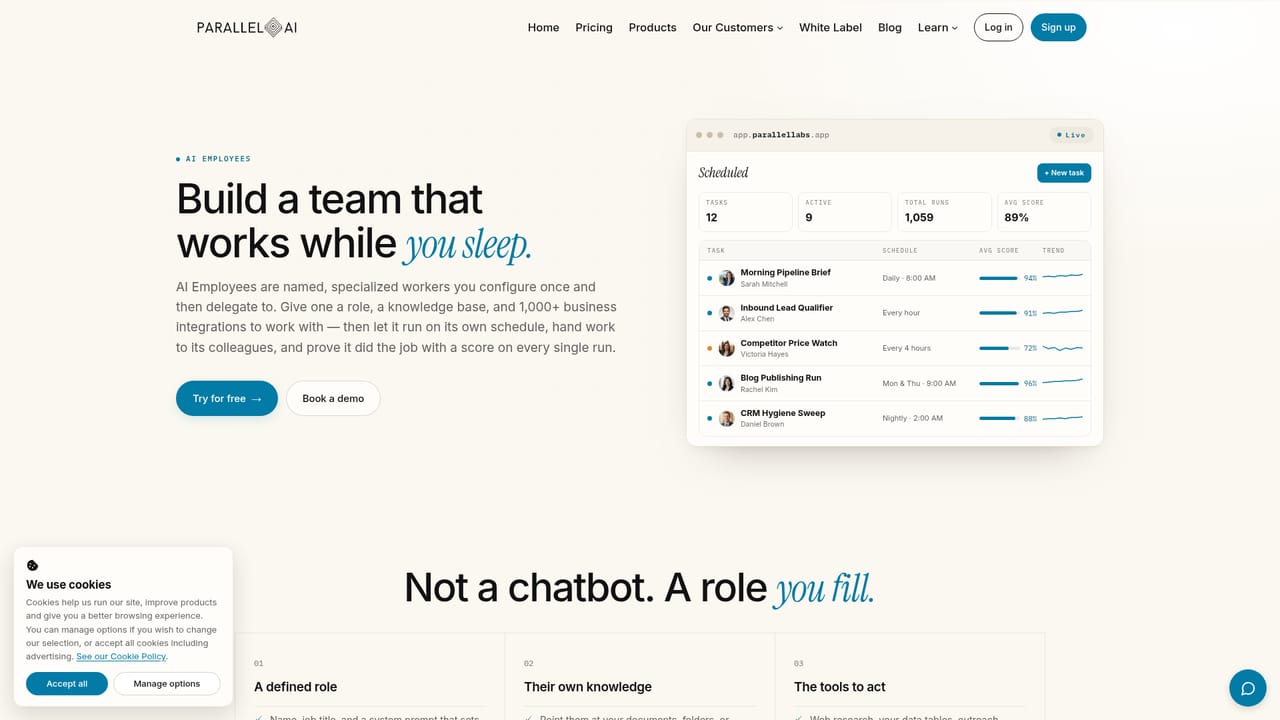
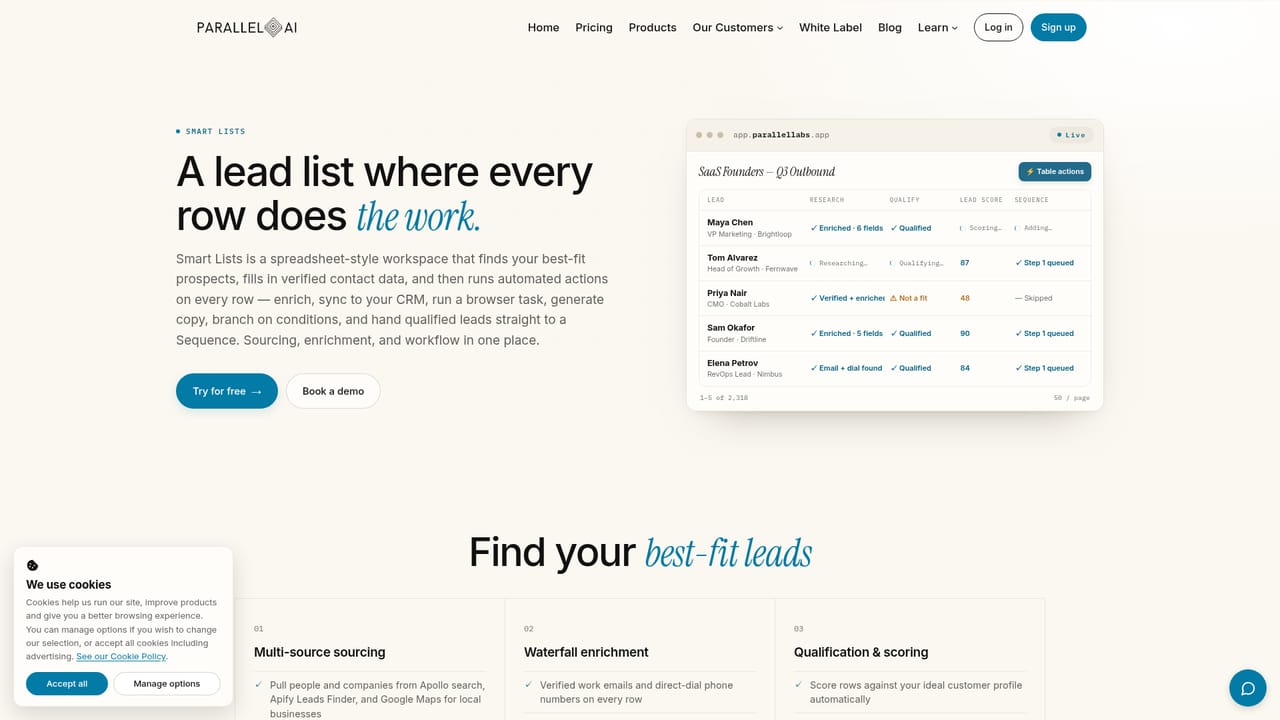
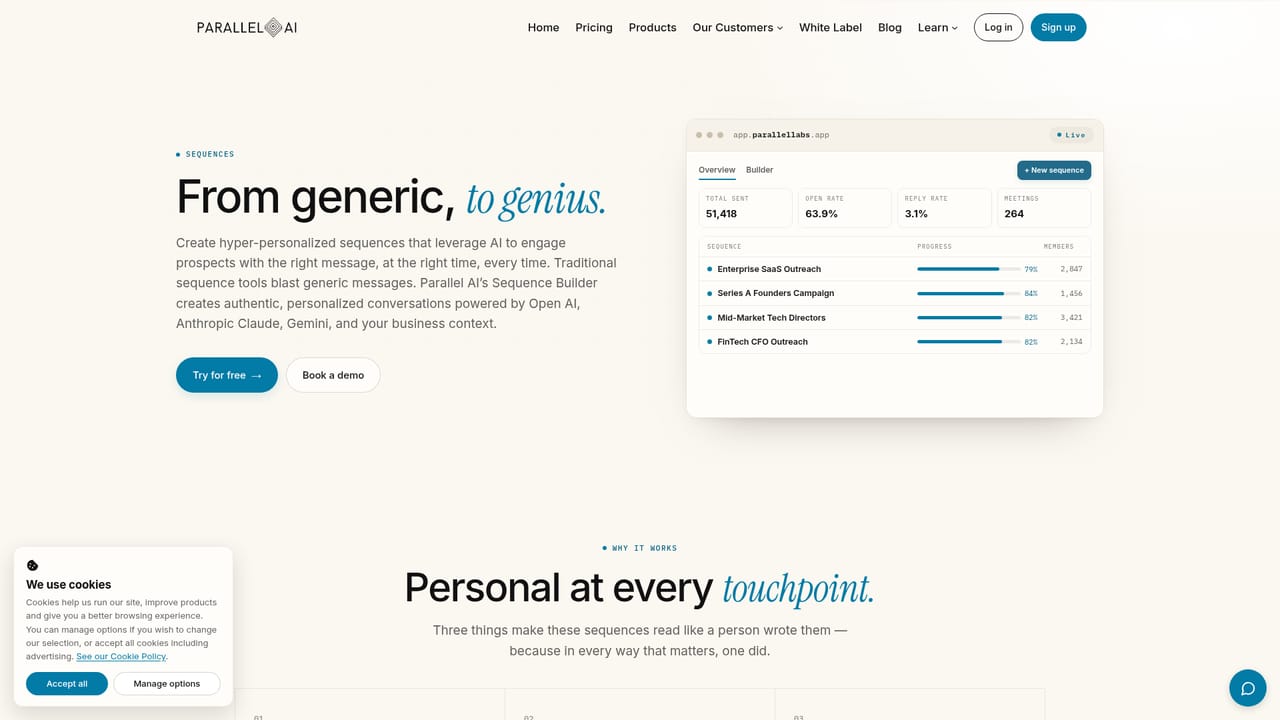
Parallel AI is a business growth platform built around the idea of an AI workforce rather than a single chat assistant. Users create AI employees on frontier models from OpenAI, Claude, Gemini, Grok and DeepSeek, train each one on company knowledge pulled from Google Drive, Notion, Confluence, PDFs and URLs, and connect it to the tools it needs to act. Each employee runs on its own schedule, waking to pick up tasks, so routine work such as qualifying inbound leads, sweeping the CRM or publishing a blog post continues without a person at the keyboard. The platform spans six areas that usually sit in separate subscriptions. Hiring covers the AI employees themselves. Selling is handled by Smart Lists, which search multiple databases, verify contact details and sync qualified records to a CRM, plus multi-channel sequences across email, LinkedIn, SMS and WhatsApp. Publishing runs through a content engine that produces blog posts, social copy, ads, newsletters and branded images in the company voice. Support adds AI receptionists and customer agents across phone, SMS, WhatsApp, web chat and email, with escalation to humans when an issue is complex. Company Brain ties people, companies and activity into connected profiles, and a white label layer lets agencies resell the whole stack under their own domain, pricing and Stripe account. The product targets revenue teams, marketing departments and agencies that want fewer point tools. Small teams without engineering resources can work entirely in the web app, while technical users can drive the same data through an API or MCP connections to Claude, ChatGPT and Cursor. Buyers weighing it against standalone outreach tools or content generators should note that the appeal is consolidation, and consolidation only pays off if the team actually adopts several of the six areas rather than one. Security claims include SOC 2 and GDPR and CCPA alignment, and the company states the product is made in the USA.
The homepage advertises a free trial with credits included and no credit card required. Specific trial length and credit allowance are not stated, so the exact limits need confirming on the pricing page or with the team.
Learn moreThe site claims 1,000+ integrations plus native n8n and a full API, with named connectors for HubSpot, Salesforce, GoHighLevel, Pipedrive, Notion, Google Drive, Confluence, Slack, Gmail, LinkedIn, Shopify and Stripe. MCP support connects external agents.
Core features include unlimited AI employees on major frontier models, training from Drive, Notion, Confluence, PDFs and URLs, autonomous scheduled runs, Smart Lists lead generation with enrichment and CRM sync, multi-channel sequences across email, LinkedIn, SMS and WhatsApp, a content engine for blogs, social, ads and branded images, omni-channel receptionist and support agents, Company Brain relationship profiles, and a white label reseller layer with per-client feature controls.
Learn more AI Angels400+ customizable AI girlfriends for NSFW chat, voice calls, and roleplay
 Candy AIExperience the future of companionship with AI friends who chat, role-play, and connect with you on a human level.
 ourdream.aiA vast AI roleplay platform with millions of characters for chat, images, video and voiceAI Angels400+ customizable AI girlfriends for NSFW chat, voice calls, and roleplayCandy AIExperience the future of companionship with AI friends who chat, role-play, and connect with you on a human level.ourdream.aiA vast AI roleplay platform with millions of characters for chat, images, video and voice


