Patchwork Tattoos

Plan patchwork tattoo layouts and filler concepts before committing to ink.

Beginner
Screenshot of Patchwork Tattoos, Plan patchwork tattoo layouts and filler concepts before committing to ink

What is Patchwork Tattoos?

Patchwork Tattoos is a design tool that plans patchwork tattoo layouts and filler concepts before committing to ink. A web tool for generating and remixing patchwork tattoo concepts, sleeve layouts, and filler ideas, pairing a Clean Design with an on-skin preview before a tattoo artist consultation.

Patchwork Tattoos is a web based generator built around a specific niche: planning multi-piece patchwork tattoos, sleeves, and filler work rather than single stand-alone designs. Users describe an idea or pick a reviewed reference design, then adjust controls for placement, style, subject, and vibe to produce a Clean Design alongside an on-skin preview. The tool also includes a photo-to-tattoo mode, a tattoo font generator, a stencil maker, and a cover-up planner, all aimed at the pre-appointment research phase rather than at generating finished tattoo art. The product is built for people preparing to visit a tattoo artist rather than for artists themselves. It suits someone who already has one or two tattoos and wants to work out how a new piece, a filler motif, or a full sleeve will sit alongside existing ink, as well as first timers trying to narrow down subject, placement, and style before a consultation. A large library of reviewed designs, organized into collections by theme, placement, and style, lets users compare silhouettes side by side instead of starting from a blank prompt. In practice, a session starts with either browsing the idea library or typing a description, then narrowing results with dropdowns for placement, art style, subject matter, and use case such as filler, half sleeve, or matching tattoos. The generator returns a Clean Design and a matching on-skin preview, which the site frames explicitly as a planning reference to bring to an artist rather than a finished tattoo. Credits govern how many concepts and 4K exports a user can generate beyond the two free concepts included at signup. Among AI image tools adapted for tattoo use, Patchwork Tattoos differentiates itself with its patchwork-specific framing: spacing guidance, filler logic, and a builder for assembling multiple pieces into one composition, rather than treating each generated image as an isolated artwork.
How do you use Patchwork Tattoos?

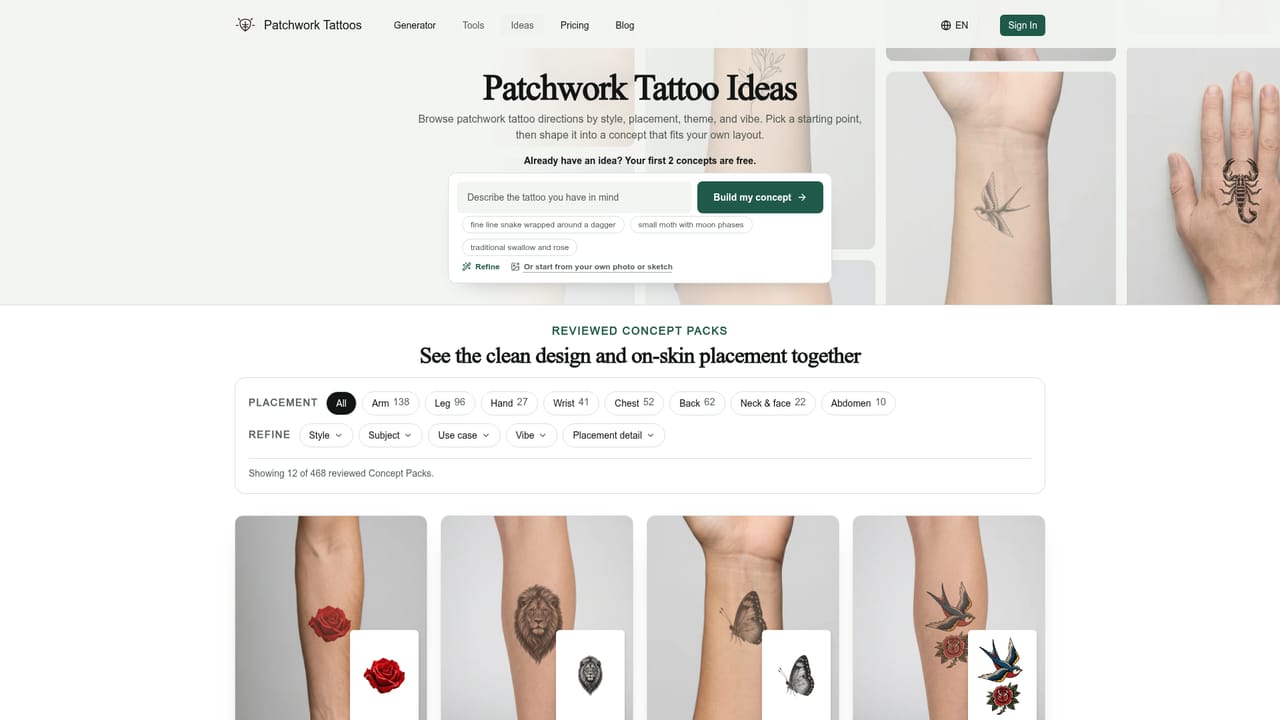
  1. 1Browse reviewed tattoo ideas
    Start in the idea library and filter by placement, style, or subject to compare Clean Designs next to their on-skin versions before deciding on a direction.
    Patchwork Tattoos — Browse reviewed tattoo ideas
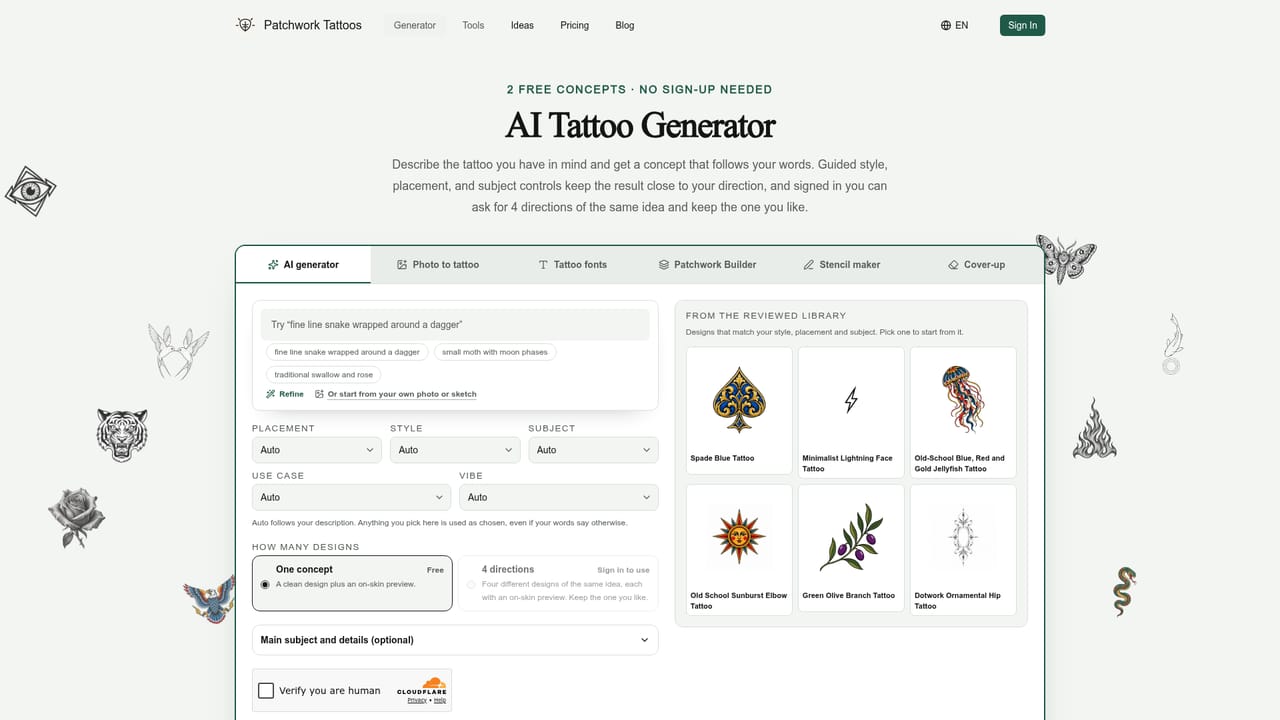
  2. 2Describe or select a concept
    Type a description of the tattoo idea or pick a reviewed design to use as a starting reference, then set placement, style, subject, use case, and vibe.
    Patchwork Tattoos — Describe or select a concept
  3. 3Generate your free concepts
    Create a concept pack to get a Clean Design plus a matching on-skin preview; the first two concepts are free and need no sign-up.
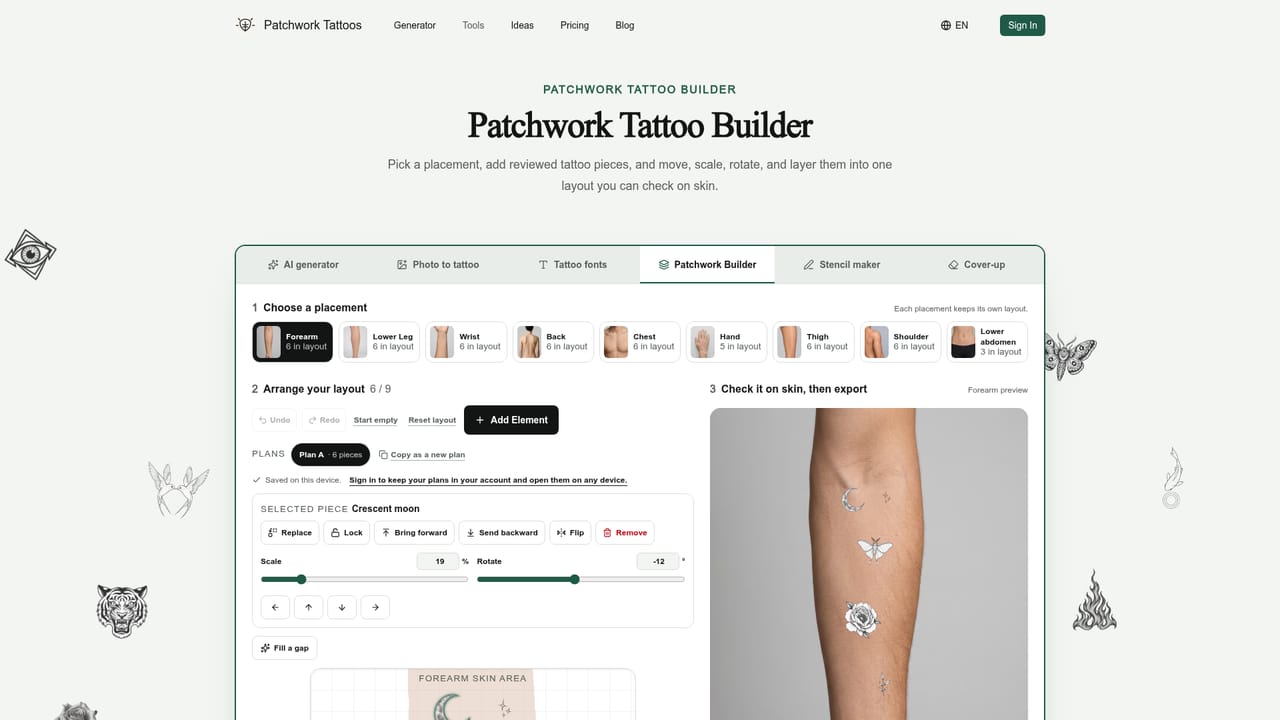
  4. 4Assemble a patchwork layout
    Add favorite designs to the Patchwork Builder to plan spacing, filler, and how multiple pieces will sit together on a sleeve or larger area.
    Patchwork Tattoos — Assemble a patchwork layout
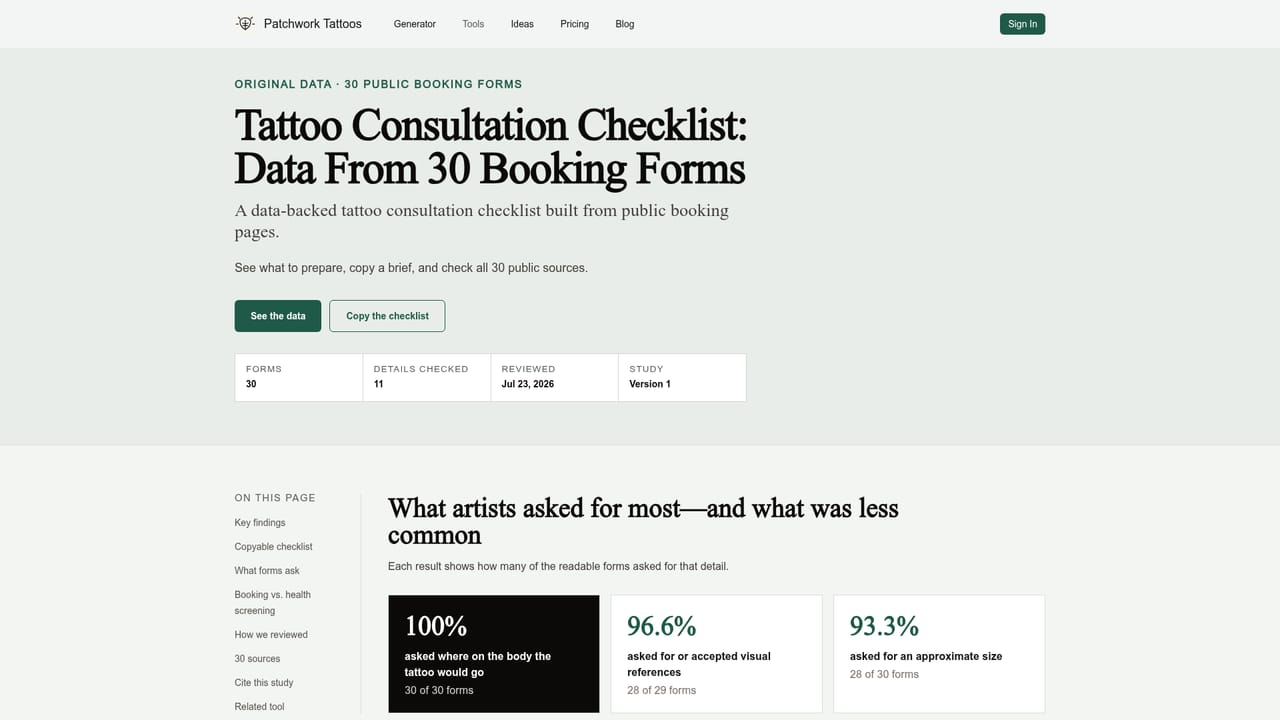
  5. 5Prepare materials for your artist
    Use the tattoo consultation checklist to gather the Clean Design, placement notes, size, and line weight references before your appointment.
    Patchwork Tattoos — Prepare materials for your artist

Pros and cons

Pros

  • Patchwork-specific controls for placement, style, subject, and filler rather than generic image promptsAI
  • Reviewed design library organized into collections by theme, placement, and style for direct comparisonAI
  • Pairs every concept with an on-skin preview, making spacing and scale easier to judgeAI
  • Two free concepts available without creating an account, lowering the barrier to try the generatorAI
  • Extra tools (photo-to-tattoo, stencil maker, cover-up planner, font generator) cover adjacent planning needsAI

Cons

  • Concepts beyond the first two require credits, so serious exploration of a sleeve or patchwork plan has an ongoing costAI
  • Output is explicitly a planning reference, not a tattoo-ready file, so an artist still has to reinterpret the designAI
  • No mention of mobile apps, so planning is limited to the web app experienceAI
  • Style and subject options are drawn from preset lists, which may constrain highly unconventional requestsAI
  • No integrations or API are described, limiting use outside the site's own generator and builderAI

How much does Patchwork Tattoos cost?

Free trial

Two free tattoo concepts, each including a Clean Design and an on-skin preview, are available without creating an account.

Learn more

Pricing

The first two concepts are free with no sign-up required. After that, each additional concept costs 20 credits and a 4K export costs 20 credits; ongoing plans and one-time credit packs are available for further planning.

Learn more

Support

Support is reachable by email, with an FAQ section on the homepage covering credits, privacy, and how to bring concepts to a tattoo artist.

Features

AI tattoo generator with placement, style, subject, use case, and vibe controls; photo-to-tattoo conversion; tattoo font generator; Patchwork Builder for layout planning; stencil maker; cover-up planner; and a reviewed design library organized into themed collections.

Learn more

Frequently asked questions about Patchwork Tattoos

  • How much does Patchwork Tattoos cost?
    The first two concepts are free with no sign-up required. After that, each additional concept costs 20 credits and a 4K export costs 20 credits; ongoing plans and one-time credit packs are available for further planning.
  • Does Patchwork Tattoos offer a free trial?
    Two free tattoo concepts, each including a Clean Design and an on-skin preview, are available without creating an account.
  • How do you use Patchwork Tattoos?
    The walkthrough on this page covers 5 steps: 1. Browse reviewed tattoo ideas 2. Describe or select a concept 3. Generate your free concepts 4. Assemble a patchwork layout 5. Prepare materials for your artist.
  • What platforms does Patchwork Tattoos support?
    Patchwork Tattoos is available on Web App.
  • What are the limitations of Patchwork Tattoos?
    Concepts beyond the first two require credits, so serious exploration of a sleeve or patchwork plan has an ongoing cost. Output is explicitly a planning reference, not a tattoo-ready file, so an artist still has to reinterpret the design. No mention of mobile apps, so planning is limited to the web app experience.

Status

StatusActive
Views0
Outbound clicks0
Added10/10/2026

Platforms

Web App

Pricing

FreemiumPaidSubscription