Free trial
The first conversion is free and covers up to 1,000 characters with standard voices or 500 with Studio HD voices.
Learn moreTurn any PDF document into a narrated MP3 with AI voices.

PDF2MP3 is an AI narration tool that turns any PDF document into a narrated MP3 with AI voices. A browser tool that narrates PDF documents with 50+ AI voices in seven languages and exports standard MP3 files.
PDF2MP3 is a browser-based converter that reads PDF documents aloud as downloadable MP3 files using neural text-to-speech. The workflow is deliberately narrow: drag in a file, pick a language and voice, run the conversion, then stream the result on the page or save it locally. Text-based PDFs are parsed in the browser and only the extracted text goes to the voice servers, which keeps the original document off remote storage. Scanned files that contain no extractable text can still be handled through optical character recognition, but that step requires explicit consent because the page is sent to an outside OCR provider. The voice catalogue is the main selling point for anyone who does more than occasional conversions. There are 50+ American, British and other voices spread across English, Japanese, French, German, Spanish, Simplified Chinese and Brazilian Portuguese, with a separate tier of Studio HD voices that cost five credits per thousand billed characters versus one for standard ones. Speed and volume controls apply both to samples and to the final export, so dense technical material can be slowed down before conversion rather than after. The audience is students and researchers building audio study guides from papers, consultants and engineers who listen to long reports on the road, ESL teachers producing listening exercises, and low-vision readers who need narrated versions of written material. It also works as a proofreading trick: hearing a draft read back is a fast way to catch errors the eye skips. The tool competes with general document readers and standalone text-to-speech services, and its pitch is that it skips manual copy and paste by ingesting the PDF directly. Output ownership is clear when you convert your own content, though third-party copyrighted documents still fall under their original terms. Volume users should note the credit model: long books consume a lot of characters, and batch mode is reserved for the Max tier.
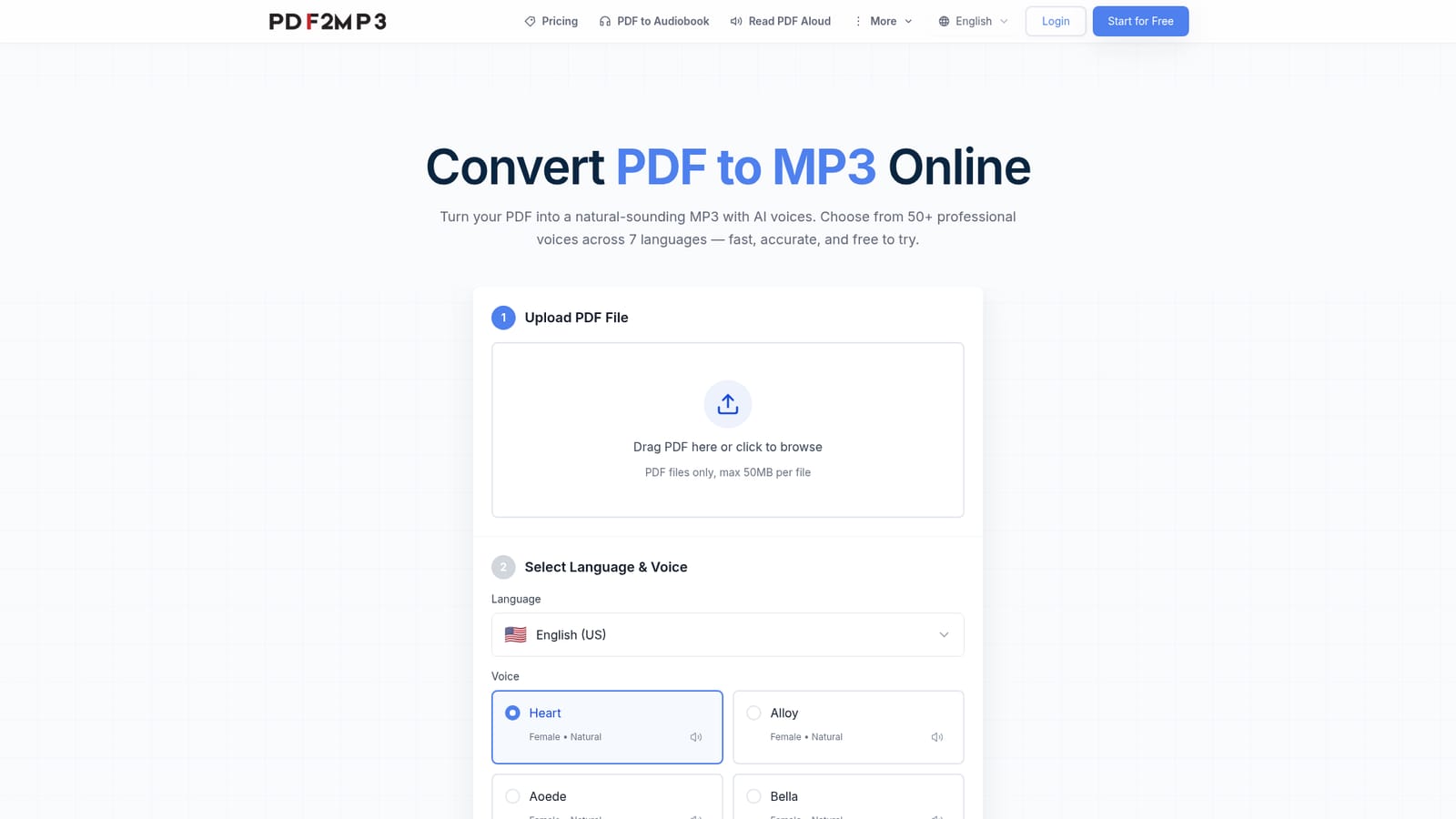
The first conversion is free and covers up to 1,000 characters with standard voices or 500 with Studio HD voices.
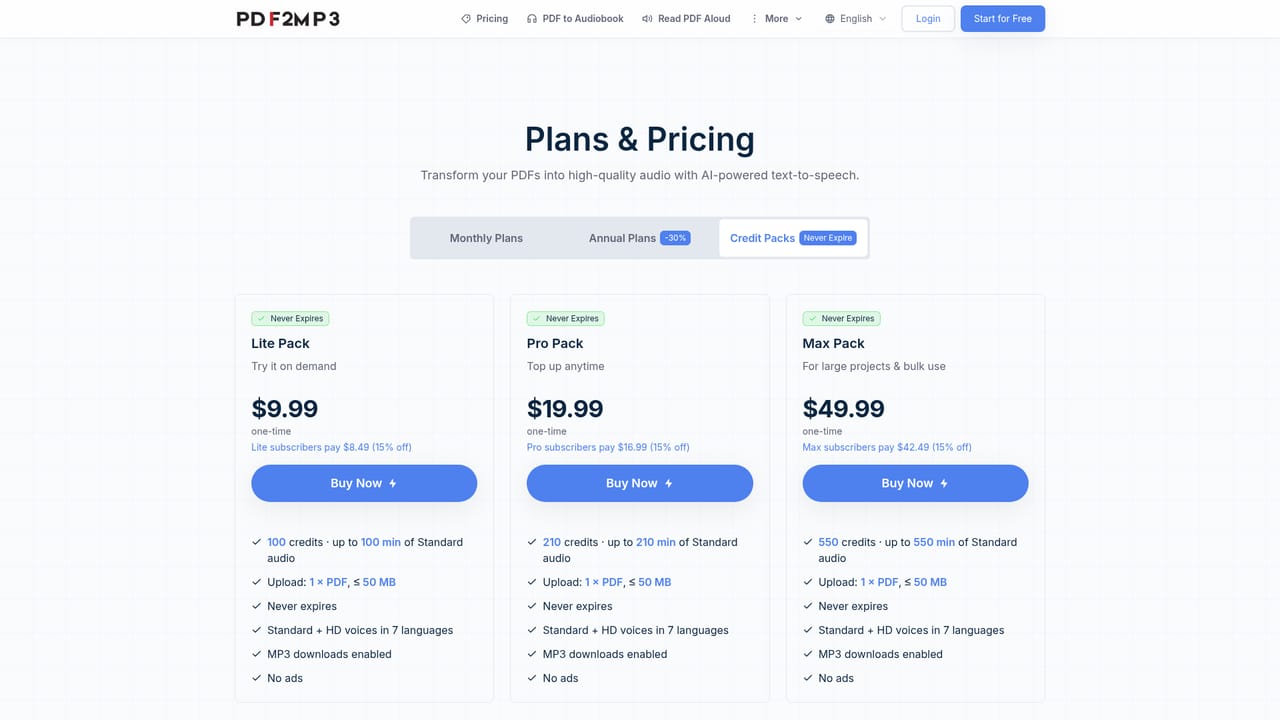
Learn moreCredit-based: Standard voices cost 1 credit per 1,000 billed characters, Studio HD voices cost 5. Free trial covers a first conversion of up to 1,000 standard or 500 Studio HD characters. Paid plans convert full documents up to 500,000 characters, and Max adds batch conversion of up to five PDFs. Exact plan prices are not listed on the homepage.
Learn moreExtracts text from PDFs (including footnotes and technical terms) and narrates it with neural voices. Offers 50+ voices across English, Japanese, French, German, Spanish, Chinese and Portuguese, with adjustable speed and volume, Studio HD voices, OCR for scanned files with consent, in-browser playback, per-file MP3 downloads, and five-file batch mode on Max.
 AI Angels400+ customizable AI girlfriends for NSFW chat, voice calls, and roleplay
 Candy AIExperience the future of companionship with AI friends who chat, role-play, and connect with you on a human level.
 ourdream.aiA vast AI roleplay platform with millions of characters for chat, images, video and voiceAI Angels400+ customizable AI girlfriends for NSFW chat, voice calls, and roleplayCandy AIExperience the future of companionship with AI friends who chat, role-play, and connect with you on a human level.ourdream.aiA vast AI roleplay platform with millions of characters for chat, images, video and voice