Free trial
No separate trial is described, but the core studio is free to use. Watermark-free and 4k downloads are the paid upgrades.
Learn moreStudio-grade product photos from one upload, no camera required
Own Photio AI Photographer? Verify ownership to get a dofollow link
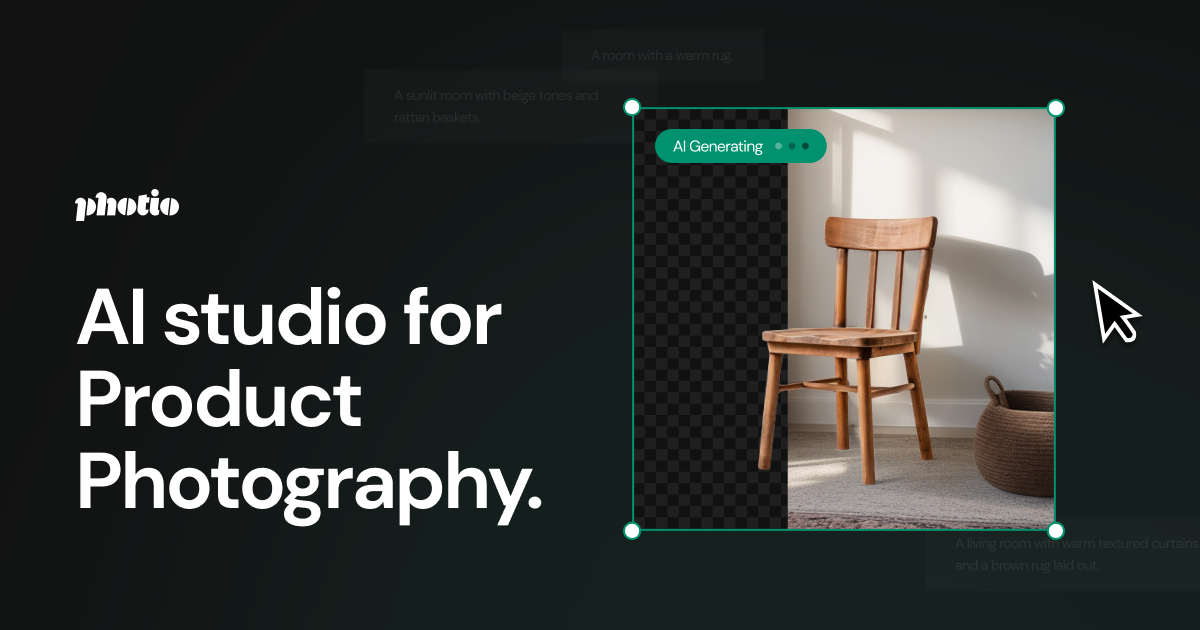
Photio AI Photographer is a background remover tool. Photio turns one product photo into styled, commercially usable images: AI-generated backgrounds, background removal, object erase and replace, 2x to 4x upscaling and canvas expansion, all in a browser studio.
Photio AI Photographer is a browser-based product photography studio that turns a single phone or camera shot of a product into a finished, styled image. Upload the item, describe what it is, and the system analyses the product and produces four background concepts chosen to complement it. From there the same workspace handles the rest of the retouching chain: cutting the product out of its original background, upscaling resolution by 2x or 4x, swiping away unwanted objects, and painting in replacement elements. The tool is aimed at sellers and the teams around them: ecommerce operators listing on marketplaces, restaurant owners building menus, cosmetics and furniture brands that would otherwise book a studio, and marketing agencies producing variations at volume. The workflow is deliberately shallow. One decent front-facing photo taken under bright light is the only required input, and the site notes that higher-quality source images produce better output. Backgrounds can be generated from a written description, from reference keywords, or from an image whose mood you want replicated, and Generative Expand grows the canvas outward when a shot needs a different aspect ratio. Practically, the appeal is iteration. Because generating another concept costs nothing but a moment, a brand can test several looks for the same SKU rather than committing to one shoot. Customers quoted on the homepage describe it as a substitute for repeated reshoots and for the two-week turnaround of a traditional studio, with the caveat that results vary and disappointing generations can simply be redone. Where it sits among alternatives: it is narrower than general image generators and more product-focused, bundling background removal, generative fill and upscaling in one place instead of spreading them across separate utilities. The trade-off is that the generated scene is synthetic, so highly regulated or texture-critical categories still need human review before publishing.
No separate trial is described, but the core studio is free to use. Watermark-free and 4k downloads are the paid upgrades.
Learn moreThe AI studio can be used free of charge. Removing watermarks and downloading at 4k resolution require the Pro plan. The homepage points to a pricing page for details but does not list plan prices or tiers.
Learn moreAI Photographer generates four product-matched backgrounds from a short description; Text to Background builds scenes from keywords; Image to Background mimics a reference photo's mood; Erase or Replace removes or swaps objects; Remove Background isolates the product; resolution is raised 2x or 4x; Generative Expand extends the canvas to fit new aspect ratios.
 AI Angels400+ customizable AI girlfriends for NSFW chat, voice calls, and roleplay
 Candy AIExperience the future of companionship with AI friends who chat, role-play, and connect with you on a human level.
 ourdream.aiA vast AI roleplay platform with millions of characters for chat, images, video and voiceAI Angels400+ customizable AI girlfriends for NSFW chat, voice calls, and roleplayCandy AIExperience the future of companionship with AI friends who chat, role-play, and connect with you on a human level.ourdream.aiA vast AI roleplay platform with millions of characters for chat, images, video and voice