Free trial
A free trial is offered on the homepage with no sign-up and no credit card required. The trial is the only free usage described, and the volume of free restorations is not stated on the page.
Learn moreRestore old, damaged and faded photos with one-click AI.
Own PhotoRestore.ai? Verify ownership to get a dofollow link
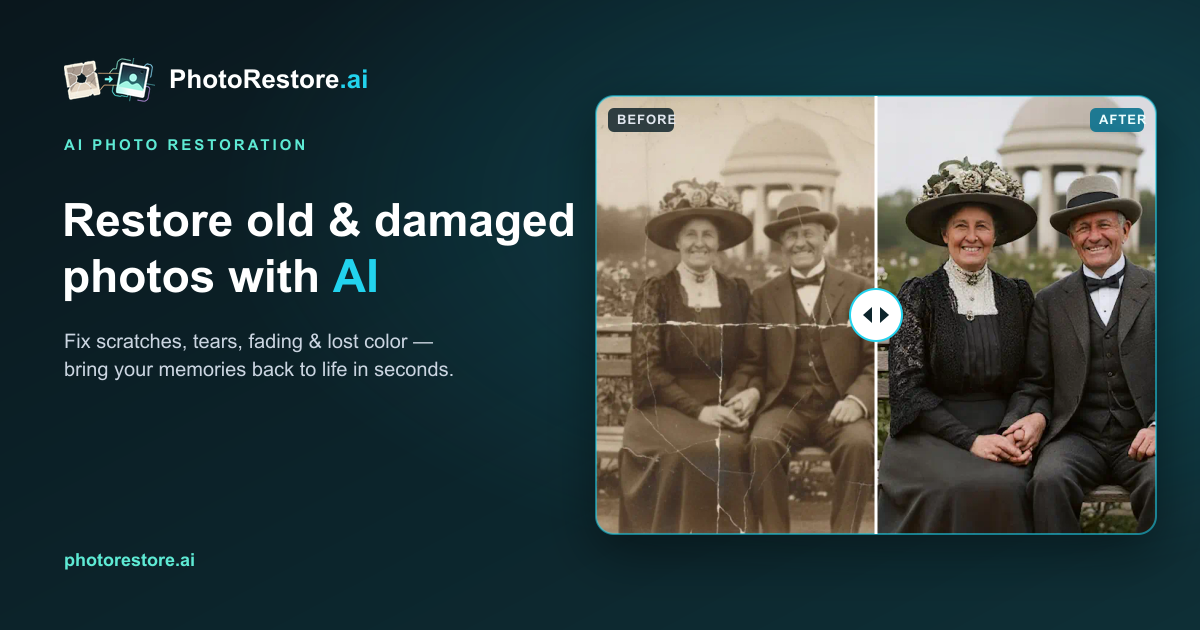
PhotoRestore.ai is an image improvement tool that restores old, damaged and faded photos with one-click AI. PhotoRestore.ai is a web app that repairs old photographs in one pass: scratch and stain removal, tear repair, colorization, sharpening and face enhancement. It uses a credit system with a free no-sign-up trial, and per-photo pricing that drops with larger packs.
PhotoRestore.ai is an online service that repairs aging photographs by combining several AI models into a single pass. Upload a scan of a scratched, creased, stained, torn or simply faded print, and the engine runs scratch removal, context-aware filling of missing areas, color reconstruction, detail sharpening and separate face enhancement at the same time. The output aims to look like a well-kept original rather than a synthetic image, so film grain, period texture and natural skin tones are retained instead of being smoothed away. Black and white photographs can be colorized using era and lighting cues, and the site is explicit that its restoration is built to feel lifelike rather than cartoonish. It is aimed at people with a shoebox of family prints as much as at professionals handling client work. The site's own scenarios cover anniversary gifts, family archive projects, photographers who currently turn down restoration jobs, designers sourcing clean vintage imagery and archivists working through large holdings. Because a scan is uploaded rather than the original print, the physical source stays with its owner, which matters for irreplaceable material. The workflow is deliberately shallow: choose a photo, let the AI process it, preview the result and download an HD copy. There is no editor to learn and no manual masking step before the first result appears. Pricing runs on credits, with one credit per restoration. A one-time Starter Pack at $5 gives five restorations; the Popular Pack at $19.9 gives thirty; the Family Pack at $39.9 gives eighty; and the Archive Pack at $186 gives five hundred. Per-photo cost falls from $1.00 at the small end to $0.37 at the large end. From the Popular Pack upward, credits never expire and HD downloads and all AI features are included. The first trial requires no sign-up and no credit card, according to the homepage. The service sits in the same space as general photo editors and dedicated restoration utilities. Its pitch is speed and cost against traditional manual restoration, which the site prices at $50 to $500 or more per photo and days to weeks of turnaround. Against Photoshop-style retouching, the trade is control: PhotoRestore.ai produces a fast baseline restoration, and the site's own user stories describe designers and studio owners finishing color and detail work by hand afterward. Source quality remains the deciding factor, and the site recommends scanning at 600 DPI for badly blurred faces.
A free trial is offered on the homepage with no sign-up and no credit card required. The trial is the only free usage described, and the volume of free restorations is not stated on the page.
Learn moreCredits are sold in one-time packs at one credit per restoration: Starter Pack $5 for 5 ($1.00 each), Popular Pack $19.9 for 30 ($0.66 each), Family Pack $39.9 for 80 ($0.50 each) and Archive Pack $186 for 500 ($0.37 each). The homepage shows a subscription tab alongside the one-time purchase tab. Credits never expire from the Popular Pack upward, and the Archive Pack includes priority support.
Learn moreThe Archive Pack is the only plan listed with priority support. The homepage provides an FAQ covering results, uploading and privacy, but no dedicated help centre, email address or contact page is described.
One pass combines scratch and crease removal, context-aware filling for tears and missing areas, stain and mold cleanup, sharpening, face reconstruction and colorization of black and white photos. The engine is tuned to keep film grain and period texture rather than producing an over-smoothed or synthetic look. Dedicated tools cover old and faded photos, scratches, stains and torn prints individually, alongside an all-in-one restoration engine.
Learn more AI Angels400+ customizable AI girlfriends for NSFW chat, voice calls, and roleplay
 Candy AIExperience the future of companionship with AI friends who chat, role-play, and connect with you on a human level.
 ourdream.aiA vast AI roleplay platform with millions of characters for chat, images, video and voiceAI Angels400+ customizable AI girlfriends for NSFW chat, voice calls, and roleplayCandy AIExperience the future of companionship with AI friends who chat, role-play, and connect with you on a human level.ourdream.aiA vast AI roleplay platform with millions of characters for chat, images, video and voice








