

PhotoSolve

Snap a photo of any question and get an explained answer

Beginner
Screenshot of PhotoSolve, Snap a photo of any question and get an explained answer

What is PhotoSolve?

PhotoSolve is a homework help tool. PhotoSolve scans homework questions through a Chrome extension or its iOS and Android apps, returning answers with explanations from a custom model. Pro adds unlimited questions and access to Tutoor, which turns uploaded notes, files and videos into chats, summaries, quizzes and flashcards.

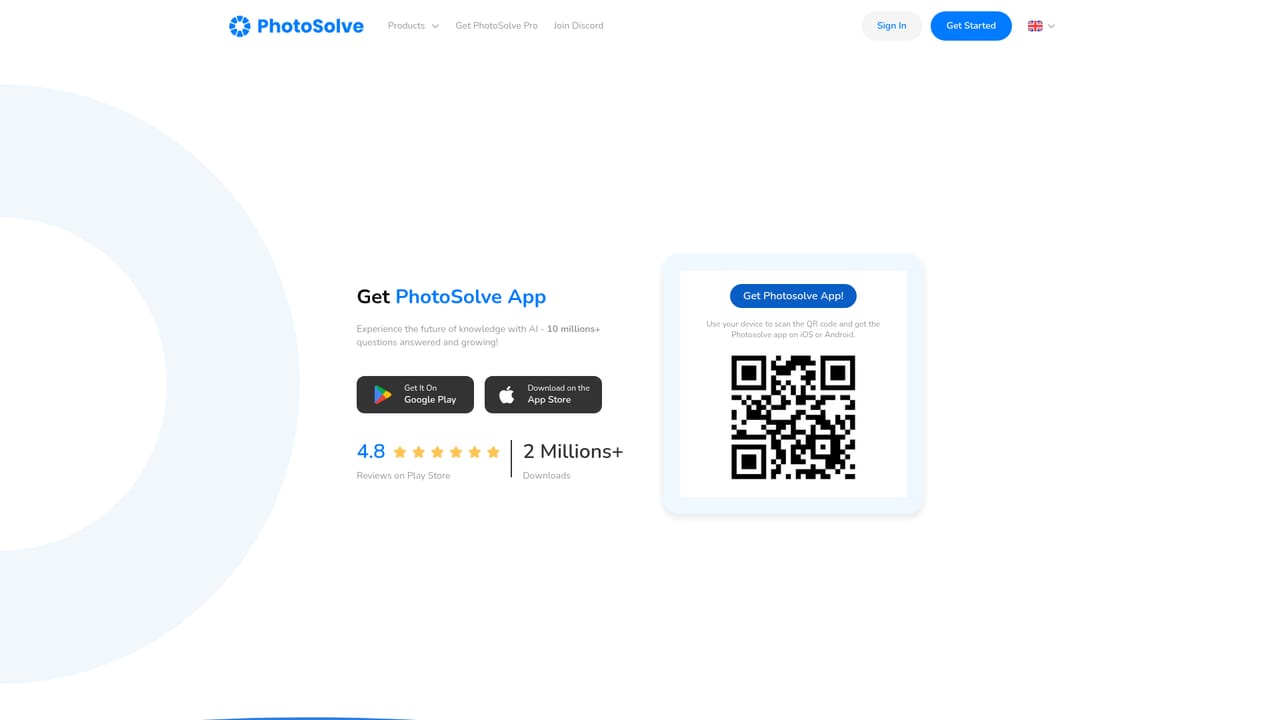
PhotoSolve is a study aid built around a single action: point a camera at a question and get an answer back. The core product is split across a Chrome extension, an iOS app and an Android app, so the same scanning workflow is available whether a student is working on a laptop or a phone. The company says more than ten million questions have been answered and reports over two million downloads with a 4.8 rating on Google Play. An in-house model, trained on what the site describes as real exam data, sits behind the answers, and Pro users unlock unlimited questions plus more detailed explanations. The tool goes beyond raw answer lookup. Tutoor, a companion learning space included with Pro, accepts uploaded files, notes, web pages, YouTube links, lectures and textbooks, then turns that material into chat answers, quick notes, voice conversations, practice quizzes and flashcards. A separate Homework Solver page runs questions through several external models (including GPT-4 Turbo, Claude 3 Opus, Gemini Pro 1.5 and Mistral Large) alongside PhotoSolve's own model, so a student can compare outputs. That multi-model approach is the clearest point of difference from single-model study chatbots. In practice the service is aimed at secondary school and university students working through maths, science and reading assignments, and the site also mentions teachers, researchers and writers. The workflow is quick: capture, read the explanation, then ask follow-up questions. A stealth mode in the browser extension is marketed for keeping activity private and blocking trackers, which is a feature worth weighing carefully given the academic context. PhotoSolve competes with general photo-solving apps and with broad chatbots that accept image uploads. Its pitch rests on a specialised model and a bundled study suite rather than on general conversation, which makes it a reasonable fit for students who want explanations alongside answers, and a weaker fit for anyone needing deep subject coverage outside standard coursework.

How do you use PhotoSolve?

  1. 1Create an account
    Register from the site to get started. Signing in is required before scanning questions or reaching any of the Pro products.
    PhotoSolve — Create an account
  2. 2Install the extension or mobile app
    Add the Chrome extension for browser-based scanning, or download the iOS or Android app if you mostly work from a phone.
    PhotoSolve — Install the extension or mobile app
  3. 3Scan your first question
    Capture the question with your camera or on-screen capture and read the answer. Follow-up questions are supported so you can push for more detail.
  4. 4Try the multi-model Homework Solver
    Paste or photograph a problem on the Homework Solver page and compare responses from the bundled models before deciding which explanation makes sense.
    PhotoSolve — Try the multi-model Homework Solver
  5. 5Study from your own material with Tutoor
    Upload notes, files, links or lecture material inside Tutoor, then generate summaries, quizzes, flashcards or a spoken conversation about the content.

Pros and cons

Pros

  • Free tier lets students test the scanning workflow before payingAI
  • Pro bundles several products: extension, mobile app, Tutoor and Homework SolverAI
  • Homework Solver compares answers across multiple models including GPT-4 and ClaudeAI
  • Tutoor converts uploaded notes, lectures and textbooks into quizzes and flashcardsAI
  • High download count and 4.8 Play Store rating suggest a mature, widely used appAI

Cons

  • The homepage makes broad accuracy claims, such as perfect SAT scores, without published benchmarksAI
  • No free trial is described; the only path is the free tier or a paid Pro planAI
  • Pricing is listed in US dollars only, with no regional pricing shownAI
  • Stealth mode raises obvious questions about whether the tool is meant for unsupervised exam useAI

How much does PhotoSolve cost?

Pricing

Pro is sold as a monthly or yearly subscription: $9.00 per month on the monthly plan, or $4.99 per month billed yearly, which the site says saves $48. Pro unlocks all products (extension, mobile app, Tutoor and Homework Solver) along with unlimited answers and higher accuracy. A limited free tier exists.

Learn more

Integrations

The browser extension runs on Chrome, and Tutoor accepts uploads including files, notes, web pages, YouTube links, lectures and textbooks. No third-party API or platform integrations are described on the homepage.

Features

Photo scanning of questions with explained answers, a custom model trained on exam data, a Chrome extension, iOS and Android apps, follow-up questions, and a Homework Solver that runs prompts through multiple models (GPT-4 Turbo, Claude 3 Opus, Gemini Pro 1.5, Mistral Large and others). Pro adds Tutoor: upload notes, files, links and lectures, then get chat answers, quick notes, voice conversation, practice quizzes and flashcards.

Learn more

Frequently asked questions about PhotoSolve

  • How much does PhotoSolve cost?
    Pro is sold as a monthly or yearly subscription: $9.00 per month on the monthly plan, or $4.99 per month billed yearly, which the site says saves $48. Pro unlocks all products (extension, mobile app, Tutoor and Homework Solver) along with unlimited answers and higher accuracy. A limited free tier exists.
  • How do you use PhotoSolve?
    The walkthrough on this page covers 5 steps: 1. Create an account 2. Install the extension or mobile app 3. Scan your first question 4. Try the multi-model Homework Solver 5. Study from your own material with Tutoor.
  • What platforms does PhotoSolve support?
    PhotoSolve is available on Web App, iOS, Android and Browser extension.
  • What does PhotoSolve integrate with?
    The browser extension runs on Chrome, and Tutoor accepts uploads including files, notes, web pages, YouTube links, lectures and textbooks. No third-party API or platform integrations are described on the homepage.
  • What are the limitations of PhotoSolve?
    The homepage makes broad accuracy claims, such as perfect SAT scores, without published benchmarks. No free trial is described; the only path is the free tier or a paid Pro plan. Pricing is listed in US dollars only, with no regional pricing shown.

Status

StatusActive
Views0
Outbound clicks0
Added10/21/2026

Platforms

Web AppiOSAndroidBrowser extension

Pricing

FreemiumSubscription