What screenshot solvers do
A screenshot solver takes a picture of a question, a worksheet, a textbook page or a screen capture and turns it into an answer. Most pair that image reading with a chat or step-by-step explanation, so the result is more than a bare final line. The typical user is a student who hits a problem mid-assignment and would rather solve a question from an image than type out an equation, a diagram caption or a long word problem by hand.
These tools replace a few slower habits: retyping a problem into a search box, scrolling through forum threads for a near match, or waiting for a tutor to reply. An AI screenshot solver is quickest on short, self-contained questions. Multi-part problems, handwriting and cropped diagrams are where results vary most, so checking the working matters as much as reading the answer.
How to choose a screenshot solver
Start with input. If the phrase you care about is "solve question from image", confirm that the tool accepts photos or screenshots and not only typed text. Some also take typed equations, which helps when an image comes out blurry.
Next, look at the subject. Some tools lean on math and physics, others cover general homework across subjects. A narrow tool can explain better inside its field, while a broad one saves switching.
Then check what the answer looks like. For a homework screenshot solver, step-by-step working is more useful than a final result, because it lets you follow the logic and catch mistakes. A chat follow-up is a bonus when a step is unclear.
Finally, weigh access and platform. Free tiers, sign-up requirements and whether the tool runs as a web app, on a phone or on a desktop all change how fast you can get an answer. A phone app suits snapping a page, while a web app suits pasting a screenshot taken on a computer.
Notable tools
QuestionAI is described as a free AI homework helper with photo solving, chat and a textbook summarizer, and it is available on web, iOS, Android, MacOS and Windows.
Math AI handles step-by-step math from typed equations, word problems or a photo of a worksheet. Its pricing is listed as free, freemium and subscription, and it runs as a web app.
Edubrain is a free homework solver with step-by-step answers and no sign-up, offered as a freemium web app.
Sovi AI is a chat tutor that solves math and physics questions from text or images, which suits readers who want to ask follow-ups in conversation. It is a freemium web app.
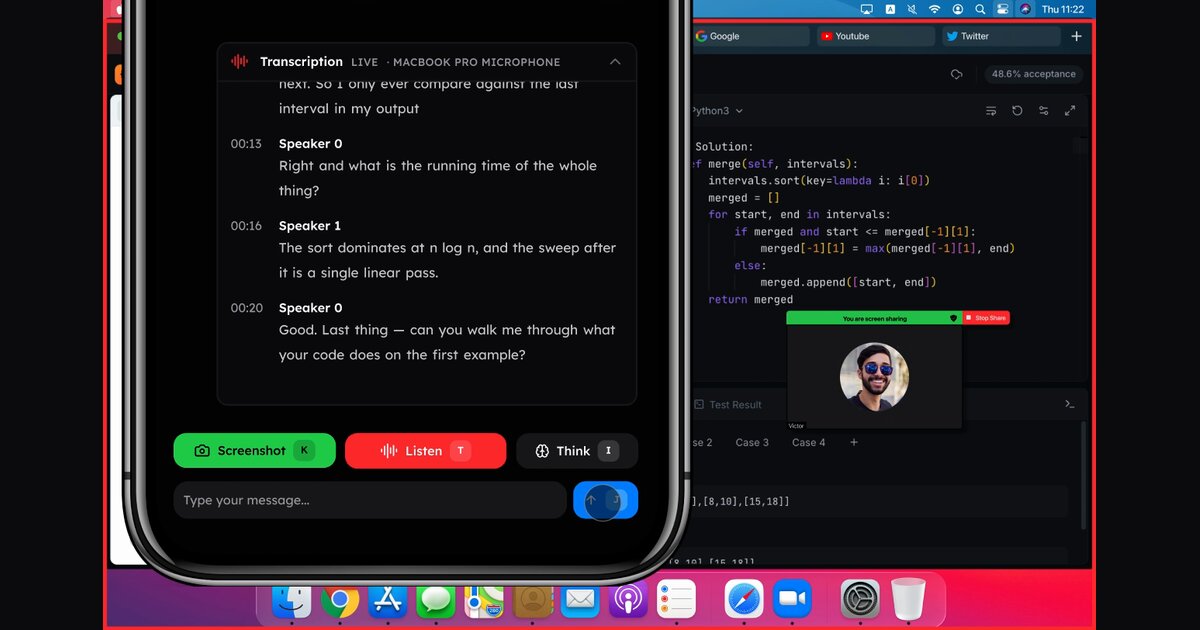
LeetPilot is a different kind of entry: a hidden Mac coding assistant you operate from your phone. It is freemium or subscription, on MacOS and web, and fits coding questions more than general homework.
Common questions
What does "solve question 1 now" mean for these tools?
It usually describes the wish for an immediate answer to the first problem on a worksheet or assignment. The tools here do that by reading the question from a photo or screenshot, then returning an answer and, in many cases, the steps. Speed depends on how clearly the image shows the problem.
What is a screenshot solver?
A screenshot solver is software that reads a question from an image and answers it. Some focus on math, others on homework across subjects. Compare input types, step-by-step output and pricing before settling on one.
Can I trust the answers?
Treat them as a starting point. Read the working, compare it with your course material and rerun the question with a cleaner image if the result looks off.
When to look elsewhere
If you have the question as text and want a general answer rather than an image-based workflow, the Question Solver category is a closer fit. For problems that are purely numerical, Math Questions groups tools built around that work.